wikiman
v2.13.2

Wikiman是手動頁面,Arch Wiki,Gentoo Wiki和其他文檔的離線搜索引擎。
Wikiman為瀏覽文檔提供了簡單的界面,而無需精確並連接到Internet。這是通過利用全文搜索Wiki,人物頁面匹配的部分名稱和描述來實現的,以及用於搜索結果的模糊過濾。
默認情況下,Wikiman僅搜索系統的手冊頁。按照以下說明啟用可選來源。
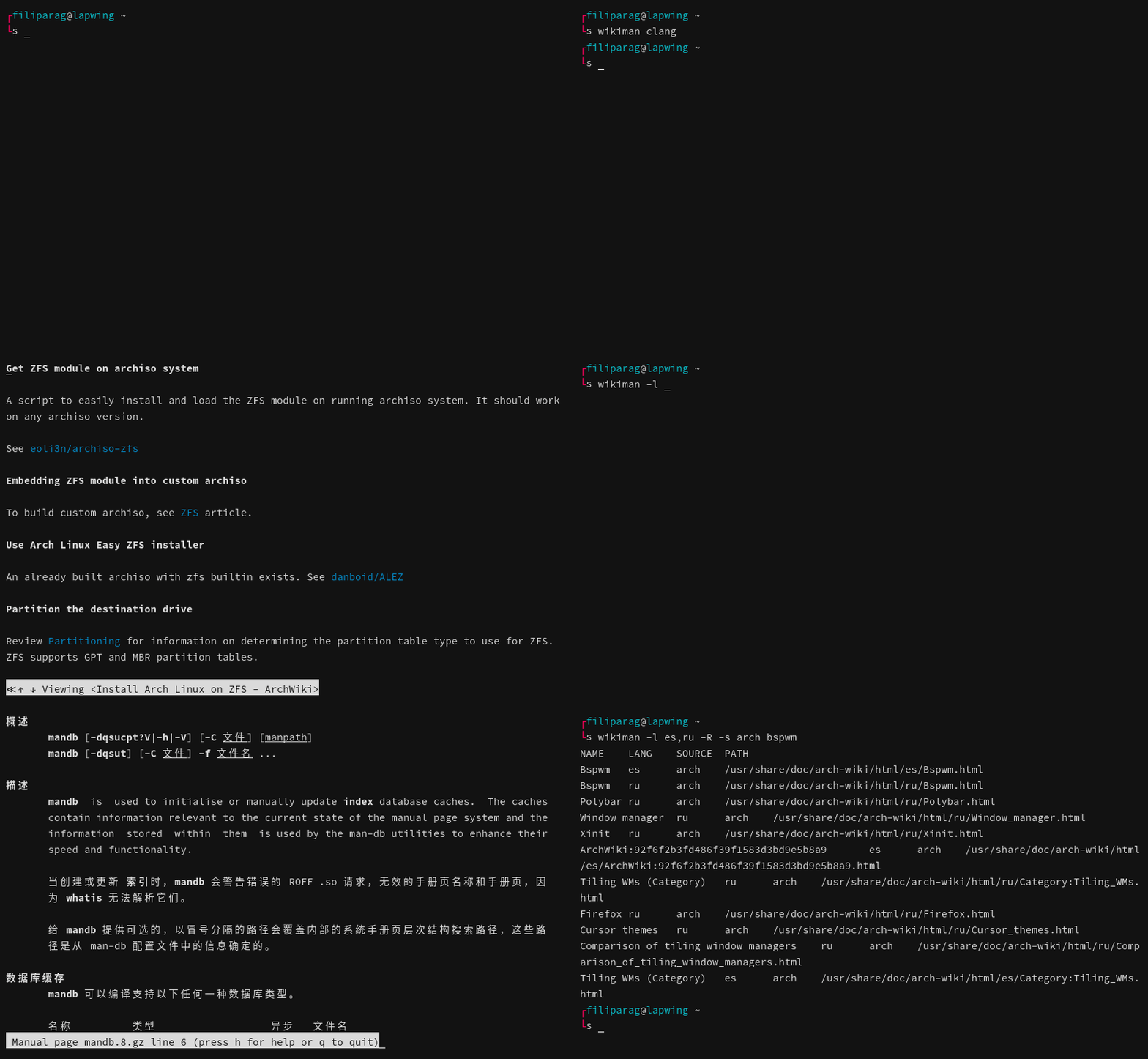
從Arch Linux的額外存儲庫中安裝:
pacman -S wikiman

# Optional: Enable Arch Wiki
pacman -S arch-wiki-docs如果您正在運行Manjaro或其他基於Arch的發行版,請從發行選項卡中下載最新的.pkg.tar.zst軟件包,並按照以下說明添加Arch Wiki作為來源。
sudo pacman -U wikiman * .pkg.tar.zst從版本選項卡中下載最新的.deb軟件包。
sudo apt update
sudo apt install ./wikiman * .deb從發布選項卡中下載最新的.RPM軟件包。
 # Fedora
sudo dnf install wikiman * .rpm

# openSUSE (skip signature verification)
sudo zypper in wikiman * .rpm從端口集合中安裝TextProc/Wikiman:
portsnap auto
cd /usr/ports/textproc/wikiman
make install或從發布選項卡中下載最新的.txz軟件包。
pkg install wikiman * .txz依賴項: man , fzf , ripgrep , awk , w3m , coreutils , parallel
 # Clone from GitHub
git clone ' https://github.com/filiparag/wikiman '
cd ./wikiman

# Switch to latest stable release (optional)
git checkout $( git describe --tags | cut -d ' - ' -f1 )

# Available targets: all, core, widgets, completions, config, docs
make all

# Only for BSD users: install to /usr/local instead of /usr
make local

# Install Wikiman
sudo make install
Wikiman使用GNU find and awk ,因此BSD用戶必須安裝findutils和gawk 。
當前可用的可選資源是:
arch )gentoo )fbsd )tldr )由於它們的尺寸較大,Wikis不會與Wikiman捆綁在一起。如果要使用它們,可以使用以下命令下載其最新快照。
 # Download latest Makefile
curl -L ' https://raw.githubusercontent.com/filiparag/wikiman/master/Makefile ' -o ' wikiman-makefile '

# Example for Linux: install Arch Wiki
make -f ./wikiman-makefile source-arch
sudo make -f ./wikiman-makefile source-install
sudo make -f ./wikiman-makefile clean

# Example for BSD: install FreeBSD Documentation
make -f ./wikiman-makefile source-fbsd local
sudo make -f ./wikiman-makefile source-install
sudo make -f ./wikiman-makefile clean安裝後,如果sources配置變量為空,則應自動啟用它們。
要驗證主動來源,請運行:
wikiman -S在build/目錄中,有用於手動快照彙編的腳本。這些腳本可以具有外部依賴性,不建議由最終用戶,而是由Wikiman Mainters運行。您的里程可能會有所不同。
用法: wikiman [OPTION]... [KEYWORD]...
如果沒有提供關鍵字,請顯示所有頁面。
-l搜索語言
默認值: en
-s用於使用的來源
默認值:(所有可用)
-f模糊的發現器要使用
默認值: FZF
-q啟用快速搜索模式
-a啟用和操作員模式
-p禁用快速結果預覽
-k在查看結果後保持打開狀態
-c顯示源列
-H html頁面的查看器
默認值: W3M
-R打印原始輸出
-S列表可用來源和退出
-W打印指定外殼和退出的小部件代碼
-v打印版本和退出
-h顯示此幫助和退出
可以使用Shell鍵綁定來啟動Wikiman(默認: Ctrl+F )。當前命令行緩衝區將用作搜索查詢。
將適當的行從下面添加到您的.bashrc -like配置文件,以使鍵綁定永久性。
 # bash
source /usr/share/wikiman/widgets/widget.bash

# fish
source /usr/share/wikiman/widgets/widget.fish

# zsh
source /usr/share/wikiman/widgets/widget.zsh用戶配置文件位於~/.config/wikiman/wikiman.conf ,而後備全系統配置為/etc/wikiman.conf 。
如果已設置XDG_Config_home環境變量,則將從那裡查找用戶配置。
示例配置文件:
 # Sources (if empty, use all available)
sources = man, arch

# Fuzzy finder
fuzzy_finder = sk

# Quick search mode (only by title)
quick_search = true

# Raw output (for developers)
raw_output = false

# Manpages language(s)
man_lang = en, pt

# Wiki language(s)
wiki_lang = zh-CN

# Show previews in TUI
tui_preview = false

# Keep open after viewing a result
tui_keep_open = true

# Show source column
tui_source_column = true

# Viewer for HTML pages
tui_html = xdg-open
要列出可用語言,請運行以下命令:
 # Man pages (excluding English)
find ' /usr/share/man ' -maxdepth 1 -type d -not -name ' man* ' -printf ' %P '

# Arch Wiki
find ' /usr/share/doc/arch-wiki/html ' -maxdepth 1 -type d -printf ' %P '

# FreeBSD Documentation
find ' /usr/share/doc/freebsd-docs ' -maxdepth 1 -type d -printf ' %P '

# TLDR Pages
find ' /usr/share/doc/tldr-pages ' -maxdepth 1 -type d -printf ' %P ' Wikiman設計為可擴展的:每個源都有其模塊在sources/目錄中。
源模塊是符合POSIX的外殼腳本。 Wikiman調用其search功能,該功能讀取$query和配置變量,並將結果打印為stdout 。以行格式為NAMEtLANGtSOURCEtPATH變量。
NAMELANG兩個字母語言代碼(可以包括語言環境)SOURCE名稱PATH列出可用來源時,Wikiman將調用模塊的info funcion,該信息將打印名稱,狀態,頁數和源路徑。
如果創建對公眾有用的源模塊,請使用拉動請求分享。您的拉請求應包含:
sources/your-source.shyour-sourceyour-source-TIMESTAMP.tar.xzbuild/your-source.sh構建腳本歡迎其他改進!





