LoRa TTN Node
1.0.0

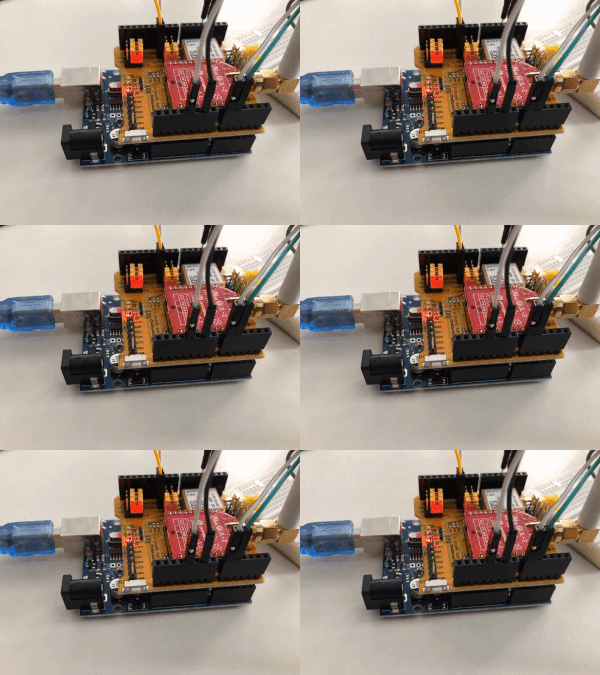
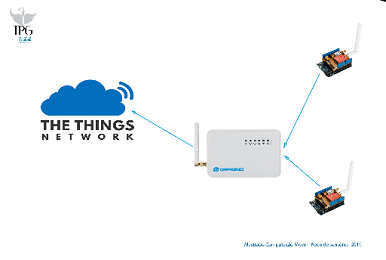
当您可以查看数据时,数据就会更加美丽。该项目使得从连接到事物网络的节点传感器的节点发送数据变得容易。
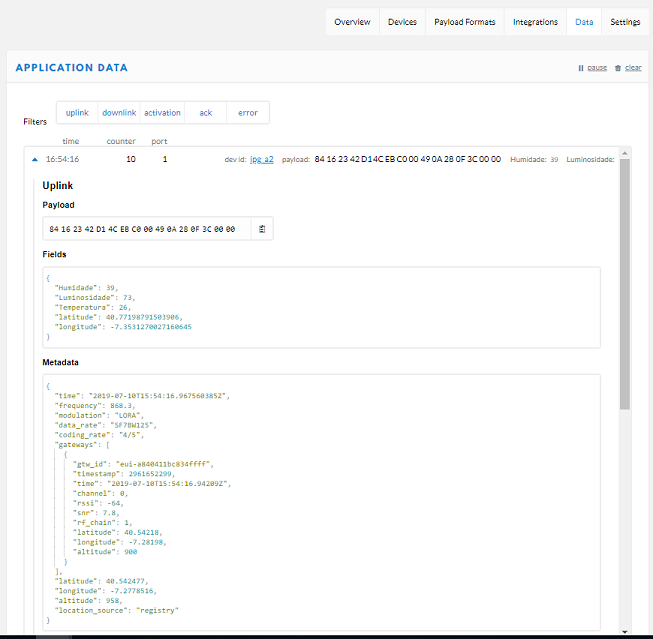
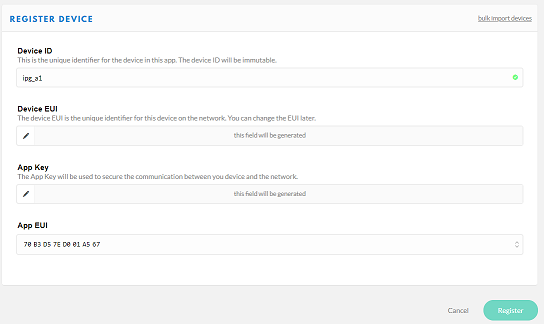
在此存储库中,您会逐步找到在TTN平台上记录节点(Arduino uno)以及如何发送到此传感器值的节点:GPS,使用LORA的GPS,湿度,温度和亮度。
要在地图上和图表的形式查看数据,您可以使用此存储库:https://github.com/daeynastas/lora-ttn-map

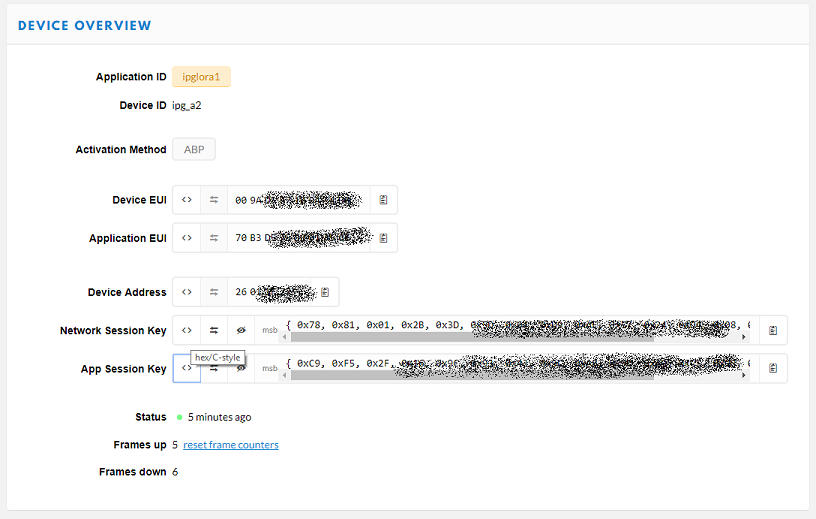
 static const PROGMEM u1_t NWKSKEY[ 16 ] = { 0x82 , 0x60 };  // COLOCAR AQUI "Network Session Key" (ver screenshot)
static const u1_t PROGMEM APPSKEY[ 16 ] = { 0x59 , 0x76 };  // COLOCAR AQUI "App Session Key"
static const u4_t DEVADDR = 0x26011874 ; // COLOCAR AQUI "0xDevice Address" 隐式表示FREQ。在Dragino中配置的,在这种情况下,“ 868300000”
   # if defined(CFG_eu868)
   // LMIC_setupChannel(0, 868100000, DR_RANGE_MAP(DR_SF12, DR_SF7),  BAND_CENTI);      // g-band
   LMIC_setupChannel ( 1 , 868300000 , DR_RANGE_MAP(DR_SF12, DR_SF7B), BAND_CENTI);      // g-band
   // LMIC_setupChannel(2, 868500000, DR_RANGE_MAP(DR_SF12, DR_SF7),  BAND_CENTI);      // g-band
   // LMIC_setupChannel(3, 867100000, DR_RANGE_MAP(DR_SF12, DR_SF7),  BAND_CENTI);      // g-band
   // LMIC_setupChannel(4, 867300000, DR_RANGE_MAP(DR_SF12, DR_SF7),  BAND_CENTI);      // g-band
   // LMIC_setupChannel(5, 867500000, DR_RANGE_MAP(DR_SF12, DR_SF7),  BAND_CENTI);      // g-band
   // LMIC_setupChannel(6, 867700000, DR_RANGE_MAP(DR_SF12, DR_SF7),  BAND_CENTI);      // g-band
   // LMIC_setupChannel(7, 867900000, DR_RANGE_MAP(DR_SF12, DR_SF7),  BAND_CENTI);      // g-band
// LMIC_setupChannel(8, 868800000, DR_RANGE_MAP(DR_FSK, DR_FSK), BAND_MILLI); // g2-band。
$ git clone https://github.com/daeynasvistas/LoRa-TTN-Node
二手磅
 lib_deps =
   # Depend on specific version
   DHTlib
   [email protected]+arduino-2
   TinyGPS
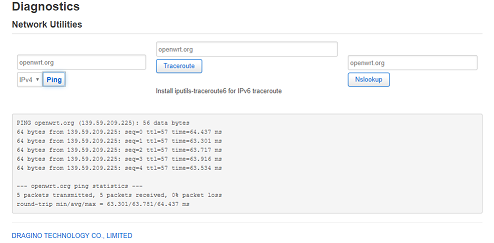
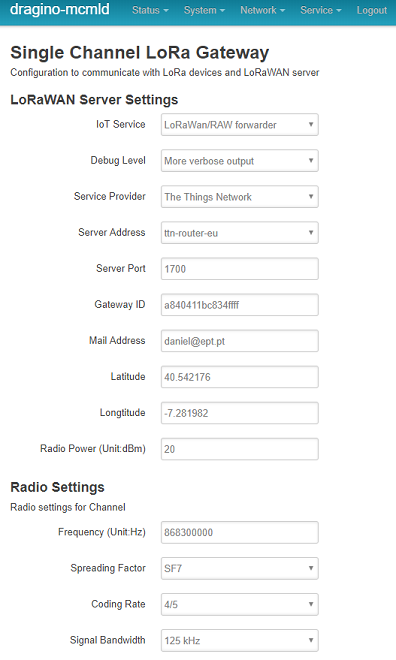
使用ID的Gateway Mac:'''
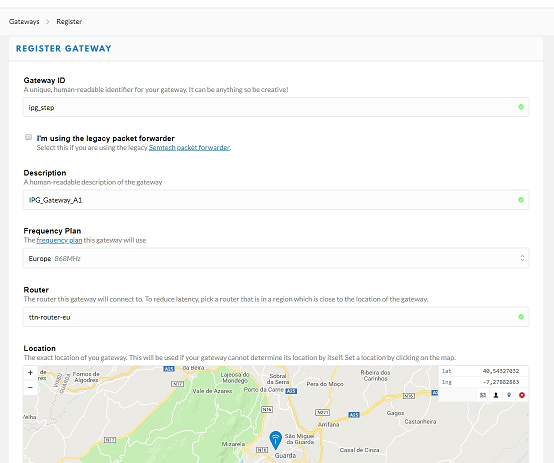

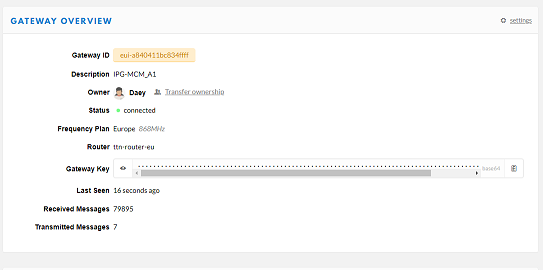
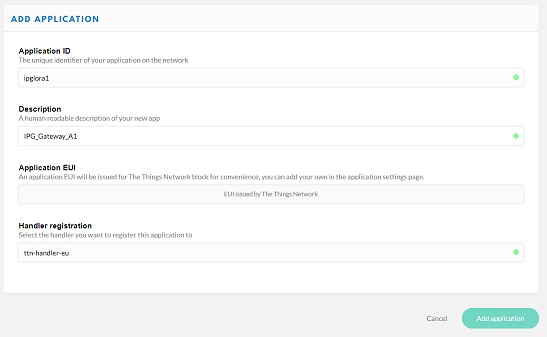


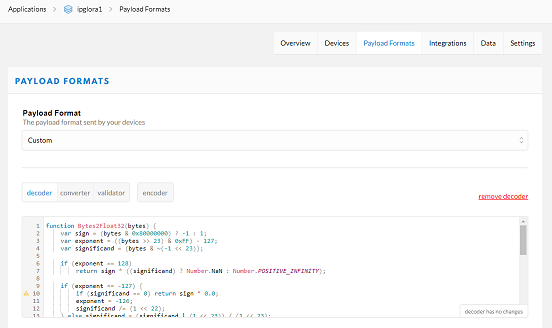
 function Bytes2Float32 ( bytes ) {
  var sign = ( bytes & 0x80000000 ) ? - 1 : 1 ;
  var exponent = ( ( bytes >> 23 ) & 0xFF ) - 127 ;
  var significand = ( bytes & ~ ( - 1 << 23 ) ) ;

  if ( exponent == 128 )
      return sign * ( ( significand ) ? Number . NaN : Number . POSITIVE_INFINITY ) ;

  if ( exponent == - 127 ) {
      if ( significand == 0 ) return sign * 0.0 ;
      exponent = - 126 ;
      significand /= ( 1 << 22 ) ;
  } else significand = ( significand | ( 1 << 23 ) ) / ( 1 << 23 ) ;

  return sign * significand * Math . pow ( 2 , exponent ) ;
}

// Test using 0xFF1641 for -23.4 and 65%, or 0x00EA41 for +23.4 and 65%
function Decoder ( bytes , port ) {
  var lat = bytes [ 3 ] << 24 | bytes [ 2 ] << 16 | bytes [ 1 ] << 8 | bytes [ 0 ] ;
var lon = bytes [ 7 ] << 24 | bytes [ 6 ] << 16 | bytes [ 5 ] << 8 | bytes [ 4 ] ;

var lux =  bytes [ 8 ] << 8 | bytes [ 9 ] ;

var temp = bytes [ 10 ] << 24 >> 16 | bytes [ 11 ] ;
var hum = bytes [ 12 ] << 8 | bytes [ 13 ] ;


return {
  latitude :  Bytes2Float32 ( lat ) ,
  	longitude : Bytes2Float32 ( lon ) ,
  Temperatura : ( temp / 100 ) ,
  Humidade : ( hum / 100 ) ,
  Luminosidade : ( lux ) ,
} ;
}