tstream
v1.3.3


tstream.xyz |加入我们的不和谐|开始流式传输
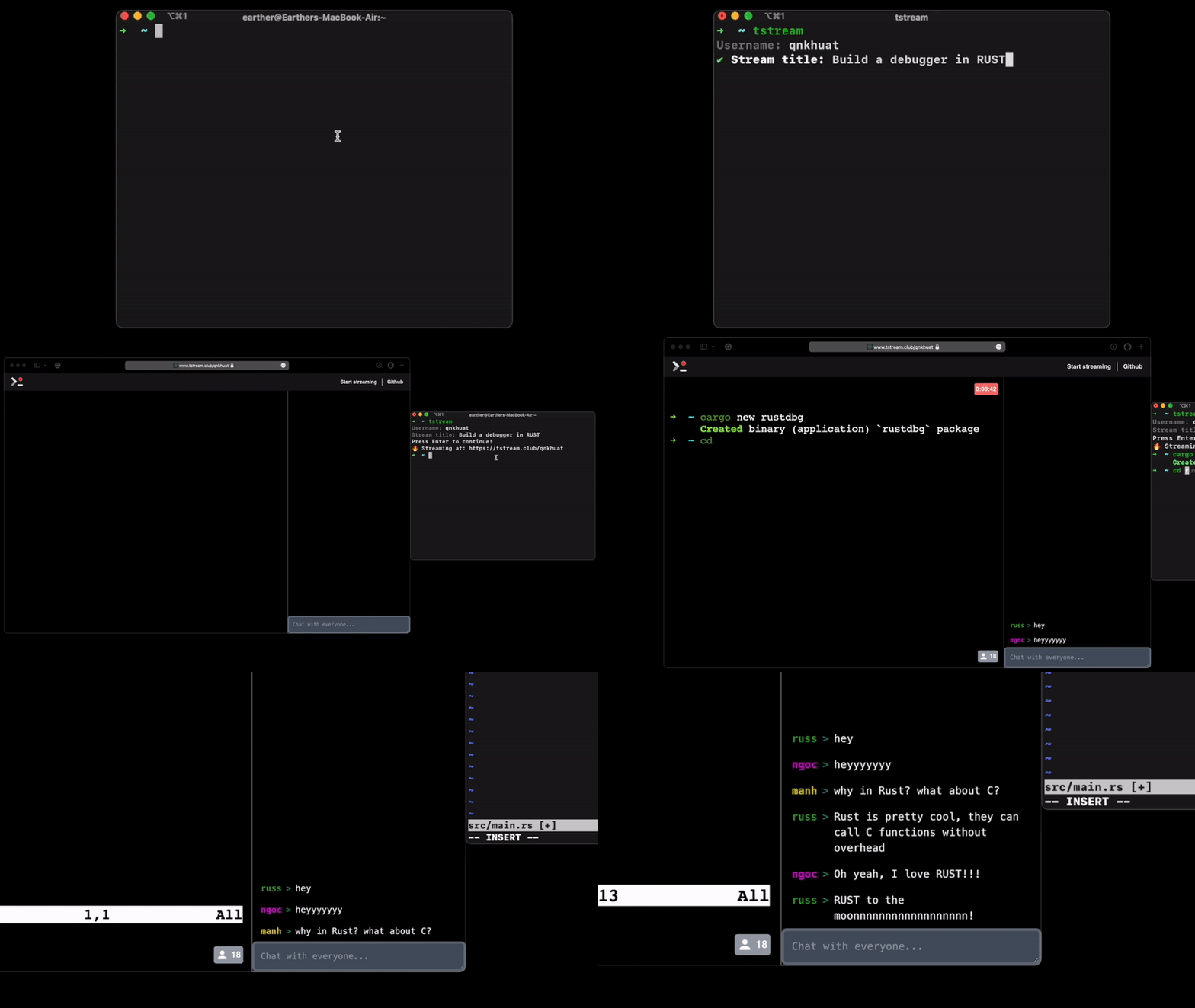
安装tstream的最简单方法是下载我们的发行页面。确保下载与操作系统匹配的版本
tar -xzf tstream_{version}_{os}_{arch}.tar.gzcp tstream /usr/local/bin https://github.com/qnkhuat/tstreamcd tstream/go build cmd/tstream.gocp tstream /usr/local/bin只需在终端中键入tstream ,它就会指示您吗?
如果要启动私人会话运行: tstream -private
我们在终端上也有一个聊天客户端,您可以在开始流媒体会话后用tstream -chat启动它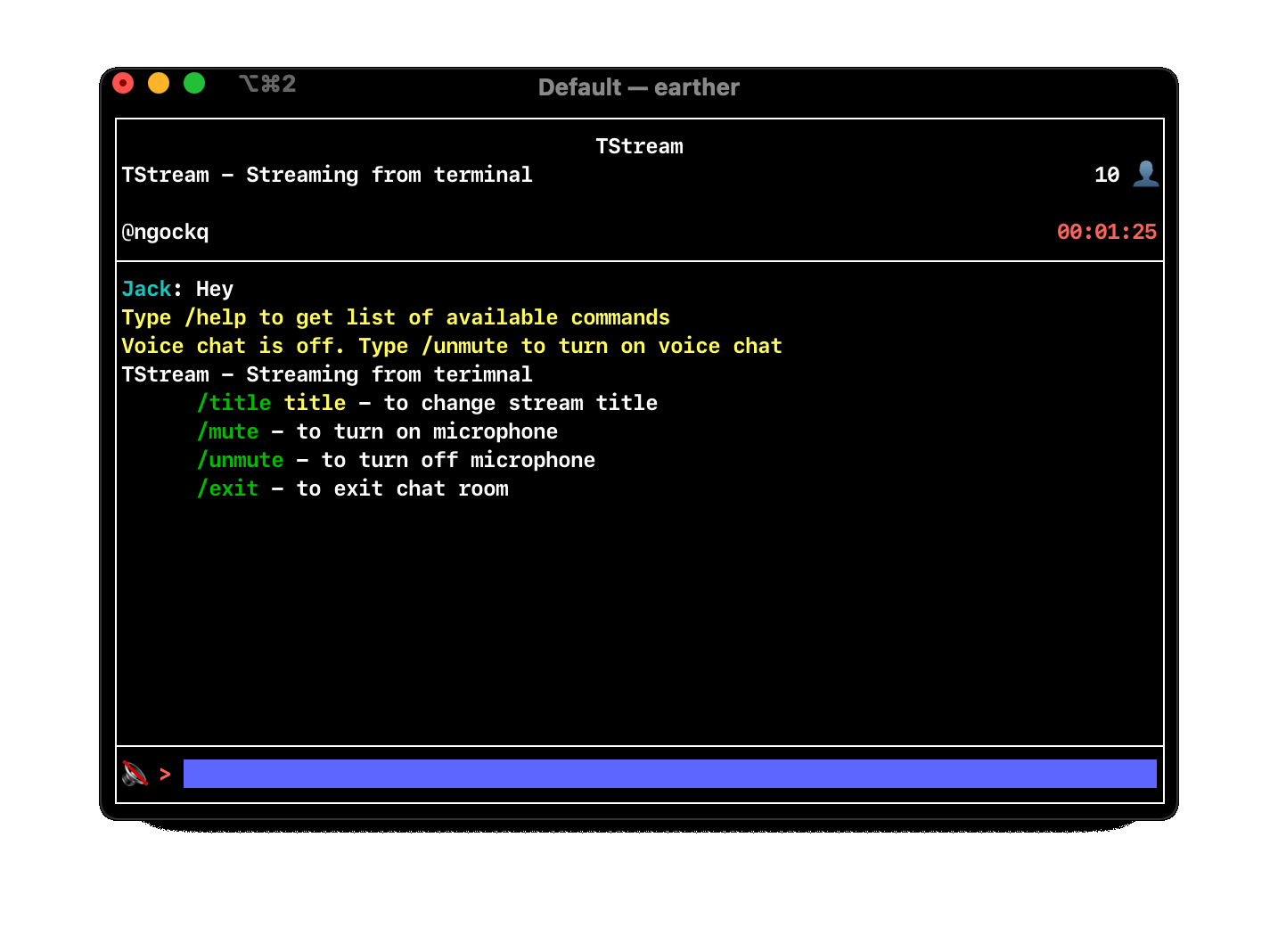
在tstream聊天客户端中,您可以使用命令/unmute打开语音聊天,然后用/mute将其关闭
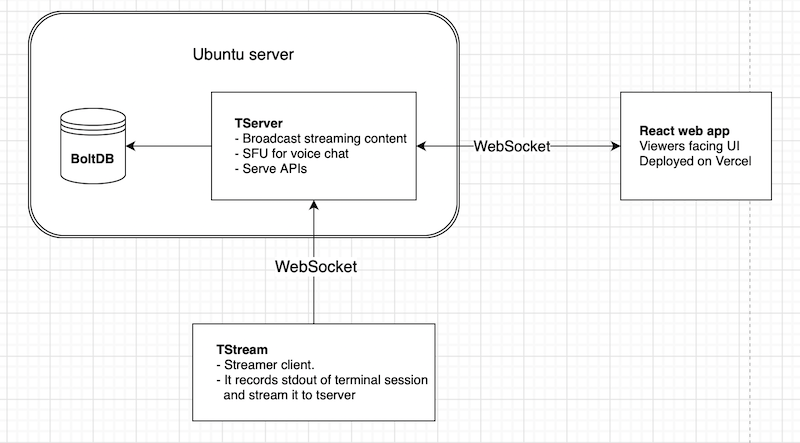
该图是所有需要运行tstream的所需组件的概述
安装tserver的最简单方法是从我们的发行页面下载
或者,如果您喜欢从源头构建
git clone https://github.com/qnkhuat/tstreamcd tstream/tstream && go build cmd/server./server服务器可选配置:
-host localhost:3000 :服务器TSERVER的地址。默认值为localhost:3000-db .db :通往BoltDB文件的路径。该数据库用于存储数据,例如:完成流。默认值为$(pwd)/.db用curl http://localhost:3000/api/health测试服务器。它应该返回当前时间
这就是当前在tstream.xyz上运行的内容。
运行它:
git clone https://github.com/qnkhuat/tstreamcd client/npm installexport REACT_APP_API_URL={your server address}npm run start现在转到localhost:3001 ,应该像tstream.xyz
对于生产,我建议使用诸如Vercel之类的服务。它是免费的,非常容易设置
默认情况下,tstream软件包将流到https://server.tstream.xyz
您可以通过运行tstream -server {your server address}对其进行覆盖。
例如: tstream -server http://localhost:3000







