tstream
v1.3.3

tstream.xyz | Join our Discord | Start Streaming
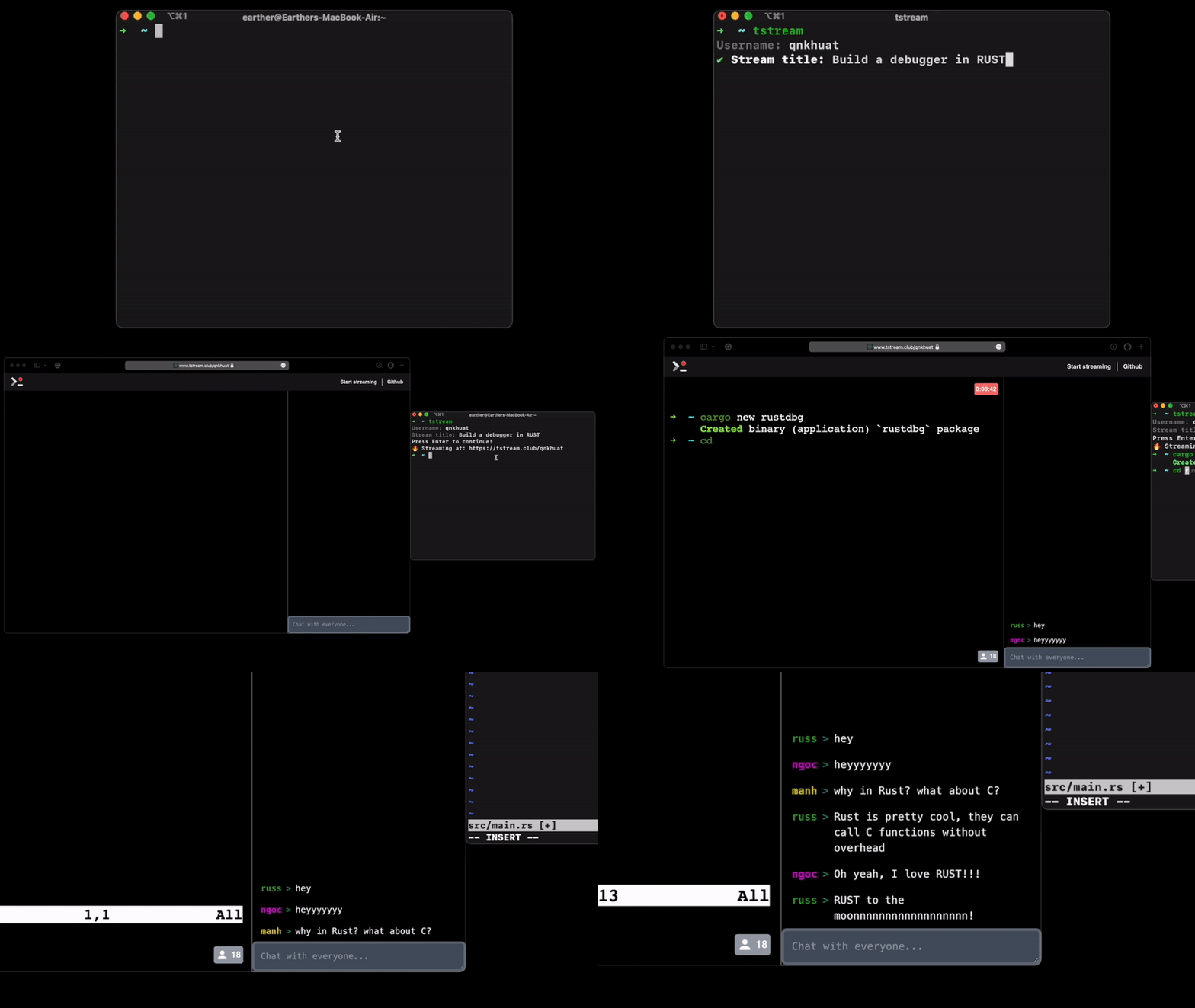
The easiest way to install tstream is download it form our Release page. Make sure you download the version that match your Operating System
tar -xzf tstream_{version}_{os}_{arch}.tar.gzcp tstream /usr/local/binhttps://github.com/qnkhuat/tstreamcd tstream/go build cmd/tstream.gocp tstream /usr/local/binJust type tstream in the terminal and it will instruct you ?
If you want to start a private session run: tstream -private
We also have a chat client on terminal, you can start it with tstream -chat after you've started your streaming session
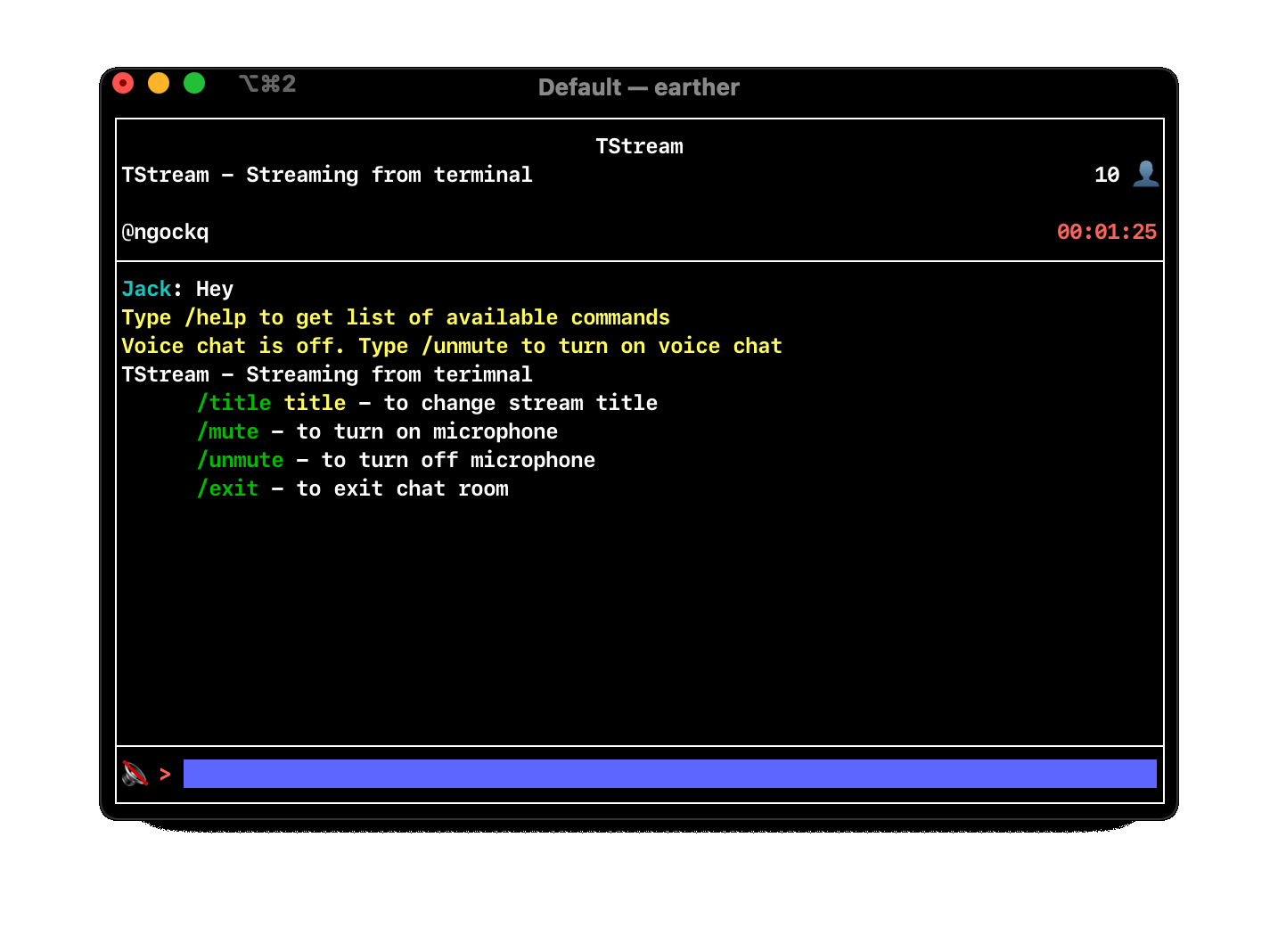
Inside TStream chat client, you can turn on voice chat with command /unmute and turn off it with /mute
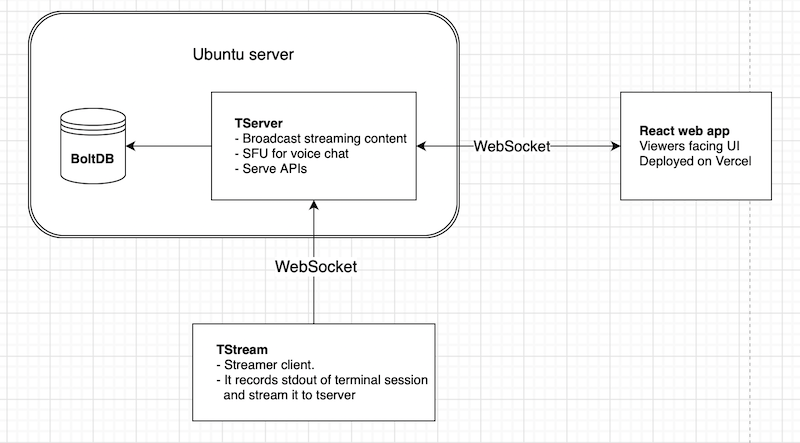
This diagram is an overview of all needed components to run TStream
The easiest way to install tserver is download it from our Release page
Or if you prefer to build from source
git clone https://github.com/qnkhuat/tstreamcd tstream/tstream && go build cmd/server./serverOptional configurations:
-host localhost:3000: Address to server tserver. Default is localhost:3000-db .db: path to BoltDB file. This DB is used to store data like: finished streaming. Default is $(pwd)/.dbTest the server with curl http://localhost:3000/api/health. It should return the current time
This is what currently running at tstream.xyz.
To run it:
git clone https://github.com/qnkhuat/tstreamcd client/npm installexport REACT_APP_API_URL={your server address}npm run startNow go to localhost:3001, it should be exactly like tstream.xyz
For production I recommend using service like Vercel. It's free and very easy to setup
By default the tstream package will stream to https://server.tstream.xyz
You can override it with by running tstream -server {your server address}.
For example : tstream -server http://localhost:3000







