react native zss rich text editor
1.0.0

基于ZSSrichTextEditor项目的Android和iOS功能齐全的富文本编辑器。
npm i --save react-native-zss-rich-text-editor
在Android上,将以下内容添加到android/app/build.gradle的末尾
project . afterEvaluate {
    apply from : ' ../../node_modules/react-native-zss-rich-text-editor/htmlCopy.gradle ' ;
    copyEditorHtmlToAppAssets(file( ' ../../node_modules/react-native-zss-rich-text-editor ' ))
}另外,请按照此处的说明添加本机react-native-webview-bridge-updated依赖性。
react-native-zss-rich-text-editor导出了两个组件和一个const字典:
RichTextEditor编辑器组件。只需将此组件放在视图层次结构中即可接收功能齐全的丰富文本编辑器。
RichTextEditor采用以下可选道具:
initialTitleHTML
html将在组件加载后立即在标题部分渲染。
initialContentHTML
HTML将在“负载”内容部分呈现。
titlePlaceholder
当标题部分中不存在文本时,将用作占位符的文本。
contentPlaceholder
当内容部分中不存在文本时,将用作占位符的文本。
customCSS
您要注入编辑器的任何自定义CSS样式。
editorInitializedCallback
初始化编辑器时将调用的函数。
RichTextEditor还具有可以在ref上使用的方法,以在当前选择或光标位置设置样式:
setBold()setItalic()setUnderline()heading1()heading2()heading3()heading4()heading5()heading6()setParagraph()removeFormat()alignLeft()alignCenter()alignRight()alignFull()insertBulletsList()insertOrderedList()insertLink(url, title)updateLink(url, title)insertImage(attributes)setSubscript()setSuperscript()setStrikethrough()setHR()setIndent()setOutdent()setBackgroundColor(color)setTextColor(color)此方法显示了一个用于设置链接标题和URL的对话框,该对话框将插入当前光标位置。
showLinkDialog(optionalTitle = '', optionalUrl = '')要调整内容,占位符或CSS,请使用这些方法
setTitlePlaceholder(placeholder)setContentPlaceholder(placeholder)setCustomCSS(css)setTitleHTML(html)setContentHTML(html)当添加内容将与光标位置添加的内容(例如图像或链接)时,使用这些方法。 prepareInsert保存当前选择,并在完成插入后将restoreSelection替换。它是通过insertImage和insertLink隐式称为的,因此可能永远不应直接调用它们。
prepareInsert()restoreSelection()要获取内容或标题HTML,请使用这些异步方法。
async getTitleHtml()async getTitleText()async getContentHtml()async getSelectedText()要聚焦或模糊部分,请使用这些方法
focusTitle()focusContent()blurTitleEditor()blurContentEditor()要知道标题或内容何时焦点,请使用以下方法。
setTitleFocusHandler(callbackHandler)setContentFocusHandler(callbackHandler)此方法会在光标位置更改或更改光标位置的编辑器样式时会被调用的函数,该函数将通过在Cusor位置处于活动状态的一系列actions ,使工具栏对更改做出响应。
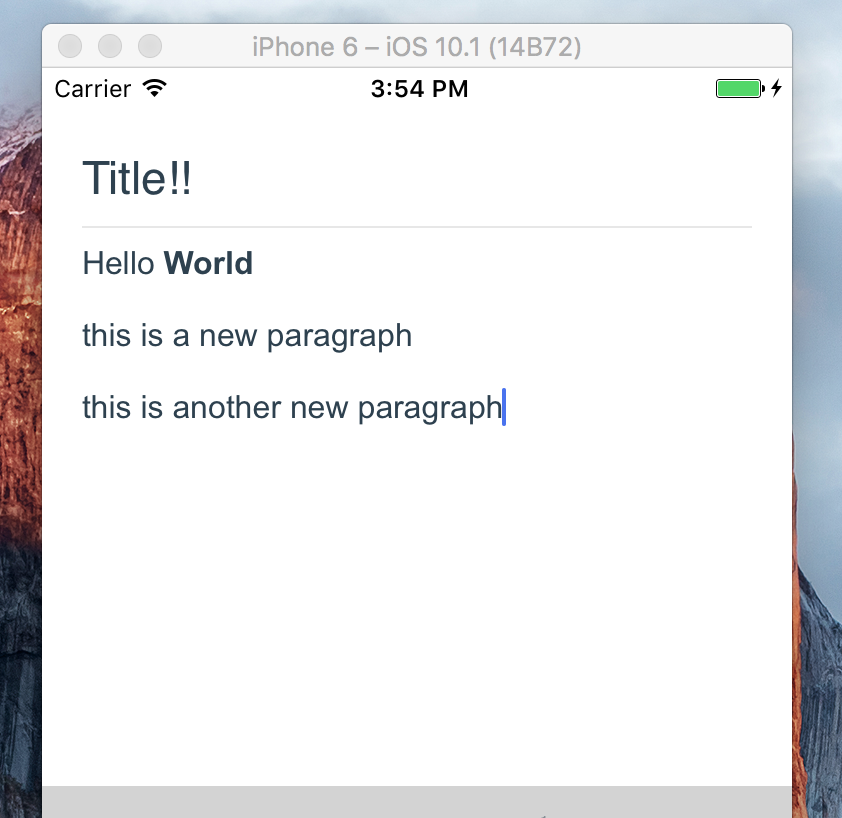
registerToolbar(listener) < RichTextEditor
ref = { ( r ) => this . richtext = r }
initialTitleHTML = { 'Title!!' }
initialContentHTML = { 'Hello <b>World</b> <p>this is a new paragraph</p> <p>this is another new paragraph</p>' }
editorInitializedCallback = { ( ) => this . onEditorInitialized ( ) }
/> 
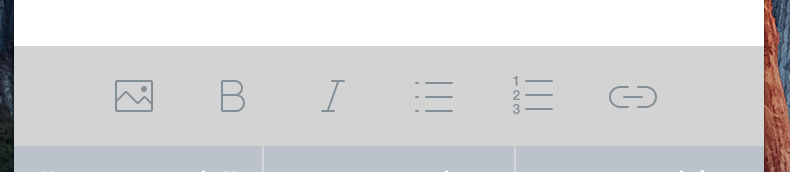
RichTextToolbar这是一个组件,可提供用于轻松控制编辑器的工具栏。它旨在与RichTextEditor组件一起使用。
RichTextToolbar拥有一个必需的财产:
getEditor()必须提供一个函数,该函数将ref返回到RichTextEditor组件。
这是因为ref直到第一个渲染之后才创建,在此之前渲染了工具栏。这意味着直接通过的任何ref都将不可避免地通过undefined 。
RichTextToolbar组件支持的其他道具是:
actions
该工具栏提供的array actions 。默认操作是:
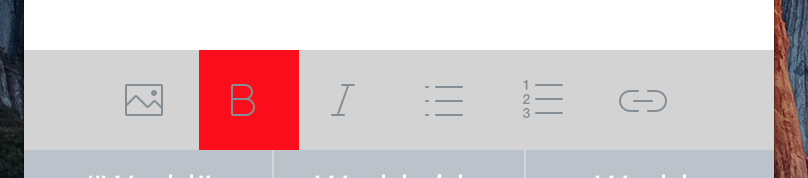
actions.insertImageactions.setBoldactions.setItalicactions.insertBulletsListactions.insertOrderedListactions.insertLink onPressAddLink
onPressAddImage
攻击addLink或addImage动作时调用的函数。
selectedButtonStyle
iconTint
selectedIconTint
unselectedButtonStyle
这些提供了造型操作按钮的选项。
renderAction
明显地,您可以提供将使用的渲染函数而不是默认功能,因此您可以完全控制收费表设计。
iconMap
RichTextToolbar带有默认图标,用于其呈现的默认操作。要覆盖这些,或添加用于非默认操作的图标,请在此道具的字典中提供它们。
 < RichTextToolbar
	getEditor = { ( ) => this . richtext }
/> 
actions这是所有受支持的动作的一组。这些将在数组中将其传递给使用registerToolbar()方法在编辑器注册的所有回调。
 {
	setTitleHtml: 'SET_TITLE_HTML',
  	setContentHtml: 'SET_CONTENT_HTML',
  	getTitleHtml: 'GET_TITLE_HTML',
  	getTitleText: 'GET_TITLE_TEXT',
 	getContentHtml: 'GET_CONTENT_HTML',
  	getSelectedText: 'GET_SELECTED_TEXT',
  	blurTitleEditor: 'BLUR_TITLE_EDITOR',
  	blurContentEditor: 'BLUR_CONTENT_EDITOR',
  	focusTitle: 'FOCUS_TITLE',
  	focusContent: 'FOCUS_CONTENT',

  	setBold: 'bold',
  	setItalic: 'italic',
  	setUnderline: 'underline',
  	heading1: 'h1',
  	heading2: 'h2',
  	heading3: 'h3',
  	heading4: 'h4',
  	heading5: 'h5',
  	heading6: 'h6',
  	setParagraph: 'SET_PARAGRAPH',
  	removeFormat: 'REMOVE_FORMAT',
  	alignLeft: 'justifyLeft',
  	alignCenter: 'justifyCenter',
  	alignRight: 'justifyRight',
  	alignFull: 'justifyFull',
  	insertBulletsList: 'unorderedList',
  	insertOrderedList: 'orderedList',
  	insertLink: 'INST_LINK',
  	updateLink: 'UPDATE_LINK',
  	insertImage: 'INST_IMAGE',
  	setSubscript: 'subscript',
  	setSuperscript: 'superscript',
  	setStrikethrough: 'strikeThrough',
  	setHR: 'horizontalRule',
  	setIndent: 'indent',
  	setOutdent: 'outdent',
  	setTitlePlaceholder: 'SET_TITLE_PLACEHOLDER',
  	setContentPlaceholder: 'SET_CONTENT_PLACEHOLDER',
  	setTitleFocusHandler: 'SET_TITLE_FOCUS_HANDLER',
  	setContentFocusHandler: 'SET_CONTENT_FOCUS_HANDLER',
  	prepareInsert: 'PREPARE_INSERT',
  	restoreSelection: 'RESTORE_SELECTION',
  	setCustomCSS: 'SET_CUSTOM_CSS',
  	setTextColor: 'SET_TEXT_COLOR',
  	setBackgroundColor: 'SET_BACKGROUND_COLOR',
}
react-native-zss-rich-text-editor是围绕令人惊叹的ZssrichTexteditor项目的包装。它还使用Awesome React-Native-Native-webview-Bridge项目的(小叉)与编辑器进行通信。






