font picker react
v3.5.2

一个简单,可自定义的字体选择器,允许用户在您的网站上预览,选择和使用Google字体。
→演示
这是字体选择器库的反应组件。
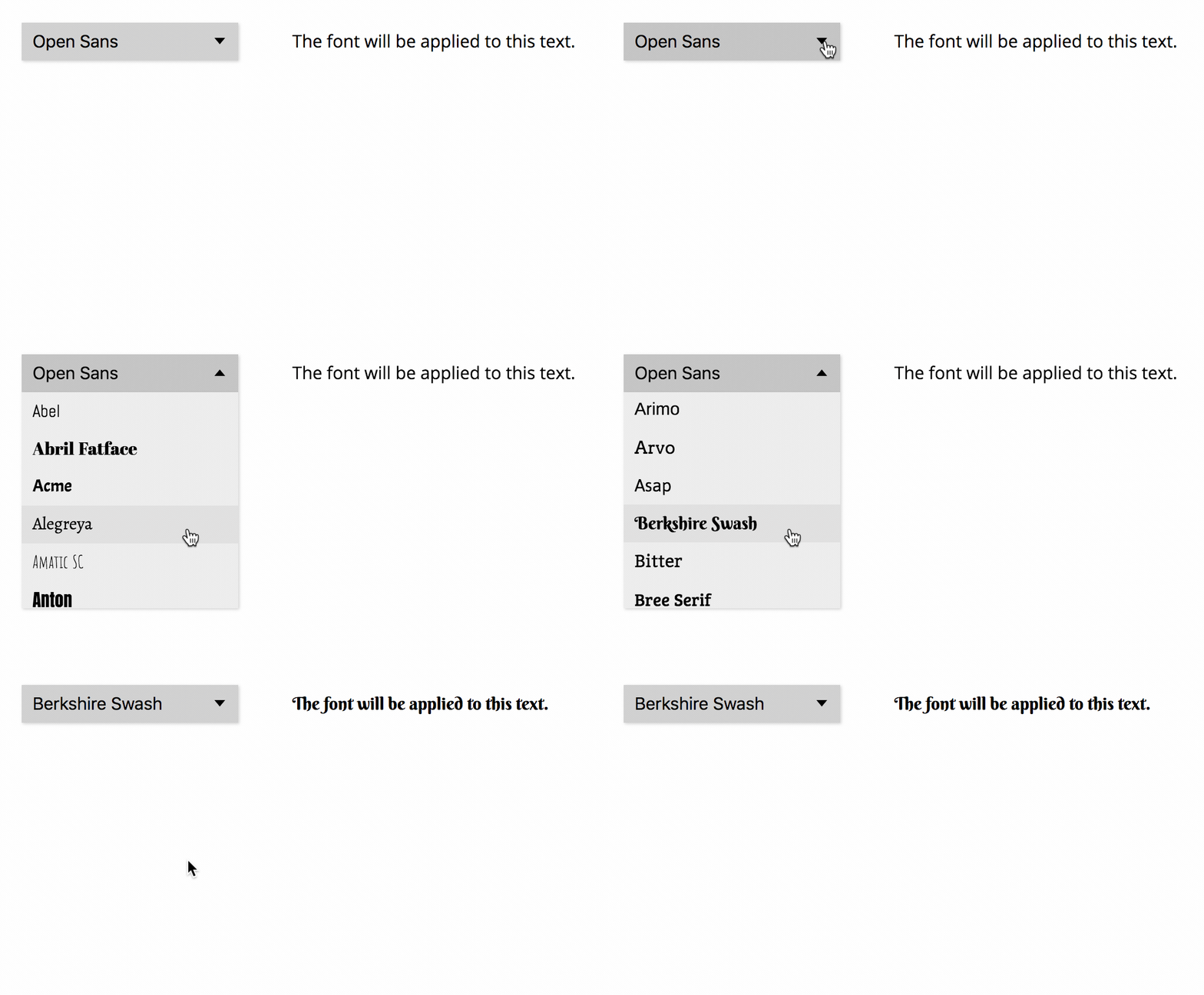
为了能够访问API,您需要生成Google字体API密钥。
使用NPM安装font-picker-react软件包:
npm install font-picker-react将FontPicker组件添加到您的React代码:
 import React , { Component } from "react" ;
import FontPicker from "font-picker-react" ;

export default class ExampleComponent extends Component {
	constructor ( props ) {
		super ( props ) ;
		this . state = {
			activeFontFamily : "Open Sans" ,
		} ;
	}

	render ( ) {
		return (
			< div >
				< FontPicker
					apiKey = "YOUR_API_KEY"
					activeFontFamily = { this . state . activeFontFamily }
					onChange = { ( nextFont ) =>
						this . setState ( {
							activeFontFamily : nextFont . family ,
						} )
					}
				/>
				< p className = "apply-font" > The font will be applied to this text. </ p >
			</ div >
		) ;
	}
}将类"apply-font"添加到您要将所选字体应用于的所有JSX元素中。
当用户选择字体时,它将自动下载并使用"apply-font"类应用于所有元素。
以下道具可以传递给FontPicker组件:
apiKey (必需) :Google API密钥activeFontFamily :应该在字体选择器中选择并应用于文本的字体。应存储在组件状态并使用onChange进行更新onChange :用户更改活动字体时执行的函数。此函数应在组件状态中更新activeFontFamilypickerId :如果您的网站上有多个字体选择器,则需要给它们提供独特的ID,必须作为道具提供并附加到.apply-font类名称。示例:如果pickerId="main" ,请使用className="apply-font-main"families :如果仅在列表中出现特定字体,请在数组中指定其名称。默认:所有字体家庭categories :字体类别的数组将包括在列表中。可能的值: "sans-serif", "serif", "display", "handwriting", "monospace" 。默认值:所有类别scripts :字体必须包含并在字体选择上下载的脚本数组。默认值: ["latin"] 。示例: ["latin", "greek", "hebrew"] (请参阅所有可能的值)variants :字体必须包含并在字体选择上下载的变体数组。默认值: ["regular"] 。示例: ["regular", "italic", "700", "700italic"] (请参阅所有可能的值)filter :必须评估为true才能将字体包含在列表中的功能。默认值: font => true 。示例:如果font => font.family.toLowerCase().startsWith("m") ,只有名称以“ m”开头的字体在列表中limit :在列表中显示的最大字体数(将省略流行字体最少)。默认值: 50sort :对字体列表的排序属性。可能的值: "alphabet", "popularity" 。默认值: "alphabet"当前,只有activeFontFamily , onChange和sort Prop是反应性的。
要求:Node.js,纱
git clone REPO_URLyarnyarn startlocalhost:3000总是欢迎建议和贡献!在提交拉动请求之前,请通过问题讨论更大的更改。








