font picker react
v3.5.2

A simple, customizable font picker allowing users to preview, select and use Google Fonts on your website.
→ Demo
This is the React component for the Font Picker library.
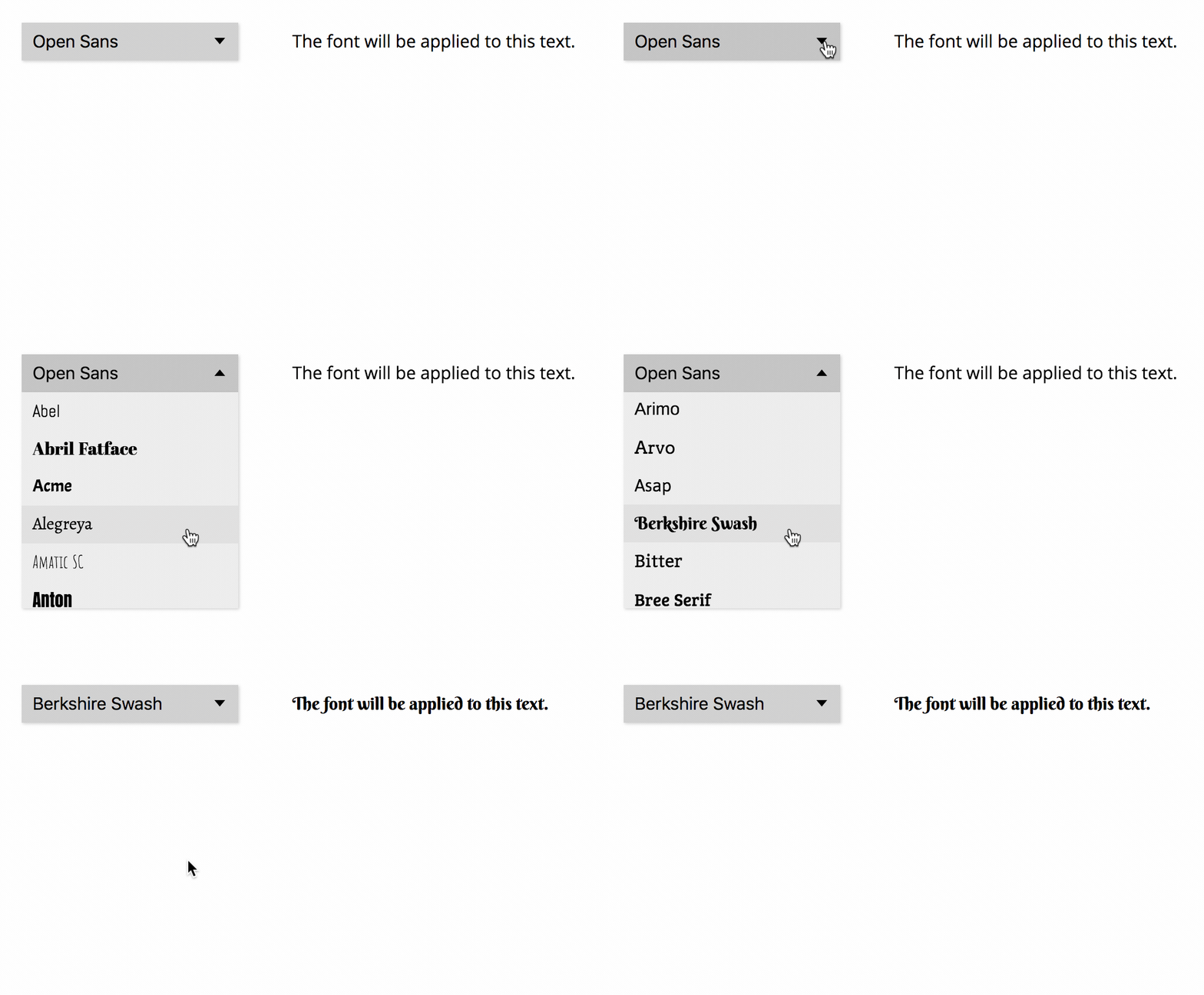
To be able to access the API, you'll need to generate a Google Fonts API key.
Install the font-picker-react package using NPM:
npm install font-picker-reactAdd the FontPicker component to your React code:
import React, { Component } from "react";
import FontPicker from "font-picker-react";

export default class ExampleComponent extends Component {
	constructor(props) {
		super(props);
		this.state = {
			activeFontFamily: "Open Sans",
		};
	}

	render() {
		return (
			<div>
				<FontPicker
					apiKey="YOUR_API_KEY"
					activeFontFamily={this.state.activeFontFamily}
					onChange={(nextFont) =>
						this.setState({
							activeFontFamily: nextFont.family,
						})
					}
				/>
				<p className="apply-font">The font will be applied to this text.</p>
			</div>
		);
	}
}Add the class "apply-font" to all JSX elements you want to apply the selected font to.
When the user selects a font, it will automatically be downloaded and applied to all elements with the "apply-font" class.
The following props can be passed to the FontPicker component:
apiKey (required): Google API keyactiveFontFamily: Font that should be selected in the font picker and applied to the text. Should be stored in the component state and updated using onChangeonChange: Function which is executed when the user changes the active font. This function should update activeFontFamily in the component statepickerId: If you have multiple font pickers on your site, you need to give them unique IDs which must be provided as a prop and appended to the .apply-font class names. Example: If pickerId="main", use className="apply-font-main"families: If only specific fonts shall appear in the list, specify their names in an array. Default: All font familiescategories: Array of font categories to include in the list. Possible values: "sans-serif", "serif", "display", "handwriting", "monospace". Default: All categoriesscripts: Array of scripts which the fonts must include and which will be downloaded on font selection. Default: ["latin"]. Example: ["latin", "greek", "hebrew"] (see all possible values)variants: Array of variants which the fonts must include and which will be downloaded on font selection. Default: ["regular"]. Example: ["regular", "italic", "700", "700italic"] (see all possible values)filter: Function which must evaluate to true for a font to be included in the list. Default: font => true. Example: If font => font.family.toLowerCase().startsWith("m"), only fonts whose names begin with "M" will be in the listlimit: Maximum number of fonts to display in the list (the least popular fonts will be omitted). Default: 50sort: Sorting attribute for the font list. Possible values: "alphabet", "popularity". Default: "alphabet"Currently, only the activeFontFamily, onChange and sort props are reactive.
Requirements: Node.js, Yarn
git clone REPO_URLyarnyarn startlocalhost:3000Suggestions and contributions are always welcome! Please discuss larger changes via issue before submitting a pull request.








