henry hugo
Release 2 2022.08.14


亨利(Henry)是雨果(Hugo)主题,具有丰富的阅读体验,充满了丰富的功能。要了解有关所有功能的更多信息,请查看此博客文章。
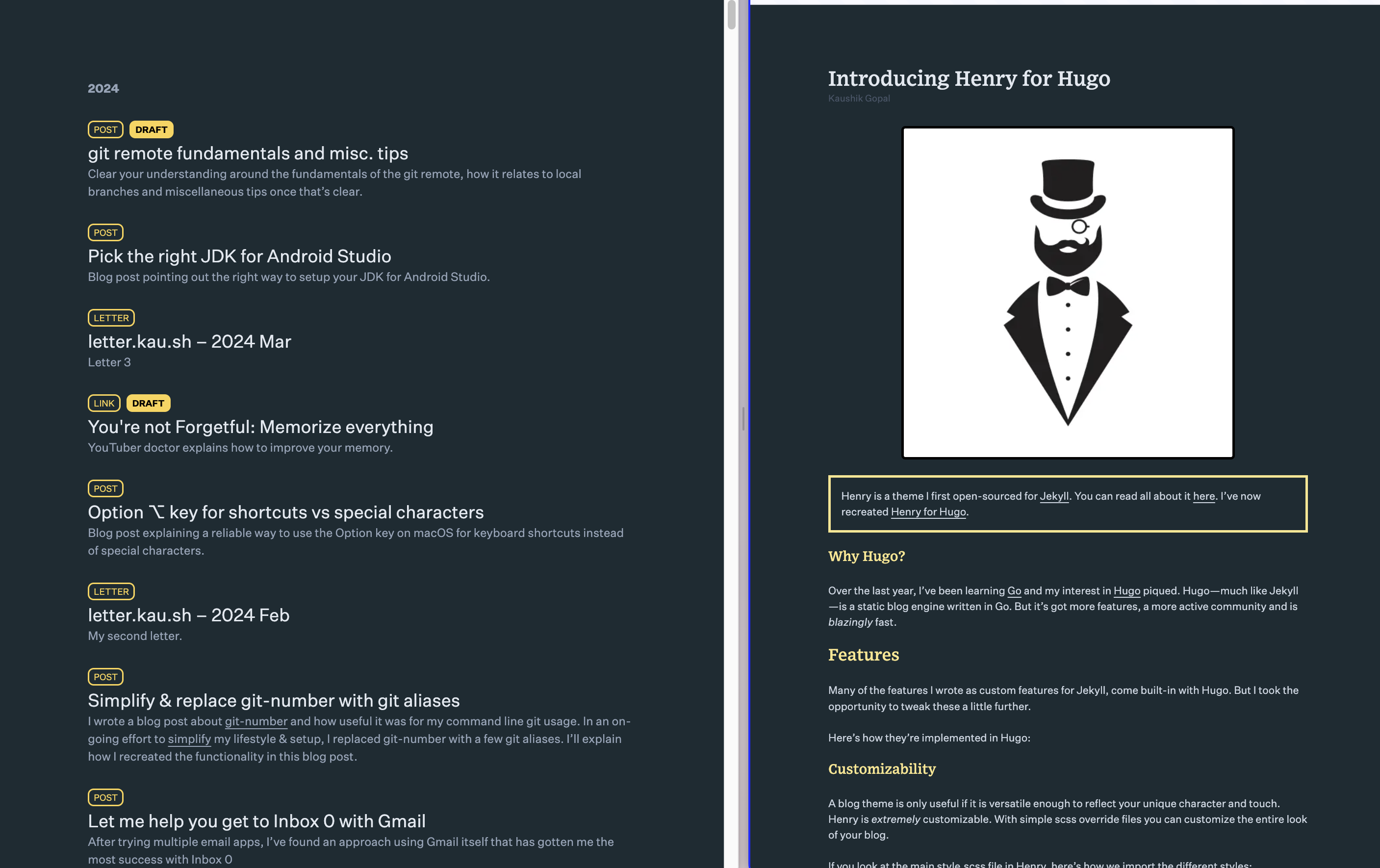
这些是建立带有亨利主题的雨果博客的说明。
 # 1. Install Hugo
#    https://gohugo.io/getting-started/installing/
brew install hugo

hugo new site blog-henry
cd blog-henry

# 2. clone Henry
git clone https://github.com/kaushikgopal/henry-hugo.git themes/henry
touch assets/css/{output,override,override-fonts}.css
# brew install node # if you don't have npm installed
cp themes/henry/tailwind.config.henry.js ./tailwind.config.js
npm install -D tailwindcss
npx tailwindcss -i themes/henry/assets/css/input.css -o ./assets/css/output.css

# 3. configure blog
# # add these lines to your hugo.toml config file
theme = " henry "

# 4. run Hugo!

# Option: use a single dev script
# See my blog post on this https://kau.sh/blog/tailwind-hugo#bonus-tip

./bin/dev

# open http://0.0.0.0:1313/

# sample posts are in henry's content folder : themes/henry/content
# if you want to see some samples, just mark them from draft true → false
你很好。愉快的博客!
现在,每当您需要重新启动雨果博客时,只需运行./bin/dev即可。
除了上述内容外,除了上述内容之外,这里还有一些建议在hugo.toml配置文件中进行的定制。
 # # hugo.toml

# enable .json RSS feeds
[ outputFormats ]
# output formats
# https://gohugo.io/templates/output-formats/#output-format-definitions
[ outputFormats . rss ]
    mediatype = " application/rss "
    # change RSS path for default XML feed to /feed.xml (default index.xml)
    baseName = " feed "
[ outputFormats . json ]
    # change RSS path for JSON feed to /feed.json
    baseName = " feed "

# configure RSS feeds for specific pages
[ outputs ]
# output format for pages
# https://gohugo.io/templates/output-formats/#output-formats-for-pages
    page = [ " html " ]
    home = [ " html " , " rss " , " json " ]
    # sections = directories e.g. blog, letters, ppt
    section = [ " html " , " rss " , " json " ]
    # taxonomies = virtual tags/directories e.g. categories, tags (built-in)
    # no rss for these as they're mostly "list" pages
    taxonomy = [ " html " ]
    # terms = values of taxonomies e.g. categories/programming
term = [ " html " , " rss " , " json " ] # # hugo.toml
[ related ]
includeNewer = true
threshold = 80
toLower = true
# weight index distribution tags > categories > title
[[ related . indices ]]
name = " tags "
weight = 80
[[ related . indices ]]
name = " categories "
weight = 20
[[ related . indices ]]
name = " title "
weight = 10这是使用亨利的几个博客:
根据MIT许可证的条款,该主题可作为开源。
欢迎在GitHub上进行错误报告和拉动请求。该项目旨在是一个安全,热情的协作空间,预计贡献者将遵守《贡献者盟约行为守则》。








