pytorch msssim
v1.0.0

pytorch的快速,可区分的MS-SSIM和SSIM。
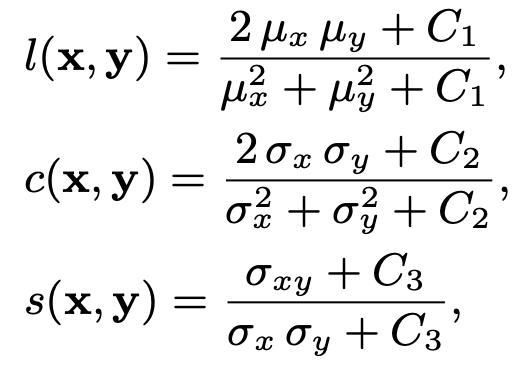


SSIM和MS-SSIM中使用的高斯内核是可分开的。图像处理中的可分离过滤器可以写为两个简单过滤器的产品。通常将二维卷积操作分为两个一维过滤器。这降低了一个计算成本
只是一个版本。 @iyume的键入提示
@fynnbe的3D图像支持!
现在(v0.2), SSIM和MS-SSIM可以产生一致的结果,例如张量和略微。可以在测试部分中找到基准(Pytorch-MSSSSIM,Tensorflow和ackimage)。
pip install pytorch-msssim from pytorch_msssim import ssim , ms_ssim , SSIM , MS_SSIM
# X: (N,3,H,W) a batch of non-negative RGB images (0~255)
# Y: (N,3,H,W)
# calculate ssim & ms-ssim for each image
ssim_val = ssim ( X , Y , data_range = 255 , size_average = False ) # return (N,)
ms_ssim_val = ms_ssim ( X , Y , data_range = 255 , size_average = False ) #(N,)
# set 'size_average=True' to get a scalar value as loss. see tests/tests_loss.py for more details
ssim_loss = 1 - ssim ( X , Y , data_range = 255 , size_average = True ) # return a scalar
ms_ssim_loss = 1 - ms_ssim ( X , Y , data_range = 255 , size_average = True )
# reuse the gaussian kernel with SSIM & MS_SSIM.
ssim_module = SSIM ( data_range = 255 , size_average = True , channel = 3 ) # channel=1 for grayscale images
ms_ssim_module = MS_SSIM ( data_range = 255 , size_average = True , channel = 3 )
ssim_loss = 1 - ssim_module ( X , Y )
ms_ssim_loss = 1 - ms_ssim_module ( X , Y )如果您需要在归一化图像上计算MS-SSIM/SSIM,请先将它们不合同至[0,1]或[0,255]的范围。
 # X: (N,3,H,W) a batch of normalized images (-1 ~ 1)
# Y: (N,3,H,W)
X = ( X + 1 ) / 2  # [-1, 1] => [0, 1]
Y = ( Y + 1 ) / 2
ms_ssim_val = ms_ssim ( X , Y , data_range = 1 , size_average = False ) #(N,)对于SSIM,建议设置nonnegative_ssim=True ,以避免结果负面结果。但是,默认情况下,此选项将其设置为False ,以使其与TensorFlow和ackimage保持一致。
对于MS-SSIM,没有nonnegative_ssim选项,SSIM回购被迫是非负的,以避免NAN结果。
cd tests # requires tf2
python tests_comparisons_tf_skimage.py
# or skimage only
# python tests_comparisons_skimage.py 输出:
 Downloading test image...
===================================
             Test SSIM
===================================
====> Single Image
Repeat 100 times
sigma=0.0 ssim_skimage=1.000000 (147.2605 ms), ssim_tf=1.000000 (343.4146 ms), ssim_torch=1.000000 (92.9151 ms)
sigma=10.0 ssim_skimage=0.932423 (147.5198 ms), ssim_tf=0.932661 (343.5191 ms), ssim_torch=0.932421 (95.6283 ms)
sigma=20.0 ssim_skimage=0.785744 (152.6441 ms), ssim_tf=0.785733 (343.4085 ms), ssim_torch=0.785738 (87.5639 ms)
sigma=30.0 ssim_skimage=0.636902 (145.5763 ms), ssim_tf=0.636902 (343.5312 ms), ssim_torch=0.636895 (90.4084 ms)
sigma=40.0 ssim_skimage=0.515798 (147.3798 ms), ssim_tf=0.515801 (344.8978 ms), ssim_torch=0.515791 (96.4440 ms)
sigma=50.0 ssim_skimage=0.422011 (148.2900 ms), ssim_tf=0.422007 (345.4076 ms), ssim_torch=0.422005 (86.3799 ms)
sigma=60.0 ssim_skimage=0.351139 (146.2039 ms), ssim_tf=0.351139 (343.4428 ms), ssim_torch=0.351133 (93.3445 ms)
sigma=70.0 ssim_skimage=0.296336 (145.5341 ms), ssim_tf=0.296337 (345.2255 ms), ssim_torch=0.296331 (92.6771 ms)
sigma=80.0 ssim_skimage=0.253328 (147.6655 ms), ssim_tf=0.253328 (343.1386 ms), ssim_torch=0.253324 (82.5985 ms)
sigma=90.0 ssim_skimage=0.219404 (142.6025 ms), ssim_tf=0.219405 (345.8275 ms), ssim_torch=0.219400 (100.9946 ms)
sigma=100.0 ssim_skimage=0.192681 (144.5597 ms), ssim_tf=0.192682 (346.5489 ms), ssim_torch=0.192678 (85.0229 ms)
Pass!
====> Batch
Pass!


===================================
             Test MS-SSIM
===================================
====> Single Image
Repeat 100 times
sigma=0.0 msssim_tf=1.000000 (671.5363 ms), msssim_torch=1.000000 (125.1403 ms)
sigma=10.0 msssim_tf=0.991137 (669.0296 ms), msssim_torch=0.991086 (113.4078 ms)
sigma=20.0 msssim_tf=0.967292 (670.5530 ms), msssim_torch=0.967281 (107.6428 ms)
sigma=30.0 msssim_tf=0.934875 (668.7717 ms), msssim_torch=0.934875 (111.3334 ms)
sigma=40.0 msssim_tf=0.897660 (669.0801 ms), msssim_torch=0.897658 (107.3700 ms)
sigma=50.0 msssim_tf=0.858956 (671.4629 ms), msssim_torch=0.858954 (100.9959 ms)
sigma=60.0 msssim_tf=0.820477 (670.5424 ms), msssim_torch=0.820475 (103.4489 ms)
sigma=70.0 msssim_tf=0.783511 (671.9357 ms), msssim_torch=0.783507 (113.9048 ms)
sigma=80.0 msssim_tf=0.749522 (672.3925 ms), msssim_torch=0.749518 (120.3891 ms)
sigma=90.0 msssim_tf=0.716221 (672.9066 ms), msssim_torch=0.716217 (118.3788 ms)
sigma=100.0 msssim_tf=0.684958 (675.2075 ms), msssim_torch=0.684953 (117.9481 ms)
Pass
====> Batch
Pass
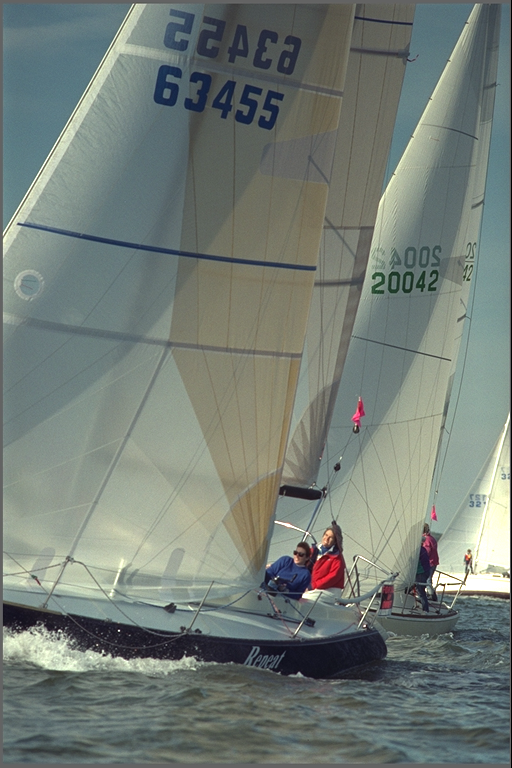 SSIM = 1.0000
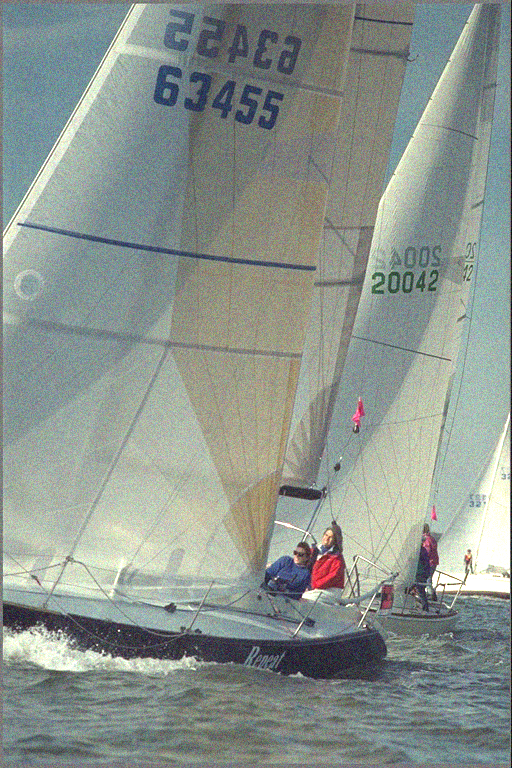 SSIM = 0.4225
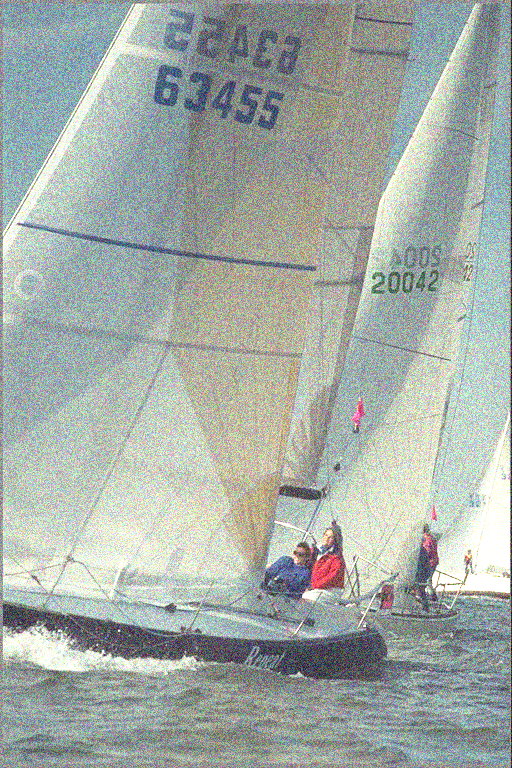 SSIM = 0.1924
有关如何使用SSIM或MS_SSIM作为损失功能的更多详细信息,请参见“ tests/tests_loss.py”
请参阅“测试/ae_example”
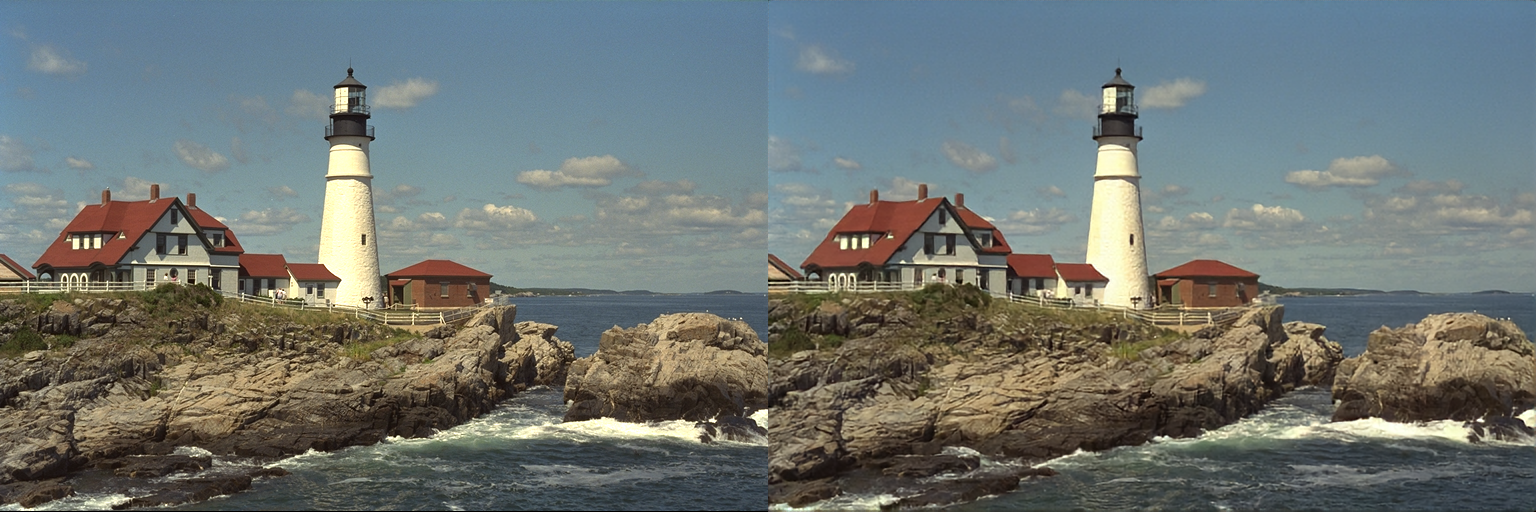 左:原始图像,右:重建图像
https://github.com/jorge-pessoa/pytorch-msssim
https://ece.uwaterloo.ca/~z70wang/research/ssim/
https://ece.uwaterloo.ca/~z70wang/publications/msssim.pdf
MATLAB代码
SSIM和MS-SSIM来自TensorFlow








