nhba
1.0.0

该项目是在耶鲁数字人文实验室的前阶段开发的。现在是耶鲁图书馆的计算方法和数据部门的一部分,该实验室不再包括该项目的工作范围。因此,它将不会收到进一步的更新。本网站的当前版本(在此不反映)由Elihu Rubin教授拥有。
绘制纽黑文的建筑历史。
纽黑文建筑档案馆(NHBA)是纽黑文建筑物的数字档案。该存储库包含该网站的源代码和指南,以在本地或EC2实例上构建该站点。
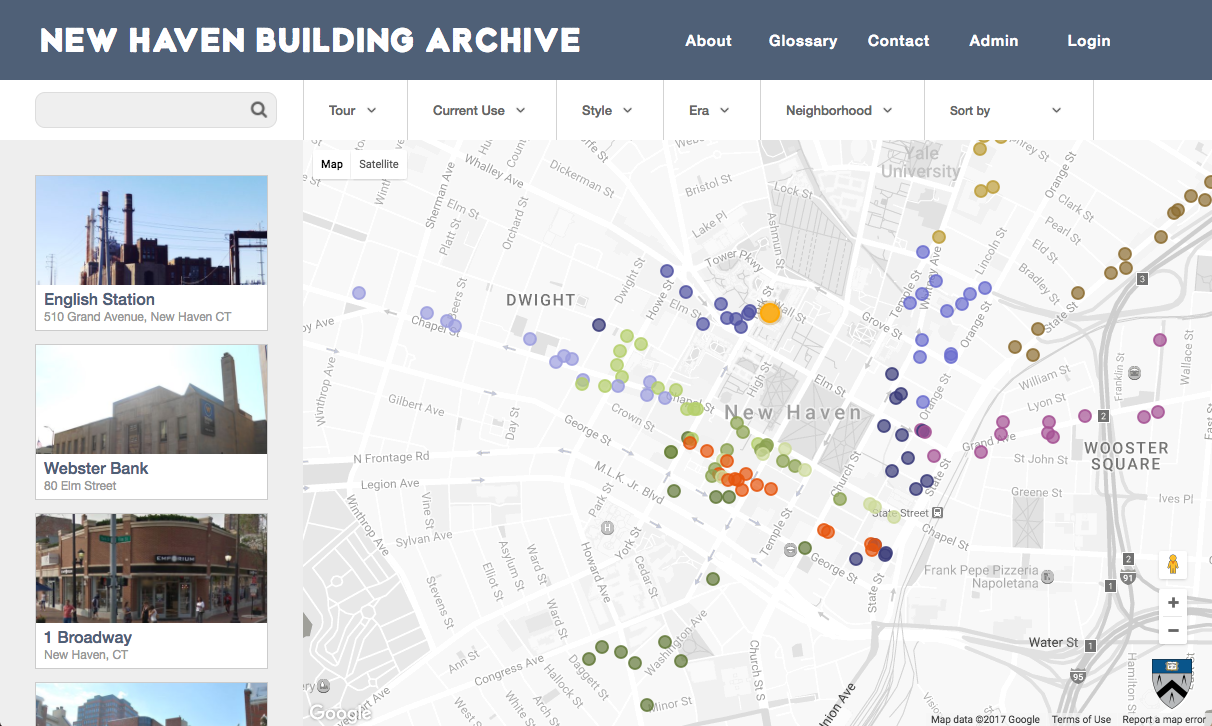
此应用程序需要Node.js(6或更高版本)和MongoDB。
该应用程序中的数据迁移需要pymongo( pip install pymongo )。
要在计算机上运行此应用程序,请打开终端并运行:
 # obtain application source and enter repository
git clone https://github.com/duhaime/nhba
cd nhba

# load database
wget https://s3-us-west-2.amazonaws.com/lab-apps/nhba/archives/nhba-11-12-08.archive -O nhba.archive
mongo nhba --eval "db.dropDatabase()"
mongorestore --db nhba --archive=nhba.archive

# obtain images
wget https://s3-us-west-2.amazonaws.com/lab-apps/nhba/archives/build.tar.gz -O build.tar.gz
tar -zxf build.tar.gz

# install nvm, e.g. with brew
brew install nvm

# install node compatible with this library
nvm install v10.24.1
nvm use v10.24.1

# install dependencies
npm install --no-optional

# start production server
npm run production
然后,该应用程序将在localhost:8080上可用。
您可以选择打开另一个终端窗口,CD到NHBA目录中,然后运行npm run start以在8081上启动开发服务器。此开发服务器取决于生产服务器,但具有热模块重新加载,以更快地开发速度。
要在EC2上的Amazon Linux实例上部署此应用程序,必须:
 # Install Node.js on Amazon Linux
curl -o- https://raw.githubusercontent.com/creationix/nvm/v0.32.0/install.sh | bash
. ~/.nvm/nvm.sh
nvm install 6.10.0
node -v
 # Install MongoDB on Amazon Linux
sudo touch /etc/yum.repos.d/mongodb-org-3.4.repo
sudo vim /etc/yum.repos.d/mongodb-org-3.4.repo

# paste the following:
[mongodb-org-3.4]
name=MongoDB Repository
baseurl=https://repo.mongodb.org/yum/amazon/2013.03/mongodb-org/3.4/x86_64/
gpgcheck=1
enabled=1
gpgkey=https://www.mongodb.org/static/pgp/server-3.4.asc

sudo yum install -y mongodb-org
sudo service mongod start
sudo chkconfig mongod on
让我们加密允许用户获得绑定域地址的免费SSL证书。要运行Let's Encrypt Client并获得证书,您必须为EC2实例创建弹性IP,获取域名(例如Cats.com)并将您的EC2实例绑定到域。对于使用Namecheap的用户,这篇文章提供了详尽的指南。
完成此操作后,可以使用以下命令下载并运行Let's Encrypt Client:
 # get Let's Encrypt client
wget https://dl.eff.org/certbot-auto
chmod a+x certbot-auto

# pass domain to -d; must be a bound domain, not a raw IP
sudo ./certbot-auto --debug -v --server https://acme-v01.api.letsencrypt.org/directory certonly -d YOURDOMAIN.EXT
在此处,您的domain.ext指的是您的实例绑定的域。提示时,选择第二个选项(临时服务器)来处理您的证书。
然后更新nhba/config.js文件以反映证书的位置。默认位置为/etc/letsencrypt/live/YOURDOMAIN.EXT/fullchain.pem
要在HTTPS上运行您的应用程序,只需更新nhba/config.js :
 config.api = {
  protocol: 'https',
  host: 'YOURDOMAIN.EXT',
  port: 443,
  prefix: 'api'
}
将以下变量添加到~/.bash_profile :
 export NHBA_EMAIL='YOURGMAILACCOUNT'           # e.g. catparty
export NHBA_EMAIL_PASSWORD='YOURGMAILPASSWORD' # e.g. meow
export NHBA_SECRET='NHBA_SECRET'               # equivalent to `rake secret`
export NHBA_SALT_WORK_FACTOR=10                # encryption difficulty
export NHBA_ENVIRONMENT='production'           # switch to production
export NHBA_ADMIN_EMAILS='[email protected] [email protected]' # space separated emails
export NHBA_SUPERADMIN_EMAILS='[email protected]'      # space separated emails
然后source ~/.bash_profile
创建一个可以保留用户上传的目录:MKDIR构建/资产/上传/文件
只有SuperAdmin用户才能任命其他管理用户。 SuperAdmin用户必须在命令行级别任命:
 # enter nhba db
mongo nhba

# find a user by their email address and make them a superadmin
db.users.update({'email': '[email protected]'}, {$set: {'superadmin': true}})
 npm run compress
sudo node server.js
您可能希望使用Forever.js这样的包装器来保持服务器的运行...







