pyarch
v0.0.2

生成Python软件包的动态类图的工具,以促进其开发和维护。
动机:
PYARCH可以作为GitHub工作流程的一部分执行。
| 属性 | 描述 | 必需的 | 默认 |
|---|---|---|---|
input | 包装源代码的目录 | 真的 | |
output | 目录保存生成的HTML文件 | 错误的 | .pyarch/output |
title | 自定义HTML标题 | 错误的 | Python package architecture |
header | 自定义HTML标头 | 错误的 | Python package architecture |
footer | 自定义HTML页脚 | 错误的 | <p style="font-size:15px">Built with ❤️ by <a href="https://www.dkisler.com" target=_blank>Dmitry Kisler - dkisler.com</a></p> |
output :生成的HTML文件的路径。以下github工作流程可用于生成软件包架构图并使用github页面发布。
 name : " Pyarch Pages "

on :
  workflow_dispatch :

permissions :
  contents : read
  pages : write
  id-token : write

concurrency :
  group : " pages "
  cancel-in-progress : false

jobs :
  pyarch-pages :
    runs-on : ubuntu-20.04
    steps :
      # assumption: the workflow is running in the python package repo
      - uses : actions/checkout@v3
        with :
          fetch-depth : 0

      - name : Generate HTML
        uses : kislerdm/[email protected]
        with :
          # Change to the path with the package's source files
          input : src
          title : " Architecture of my package "
          header : " Architecture of my package "
          output : public

      - name : Setup Pages
        uses : actions/configure-pages@v3
      - name : Upload artifact
        uses : actions/upload-pages-artifact@v2
        with :
          path : ' public '
      - name : Deploy to GitHub Pages
        id : deployment
uses : actions/deploy-pages@v2 先决条件:
步骤
/usr/local/bin pyarch --version
请注意,将需要Sudo许可。另外,可以在没有step 2情况下执行脚本:
python3 pyarch --version
演示
需要注意卷发。
 sudo curl -SLo /usr/local/bin/pyarch https://github.com/kislerdm/pyarch/releases/download/v0.0.1/pyarch &&
pyarch --version
输出:
version: 0.0.1
先决条件:
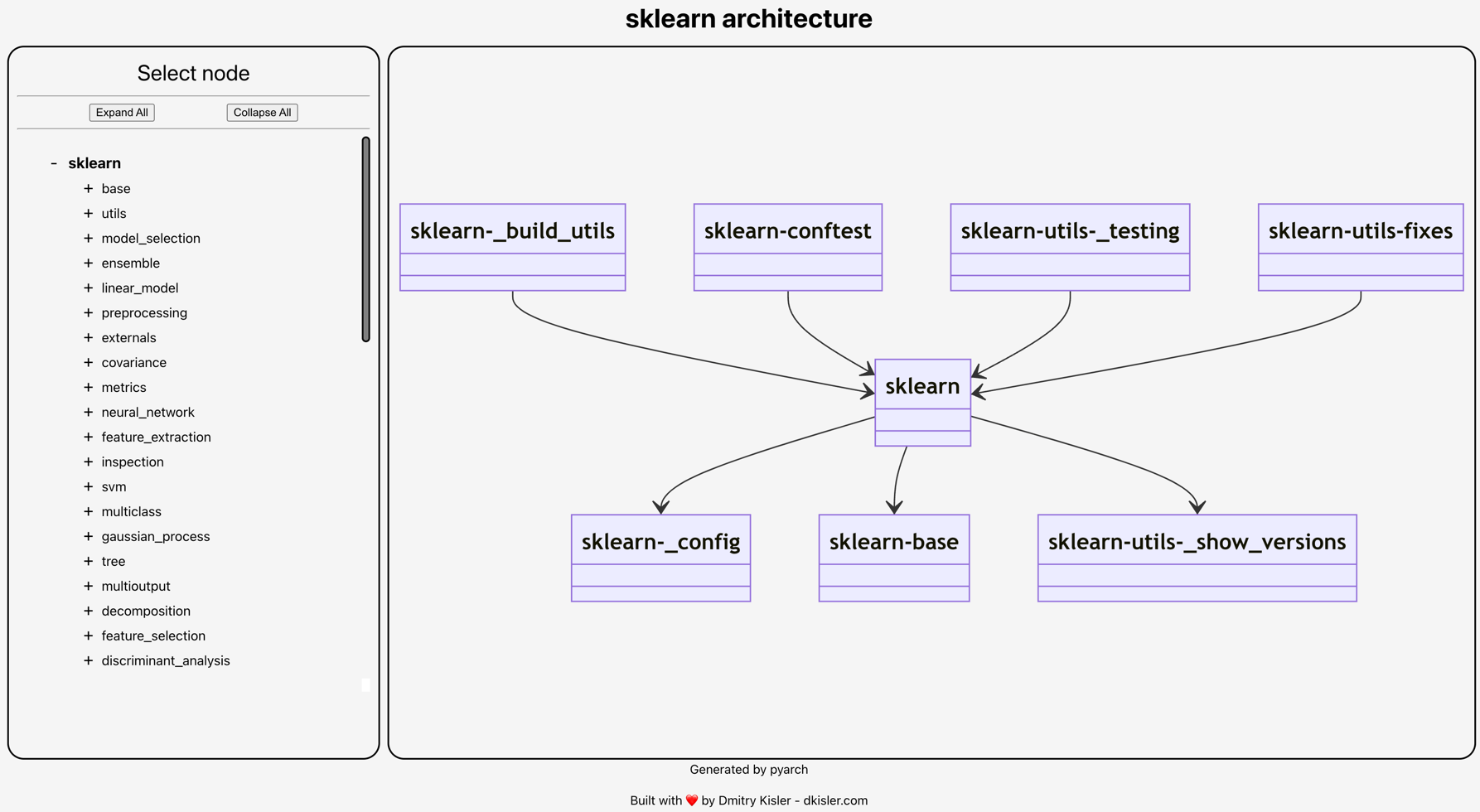
按照Sklearn的动态体系结构图生成网页的步骤:
mkdir sklearn-diagram && cd sklearn-diagram
git clone [email protected]:scikit-learn/scikit-learn.git code
pyreverse -Akmy -o puml -d . --ignore=test,tests code/sklearn
pyarch -i . -o . -v --title="sklearn architecture" --header="sklearn architecture"
目录预计将具有以下结构:
 .
├── code
├── classes.puml
├── packages.puml
└── index.html
使用Web-browser打开index.html :
该项目是根据麻省理工学院许可证分发的 - 随时随意使用它。
请打开GitHub问题和/或PR,并提供更改建议进行协作。







