pyarch
v0.0.2

Python 패키지의 동적 클래스 다이어그램을 생성하는 도구는 개발 및 유지 보수를 용이하게합니다.
동기 부여 :
Pyarch는 Github 워크 플로의 일부로 실행할 수 있습니다.
| 기인하다 | 설명 | 필수의 | 기본 |
|---|---|---|---|
input | 패키지 소스 코드가있는 디렉토리 | 진실 | |
output | 생성 된 HTML 파일을 저장하는 디렉토리 | 거짓 | .pyarch/output |
title | 사용자 정의 HTML 제목 | 거짓 | Python package architecture |
header | 사용자 정의 HTML 헤더 | 거짓 | Python package architecture |
footer | 맞춤형 HTML 바닥 글 | 거짓 | <p style="font-size:15px">Built with ❤️ by <a href="https://www.dkisler.com" target=_blank>Dmitry Kisler - dkisler.com</a></p> |
output : 생성 된 HTML 파일로가는 경로.다음 Github 워크 플로우는 패키지 아키텍처 다이어그램을 생성하고 GitHub 페이지를 사용하여 게시하는 데 사용될 수 있습니다.
 name : " Pyarch Pages "

on :
  workflow_dispatch :

permissions :
  contents : read
  pages : write
  id-token : write

concurrency :
  group : " pages "
  cancel-in-progress : false

jobs :
  pyarch-pages :
    runs-on : ubuntu-20.04
    steps :
      # assumption: the workflow is running in the python package repo
      - uses : actions/checkout@v3
        with :
          fetch-depth : 0

      - name : Generate HTML
        uses : kislerdm/[email protected]
        with :
          # Change to the path with the package's source files
          input : src
          title : " Architecture of my package "
          header : " Architecture of my package "
          output : public

      - name : Setup Pages
        uses : actions/configure-pages@v3
      - name : Upload artifact
        uses : actions/upload-pages-artifact@v2
        with :
          path : ' public '
      - name : Deploy to GitHub Pages
        id : deployment
uses : actions/deploy-pages@v2 전제 조건 :
단계
/usr/local/bin 으로 이동하십시오 pyarch --version
Sudo 권한이 필요합니다. 또는 스크립트는 step 2 없이 실행할 수 있습니다.
python3 pyarch --version
데모
참고 컬이 필요합니다.
 sudo curl -SLo /usr/local/bin/pyarch https://github.com/kislerdm/pyarch/releases/download/v0.0.1/pyarch &&
pyarch --version
산출:
version: 0.0.1
전제 조건 :
스카리의 다이내믹 아키텍처 다이어그램으로 웹 페이지를 생성하려면 단계에 따라 :
mkdir sklearn-diagram && cd sklearn-diagram
git clone [email protected]:scikit-learn/scikit-learn.git code
pyreverse -Akmy -o puml -d . --ignore=test,tests code/sklearn
pyarch -i . -o . -v --title="sklearn architecture" --header="sklearn architecture"
디렉토리는 다음과 같은 구조를 가질 것으로 예상됩니다.
 .
├── code
├── classes.puml
├── packages.puml
└── index.html
Web-Browser를 사용하여 Open index.html :
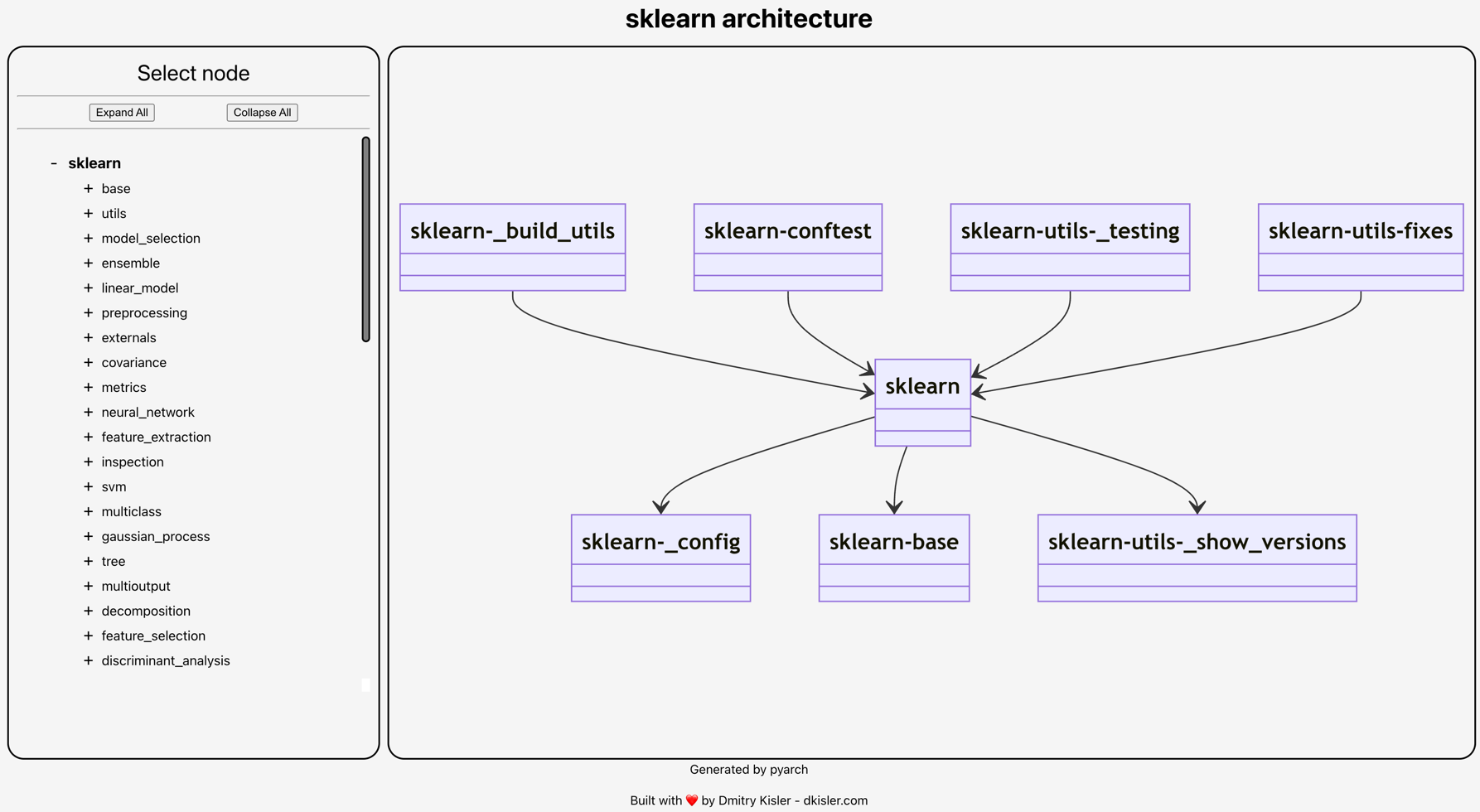
이 프로젝트는 MIT 라이센스에 따라 배포됩니다. 원하는대로 자유롭게 사용하십시오.
협력 할 변경 제안으로 GitHub 문제 및/또는 PR을 열어주십시오.







