TkokDiscordBot
v0.3.0

TKOK的Discord机器人(Kaliron王国,RPG的魔兽映射3)社区,该社区允许用户浏览战利品表,执行自己的搜索查询并获取有关游戏中每个项目的详细信息。
Live Demo可在TKOK Discord Server上使用。
user-secrets.json中,该设置应位于可执行文件的目录中{
"DiscordToken" : " <YOUR_DISCORD_TOKEN> " ,
"BotCommandsChannelId" : 378620967066271769 ,
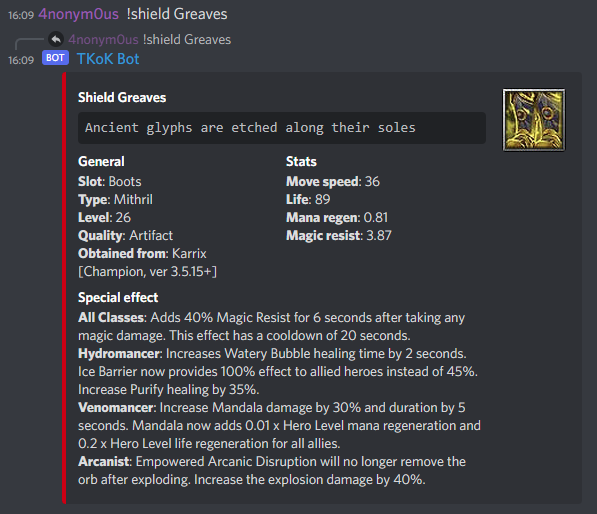
} !<item name>
Find item by name. Replace <item name> with a item name, does not have to be the full name.
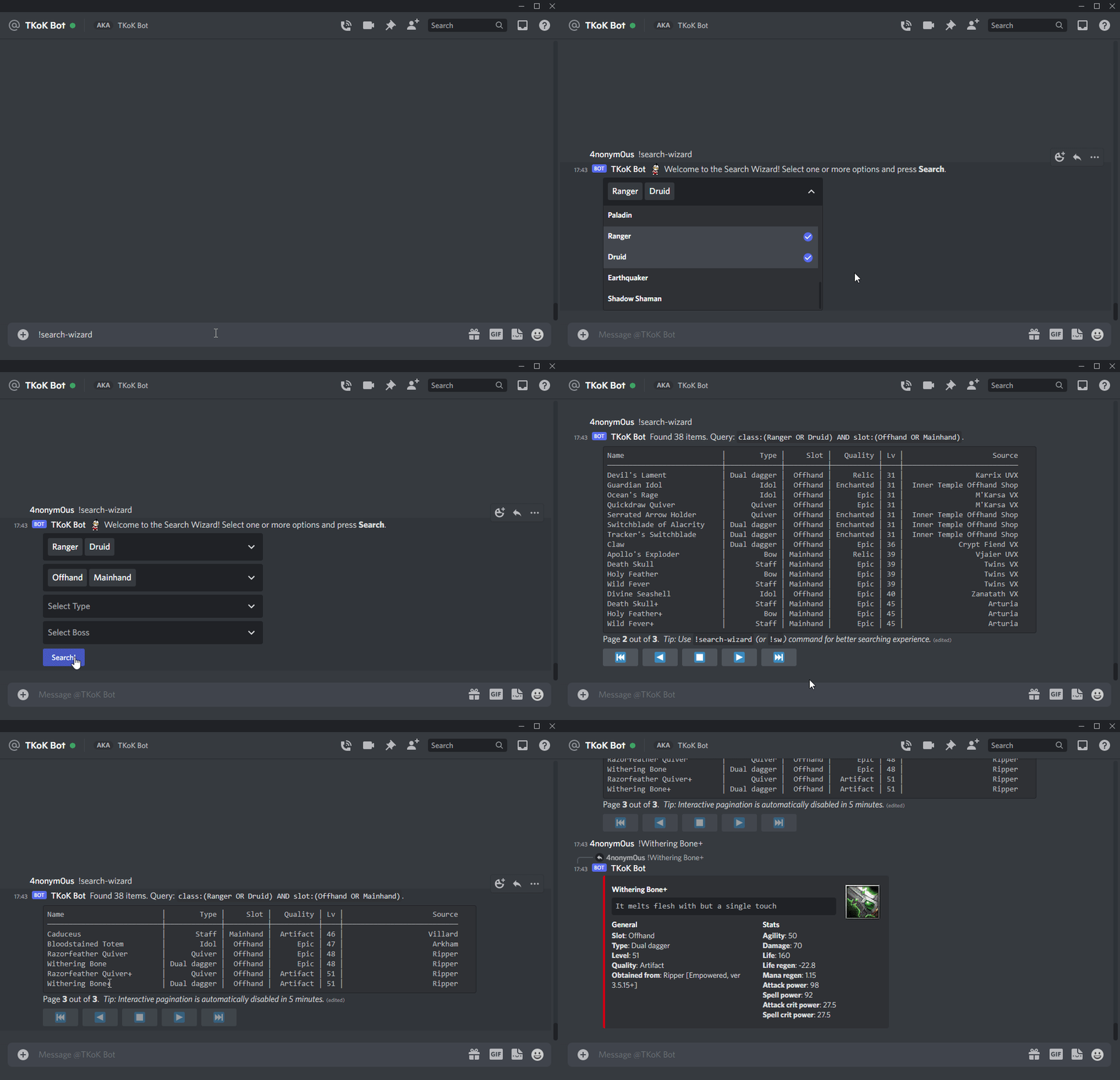
!search-wizard, !sw, !wizard
Starts a search wizard. Provides a way to search items in an easy and interactive way. Great starting point for beginners.
!search <query>, !s <query>
Search for items using full-text search. All filters are optional, multiple filters can be combined. Use double quotes to look for exact phrase match. Can search by name, slot, type, quality, boss, level, class, description or special.
│
│ Examples:
│ !search Druid - find items for Druid.
│ !search "Narith VX" – find loot from Narith UVX.
│ !search Bow - find Bows.
│ !search "Dual Dagger" - find Dual Daggers.
│ !s Accessory AND Epic - find only Epic Accessories.
│ !s Avnos Karnos (or !s Avnos OR Karnos) - find loot from Avnos & Karnos.
│ !s "Phantom Stalker" AND Chest - find chests for PS.
│ !s Warrior AND (Gloves OR Helm) - find gloves and helmets for Warrior.
│
│ Tips:
│ Use !search-wizard for interactive search experience.
│ Use !search-guide for detailed search syntax guide with more examples.
│ Not sure what are possible values for specific property? – Use !explore.
!explore
Get a list of properties and their values that can be used to search items using 'search' command.
!search-guide, !sg
Print a detailed guide with a lot of examples on querying syntax for 'search' command.





