TkokDiscordBot
v0.3.0

Tkokの不一致のボット(Kalironの王国、RPGマップのRPGマップ3)コミュニティは、ユーザーがルートテーブルを閲覧し、独自の検索クエリを実行し、ゲーム内のすべてのアイテムに関する詳細情報を取得できます。
Live Demoは、Tkok Discord Serverで入手できます。
user-secrets.jsonに保存されます。これは、実行可能ファイルのディレクトリに配置する必要があります{
"DiscordToken" : " <YOUR_DISCORD_TOKEN> " ,
"BotCommandsChannelId" : 378620967066271769 ,
} !<item name>
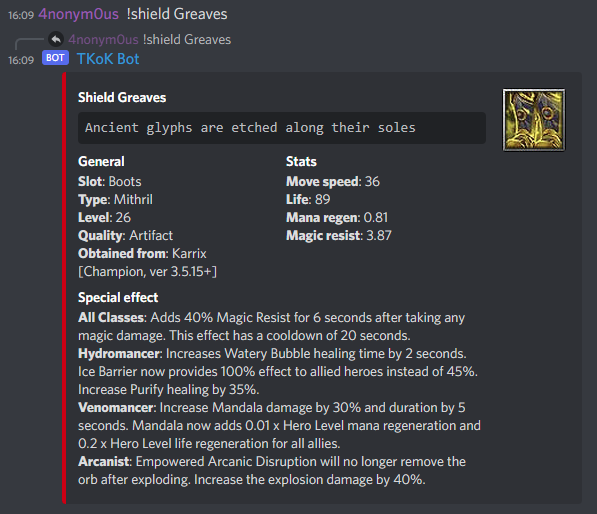
Find item by name. Replace <item name> with a item name, does not have to be the full name.
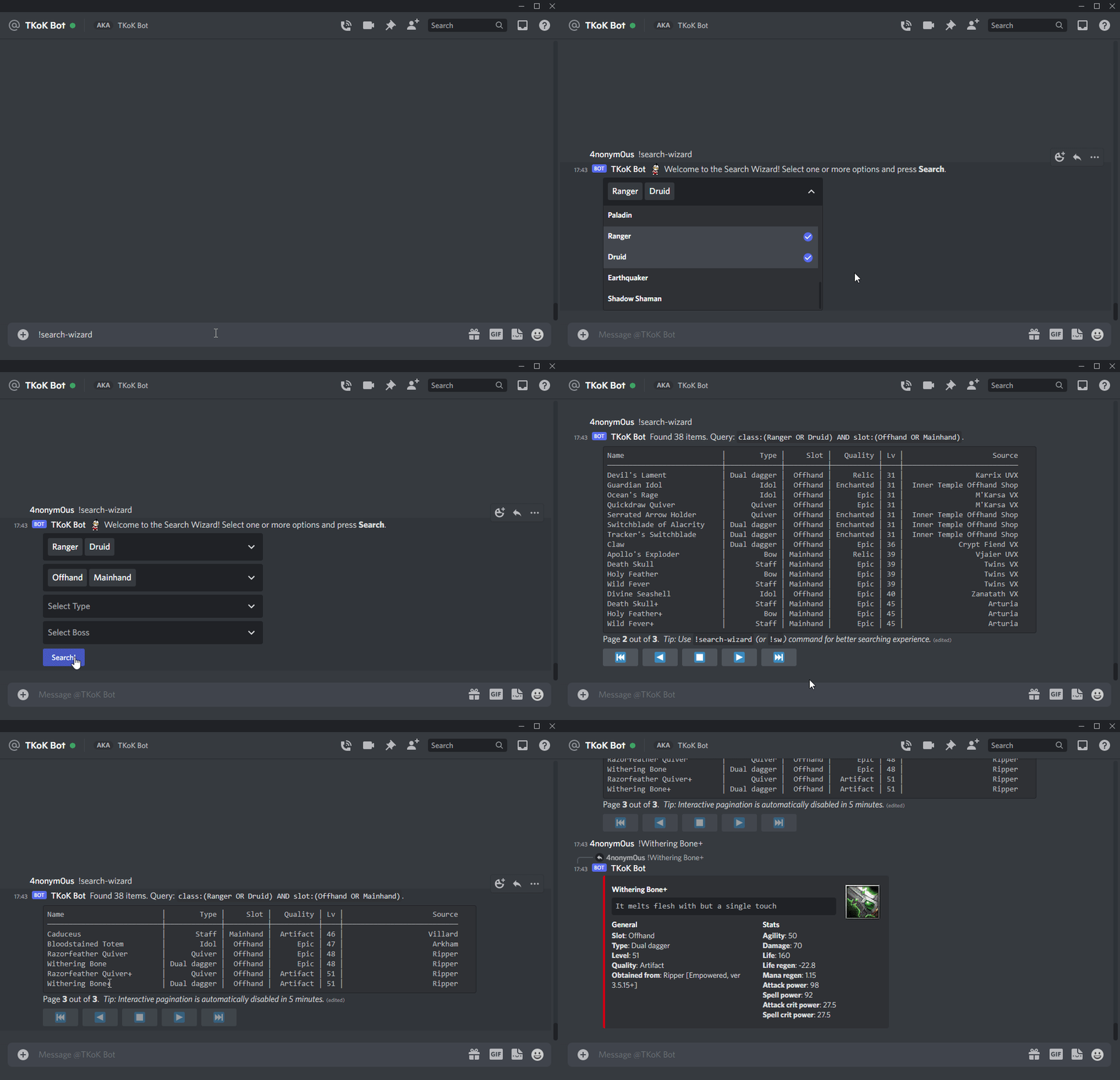
!search-wizard, !sw, !wizard
Starts a search wizard. Provides a way to search items in an easy and interactive way. Great starting point for beginners.
!search <query>, !s <query>
Search for items using full-text search. All filters are optional, multiple filters can be combined. Use double quotes to look for exact phrase match. Can search by name, slot, type, quality, boss, level, class, description or special.
│
│ Examples:
│ !search Druid - find items for Druid.
│ !search "Narith VX" – find loot from Narith UVX.
│ !search Bow - find Bows.
│ !search "Dual Dagger" - find Dual Daggers.
│ !s Accessory AND Epic - find only Epic Accessories.
│ !s Avnos Karnos (or !s Avnos OR Karnos) - find loot from Avnos & Karnos.
│ !s "Phantom Stalker" AND Chest - find chests for PS.
│ !s Warrior AND (Gloves OR Helm) - find gloves and helmets for Warrior.
│
│ Tips:
│ Use !search-wizard for interactive search experience.
│ Use !search-guide for detailed search syntax guide with more examples.
│ Not sure what are possible values for specific property? – Use !explore.
!explore
Get a list of properties and their values that can be used to search items using 'search' command.
!search-guide, !sg
Print a detailed guide with a lot of examples on querying syntax for 'search' command.





