annotate
1.0.0

注释并在网络上发布文本!该项目是为“(编辑)LateComer的加密指南”创建的,但可用于注释任何文本文档。
在https://molly.github.io/annotate/上查看现场演示。
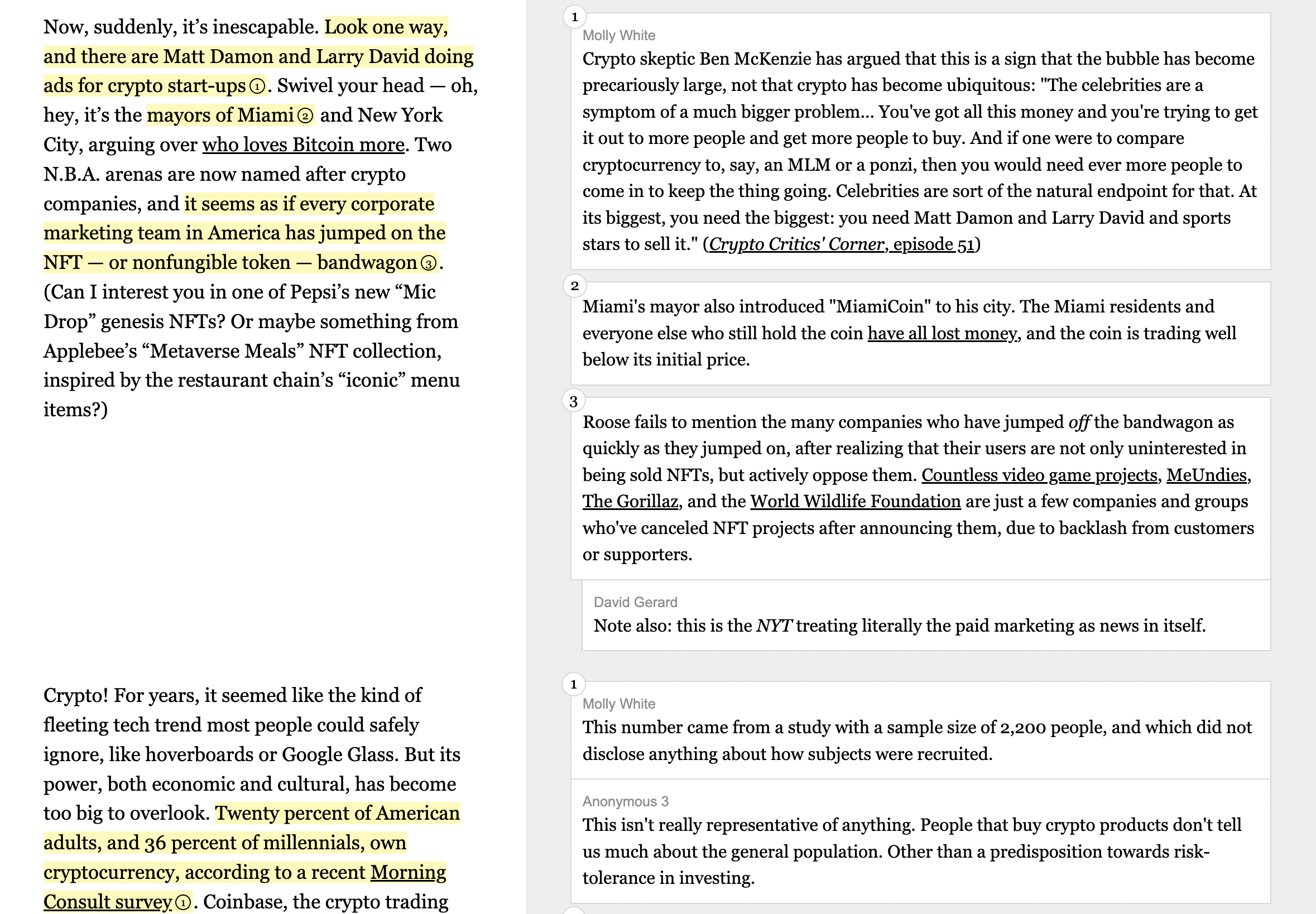
将index.html , styles.css和annotate.js文件复制到您的项目。除非要更改样式或JavaScript行为,否则您只需要编辑index.html文件即可。该项目不需要JavaScript,因此,如果要省略它,只需省略annotate.js文件,然后删除html文件中的<script src="./annotate.js"></script>标记。 screenshots文件夹在桌面( index-desktop.png )和移动设备( index-mobile.png )视图中具有索引页面的全尺寸屏幕截图,因此您可以看到HTML产生的内容。
文档的每个部分都遵循以下基本结构:
 < section class =" group " >
  < div class =" content quote " >
    Text that's being < mark data-annotation-id =" 1 " aria-details =" unique-comment-id " > annotated </ mark > .
  </ div >
  < div class =" content note " >
    < div class =" annotation " role =" comment " data-annotation-id =" 1 " id =" unique-comment-id " >
      < div class =" commenter " > Commenter name </ div >
      Comment text.
    </ div >
  </ div >
</ section >
并产生:

文本的每个部分都在左右部分中连续捕获。 <section class="group">元素代表此行。然后,每一侧都有一个与content类别以及quote或note类别的DIV。 quote是注释的文字, note是针对注释。
原始源(左侧)中突出显示的每个部分都标有<mark>标签。这些必须具有唯一的aria-details属性,该属性将与注释的id相对应,这将使视觉焦点突出显示点击。它还可以选择具有data-annotation-id来编号注释,以帮助区分章节中的注释。
对应于<mark>标签的标签将是右侧的annotation或annotation-group类别的DIV(前面的单个注释,后者是分组注释的后者)。这些必须具有role="comment"和一个与其相关的突出显示文本的唯一aria-details值的id 。与突出显示的文本一样,它可以具有编号注释的data-annotation-id 。
在注释组中, annotation类别将有一个或多个divs。如果有多个在文档上工作的注释者,则可以包含与班级commenter的DIV,以识别作者。这些不需要role="comment , data-annotation-id或id因为它们嵌套在带有这些属性的annotation-group中。
在注释组中有多次注释的情况下,它们可以直接堆叠或螺纹(随着凹痕的升高而呈现,以表明它们彼此回复)。要进行线程注释,请在第二个评论中包括thread类(第一个答复)。随后的任何答复都应用thread-x类标记,其中x是2-10: thread-2 , thread-3 ,..., thread-10压痕级。省略thread类以在没有凹痕的情况下在堆栈中渲染多个注释。
 < section class =" group " >
  < div class =" content quote " >
    Text that's being < mark data-annotation-id =" 1 " aria-details =" unique-comment-id " > annotated </ mark > .
  </ div >
  < div class =" content note " >
    < div class =" annotation-group " role =" comment " data-annotation-id =" 1 " id =" unique-comment-id " >
      < div class =" annotation " >
        A comment with indented responses.
      </ div >
      < div class =" annotation thread " >
        A reply
      </ div >
      < div class =" annotation thread-2 " >
        A second reply
      </ div >
    </ div >
  </ div >
</ section > 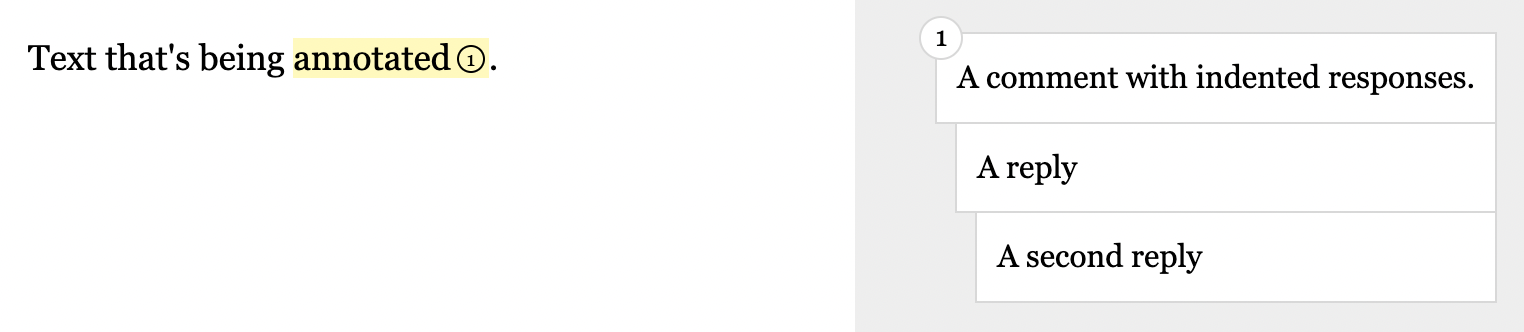
原始的后来指南项目是使用哈巴狗和Sass创建的。如果您想与这些合作,该源代码与我的网站来源有关:
这就是注释在手机上显示的方式: