AnimateDiff_Serverless_Runpod
1.0.0

这是一个无服务器的应用程序,它使用AnimateFiff在RunPod上运行文本到视频任务。
有关文本到IMGAE任务,另请参见SDXL_SERVERESS_RUNPOD。
无服务器意味着您仅在使用该应用程序的时间内收取费用,并且无需为空闲时间付费,这非常适合这种应用程序不经常使用但需要快速响应。
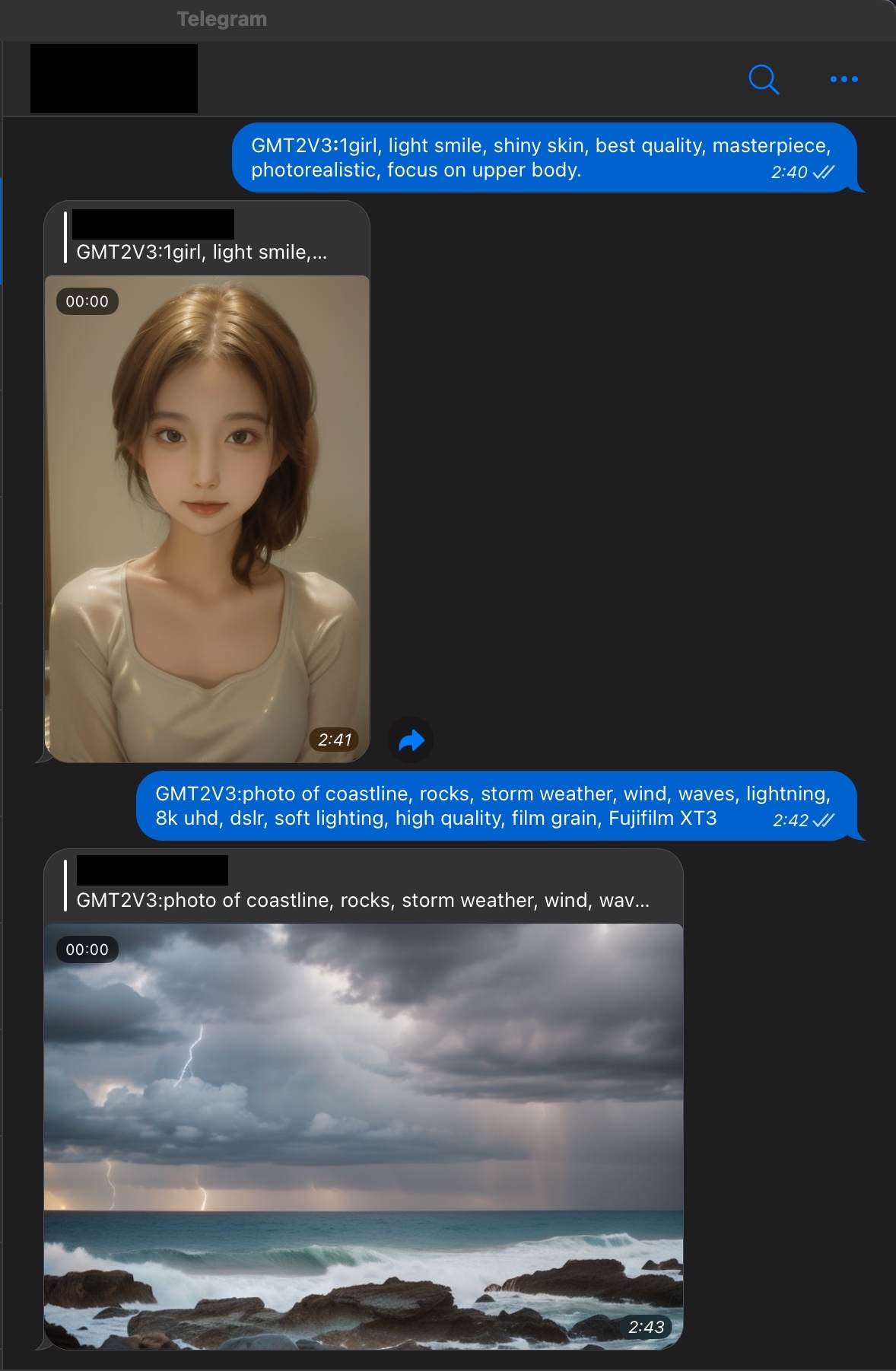
从理论上讲,此应用程序可以由任何其他应用程序调用。在这里,我们提供了两个例子:
有关更多详细信息,请参见下面的用法。
输入提示:(随机种子:445608568)
1girl, focus on face, offshoulder, light smile, shiny skin, best quality, masterpiece, photorealistic
结果:(原始| Panleft,28步,768x512,RTX 3090上的60秒,在Runpod上0.015 $?)
输入提示:(随机种子:195577361)
photo of coastline, rocks, storm weather, wind, waves, lightning, 8k uhd, dslr, soft lighting, high quality, film grain, Fujifilm XT3
结果:(原始| Zoomout,28个步骤,768x512,RTX 3090上的60秒,在Runpod上0.015 $?)
从输入提示发送到收到结果映像的那一刻起,包括以下所有步骤的时间:
如果您没有GPU,则可以在Google Colab上修改和测试代码,然后在RunPod上构建和部署该应用程序。
示例笔记本:链接
 # Install dependencies
pip install -r requirements.txt

# Download models
python scripts/download.py

# Edit (or not) config to customize your inference, e.g., change base model, lora model, motion lora model, etc.
rename inference_v2(example).yaml to inference_v2.yaml

# Run inference test
python inference_util.py

# Run server.py local test
python server.py
在下载过程中,如果您遇到“ gdown.exceptions.filelretrevalerror:无法检索文件的公共链接”之类的错误。
首先,确保您已经安装了Docker并在Dockerhub和Runpod上都有帐户。
然后,确定您的Docker映像的名称,例如“ your_username/anidiff:v1”,并在./scripts/build.sh中设置您的图像名称。
运行以下命令以构建并将Docker Image推向Dockerhub。
bash脚本/build.sh
抱歉,由于作者最近很忙,因此在这里没有提供详细说明。您可以在Google上找到有关如何在Runpod上部署Docker映像的许多详细说明。
如果您在Google上搜索后遇到任何问题,请随时与我联系。
 # Make sure to set API key and endpoint ID before running the script.
python test_client.py
感谢Animatediff和Runpod。





