clip as service
v0.8.3


剪辑服务是一种用于嵌入图像和文本的低延迟高尺度性服务。它可以轻松地将其作为微服务集成到神经搜索解决方案中。
⚡快速:将剪贴模型与tensorrt,onnx运行时和pytorch一起使用800qps [*]使用pytorch。根据请求和响应的非阻滞双工流,专为大型数据和长期运行的任务而设计。
?弹性:具有自动负载平衡的单个GPU上的多个剪辑模型的水平扩展。
?易于使用:没有学习曲线,客户端和服务器上的简约设计。图像和句子嵌入的直观且一致的API。
?现代:异步客户支持。轻松在带有TLS和压缩的GRPC,HTTP,Websocket协议之间切换。
?集成:与包括Jina和Docarray在内的神经搜索生态系统的平稳整合。立即构建跨模式和多模式解决方案。
[*]使用GeForce RTX 3090上的默认配置(单副本,Pytorch no jit)。
| 通过https? | 通过grpc?⚡⚡ |
curl
-X POST https:// < your-inference-address > -http.wolf.jina.ai/post
-H ' Content-Type: application/json '
-H ' Authorization: <your access token> '
-d ' {"data":[{"text": "First do it"},
    {"text": "then do it right"},
    {"text": "then do it better"},
    {"uri": "https://picsum.photos/200"}],
"execEndpoint":"/"} ' | # pip install clip-client
from clip_client import Client
c = Client (
'grpcs://<your-inference-address>-grpc.wolf.jina.ai' ,
credential = { 'Authorization' : '<your access token>' },
)
r = c . encode (
[
'First do it' ,
'then do it right' ,
'then do it better' ,
'https://picsum.photos/200' ,
]
)
print ( r ) |
有四种基本的视觉推理技能:对象识别,对象计数,颜色识别和空间关系理解。让我们尝试一下:
您需要安装
jq(JSON处理器)以使结果优化。
| 图像 | 通过https? |
curl
-X POST https:// < your-inference-address > -http.wolf.jina.ai/post
-H ' Content-Type: application/json '
-H ' Authorization: <your access token> '
-d ' {"data":[{"uri": "https://picsum.photos/id/1/300/300",
"matches": [{"text": "there is a woman in the photo"},
            {"text": "there is a man in the photo"}]}],
            "execEndpoint":"/rank"} '
| jq " .data[].matches[] | (.text, .scores.clip_score.value) "
给出: | |
curl
-X POST https:// < your-inference-address > -http.wolf.jina.ai/post
-H ' Content-Type: application/json '
-H ' Authorization: <your access token> '
-d ' {"data":[{"uri": "https://picsum.photos/id/133/300/300",
"matches": [
{"text": "the blue car is on the left, the red car is on the right"},
{"text": "the blue car is on the right, the red car is on the left"},
{"text": "the blue car is on top of the red car"},
{"text": "the blue car is below the red car"}]}],
"execEndpoint":"/rank"} '
| jq " .data[].matches[] | (.text, .scores.clip_score.value) "
给出: | |
curl
-X POST https:// < your-inference-address > -http.wolf.jina.ai/post
-H ' Content-Type: application/json '
-H ' Authorization: <your access token> '
-d ' {"data":[{"uri": "https://picsum.photos/id/102/300/300",
"matches": [{"text": "this is a photo of one berry"},
            {"text": "this is a photo of two berries"},
            {"text": "this is a photo of three berries"},
            {"text": "this is a photo of four berries"},
            {"text": "this is a photo of five berries"},
            {"text": "this is a photo of six berries"}]}],
            "execEndpoint":"/rank"} '
| jq " .data[].matches[] | (.text, .scores.clip_score.value) "
给出: |
剪贴即服务由两个可以独立安装的Python clip-server和clip-client组成。两者都需要Python 3.7+。
| Pytorch运行时⚡ | ONNX运行时⚡⚡ | Tensorrt运行时⚡⚡⚡ |
pip install clip-server | pip install " clip-server[onnx] " | pip install nvidia-pyindex
pip install " clip-server[tensorrt] " |
您还可以在Google Colab上托管服务器,利用其免费的GPU/TPU。
pip install clip-client安装后,您可以运行简单的连接检查。
| CS | 命令 | 期望输出 |
|---|---|---|
| 服务器 | python -m clip_server |  |
| 客户 | from clip_client import Client
c = Client ( 'grpc://0.0.0.0:23456' )
c . profile () |  |
您可以将0.0.0.0更改为Intranet或公共IP地址,以测试私人和公共网络的连接。
python -m clip_server 。记住其地址和端口。 from clip_client import Client
c = Client ( 'grpc://0.0.0.0:51000' ) r = c . encode ([ 'First do it' , 'then do it right' , 'then do it better' ])
print ( r . shape ) # [3, 512] r = c . encode ([ 'apple.png' , # local image
'https://clip-as-service.jina.ai/_static/favicon.png' , # remote image
'data:image/gif;base64,R0lGODlhEAAQAMQAAORHHOVSKudfOulrSOp3WOyDZu6QdvCchPGolfO0o/XBs/fNwfjZ0frl3/zy7////wAAAAAAAAAAAAAAAAAAAAAAAAAAAAAAAAAAAAAAAAAAAAAAAAAAAAAAAAAAAAAAACH5BAkAABAALAAAAAAQABAAAAVVICSOZGlCQAosJ6mu7fiyZeKqNKToQGDsM8hBADgUXoGAiqhSvp5QAnQKGIgUhwFUYLCVDFCrKUE1lBavAViFIDlTImbKC5Gm2hB0SlBCBMQiB0UjIQA7' ]) # in image URI
print ( r . shape ) # [3, 512]可以在文档中找到更全面的服务器和客户用户指南。
让我们使用剪贴画AS服务构建文本对图像搜索。即,用户可以输入句子,并且程序返回匹配的图像。我们将使用完全看起来像数据集和docarray软件包。请注意,docArray包含在clip-client中作为上游依赖性,因此您无需单独安装它。
首先,我们加载图像。您可以简单地将它们从Jina Cloud中拉出来:
from docarray import DocumentArray
da = DocumentArray . pull ( 'ttl-original' , show_progress = True , local_cache = True )另外,您可以完全看上去像官方网站,解压缩和加载图像:
from docarray import DocumentArray
da = DocumentArray . from_files ([ 'left/*.jpg' , 'right/*.jpg' ])该数据集包含12,032张图像,因此拉动可能需要一段时间。完成后,您可以将其可视化并获得这些图像的第一个味道:
da . plot_image_sprites ()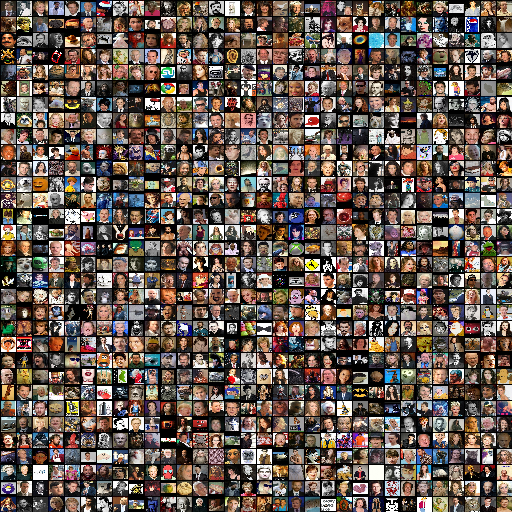
使用python -m clip_server启动服务器。假设使用GRPC协议为0.0.0.0:51000 (运行服务器后您将获得此信息)。
创建一个Python客户端脚本:
from clip_client import Client
c = Client ( server = 'grpc://0.0.0.0:51000' )
da = c . encode ( da , show_progress = True )根据您的GPU和客户端服务器网络,可能需要一段时间才能嵌入12K图像。就我而言,大约花了两分钟。
如果您不耐烦或没有GPU,那么等待可能是地狱。在这种情况下,您可以简单地拉出我们的预编码图像数据集:
from docarray import DocumentArray
da = DocumentArray . pull ( 'ttl-embedding' , show_progress = True , local_cache = True )让我们构建一个简单的提示,允许用户键入句子:
while True :
vec = c . encode ([ input ( 'sentence> ' )])
r = da . find ( query = vec , limit = 9 )
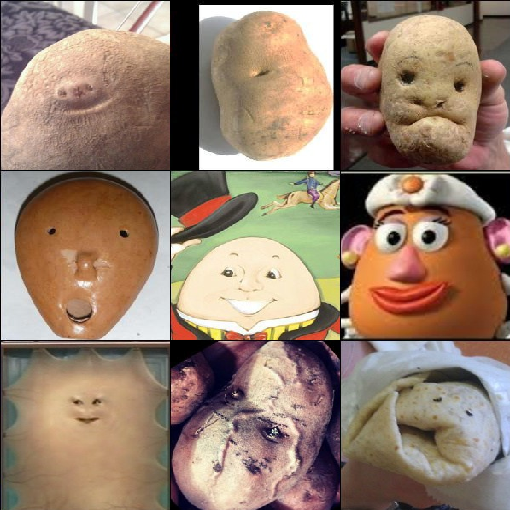
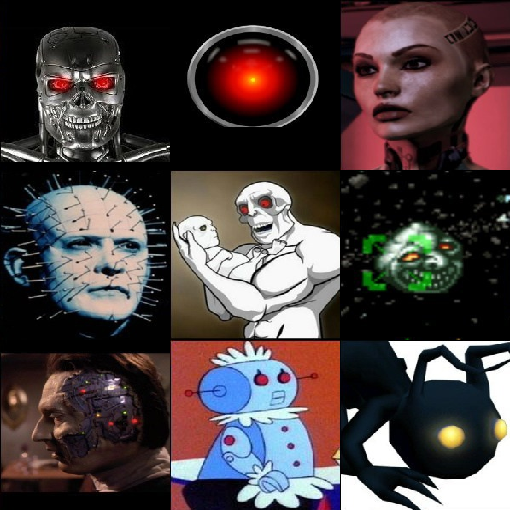
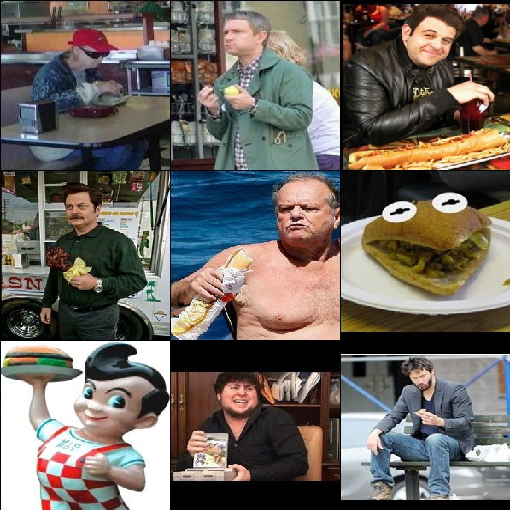
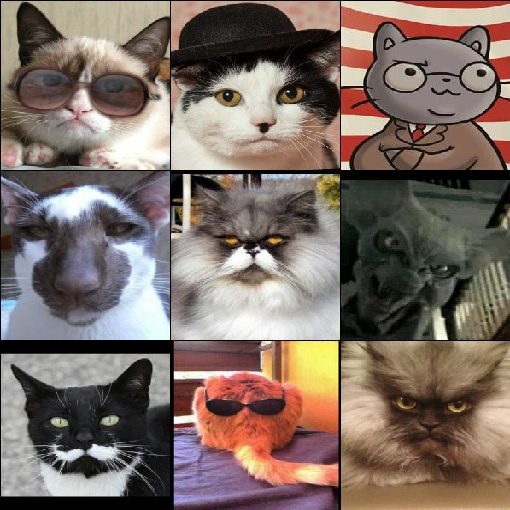
r [ 0 ]. plot_image_sprites ()现在,您可以输入任意英语句子,并查看前9个匹配图像。搜索是快速而本能的。让我们玩一些乐趣:
| “快乐的马铃薯” | “超级邪恶的人工智能” | “一个喜欢他的汉堡的家伙” |
|---|---|---|
|
|
|
| “猫教授非常认真” | “自我工程师与父母一起生活” | “不会有明天,所以让我们吃不健康” |
|---|---|---|
|
|
|
让我们保存下一个示例的嵌入结果:
da . save_binary ( 'ttl-image' )我们还可以切换最后一个程序的输入和输出,以实现图像到文本搜索。确切地说,给定查询图像找到最能描述图像的句子。
让我们使用“骄傲和偏见”一书中的所有句子。
from docarray import Document , DocumentArray
d = Document ( uri = 'https://www.gutenberg.org/files/1342/1342-0.txt' ). load_uri_to_text ()
da = DocumentArray (
Document ( text = s . strip ()) for s in d . text . replace ( ' r n ' , '' ). split ( '.' ) if s . strip ()
)让我们看看我们得到的东西:
da . summary () Documents Summary
Length 6403
Homogenous Documents True
Common Attributes ('id', 'text')
Attributes Summary
Attribute Data type #Unique values Has empty value
──────────────────────────────────────────────────────────
id ('str',) 6403 False
text ('str',) 6030 False
现在编码这6,403个句子,根据您的GPU和网络可能需要10秒或更少的时间:
 from clip_client import Client

 c = Client ( 'grpc://0.0.0.0:51000' )
r = c . encode ( da , show_progress = True )同样,对于那些不耐烦或没有GPU的人,我们已经准备了一个预编码的文本数据集:
 from docarray import DocumentArray

da = DocumentArray . pull ( 'ttl-textual' , show_progress = True , local_cache = True )让我们加载我们先前存储的图像嵌入,随机采样10个图像文档,然后找到每个图像文档的最接近1个邻居。
 from docarray import DocumentArray

img_da = DocumentArray . load_binary ( 'ttl-image' )

for d in img_da . sample ( 10 ):
print ( da . find ( d . embedding , limit = 1 )[ 0 ]. text )愉快的时光!注意,与上一个示例不同,这里的输入是图像,句子是输出。所有句子均来自“骄傲和偏见”一书。
|
|
|
|
|
| 此外,他的容貌有真相 | 加德纳笑了 | 他叫什么名字 | 但是,到下午茶时间,剂量已经足够了,先生 | 你看起来不好 |
|
|
|
|
|
| “一个gamester!”她哭了 | 如果您在铃铛上提到我的名字,您将被关注 | 没关系Lizzy小姐的头发 | 伊丽莎白很快将成为先生的妻子 | 我前一天晚上看到了他们 |
从0.3.0剪辑中,服务添加了一个新的/rank终点,该端点根据其在剪辑模型中的联合可能性重新排列了交叉模式匹配。例如,给定一个图像文档,其中一些预定义的句子匹配如下:
 from clip_client import Client
from docarray import Document

c = Client ( server = 'grpc://0.0.0.0:51000' )
r = c . rank (
    [
        Document (
            uri = '.github/README-img/rerank.png' ,
            matches = [
                Document ( text = f'a photo of a { p } ' )
                for p in (
                    'control room' ,
                    'lecture room' ,
                    'conference room' ,
                    'podium indoor' ,
                    'television studio' ,
                )
            ],
        )
    ]
)

print ( r [ '@m' , [ 'text' , 'scores__clip_score__value' ]])
[['a photo of a television studio', 'a photo of a conference room', 'a photo of a lecture room', 'a photo of a control room', 'a photo of a podium indoor'],
[0.9920725226402283, 0.006038925610482693, 0.0009973491542041302, 0.00078492151806131, 0.00010626466246321797]]
现在可以看到a photo of a television studio排名最高, clip_score得分为0.992 。在实践中,可以使用此端点来重新将另一个搜索系统的匹配结果重新排列,以提高跨模式搜索质量。
 |  |
在DALL·E流项目中,剪辑被要求对DALL·e的生成结果进行排名。它的执行人包裹在夹子clip-client调用.arank() - .rank()的异步版本:
 from clip_client import Client
from jina import Executor , requests , DocumentArray


class ReRank ( Executor ):
    def __init__ ( self , clip_server : str , ** kwargs ):
        super (). __init__ ( ** kwargs )
        self . _client = Client ( server = clip_server )

    @ requests ( on = '/' )
    async def rerank ( self , docs : DocumentArray , ** kwargs ):
        return await self . _client . arank ( docs )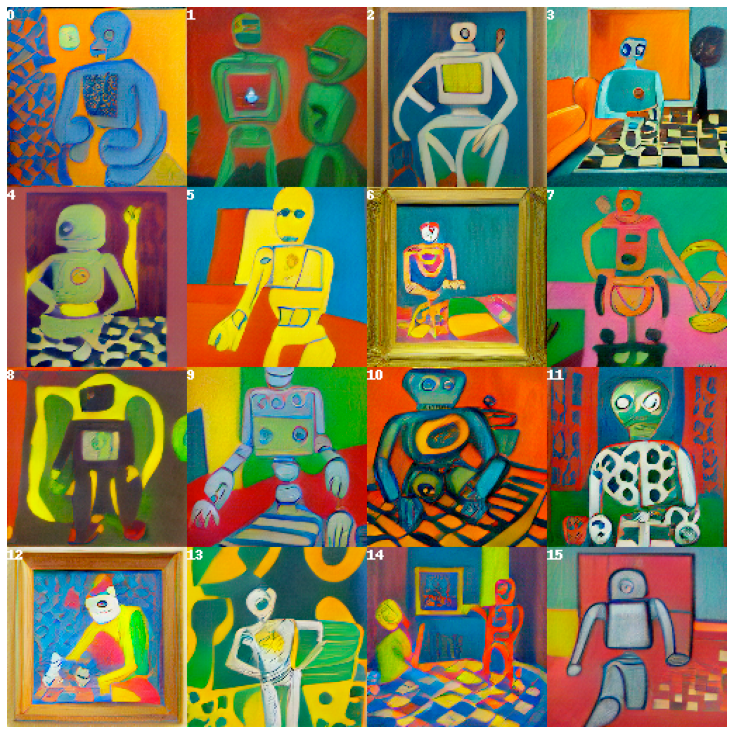
感兴趣?这只是刮擦剪贴即服务能力的表面。阅读我们的文档以了解更多信息。
夹子服务由Jina AI支持,并在Apache-2.0下获得许可。我们正在积极雇用AI工程师,解决方案工程师,以开放源代码构建下一个神经搜索生态系统。