clip as service
v0.8.3


Clip-as-Service เป็นบริการความสามารถในการลดความสามารถสูงต่ำสำหรับการฝังภาพและข้อความ มันสามารถรวมเข้าด้วยกันเป็น microservice ในโซลูชั่นการค้นหาประสาทได้อย่างง่ายดาย
⚡ Fast : เสิร์ฟรุ่นคลิปด้วย Tensorrt, Onnx Runtime และ Pytorch w/o jit ด้วย 800qps [*] การสตรีมมิ่งดูเพล็กซ์ที่ไม่ปิดกั้นตามคำขอและการตอบสนองที่ออกแบบมาสำหรับข้อมูลขนาดใหญ่และงานที่ดำเนินมายาวนาน
- ยืดหยุ่น : ปรับขนาดคลิปหลายรุ่นในแนวนอนบน GPU เดี่ยวพร้อมการปรับสมดุลโหลดอัตโนมัติ
- ใช้งานง่าย : ไม่มีเส้นโค้งการเรียนรู้การออกแบบที่เรียบง่ายบนไคลเอนต์และเซิร์ฟเวอร์ API ที่ใช้งานง่ายและสอดคล้องกันสำหรับการฝังภาพและประโยค
- ทันสมัย : การสนับสนุนลูกค้า Async สลับระหว่าง GRPC, HTTP, โปรโตคอล WebSocket กับ TLS และการบีบอัดได้อย่างง่ายดาย
- การบูรณาการ : การบูรณาการที่ราบรื่นกับระบบนิเวศการค้นหาประสาทรวมถึง Jina และ Docarray สร้างโซลูชั่นข้ามรูปแบบและหลายรูปแบบในเวลาไม่นาน
[*] ด้วยการกำหนดค่าเริ่มต้น (แบบจำลองเดี่ยว, pytorch no jit) บน geforce RTX 3090
| ผ่าน https? | ผ่าน grpc? ⚡⚡ |
curl
-X POST https:// < your-inference-address > -http.wolf.jina.ai/post
-H ' Content-Type: application/json '
-H ' Authorization: <your access token> '
-d ' {"data":[{"text": "First do it"},
    {"text": "then do it right"},
    {"text": "then do it better"},
    {"uri": "https://picsum.photos/200"}],
"execEndpoint":"/"} ' | # pip install clip-client
from clip_client import Client
c = Client (
'grpcs://<your-inference-address>-grpc.wolf.jina.ai' ,
credential = { 'Authorization' : '<your access token>' },
)
r = c . encode (
[
'First do it' ,
'then do it right' ,
'then do it better' ,
'https://picsum.photos/200' ,
]
)
print ( r ) |
มีทักษะการให้เหตุผลด้านการมองเห็นขั้นพื้นฐานสี่ประการ: การจดจำวัตถุการนับวัตถุการจดจำสีและความเข้าใจเชิงพื้นที่ มาลองกันบ้าง:
คุณต้องติดตั้ง
jq(โปรเซสเซอร์ JSON) เพื่อให้ผลลัพธ์ล่วงหน้า
| ภาพ | ผ่าน https? |
curl
-X POST https:// < your-inference-address > -http.wolf.jina.ai/post
-H ' Content-Type: application/json '
-H ' Authorization: <your access token> '
-d ' {"data":[{"uri": "https://picsum.photos/id/1/300/300",
"matches": [{"text": "there is a woman in the photo"},
            {"text": "there is a man in the photo"}]}],
            "execEndpoint":"/rank"} '
| jq " .data[].matches[] | (.text, .scores.clip_score.value) "
ให้: | |
curl
-X POST https:// < your-inference-address > -http.wolf.jina.ai/post
-H ' Content-Type: application/json '
-H ' Authorization: <your access token> '
-d ' {"data":[{"uri": "https://picsum.photos/id/133/300/300",
"matches": [
{"text": "the blue car is on the left, the red car is on the right"},
{"text": "the blue car is on the right, the red car is on the left"},
{"text": "the blue car is on top of the red car"},
{"text": "the blue car is below the red car"}]}],
"execEndpoint":"/rank"} '
| jq " .data[].matches[] | (.text, .scores.clip_score.value) "
ให้: | |
curl
-X POST https:// < your-inference-address > -http.wolf.jina.ai/post
-H ' Content-Type: application/json '
-H ' Authorization: <your access token> '
-d ' {"data":[{"uri": "https://picsum.photos/id/102/300/300",
"matches": [{"text": "this is a photo of one berry"},
            {"text": "this is a photo of two berries"},
            {"text": "this is a photo of three berries"},
            {"text": "this is a photo of four berries"},
            {"text": "this is a photo of five berries"},
            {"text": "this is a photo of six berries"}]}],
            "execEndpoint":"/rank"} '
| jq " .data[].matches[] | (.text, .scores.clip_score.value) "
ให้: |
Clip-as-Service ประกอบด้วยแพ็คเกจ Python สองชุด clip-server และ clip-client ที่สามารถติดตั้งได้ อย่างอิสระ ทั้งสองต้องการ Python 3.7+
| Pytorch Runtime ⚡ | รันไทม์ onnx ⚡⚡ | รันไทม์ Tensorrt ⚡⚡⚡ |
pip install clip-server | pip install " clip-server[onnx] " | pip install nvidia-pyindex
pip install " clip-server[tensorrt] " |
นอกจากนี้คุณยังสามารถโฮสต์เซิร์ฟเวอร์บน Google Colab ใช้ประโยชน์จาก GPU/TPU ฟรี
pip install clip-clientคุณสามารถเรียกใช้การตรวจสอบการเชื่อมต่ออย่างง่ายหลังจากติดตั้ง
| C/S | สั่งการ | คาดว่าผลผลิต |
|---|---|---|
| เซิร์ฟเวอร์ | python -m clip_server |  |
| ลูกค้า | from clip_client import Client
c = Client ( 'grpc://0.0.0.0:23456' )
c . profile () |  |
คุณสามารถเปลี่ยน 0.0.0.0 เป็นอินทราเน็ตหรือที่อยู่ IP สาธารณะเพื่อทดสอบการเชื่อมต่อผ่านเครือข่ายส่วนตัวและเครือข่ายสาธารณะ
python -m clip_server จำที่อยู่และพอร์ต from clip_client import Client
c = Client ( 'grpc://0.0.0.0:51000' ) r = c . encode ([ 'First do it' , 'then do it right' , 'then do it better' ])
print ( r . shape ) # [3, 512] r = c . encode ([ 'apple.png' , # local image
'https://clip-as-service.jina.ai/_static/favicon.png' , # remote image
'data:image/gif;base64,R0lGODlhEAAQAMQAAORHHOVSKudfOulrSOp3WOyDZu6QdvCchPGolfO0o/XBs/fNwfjZ0frl3/zy7////wAAAAAAAAAAAAAAAAAAAAAAAAAAAAAAAAAAAAAAAAAAAAAAAAAAAAAAAAAAAAAAACH5BAkAABAALAAAAAAQABAAAAVVICSOZGlCQAosJ6mu7fiyZeKqNKToQGDsM8hBADgUXoGAiqhSvp5QAnQKGIgUhwFUYLCVDFCrKUE1lBavAViFIDlTImbKC5Gm2hB0SlBCBMQiB0UjIQA7' ]) # in image URI
print ( r . shape ) # [3, 512]คำแนะนำเซิร์ฟเวอร์และไคลเอนต์ที่ครอบคลุมมากขึ้นสามารถพบได้ในเอกสาร
มาสร้างการค้นหาแบบข้อความเป็นภาพโดยใช้คลิปขณะที่บริการ กล่าวคือผู้ใช้สามารถป้อนประโยคและโปรแกรมส่งคืนภาพที่ตรงกัน เราจะใช้ชุดข้อมูลและแพ็คเกจ Docarray โดยสิ้นเชิง โปรดทราบว่า docarray รวมอยู่ใน clip-client เป็นการพึ่งพาต้นน้ำดังนั้นคุณไม่จำเป็นต้องติดตั้งแยกต่างหาก
ก่อนอื่นเราโหลดภาพ คุณสามารถดึงพวกเขาออกจาก Jina Cloud:
from docarray import DocumentArray
da = DocumentArray . pull ( 'ttl-original' , show_progress = True , local_cache = True )หรือคุณสามารถไปที่เว็บไซต์อย่างเป็นทางการโดยสิ้นเชิง unzip และ load images:
from docarray import DocumentArray
da = DocumentArray . from_files ([ 'left/*.jpg' , 'right/*.jpg' ])ชุดข้อมูลมีภาพ 12,032 ภาพดังนั้นอาจใช้เวลาสักครู่ในการดึง เมื่อเสร็จแล้วคุณสามารถเห็นภาพและได้รับรสชาติแรกของภาพเหล่านั้น:
da . plot_image_sprites ()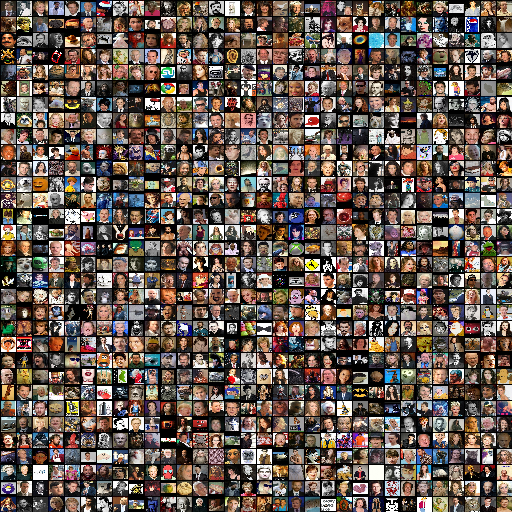
เริ่มต้นเซิร์ฟเวอร์ด้วย python -m clip_server สมมติว่ามันอยู่ที่ 0.0.0.0:51000 ด้วยโปรโตคอล GRPC (คุณจะได้รับข้อมูลนี้หลังจากเรียกใช้เซิร์ฟเวอร์)
สร้างสคริปต์ไคลเอนต์ Python:
from clip_client import Client
c = Client ( server = 'grpc://0.0.0.0:51000' )
da = c . encode ( da , show_progress = True )ขึ้นอยู่กับเครือข่าย GPU และเซิร์ฟเวอร์ไคลเอนต์ของคุณอาจใช้เวลาสักครู่ในการฝังภาพ 12K ในกรณีของฉันใช้เวลาประมาณสองนาที
หากคุณเป็นคนใจร้อนหรือไม่มี GPU การรออาจเป็นนรก ในกรณีนี้คุณสามารถดึงชุดข้อมูลรูปภาพที่เข้ารหัสล่วงหน้าของเรา:
from docarray import DocumentArray
da = DocumentArray . pull ( 'ttl-embedding' , show_progress = True , local_cache = True )มาสร้างพรอมต์ง่ายๆเพื่อให้ผู้ใช้พิมพ์ประโยค:
while True :
vec = c . encode ([ input ( 'sentence> ' )])
r = da . find ( query = vec , limit = 9 )
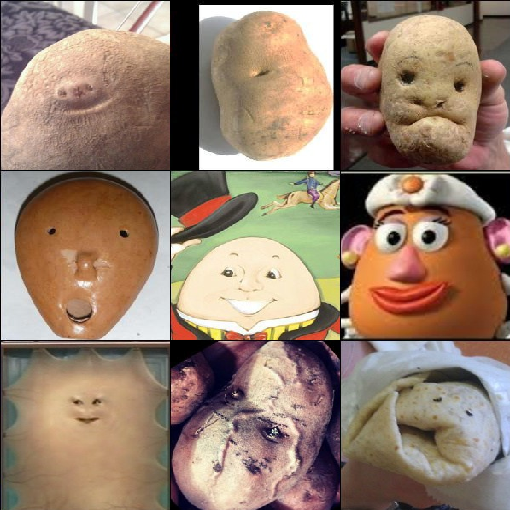
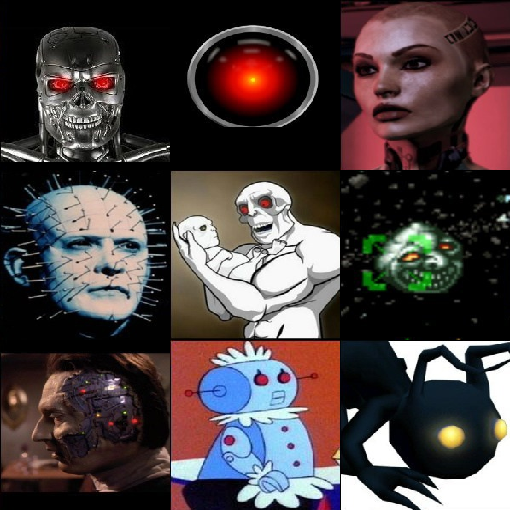
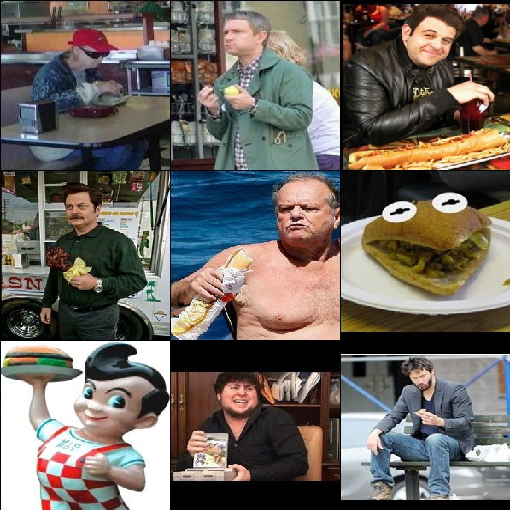
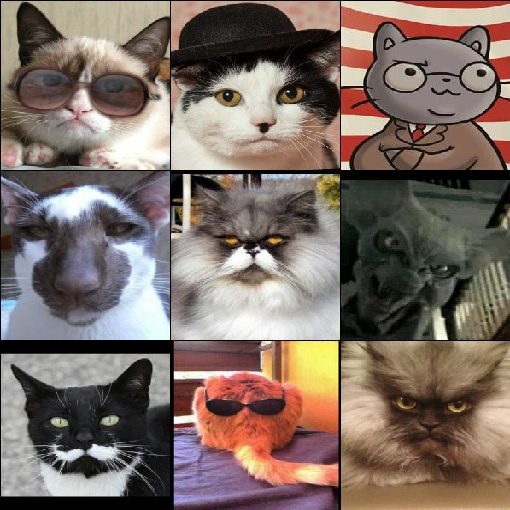
r [ 0 ]. plot_image_sprites ()ตอนนี้คุณสามารถป้อนประโยคภาษาอังกฤษโดยพลการและดูภาพที่ตรงกัน 9 อันดับแรก การค้นหานั้นรวดเร็วและสัญชาตญาณ มาสนุกกันเถอะ:
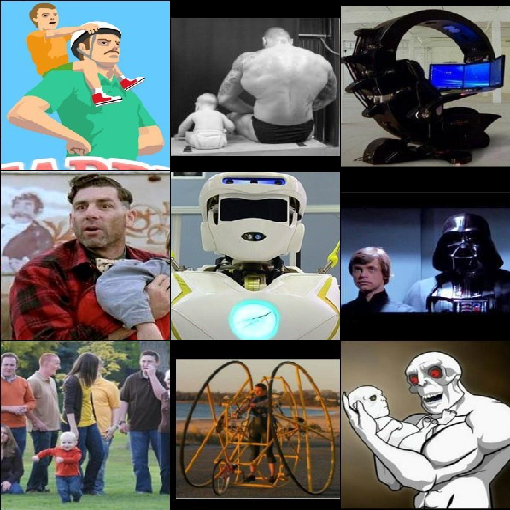
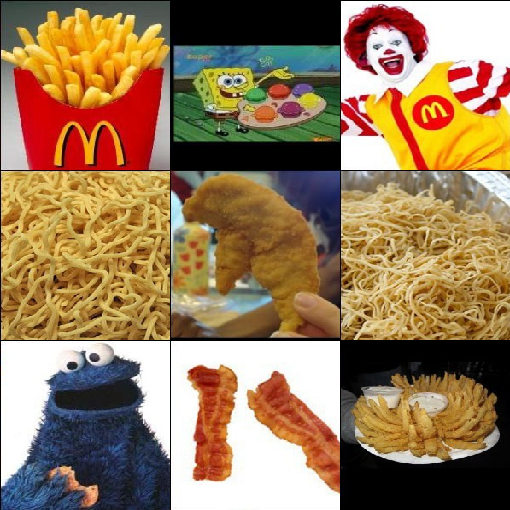
| "มันฝรั่งมีความสุข" | "AI Super Evil" | "ผู้ชายคนหนึ่งเพลิดเพลินกับเบอร์เกอร์ของเขา" |
|---|---|---|
|
|
|
| "ศาสตราจารย์แมวจริงจังมาก" | "วิศวกรอัตตาอาศัยอยู่กับผู้ปกครอง" | "จะไม่มีวันพรุ่งนี้ดังนั้นให้กินไม่ดีต่อสุขภาพ" |
|---|---|---|
|
|
|
มาบันทึกผลลัพธ์การฝังสำหรับตัวอย่างต่อไปของเรากันเถอะ:
da . save_binary ( 'ttl-image' )นอกจากนี้เรายังสามารถสลับอินพุตและเอาต์พุตของโปรแกรมสุดท้ายเพื่อให้ได้การค้นหาแบบรูปภาพเป็นข้อความ ได้อย่างแม่นยำเมื่อได้รับภาพแบบสอบถามค้นหาประโยคที่อธิบายภาพได้ดีที่สุด
มาใช้ประโยคทั้งหมดจากหนังสือ "Pride and Prejudice"
from docarray import Document , DocumentArray
d = Document ( uri = 'https://www.gutenberg.org/files/1342/1342-0.txt' ). load_uri_to_text ()
da = DocumentArray (
Document ( text = s . strip ()) for s in d . text . replace ( ' r n ' , '' ). split ( '.' ) if s . strip ()
)มาดูสิ่งที่เราได้รับ:
da . summary () Documents Summary
Length 6403
Homogenous Documents True
Common Attributes ('id', 'text')
Attributes Summary
Attribute Data type #Unique values Has empty value
──────────────────────────────────────────────────────────
id ('str',) 6403 False
text ('str',) 6030 False
ตอนนี้เข้ารหัสประโยค 6,403 ประโยคเหล่านี้อาจใช้เวลา 10 วินาทีหรือน้อยกว่าขึ้นอยู่กับ GPU และเครือข่ายของคุณ:
 from clip_client import Client

 c = Client ( 'grpc://0.0.0.0:51000' )
r = c . encode ( da , show_progress = True )อีกครั้งสำหรับคนที่ใจร้อนหรือไม่มี GPU เราได้เตรียมชุดข้อมูลข้อความที่เข้ารหัสล่วงหน้า:
 from docarray import DocumentArray

da = DocumentArray . pull ( 'ttl-textual' , show_progress = True , local_cache = True )มาโหลดการฝังอิมเมจที่เก็บไว้ก่อนหน้านี้ของเราตัวอย่างเอกสารภาพ 10 แบบสุ่มจากนั้นค้นหาเพื่อนบ้านที่ใกล้ที่สุดที่ใกล้ที่สุดของแต่ละคน
 from docarray import DocumentArray

img_da = DocumentArray . load_binary ( 'ttl-image' )

for d in img_da . sample ( 10 ):
print ( da . find ( d . embedding , limit = 1 )[ 0 ]. text )สนุก! หมายเหตุซึ่งแตกต่างจากตัวอย่างก่อนหน้านี้อินพุตเป็นภาพและประโยคคือเอาต์พุต ประโยคทั้งหมดมาจากหนังสือ "Pride and Prejudice"
|
|
|
|
|
| นอกจากนี้ยังมีความจริงในรูปลักษณ์ของเขา | การ์ดิเนอร์ยิ้ม | เขาชื่ออะไร | อย่างไรก็ตามตามเวลาน้ำชาปริมาณก็เพียงพอแล้วและนาย | คุณดูไม่ดี |
|
|
|
|
|
| “ นักเล่นเกม!” เธอร้องไห้ | หากคุณพูดถึงชื่อของฉันที่ระฆังคุณจะเข้าร่วม | ไม่เป็นไรผมของ Miss Lizzy | เอลิซาเบ ธ จะเป็นภรรยาของนายในไม่ช้า | ฉันเห็นพวกเขาเมื่อคืนก่อน |
จาก 0.3.0 Clip-as Service เพิ่มจุดสิ้นสุด /rank ใหม่ที่จัดอันดับการแข่งขันข้ามรูปแบบใหม่ตามโอกาสร่วมกันในรูปแบบคลิป ตัวอย่างเช่นได้รับเอกสารรูปภาพที่มีการจับคู่ประโยคที่กำหนดไว้ล่วงหน้าบางอย่างด้านล่าง:
 from clip_client import Client
from docarray import Document

c = Client ( server = 'grpc://0.0.0.0:51000' )
r = c . rank (
    [
        Document (
            uri = '.github/README-img/rerank.png' ,
            matches = [
                Document ( text = f'a photo of a { p } ' )
                for p in (
                    'control room' ,
                    'lecture room' ,
                    'conference room' ,
                    'podium indoor' ,
                    'television studio' ,
                )
            ],
        )
    ]
)

print ( r [ '@m' , [ 'text' , 'scores__clip_score__value' ]])
[['a photo of a television studio', 'a photo of a conference room', 'a photo of a lecture room', 'a photo of a control room', 'a photo of a podium indoor'],
[0.9920725226402283, 0.006038925610482693, 0.0009973491542041302, 0.00078492151806131, 0.00010626466246321797]]
ตอนนี้สามารถเห็น a photo of a television studio ได้รับการจัดอันดับให้อยู่ในอันดับต้น ๆ ด้วยคะแนน clip_score ที่ 0.992 ในทางปฏิบัติเราสามารถใช้จุดสิ้นสุดนี้เพื่อจัดอันดับผลลัพธ์การจับคู่อีกครั้งจากระบบการค้นหาอื่นเพื่อปรับปรุงคุณภาพการค้นหาข้ามรูปแบบ
 |  |
ในโครงการ Dall · E Flow คลิปเรียกว่าจัดอันดับผลลัพธ์ที่สร้างขึ้นจาก Dall · E มันมีผู้บริหารที่ห่อหุ้ม clip-client ซึ่งเรียก .arank() - เวอร์ชัน async ของ .rank() :
 from clip_client import Client
from jina import Executor , requests , DocumentArray


class ReRank ( Executor ):
    def __init__ ( self , clip_server : str , ** kwargs ):
        super (). __init__ ( ** kwargs )
        self . _client = Client ( server = clip_server )

    @ requests ( on = '/' )
    async def rerank ( self , docs : DocumentArray , ** kwargs ):
        return await self . _client . arank ( docs )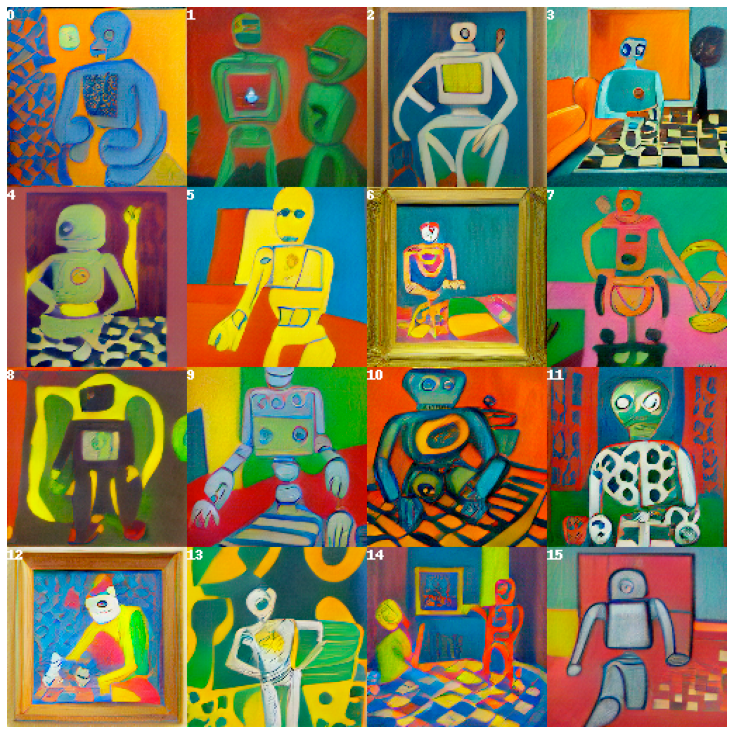
สนใจ? นั่นเป็นเพียงรอยขีดข่วนพื้นผิวของสิ่งที่คลิปขณะบริการมีความสามารถ อ่านเอกสารของเราเพื่อเรียนรู้เพิ่มเติม
Clip-as-Service ได้รับการสนับสนุนโดย Jina AI และได้รับใบอนุญาตภายใต้ Apache-2.0 เรากำลังจ้างวิศวกร AI วิศวกรโซลูชันเพื่อสร้างระบบนิเวศการค้นหาประสาทต่อไปในโอเพนซอร์ซ