
After registering and logging into the Douyin Huoshan version, the system will have a default name and nickname. Users can also modify their nickname again and set it according to their needs. The following is an introduction to how to change the nickname of the Douyin Huoshan version. Friends who don’t know how to change their name can come and take a look!

1. Open the Douyin Huoshan version and enter the homepage, then click [Me] in the lower right corner;

2. Then click [Edit Information] on my page;

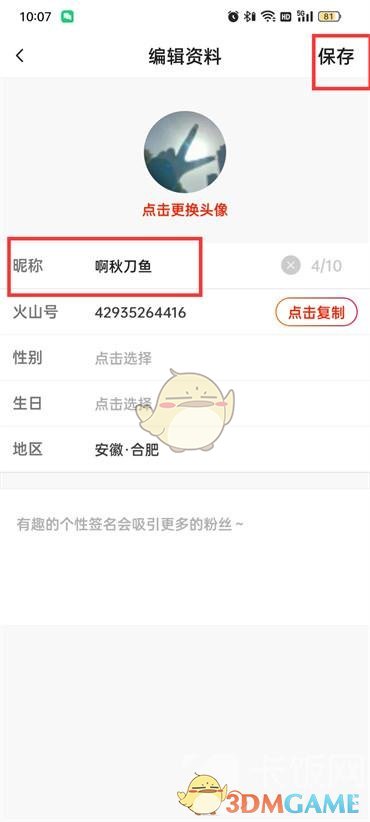
3. Finally, click [Nickname] on the page to edit information, modify the nickname and click [Save].
The above is how to change the name of the Douyin volcano version? How to change your nickname, and more related information and tutorials, please pay attention to this website.