

Share how to turn off the IP address in Douyin Huoshan version
1. First open the Douyin Huoshan version and enter the homepage, then click the [three horizontal lines] icon in the upper left corner;
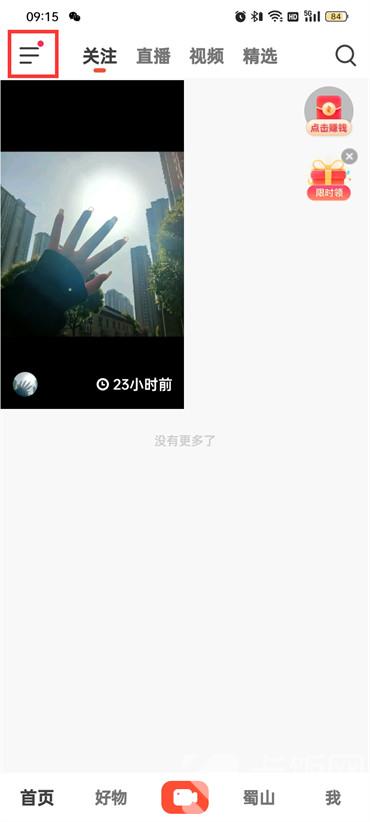
2. Then click [Settings] on this page;

3. Go to the settings page and click [Privacy];

4. Go to the privacy page and click [System Permission Management];

5. Click [Location Permissions] on the system permissions management page;

6. Enter the page and click [Permission Management];
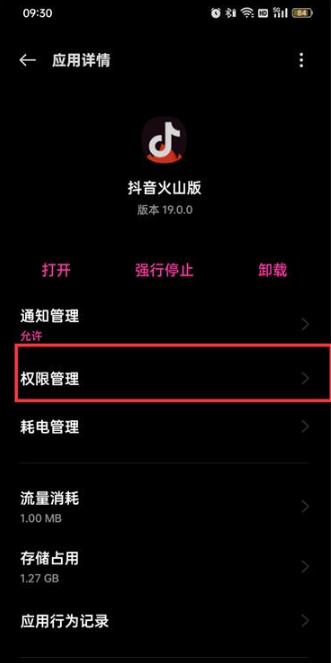
7. Click [Location Information] on the rights management page;

8. Finally, click [Disallow] in the dialog box that pops up at the bottom of the page;
