
The videos of station a support automatic playback. For those who need it, you can set up the automatic continuous broadcast function, so that after the current content is played, the system will automatically switch to the next video without us having to go there again. Click manually. So how do station a set up to automatically play the next episode? The editor below will introduce to you how to set up acfun automatic broadcast.

1. First open AcFun and click "My" below.

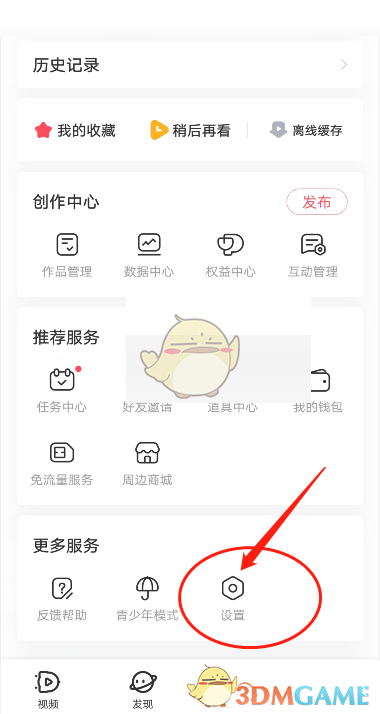
2. Then select the Open Settings option.
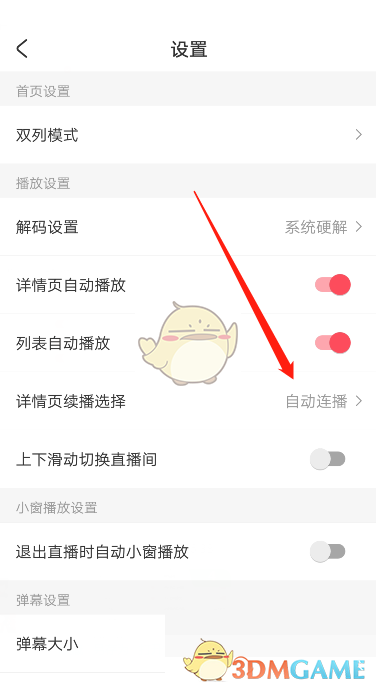
3. Then select "Details Page Resume Selection" below.
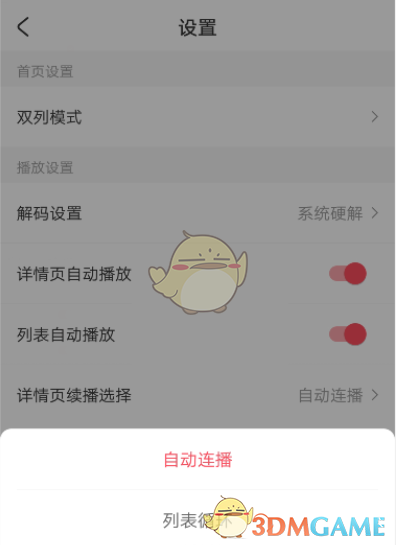
4. Finally, click to select "Automatic Broadcast".
The above is what the editor brought to station A. How to set up the next episode to automatically play? How to set up acfun automatic broadcasting, and for more related information and tutorials, please pay attention to this site.