
QuillBot (quillbot.com) is a tool that can help you automatically polish and rewrite your articles. Intelligent AI writing aid tool , it can help you write any type of article, novel, paper, press release, social media copywriting, making the writing process smooth and smooth, helping you capture creative inspiration and improve creative efficiency. It is suitable for students, reporters, teachers, and writers , self-media and other groups. QuillBot provides extensions for Chrome, Word, and macOS.
QuillBot's page display does not support Chinese, but some functions support Chinese.
Support after QuillBot registration and login Free trial , a free account provides basic access to most tools, including two modes and three synonym settings, and the ability to paraphrase up to 125 words at a time, summarize 1,200 words, and use available extensions.
Further functions require the purchase of paid plans. The specific content and comparison are as follows.
QuillBot supports Gmail registration, Facebook account registration, and other email registrations. Google email registration is the simplest and fastest, and is suitable for registration on most foreign websites.
If you don’t have a Gmail account yet, you can refer to this tutorial to get it: Gmail registration tutorial, you can easily register in a few simple steps.
It doesn't count if used correctly.
QuillBot is designed to assist creation and enhance original ideas and works. The act of copying someone else's work and modifying it using QuillBot will be classified as plagiarism. It is not recommended to use QuillBot in this way.
Before using QuillBot, you can first select a browser that supports web page translation. (For example, Google Chrome, Microsoft Edge, generally speaking, right-click "Translate to Chinese" to complete the translation of the entire page)
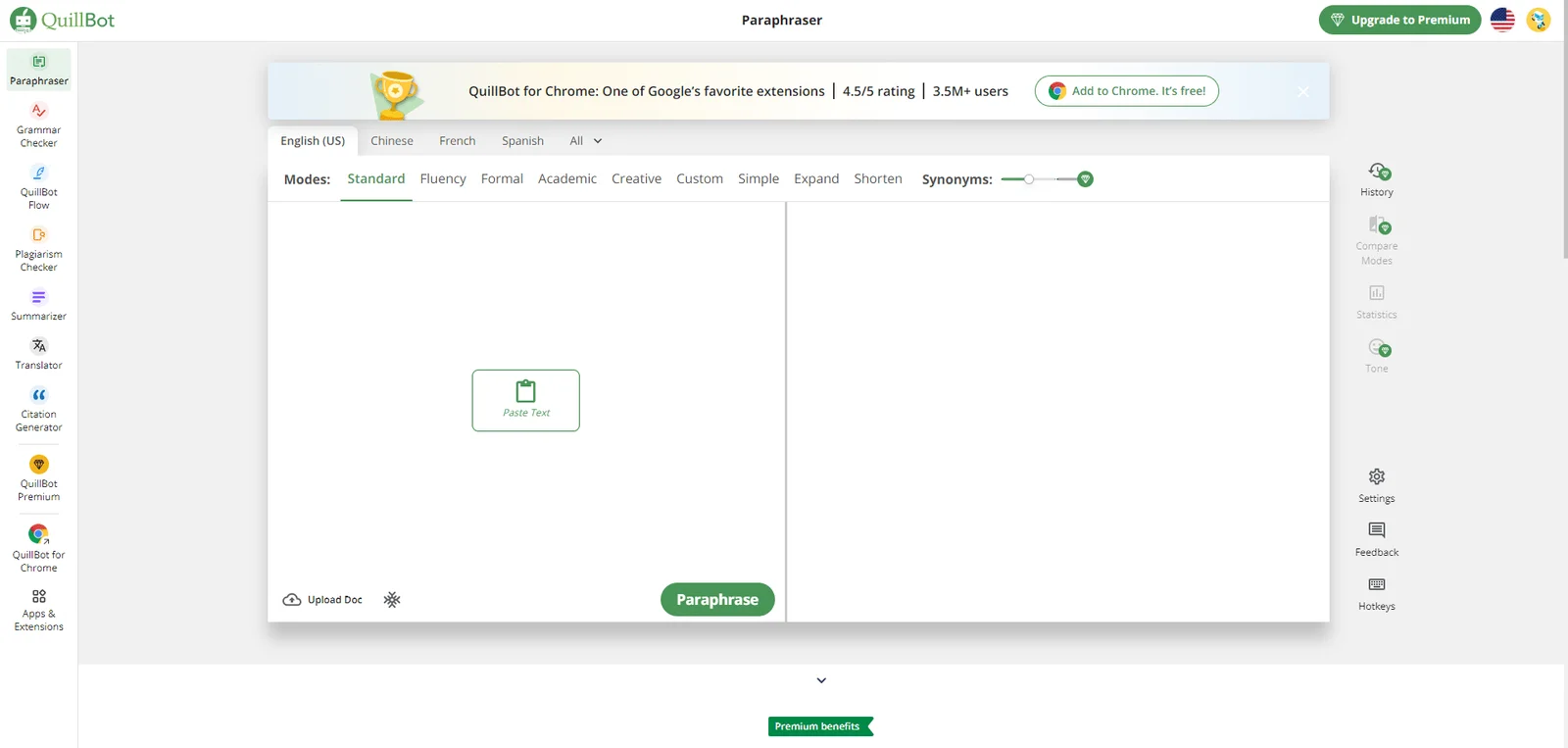
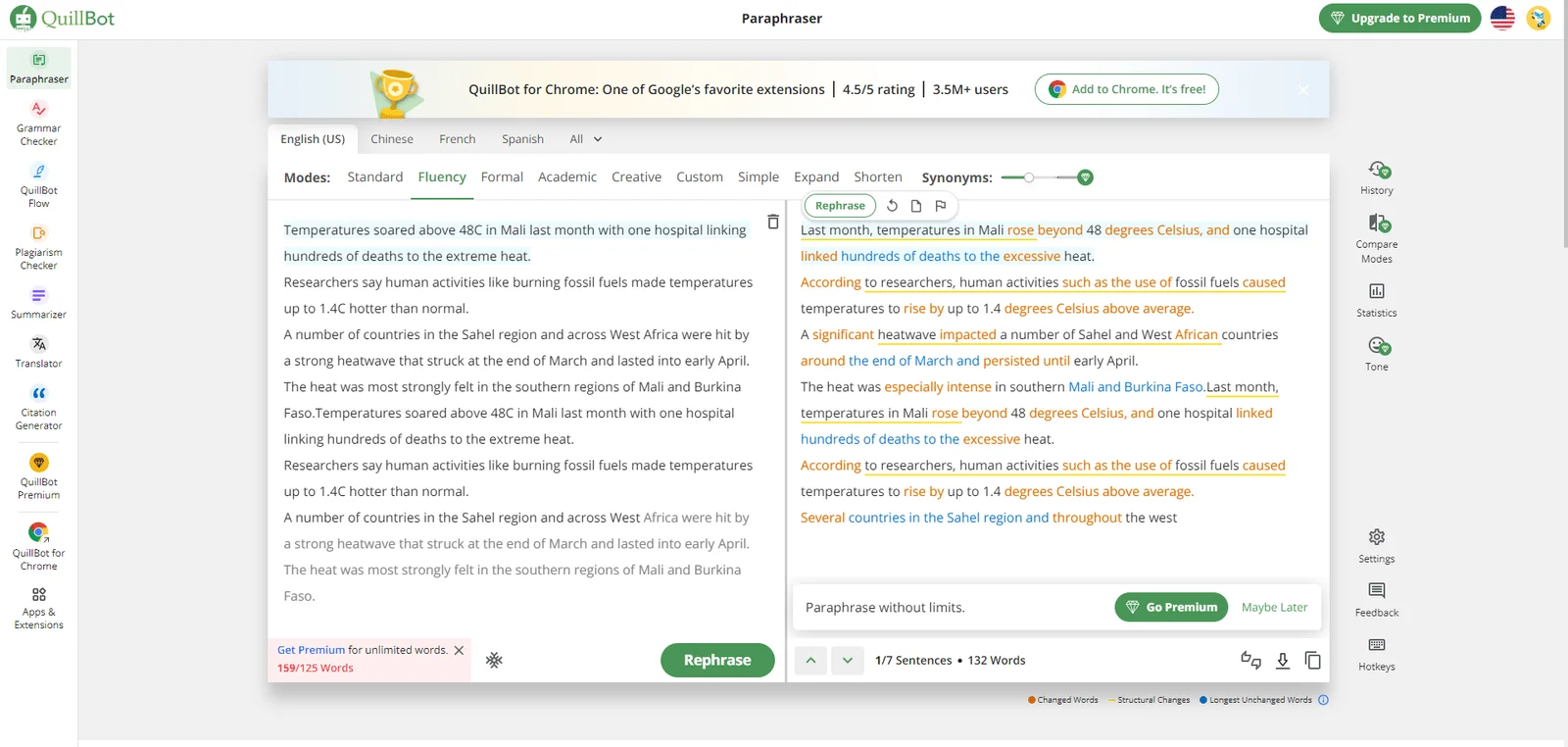
Copy the text that needs to be rewritten into the input box on the left, and select the language above. For example, if you want to generate English, you can also select the language style and mode (standard, fluent, formal, academic, creative, customized, simplified, expanded, summary ), and you can adjust the rewriting similarity. After setting, click "Rephrase" to generate, and get the generated article on the right. QuillBot helps you mark the modified parts for easy comparison ( Orange words To change the word, Yellow horizontal line For structural changes, blue words are unchanged words), click on the vocabulary to switch synonyms with one click. Click the snowflake icon in the lower left corner to set frozen words to prevent AI from replacing words you don't want to replace. After editing, you can click the icon below to download (download in docx format) and copy. Click "Chinese" to generate Chinese articles. The Chinese mode only supports standard generation.
On the right side are advanced functions, which support viewing history, comparing modes, statistical text data (fluency and differences), and tone checking.
The free version supports up to 125 words at a time.
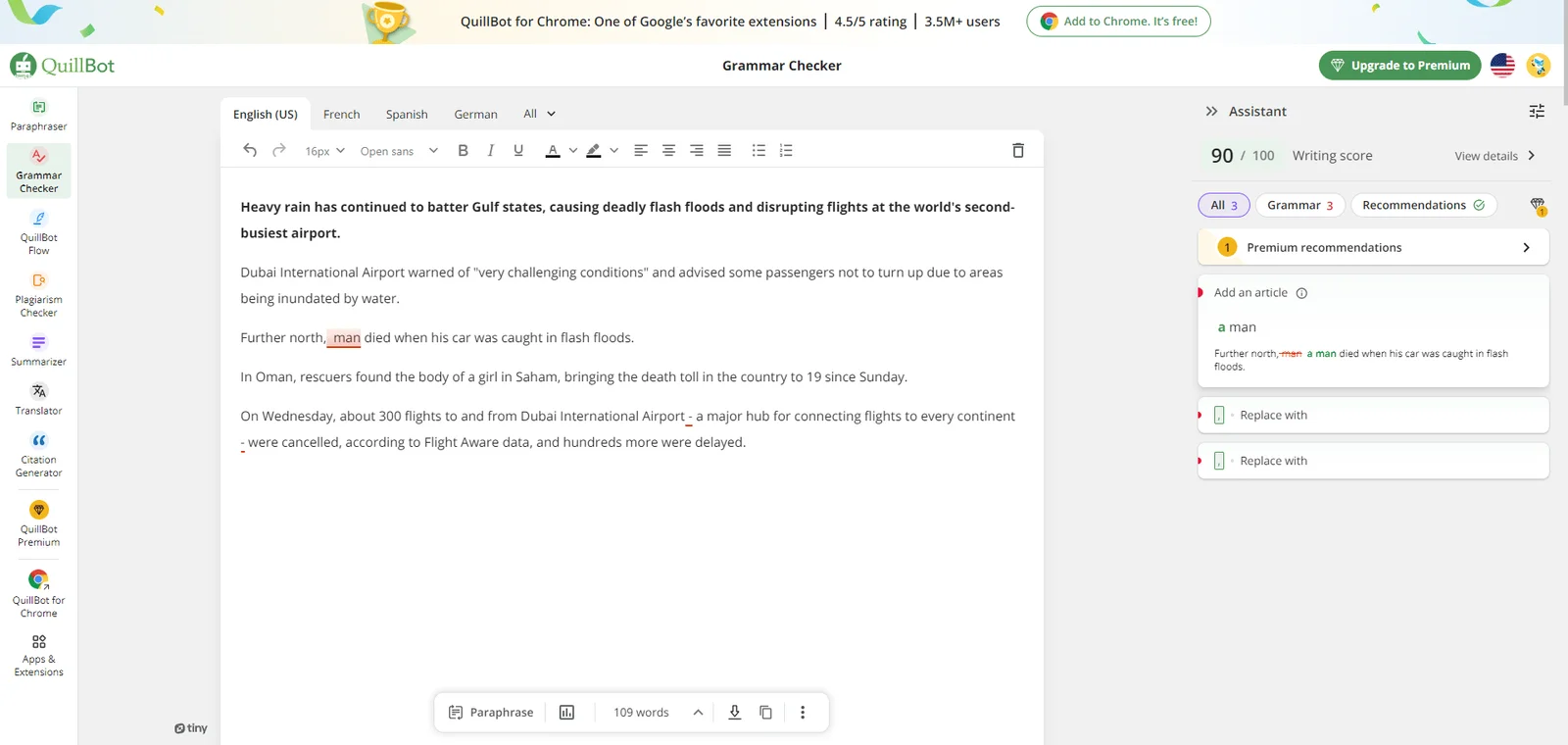
Copy the text that needs to be checked into the input box, select the language above, and QuillBot will automatically check the grammar for you. The check results will be displayed on the right. You can click "View detail" to view the details, and click "Add en artical" to complete There are grammatical problems in key modification, and it will also provide some rewriting suggestions for one-click replacement. You can click the settings icon to the right of "Assistant" in the upper right corner to change your writing preferences and view advanced suggestions. The page also provides format modification. After the modification is completed, you can download or copy it below, or jump to the Paraphraser (rewrite generator) function.
This feature does not support Chinese.
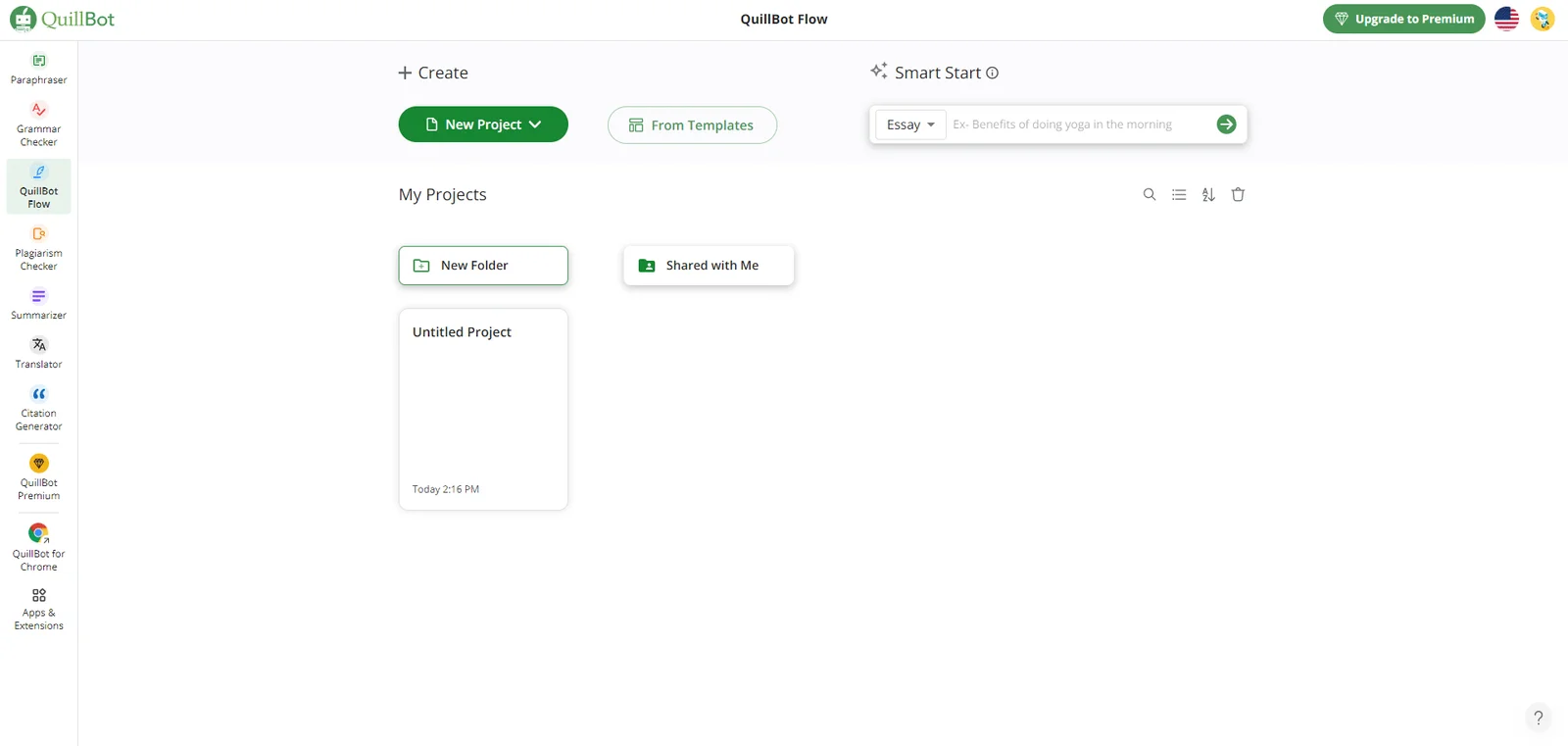
This is an integrated writing space that integrates all the functions of QuillBot. When users write a long article, they do not need to jump between various functions and can complete all the work directly on the same page.
When you start using it, you can first click "New Project" to create a new document (supports uploading Word and URL from the computer), or you can directly click "From Templates" to use ready-made templates.
The "Smart Start" function in the upper right corner can help you generate articles with one click and help you get started quickly. Just select the article category (essay, blog), enter the title, and the corresponding article can be generated with one click.
In the "My Projects" section, you can view historical files and create new folders for classification and archiving. Search, sorting, list display, and deletion are supported.
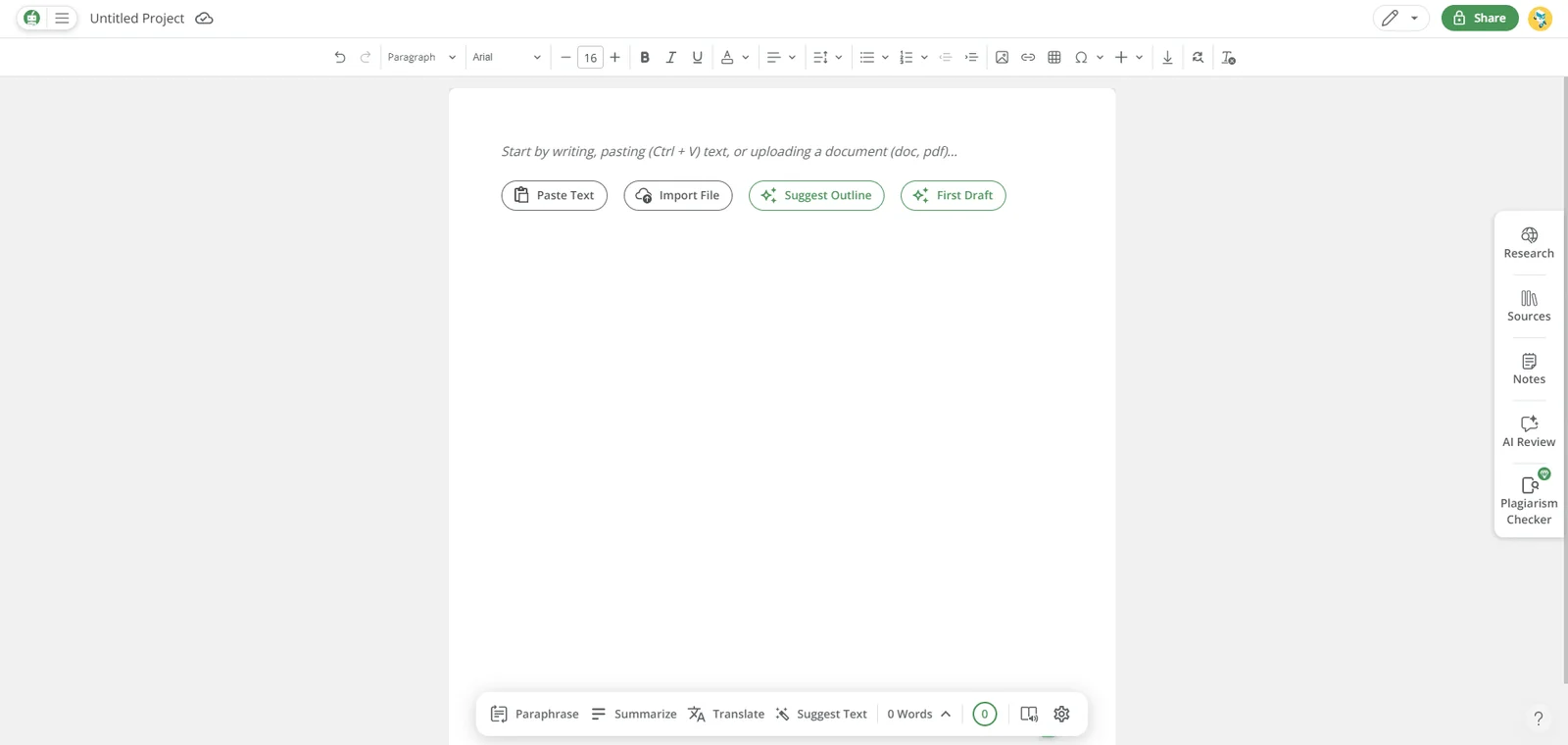
After entering the editing page, you can start creating directly. You can type the text content directly, or you can tap to copy and paste or upload a document, or use its AI auxiliary tool to help you write the first draft. Click "Suggest Outline" to enter The title can generate an outline. Click "First Draft" to enter the title to directly generate an article.
You can choose QuillBot's tools below to use, which are rewriting tools, summary tools, translation tools, and optimization suggestion generation. Click "0 Words" to see the grammar check results, writing level, tone, pitch, etc. on the right. . You can also use voice dictation, reading features, and change writing settings.
In the right column, you can use "Research" to conduct QuillBot AI searches, which will help you easily find conventional/academic answers and provide recommended question associations. "Sources" allows you to find and add sources, and edit quotes. "Notes" allows you to add notes freely to record important and difficult points, temporary inspirations and ideas, and other things you want to record casually. "AI Review" can seek writing advice from QuillBot (content greater than 50 words). "Plagiarism Checker" can help you check for plagiarism.
The editing bar above allows you to freely change text formats, insert pictures, create tables, etc. The usage is similar to Word.
After editing, click download above to export the docx format.
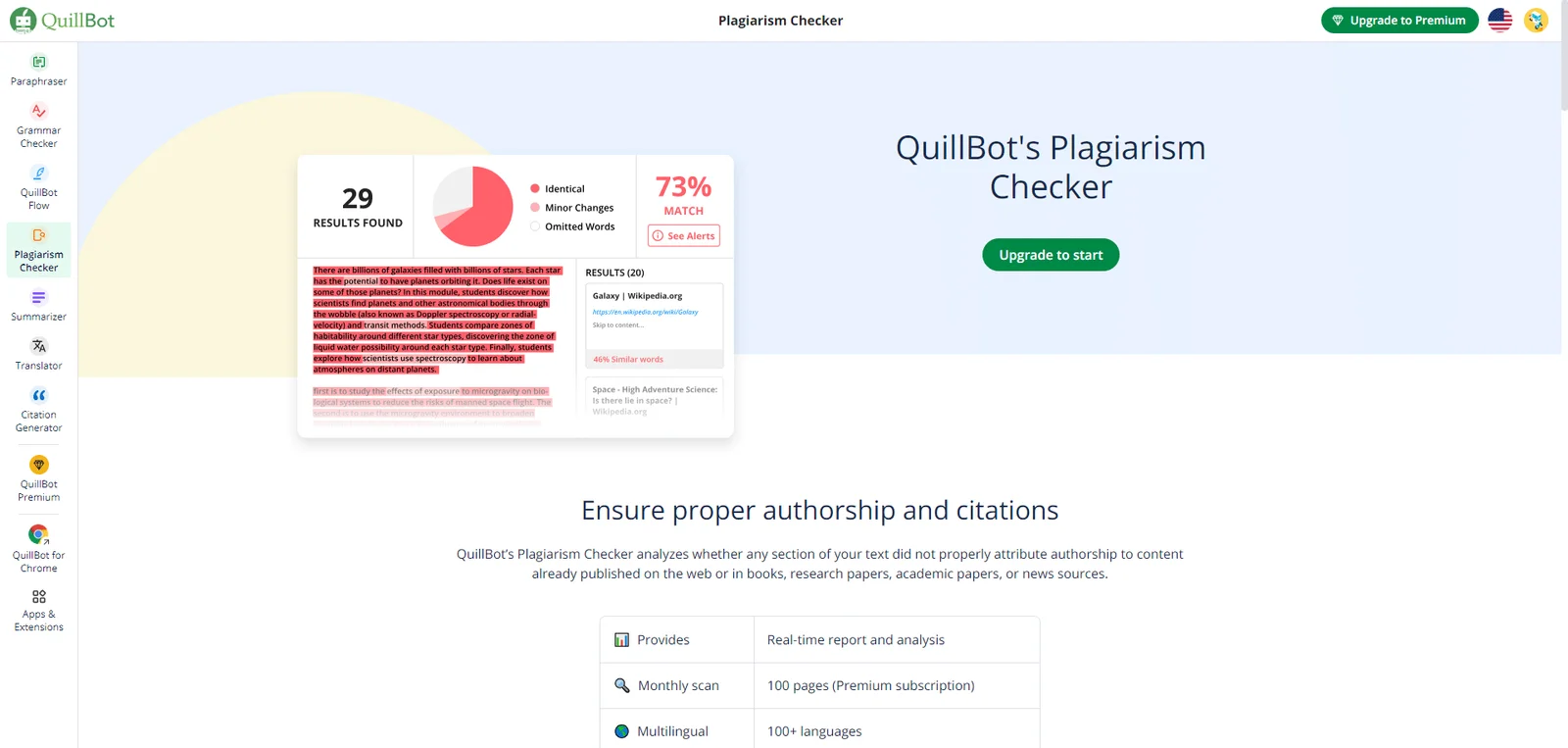
This is a premium feature and requires membership to use. It supports 100+ languages including Chinese and is suitable for paper plagiarism checking.
Users only need to upload a document and receive a plagiarism check report within minutes, reviewing potential duplicate paragraphs and related meta links.
This feature supports the following text file types: html, txt (UTF-8 encoding), csv, rtf, xml, and htm. and non-text file types such as pdf, docx, doc, pptx, ppt, odt, chm, epub, odp, ppsx, pages, xlsx, xls, and LaTeX.
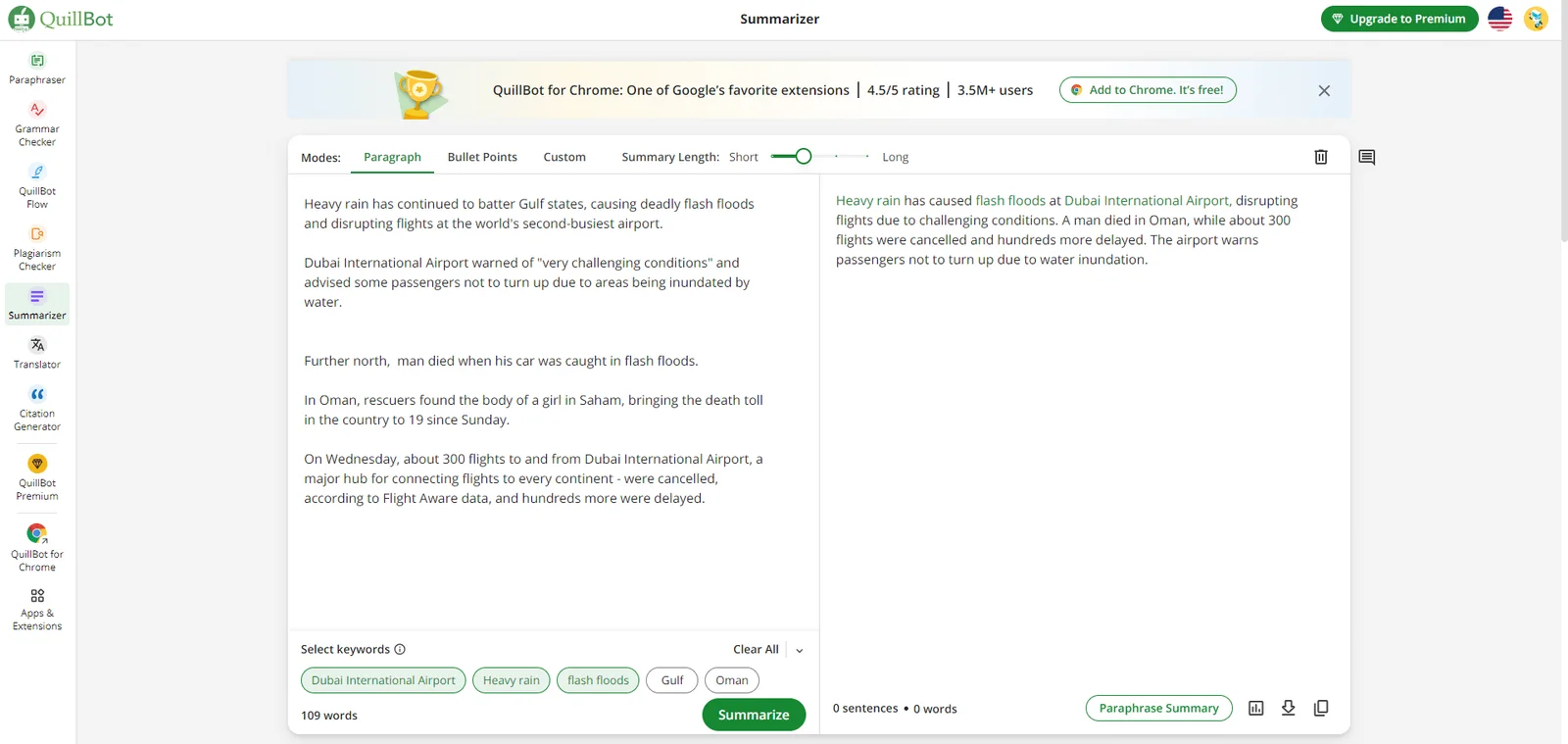
Paste the text that needs to be summarized into the left text box, select "Paragraph" to make a paragraph summary, select keywords below, click "Summarize" to generate a summary, click the icon in the lower right corner to view statistical data, download and copy .
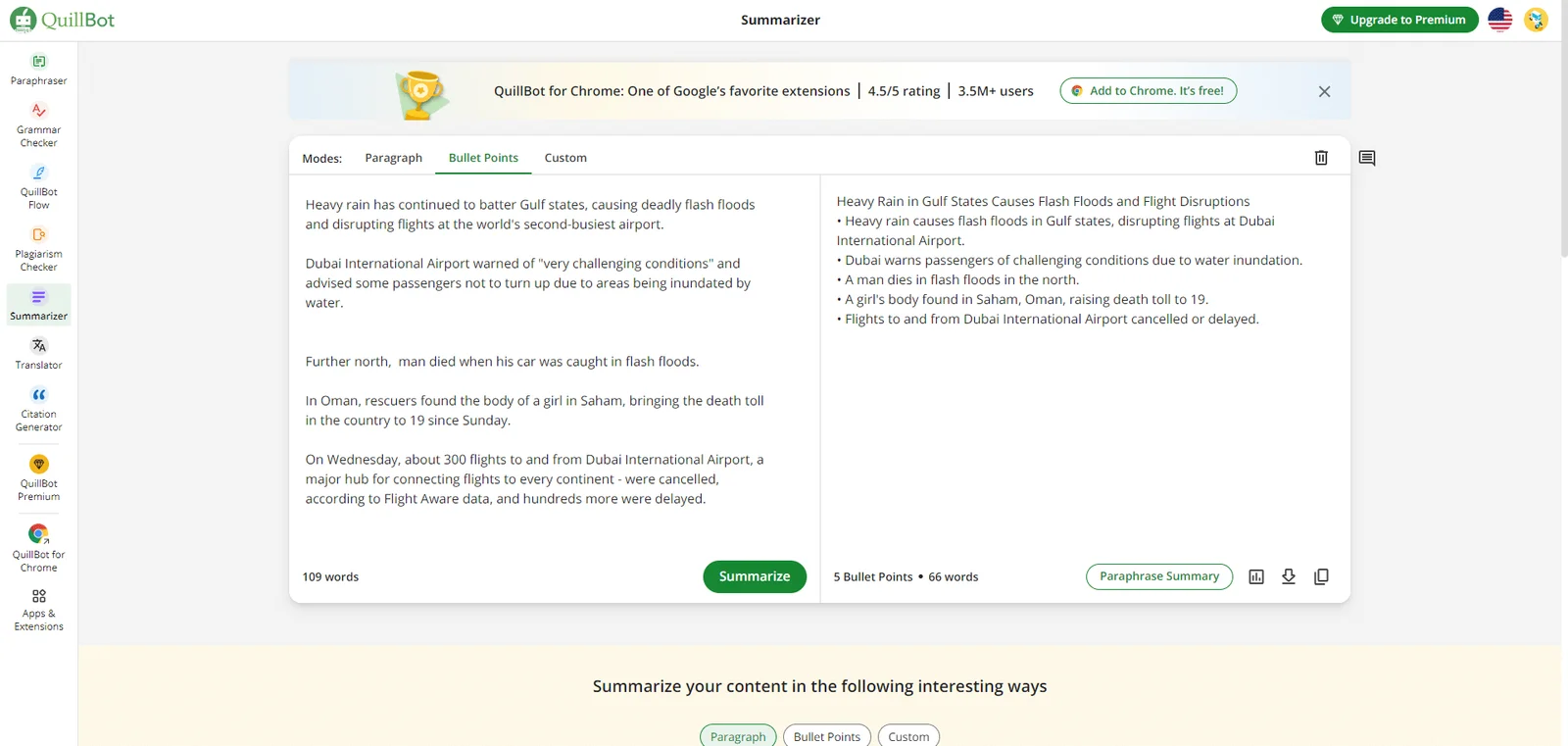
Select Bullet Points to generate determinant points.
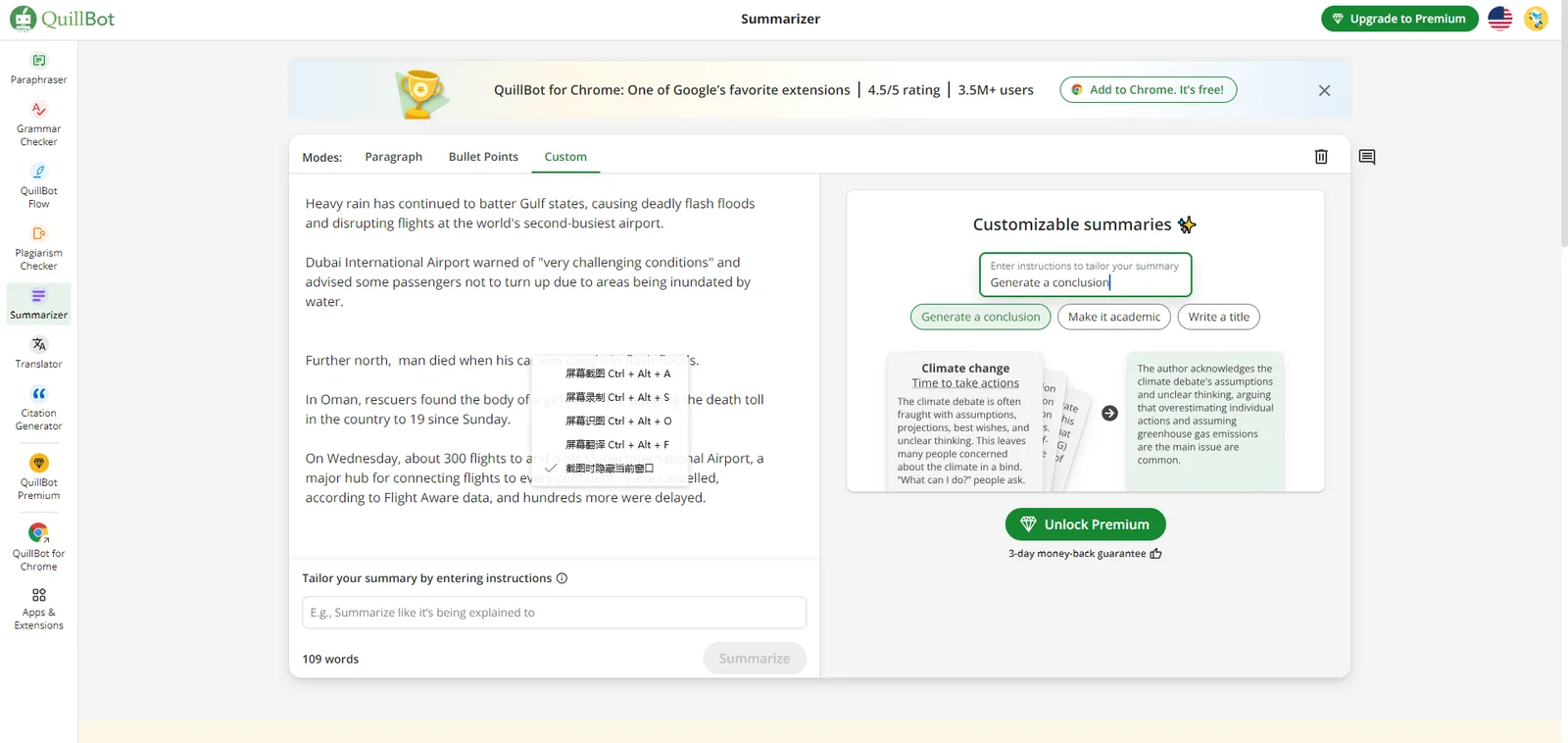
Select "Custom" to customize the generated content. For example, you can generate summaries and titles based on auxiliary instructions to make it academic. This is a paid premium feature.
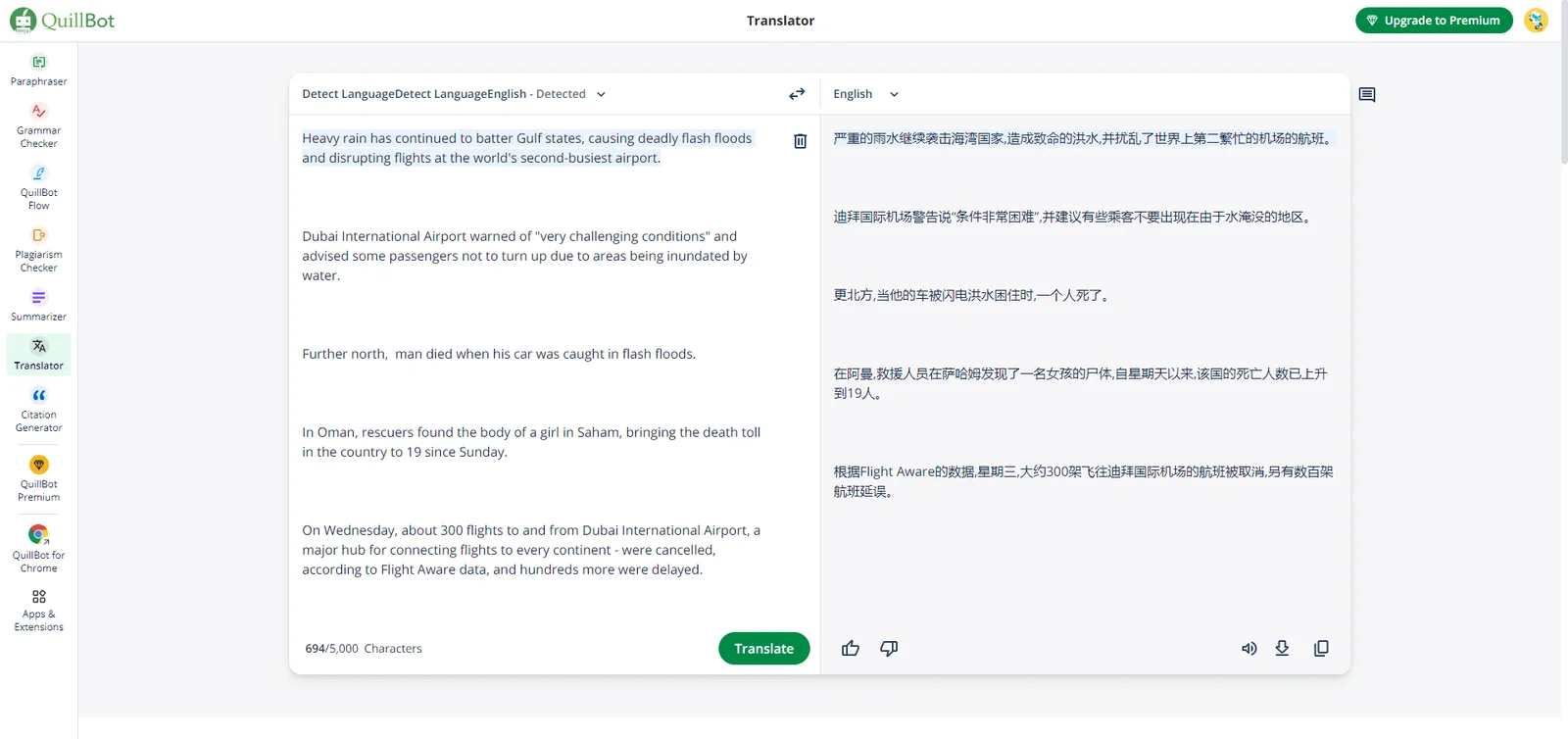
Paste the text directly into the text box, select the target language on the right, and click "Translate" to complete the translation. You can click on the lower right corner to listen to the pronunciation, download, and copy. The limit for one translation is 5,000 words.
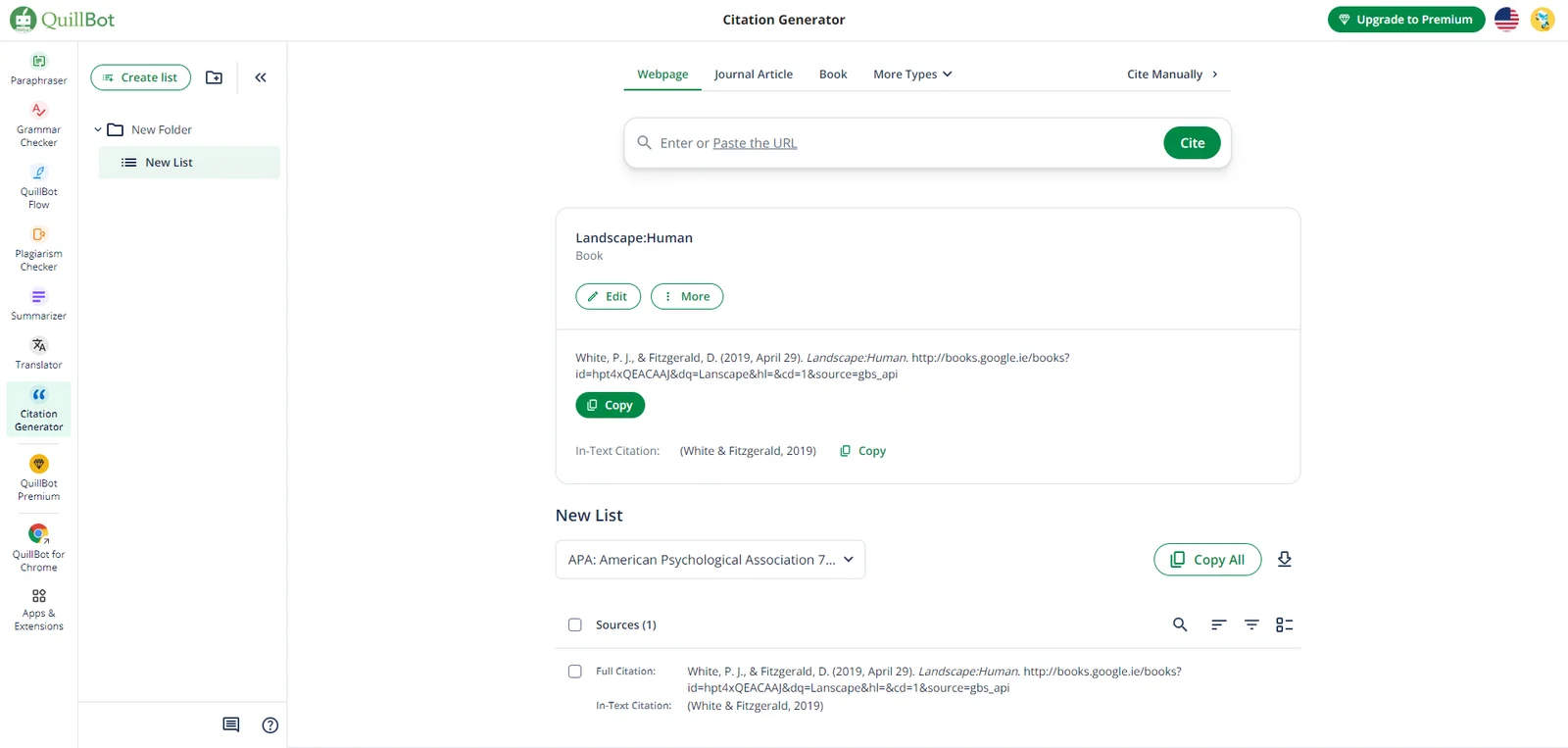
First select the source information source type, optional web pages, magazine articles, books (other types are available, including chapters and paragraphs, images, online dictionary entries, online news articles, reports, videos, entire websites, information needs to be entered manually), in Enter the website address (URL), title, keyword, and number in the input box to search. After selecting the correct result, you can click "Edit" to edit the original information, or click "More" to copy, move, and view the source code. , delete operation. Click "Copy" to copy the citation directly.
If the book or article information you need is not in the system, you can click "Cite Manually" in the upper right corner to manually add article information.
QuillBot is currently one of the most popular AI writing aids in the world. It has comprehensive functions, high-quality presentation results, and very convenient settings for various details. It can be said to be an artifact that helps you write papers and blogs.
Its website guide itself is very good. Although it is an English page, the actual operation is very simple. As long as you read this tutorial once, even an AI novice who cannot understand English or a struggling writer can still use it. You can start using it immediately without any barriers and write amazing works.