"Free Novel" is a very popular mobile novel reading tool. Next, I will bring you the operation method of backing up your bookshelf. If necessary, you can take a look together.

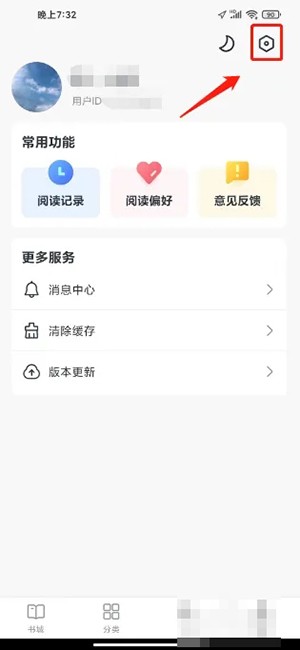
1. Enter the My Free Novel app and click [Settings Icon].
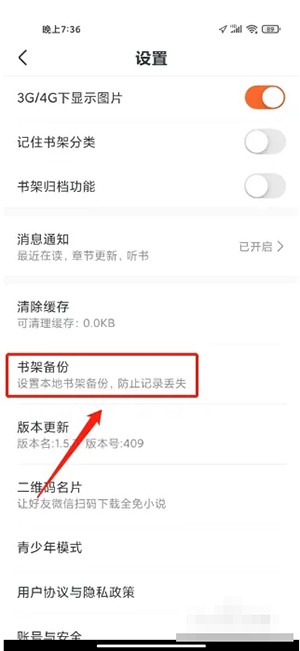
2. Enter settings and click [Bookshelf Backup].
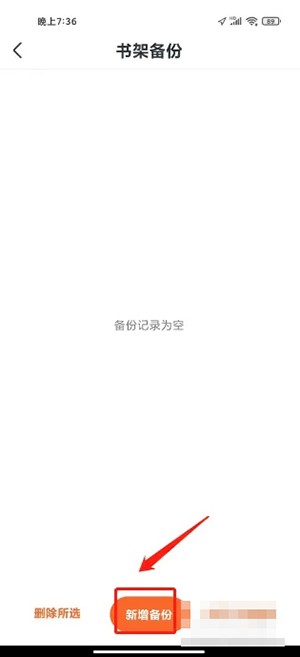
3. Enter Bookshelf Backup and click [Add Backup].
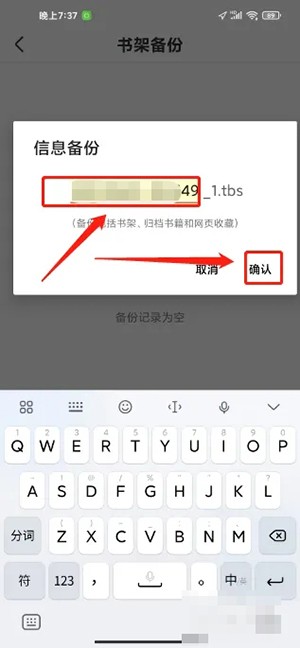
4. Enter information backup, enter the backup name, and click [Confirm].