image comparator
v.1.1.0

Image Comparator เป็นไลบรารี PHP สำหรับการเปรียบเทียบภาพและการแฮช คุณสามารถเปรียบเทียบ 2 ภาพขึ้นไปโดยใช้วิธีการแฮชแบบรับรู้
ขึ้นอยู่กับแพ็คเกจ https://github.com/kennethrapp/phasher พร้อมการสนับสนุน Php 8 และ phpunit โครงการเดิมถูกทอดทิ้งในเดือนพฤศจิกายน 2560
Perceptual Hashing เป็นวิธีการสร้างแฮชของภาพที่อนุญาตให้เปรียบเทียบภาพหลายภาพโดยดัชนีที่มีความคล้ายคลึงกัน คุณสามารถหาข้อมูลเพิ่มเติมได้ที่ปัจจัยแฮ็กเกอร์และ phash.org
ในการติดตั้งไลบรารี Run:
composer require sapientpro/image-comparator
ImageComparator เป็นคลาสหลักของไลบรารี:
 use SapientPro  ImageComparator  ImageComparator ;

$ imageComparator = new ImageComparator()
หลังจากสร้างอินสแตนซ์คุณสามารถใช้วิธีหนึ่งที่มีอยู่:
$ imageComparator -> compare ( ' your-images/your-image1.jpg ' , ' your-images/your-image12.jpg ' ); หากเส้นทางรูปภาพไม่สามารถแก้ไขได้ ImageResourceException จะถูกโยน:
$ imageComparator -> hashImage ( ' your-images/non-existent-image.jpg ' ); // SapientProImageComparatorImageResourceException: Could not create an image resource from fileตัวอย่างการใช้งาน:
เรามีสองภาพ:
https://github.com/sapientpro/image-comparator/blob/master/tests/images/ebay-image.png?raw=true
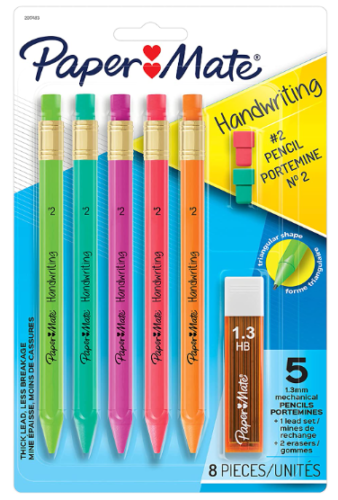
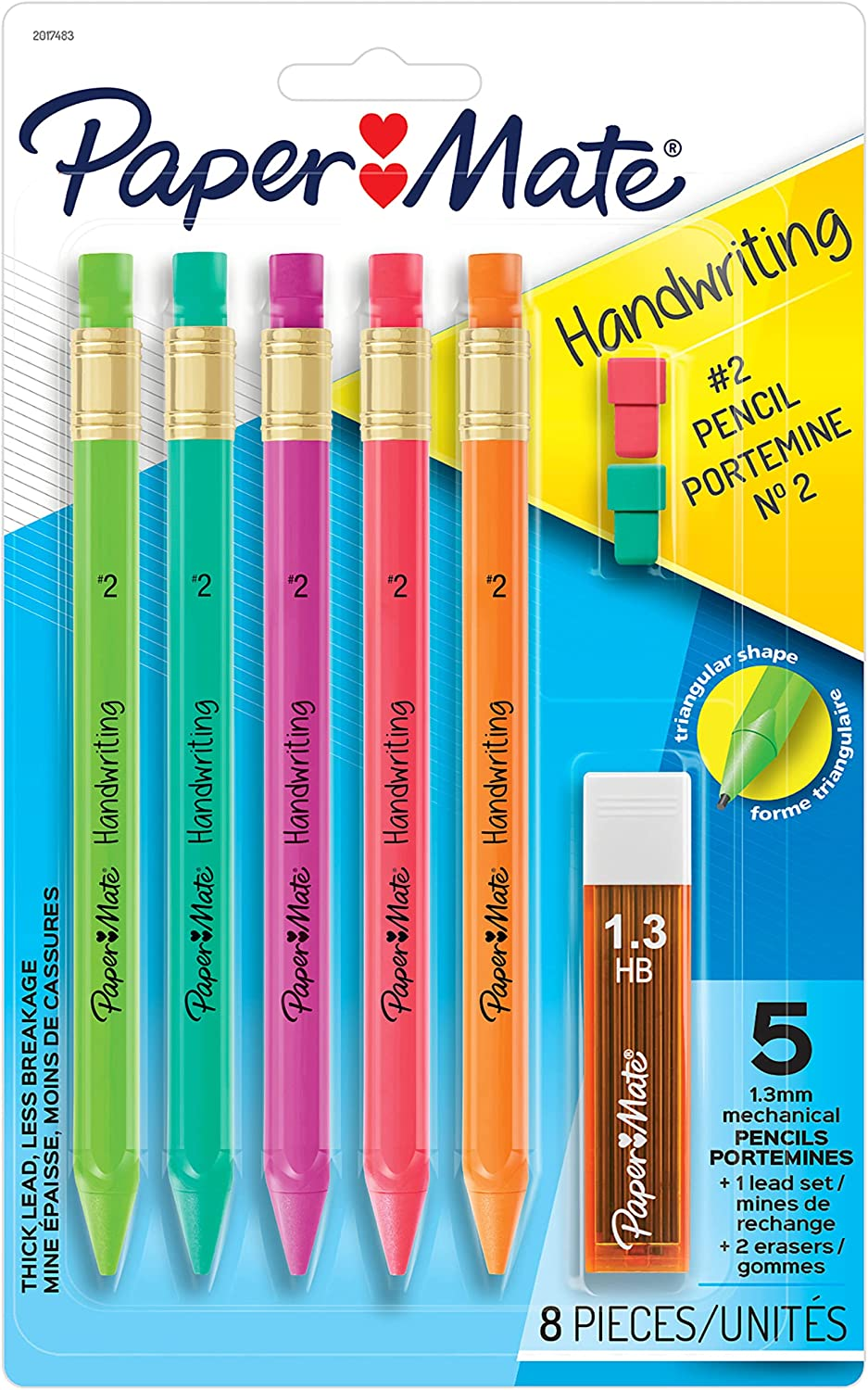
ตอนนี้มาเปรียบเทียบกันเถอะ:
 use SapientPro  ImageComparator  ImageComparator ;

$ image1 = ' https://github.com/sapientpro/image-comparator/blob/feature/phasher-implementation/tests/images/ebay-image.png?raw=true ' ;
$ image2 = ' https://github.com/sapientpro/image-comparator/blob/feature/phasher-implementation/tests/images/amazon-image.png?raw=true '

$ imageComparator = new ImageComparator ();
$ similarity = $ imageComparator -> compare ( $ image1 , $ image2 ); //default hashing without rotation

echo $ similarity ; //87.5
ยิ่งผลลัพธ์ที่สูงขึ้นเท่าใดภาพความคล้ายคลึงกันก็จะสูงขึ้น
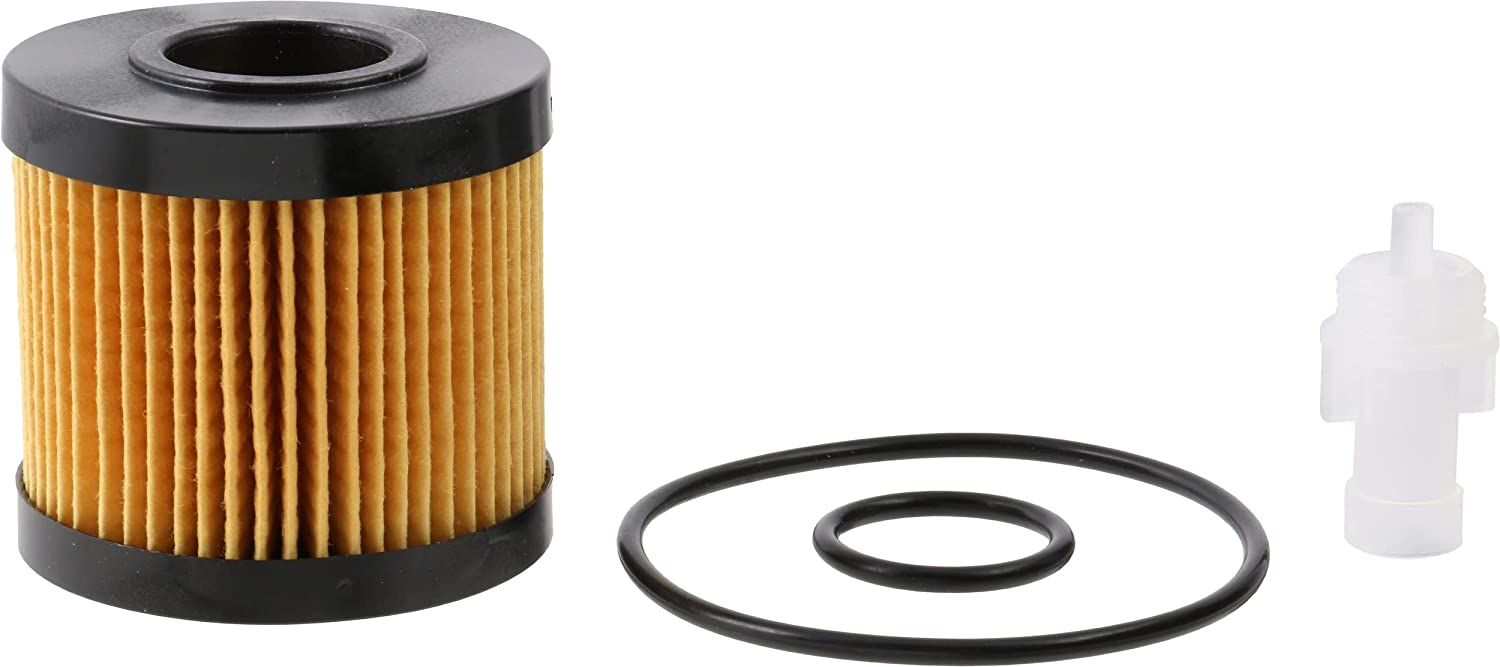
มาเปรียบเทียบภาพที่แตกต่างกัน:

 use SapientPro  ImageComparator  ImageComparator ;

$ image1 = ' https://github.com/sapientpro/image-comparator/blob/feature/phasher-implementation/tests/images/ebay-image2.png?raw=true ' ;
$ image2 = ' https://github.com/sapientpro/image-comparator/blob/feature/phasher-implementation/tests/images/amazon-image2.png?raw=true '

$ imageComparator = new ImageComparator ();
$ similarity = $ imageComparator -> compare ( $ image1 , $ image2 ); //default hashing without rotation

echo $ similarity ; //54.7
มุมการหมุนสามารถผ่านได้หากมีการหมุนภาพ คุณต้องผ่าน sapientpro imageComparator enum imageRotationAngle enum ด้วยค่าหนึ่งในค่าต่อไปนี้: D0 = 0 degress, D90 = 90 องศา, D180 = 180 องศา, D270 = 270 องศา
 use SapientPro  ImageComparator  Enum  ImageRotationAngle ;

$ similarity = $ imageComparator -> compare ( $ image1 , $ image2 , ImageRotationAngle:: D180 ); //compared image will be considered rotated by 180 degrees

echo $ similarity ; //95.3
นอกจากนี้คุณยังสามารถใช้วิธี detect() ซึ่งจะหมุนภาพเปรียบเทียบและส่งคืนเปอร์เซ็นต์สูงสุดของความคล้ายคลึงกัน:
 use SapientPro  ImageComparator  ImageComparator ;

$ image1 = ' https://raw.githubusercontent.com/sapientpro/phasher/feature/phasher-implementation/tests/images/forest1.jpg ' ;
$ image2 = ' https://raw.githubusercontent.com/sapientpro/phasher/feature/phasher-implementation/tests/images/forest1-copyrighted.jpg '

$ imageComparator = new ImageComparator ();
$ similarity = $ imageComparator -> detect ( $ image1 , $ image2 );

echo $ similarity ; //95.3
ด้วยวิธี compareArray() และ detectArray() คุณสามารถเปรียบเทียบภาพต้นทางกับภาพจำนวนใดก็ได้ที่คุณต้องการ พฤติกรรมนั้นเหมือนกับในวิธี compare() และ detect()
 use SapientPro  ImageComparator  ImageComparator ;

$ image1 = ' https://raw.githubusercontent.com/sapientpro/phasher/feature/phasher-implementation/tests/images/forest1.jpg ' ;
$ image2 = ' https://raw.githubusercontent.com/sapientpro/phasher/feature/phasher-implementation/tests/images/forest1-copyrighted.jpg '
$ image3 = ' https://raw.githubusercontent.com/sapientpro/phasher/feature/phasher-implementation/tests/images/forest.jpg '

$ imageComparator = new ImageComparator ();
$ similarity = $ imageComparator -> compareArray (
    $ image1 ,
    [
        ' forest ' => $ image2 ,
        ' anotherForest ' => $ image3
    ]
); // returns ['forest' => 95.33, 'anotherForest' => 75.22]
หากจำเป็นคุณสามารถสร้างทรัพยากรภาพสี่เหลี่ยมจากภาพอื่นและส่งผ่านเพื่อ compare() , compareArray() , detect() , detectArray และ hashImage() วิธี: วิธี:
 use SapientPro  ImageComparator  ImageComparator ;

$ image1 = ' https://raw.githubusercontent.com/sapientpro/phasher/feature/phasher-implementation/tests/images/forest1.jpg ' ;
$ image2 = ' https://raw.githubusercontent.com/sapientpro/phasher/feature/phasher-implementation/tests/images/forest1-copyrighted.jpg '

$ imageComparator = new ImageComparator ();

$ squareImage1 = $ imageComparator -> squareImage ( $ image1 );
$ squareImage2 = $ imageComparator -> squareImage ( $ image2 );

$ similarity = $ imageComparator -> compare ( $ squareImage1 , $ squareImage2 );

echo $ similarity //96.43;
หากจำเป็นคุณสามารถแปลงอาร์เรย์ผลลัพธ์จาก hashImage() เป็นสตริงไบนารีและส่งผ่านไปยังวิธี compareHashStrings() : วิธี:
 use SapientPro  ImageComparator  ImageComparator ;

$ image1 = ' https://raw.githubusercontent.com/sapientpro/phasher/feature/phasher-implementation/tests/images/forest1.jpg ' ;
$ image2 = ' https://raw.githubusercontent.com/sapientpro/phasher/feature/phasher-implementation/tests/images/forest1-copyrighted.jpg '

$ imageComparator = new ImageComparator ();

$ hash1 = $ imageComparator -> hashImage ( $ image1 );
$ hash2 = $ imageComparator -> hashImage ( $ image2 );

$ hashString1 = $ imageComparator -> convertHashToBinaryString ( $ hash1 );
$ hashString2 = $ imageComparator -> convertHashToBinaryString ( $ hash2 );

$ similarity = $ imageComparator -> compareHashStrings ( $ hashString1 , $ hashString2 );

echo $ similarity //96.43;
โดยค่าเริ่มต้นรูปภาพจะถูกแฮชโดยใช้อัลกอริทึมการแฮชเฉลี่ยซึ่งนำไปใช้ใน SapientProImageComparatorStrategyAverageHashStrategy กลยุทธ์นี้เริ่มต้นในตัวสร้างของ ImageComparator
นอกจากนี้ยังเป็นไปได้ที่จะใช้อัลกอริทึมการแฮชที่แตกต่างซึ่งนำไปใช้ใน SapientPro ImageComparator Strategy DifferenceHashStrategy ในการใช้งานคุณต้องเรียกวิธี setHashStrategy() ของ ImageComparator และผ่านอินสแตนซ์ของกลยุทธ์:
 use SapientPro  ImageComparator  Strategy  DifferenceHashStrategy ;

$ imageComparator -> setHashStrategy ( new DifferenceHashStrategy ());
$ imageComparator -> hashImage ( ' image1.jpg ' );
หากกลยุทธ์ถูกกำหนดโดย setHashingStrategy() มันจะถูกใช้ภายใต้ฮูดในวิธีการเปรียบเทียบอื่น ๆ :
 use SapientPro  ImageComparator  Strategy  DifferenceHashStrategy ;

$ imageComparator -> setHashStrategy ( new DifferenceHashStrategy ());
$ imageComparator -> compare ( ' image1.jpg ' , ' image2.jpg ' ); // images will be hashed using difference hash algorithm and then compared คุณสามารถอ่านเกี่ยวกับวิธีการที่มีอยู่ในหน้า Wiki ของเรา








