image comparator
v.1.1.0

Image Comparator is a PHP library for image comparison and hashing. You can compare 2 and more images using perceptual hashing method.
Based on https://github.com/kennethrapp/phasher package, with PHP 8 and PHPUnit support. The original project was abandoned in November 2017.
Perceptual hashing is a method to generate a hash of an image which allows multiple images to be compared by an index of similarity. You can find out more at The Hacker Factor and phash.org.
To install the library, run:
composer require sapientpro/image-comparator
ImageComparator is the core class of the library:
use SapientProImageComparatorImageComparator;

$imageComparator = new ImageComparator()
After creating an instance you can use one of the methods available:
$imageComparator->compare('your-images/your-image1.jpg', 'your-images/your-image12.jpg');If the image path can't be resolved, ImageResourceException will be thrown:
$imageComparator->hashImage('your-images/non-existent-image.jpg'); // SapientProImageComparatorImageResourceException: Could not create an image resource from fileExample usage:
We have two images:
https://github.com/sapientpro/image-comparator/blob/master/tests/images/ebay-image.png?raw=true
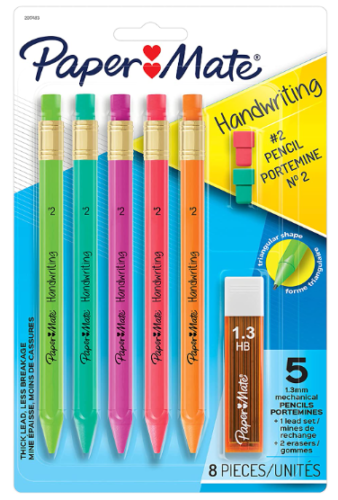
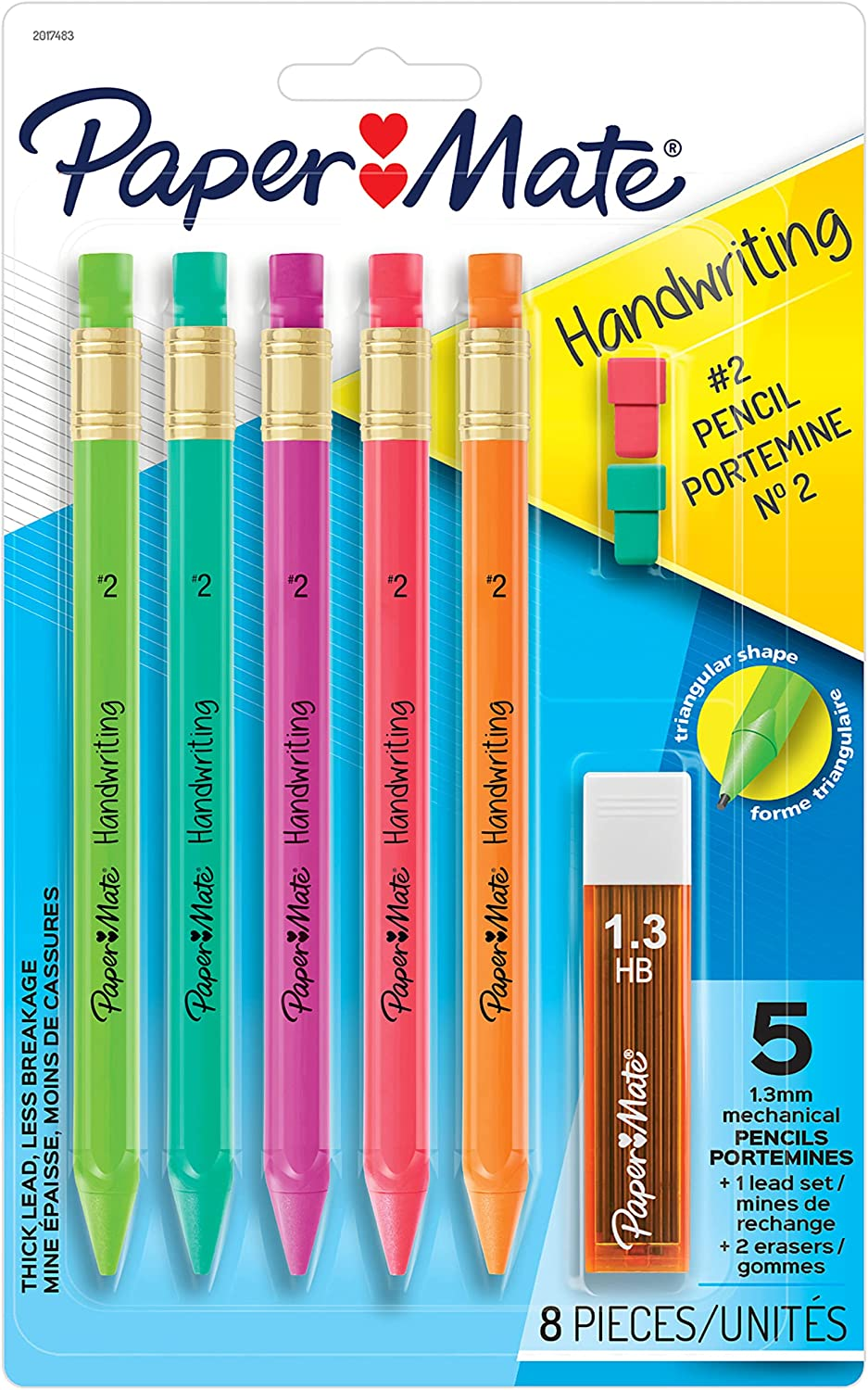
Now, let's compare them:
use SapientProImageComparatorImageComparator;

$image1 = 'https://github.com/sapientpro/image-comparator/blob/feature/phasher-implementation/tests/images/ebay-image.png?raw=true';
$image2 = 'https://github.com/sapientpro/image-comparator/blob/feature/phasher-implementation/tests/images/amazon-image.png?raw=true'

$imageComparator = new ImageComparator();
$similarity = $imageComparator->compare($image1, $image2); //default hashing without rotation

echo $similarity; //87.5
The higher the result, the higher the similarity of images.
Let's compare different images:

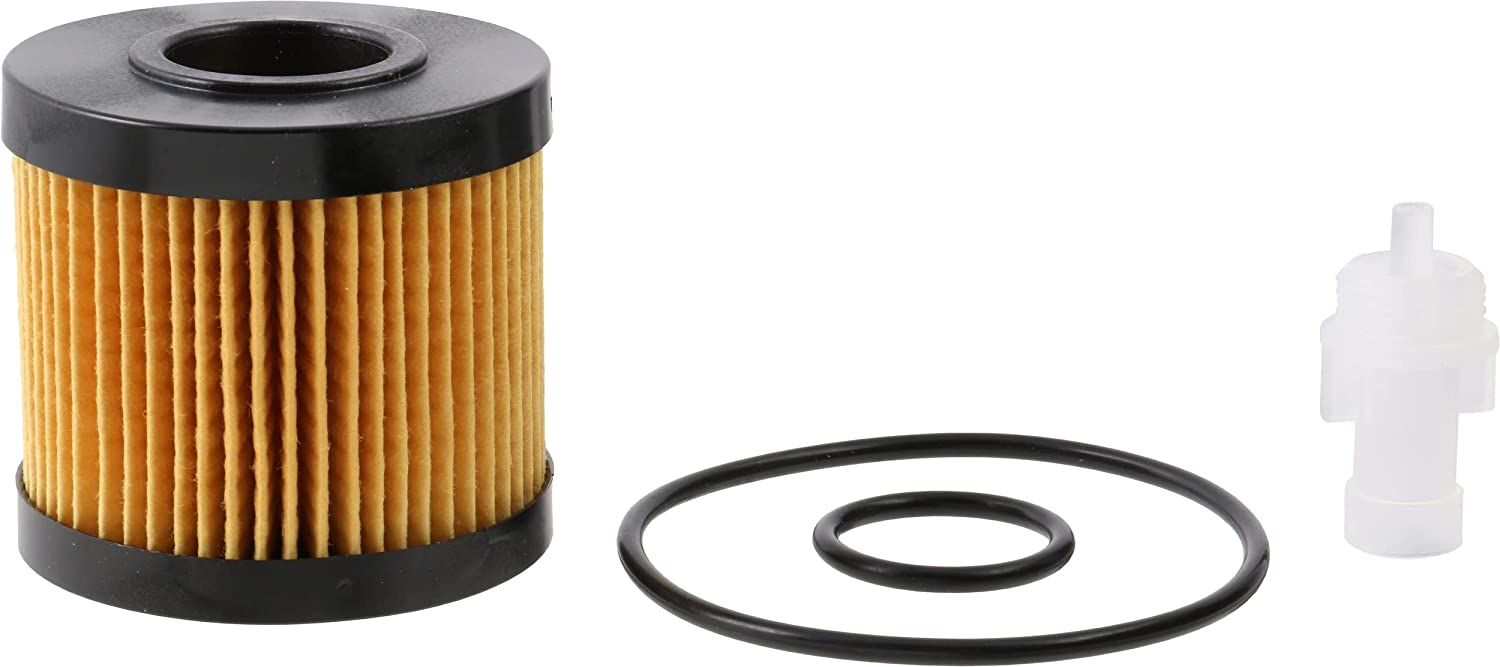
use SapientProImageComparatorImageComparator;

$image1 = 'https://github.com/sapientpro/image-comparator/blob/feature/phasher-implementation/tests/images/ebay-image2.png?raw=true';
$image2 = 'https://github.com/sapientpro/image-comparator/blob/feature/phasher-implementation/tests/images/amazon-image2.png?raw=true'

$imageComparator = new ImageComparator();
$similarity = $imageComparator->compare($image1, $image2); //default hashing without rotation

echo $similarity; //54.7
Rotation angle can be passed if compared image is rotated.
You must pass SapientProImageComparatorEnumImageRotationAngle enum with one of the following values:
D0 = 0 degress, D90 = 90 degrees, D180 = 180 degrees, D270 = 270 degrees
use SapientProImageComparatorEnumImageRotationAngle;

$similarity = $imageComparator->compare($image1, $image2, ImageRotationAngle::D180); //compared image will be considered rotated by 180 degrees

echo $similarity; //95.3
You can also use detect() method which will rotate the compared image and return the highest percentage of similarity:
use SapientProImageComparatorImageComparator;

$image1 = 'https://raw.githubusercontent.com/sapientpro/phasher/feature/phasher-implementation/tests/images/forest1.jpg';
$image2 = 'https://raw.githubusercontent.com/sapientpro/phasher/feature/phasher-implementation/tests/images/forest1-copyrighted.jpg'

$imageComparator = new ImageComparator();
$similarity = $imageComparator->detect($image1, $image2);

echo $similarity; //95.3
With compareArray() and detectArray() methods you can compare the source image to any number of images you want.
The behaviour is the same as in compare() and detect() methods.
use SapientProImageComparatorImageComparator;

$image1 = 'https://raw.githubusercontent.com/sapientpro/phasher/feature/phasher-implementation/tests/images/forest1.jpg';
$image2 = 'https://raw.githubusercontent.com/sapientpro/phasher/feature/phasher-implementation/tests/images/forest1-copyrighted.jpg'
$image3 = 'https://raw.githubusercontent.com/sapientpro/phasher/feature/phasher-implementation/tests/images/forest.jpg'

$imageComparator = new ImageComparator();
$similarity = $imageComparator->compareArray(
    $image1,
    [
        'forest' => $image2,
        'anotherForest' => $image3
    ]
); // returns ['forest' => 95.33, 'anotherForest' => 75.22]
If needed, you can create a square image resource from another image
and pass it to compare(), compareArray(), detect(), detectArray and hashImage() methods:
use SapientProImageComparatorImageComparator;

$image1 = 'https://raw.githubusercontent.com/sapientpro/phasher/feature/phasher-implementation/tests/images/forest1.jpg';
$image2 = 'https://raw.githubusercontent.com/sapientpro/phasher/feature/phasher-implementation/tests/images/forest1-copyrighted.jpg'

$imageComparator = new ImageComparator();

$squareImage1 = $imageComparator->squareImage($image1);
$squareImage2 = $imageComparator->squareImage($image2);

$similarity = $imageComparator->compare($squareImage1, $squareImage2);

echo $similarity //96.43;
If needed, you can convert the resulting array from hashImage() to a binary string and pass it to compareHashStrings() method:
use SapientProImageComparatorImageComparator;

$image1 = 'https://raw.githubusercontent.com/sapientpro/phasher/feature/phasher-implementation/tests/images/forest1.jpg';
$image2 = 'https://raw.githubusercontent.com/sapientpro/phasher/feature/phasher-implementation/tests/images/forest1-copyrighted.jpg'

$imageComparator = new ImageComparator();

$hash1 = $imageComparator->hashImage($image1);
$hash2 = $imageComparator->hashImage($image2);

$hashString1 = $imageComparator->convertHashToBinaryString($hash1);
$hashString2 = $imageComparator->convertHashToBinaryString($hash2);

$similarity = $imageComparator->compareHashStrings($hashString1, $hashString2);

echo $similarity //96.43;
By default, images are hashed using the average hashing algorithm,
which is implemented in SapientProImageComparatorStrategyAverageHashStrategy.
This strategy is initialized in the constructor of ImageComparator.
It is also possible to use difference hashing algorithm, implemented in SapientProImageComparatorStrategyDifferenceHashStrategy.
To use it, you need to call ImageComparator's setHashStrategy() method and pass the instance of the strategy:
use SapientProImageComparatorStrategyDifferenceHashStrategy;

$imageComparator->setHashStrategy(new DifferenceHashStrategy());
$imageComparator->hashImage('image1.jpg');
If the strategy is set by setHashingStrategy(), it will be used under the hood in other comparison methods:
use SapientProImageComparatorStrategyDifferenceHashStrategy;

$imageComparator->setHashStrategy(new DifferenceHashStrategy());
$imageComparator->compare('image1.jpg', 'image2.jpg'); // images will be hashed using difference hash algorithm and then comparedYou can read about available methods in our wiki page








