adafruit feather 32u4 lora ota
1.0.0

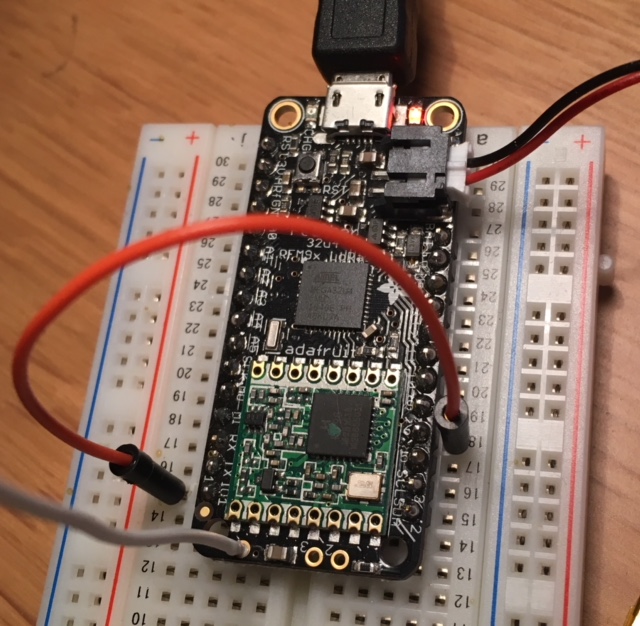
นี่คือการปรับตัวอย่าง TTN-OTAA โดย Thomas Telkamp และ Matthijs Kooijman สำหรับ Adafruit Feather 32U4 พร้อมโมดูลวิทยุ RFM95 LORA
สิ่งนี้ถูกทดสอบกับ Arduino IDE เวอร์ชัน 1.8.5
 // Uncomment this to disable all code related to ping
#define DISABLE_PING
// Uncomment this to disable all code related to beacon tracking.
// Requires ping to be disabled too
#define DISABLE_BEACONS ลงทะเบียนอุปกรณ์ใหม่ในคอนโซลเครือข่ายสิ่งที่คุณจะได้รับ
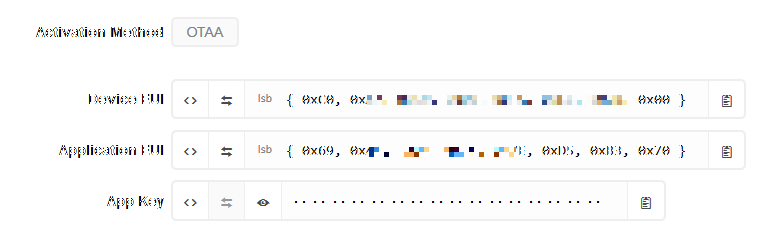
ตอนนี้คุณต้องเพิ่มค่าเหล่านี้ในซอร์สโค้ด:
 static const u1_t PROGMEM APPEUI [ 8 ] = { 0x00 , 0x00 , 0x00 , 0x00 , 0x00 , 0x00 , 0x00 , 0x00 };
void os_getArtEui ( u1_t * buf ) { memcpy_P ( buf , APPEUI , 8 );}

// This should also be in little endian format, see above.
static const u1_t PROGMEM DEVEUI [ 8 ] = { 0x00 , 0x00 , 0x00 , 0x00 , 0x00 , 0x00 , 0x00 , 0x00 };
void os_getDevEui ( u1_t * buf ) { memcpy_P ( buf , DEVEUI , 8 );}

// This key should be in big endian format (or, since it is not really a
// number but a block of memory, endianness does not really apply). In
// practice, a key taken from ttnctl can be copied as-is.
// The key shown here is the semtech default key.
static const u1_t PROGMEM APPKEY [ 16 ] = { 0x00 , 0x00 , 0x00 , 0x00 , 0x00 , 0x00 , 0x00 , 0x00 , 0x00 , 0x00 , 0x00 , 0x00 , 0x00 , 0x00 , 0x00 , 0x00 };
โปรดทราบว่าแอพ EUI และอุปกรณ์ EUI จะต้องระบุไว้ใน "Little Endian Format" มีปุ่มในคอนโซล TTN ที่ช่วยให้คุณแปลงลำดับตัวเลขเป็นรูปแบบ LSB
หมายเหตุ : ไม่แนะนำให้ใช้ช่องทางเดียวช่องทางเดียวเนื่องจากรองรับเพียง หนึ่ง ในสามความถี่เข้าร่วม ดังนั้นคุณมีโอกาสเพียง 1: 3 เท่านั้นที่การดำเนินการเข้าร่วมจะกระทบความถี่เดียวที่รองรับ นอกจากนี้ยังไม่ชัดเจนว่าเกตเวย์ประเภทนี้สนับสนุนการสื่อสารจาก TTN กลับไปที่อุปกรณ์ดังนั้นคุณอาจจะไม่ได้รับคำติชมว่าการดำเนินการเข้าร่วมนั้นประสบความสำเร็จ







