formulosity
v0.1.10


Formulosity เป็นแอพที่โฮสต์ตนเองสำหรับการสร้างและปรับใช้การสำรวจโดยใช้รหัสแทนผู้สร้างแบบสำรวจแบบดั้งเดิม
วิธีการนี้มีข้อดีหลายประการรวมถึง:
Formulosity ใช้ภาษาประกาศที่มนุษย์อ่านได้ Yaml
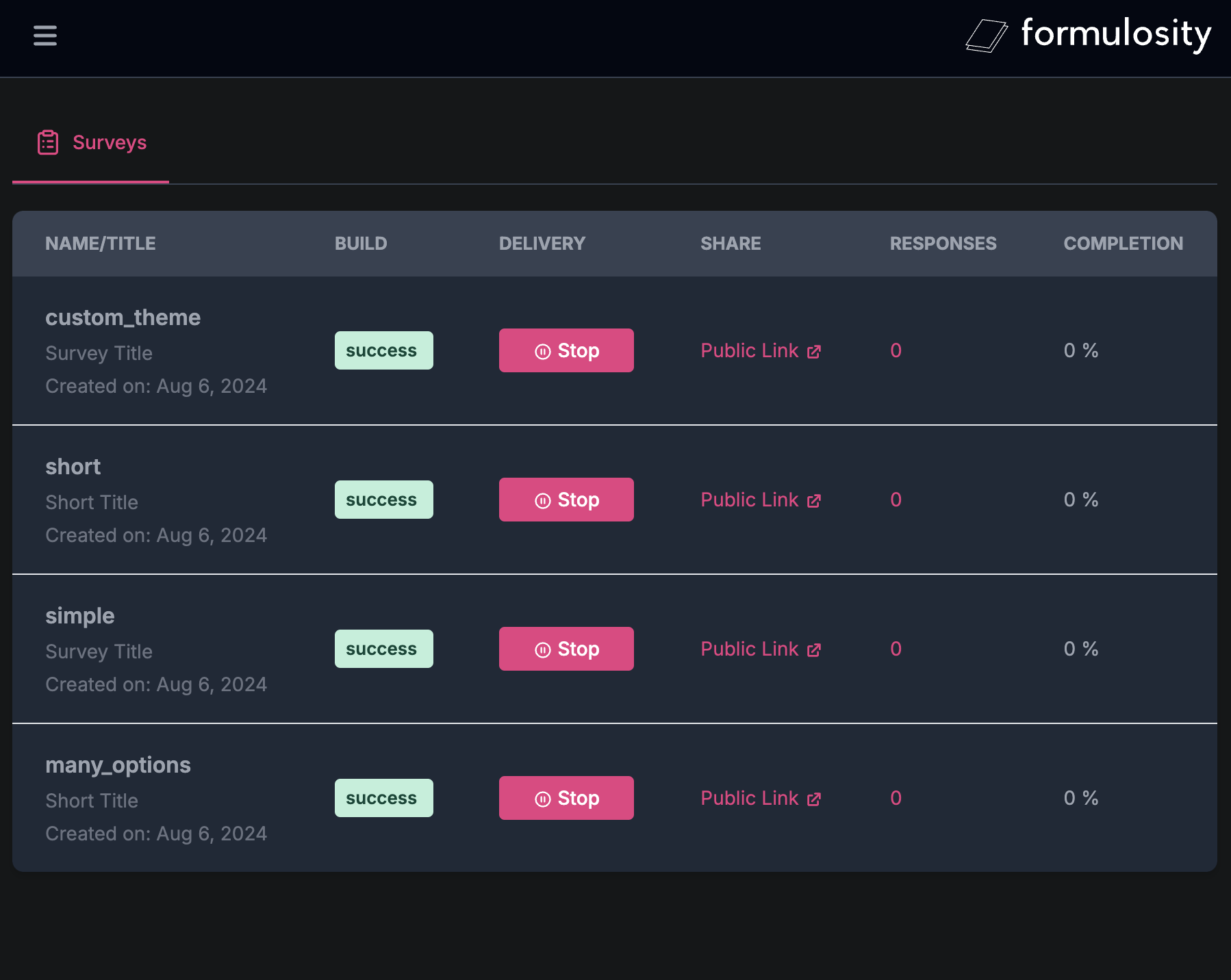
แผงผู้ดูแลระบบ
หมายเหตุ: ใช้ user / pass เพื่อเข้าสู่ระบบ UI คอนโซล
แต่ละไดเรกทอรีใน SURVEYS_DIR เป็นการสำรวจ คุณสามารถกำหนดค่าแหล่งที่มาของการสำรวจของคุณได้โดยการตั้งค่า SURVEYS_DIR ที่แตกต่างกัน env var
surveys/
├── survey1/
│   ├── metadata.yaml
│   ├── questions.yaml
│   ├── security.yaml
│   ├── variables.yaml
│   └── ...
└── survey2/
    ├── metadata.yaml
    ├── questions.yaml
    └── ...
ในการเริ่มต้นให้ตรวจสอบโฟลเดอร์ ./surveys พร้อมตัวอย่างหลายตัวอย่าง
ต้องใช้ไฟล์นี้! ไฟล์ประกอบด้วยวัตถุ YAML ที่มีคุณสมบัติเฉพาะที่อธิบายการสำรวจ
 title : Survey Title
theme : default # or custom
intro : |
  This is the introduction to the survey.
  It can be multiple lines long.
outro : |
  Thank you for taking the survey.
Your feedback is important to us.ต้องใช้ไฟล์นี้! ไฟล์ประกอบด้วยรายการคำถามแต่ละข้อกำหนดเป็นวัตถุ YAML ที่มีคุณสมบัติเฉพาะ
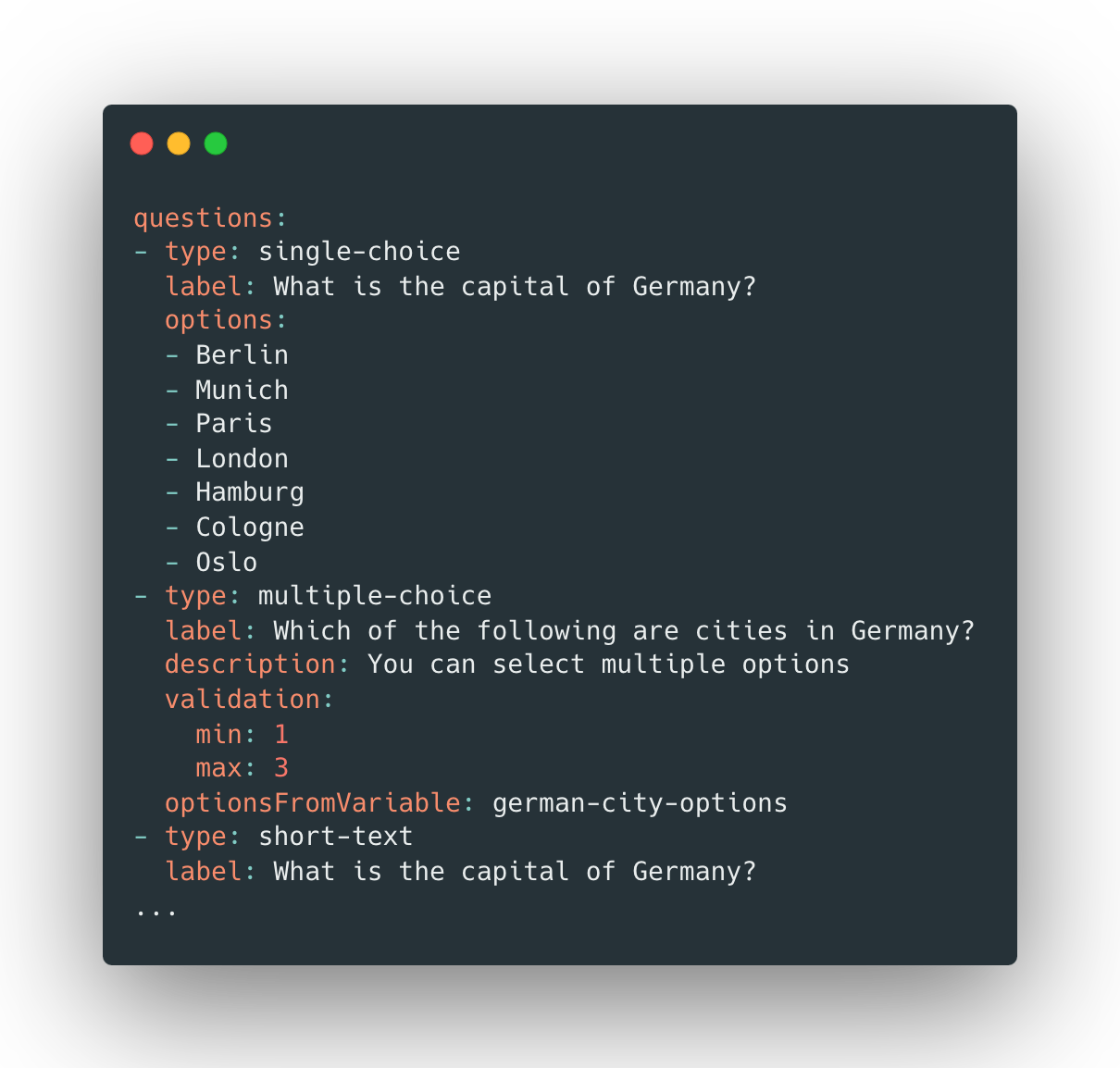
single-choice multiple-choice และ ranking questions :
- type : single-choice
id : question1 # optional ID, must be unique across all questions
label : What is the capital of Germany?
description : You can select multiple options
optionsFromVariable : german-city-options # defined in variables.yaml
options :
- Berlin
- Munich
- Paris
- London
- Hamburg
- Cologne
validation :
min : 1
max : 3ไฟล์นี้เป็นทางเลือก ไฟล์ประกอบด้วยวัตถุ YAML ที่มีคุณสมบัติเฉพาะสำหรับการตั้งค่าความปลอดภัยแบบสำรวจ
duplicateProtection : cookie # cookie | ipไฟล์นี้เป็นทางเลือก ไฟล์ประกอบด้วยรายการของตัวแปรแต่ละรายการกำหนดเป็นวัตถุ YAML ที่มีคุณสมบัติเฉพาะ
 variables :
  - id : german-city-options # must be unique
    type : list
    options :
      - Berlin
      - Munich
      - Hamburg
- Cologne แจ้งให้ผู้ใช้คำตอบสั้น ๆ เป็นลายลักษณ์อักษร
- type : short-text
  label : What is the capital of Germany?
  # set min/max characters
  validation :
    min : 10
max : 100แจ้งให้ผู้ใช้สำหรับคำตอบที่เป็นลายลักษณ์อักษรโดยละเอียด
- type : long-text
  label : What is the capital of Germany?
  # set min/max characters
  validation :
    min : 10
max : 100นำเสนอคำถามที่มีคำตอบที่ถูกต้องเพียงข้อเดียวจากรายการตัวเลือก
- type : single-choice
  label : What is the capital of Germany?
  options :
    - Berlin
    - Munich
    - Paris
    - London
    - Hamburg
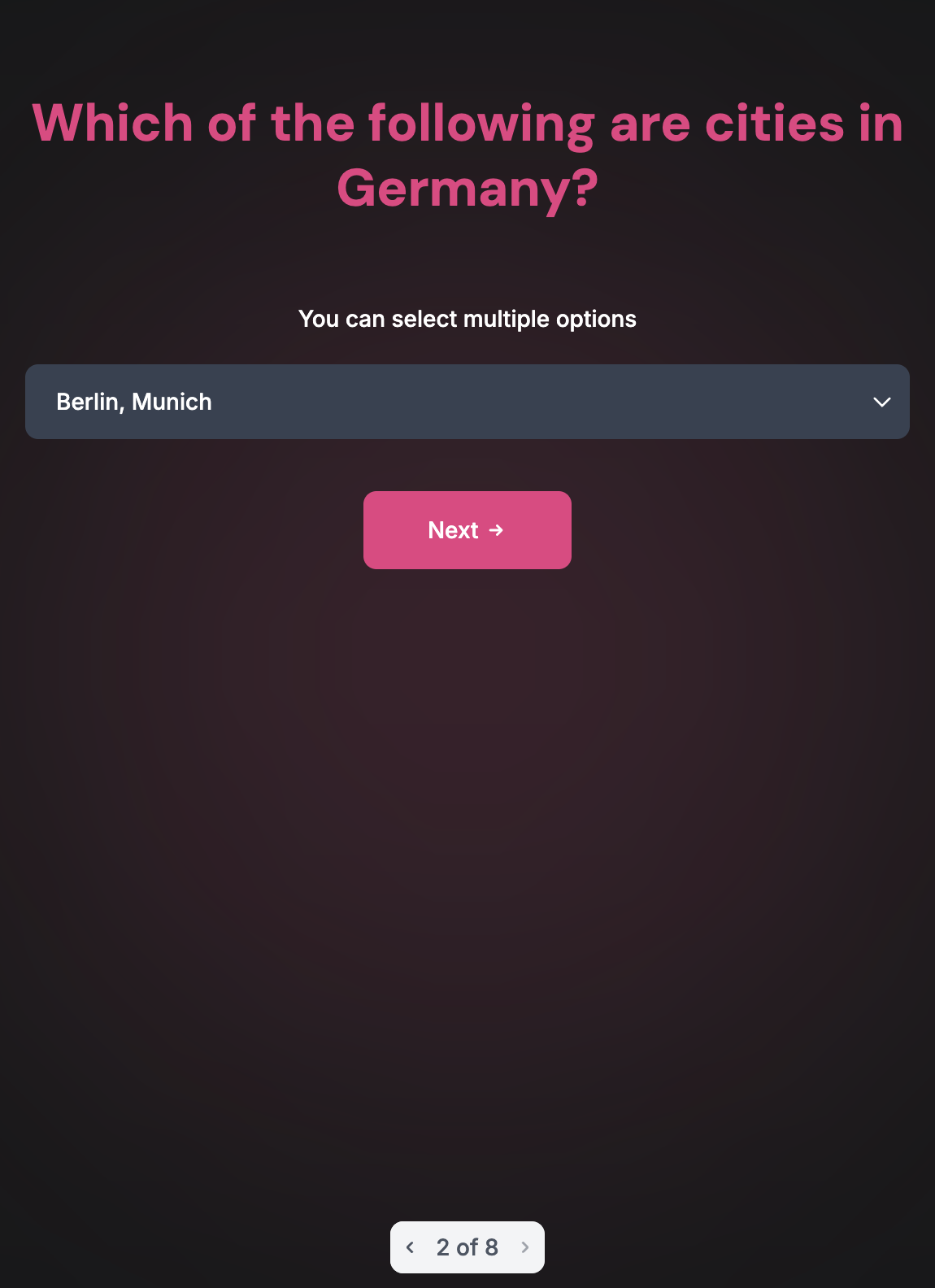
- Cologneนำเสนอคำถามที่ผู้ใช้สามารถเลือกหลายคำตอบ (พร้อมข้อ จำกัด ) คุณสามารถปรับแต่งการเลือกขั้นต่ำและสูงสุดที่อนุญาตในส่วนการตรวจสอบ
- type : multiple-choice
  label : Which of the following are cities in Germany?
  description : You can select multiple options
  validation :
    min : 1
    max : 3
  options :
    - Berlin
    - Munich
    - Paris
    - London
    - Hamburg
- Cologneขอให้ผู้ใช้ป้อนวันที่เฉพาะ
- type : date
label : When was the Berlin Wall built?นำเสนอมาตราส่วนสำหรับผู้ใช้ในการให้คะแนนบางอย่างในช่วงที่กำหนดไว้ล่วงหน้า
- type : rating
  label : How much do you like Berlin?
  min : 1
max : 5ขอให้ผู้ใช้จัดอันดับตัวเลือกตามเกณฑ์ที่กำหนด
- type : ranking
  label : Rank the following cities by population
optionsFromVariable : german-city-optionsนำเสนอคำถามที่ผู้ใช้สามารถตอบ "ใช่" หรือ "ไม่" เท่านั้น
- type : yes-no
label : Is Berlin the capital of Germany?แจ้งให้ผู้ใช้ป้อนอีเมล
- type : email
label : Please enter your email.แจ้งให้ผู้ใช้อัปโหลดไฟล์ตามรูปแบบที่กำหนดและขนาดการอัปโหลดสูงสุด
- type : file
  label : Upload a Berlin Image
  validation :
    formats :
      - .jpg
      - .png
max_size_bytes : 5*1024*1024 # 5 MB คำตอบสามารถแสดงใน UI และส่งออกเป็น JSON หรือคุณสามารถใช้ REST API เพื่อรับการสำรวจ resposnes:
curl -XGET
http://localhost:9900/app/surveys/{SURVEY_ID}/sessions ? limit=100 & offset=0 & sort_by=created_at & order=desc
โดยที่ {SURVEY_ID} id UUID ของการสำรวจที่กำหนด
docker-compose up -d --build
และคุณควรจะสามารถเข้าถึง UI บน http: // localhost: 3000 (เริ่มต้นพื้นฐานการรับรองความถูกต้อง: user:pass )
คุณสามารถปรับใช้บริการส่วนบุคคลให้กับผู้ให้บริการคลาวด์หรือโฮสต์ตนเอง
บริการสาธิต (ลิงก์ด้านบน) ถูกปรับใช้เพื่อ fly.io (go, sqlite) และ vercel (next.js) และอยู่ภายใต้ระดับฟรี
ติดตั้งอากาศในพื้นที่จากที่นี่
เรียกใช้คำสั่งต่อไปนี้หลังจากการติดตั้งอากาศ
 cd api
air
คำสั่งนี้จะช่วยในการโหลดสดเมื่อใดก็ตามที่มีการเปลี่ยนแปลงใน API โดยใช้ air การกำหนดค่าที่กำหนดเองสามารถตั้งค่าได้โดยการแก้ไขไฟล์ air.toml
API:
DATABASE_TYPE - sqlite หรือ postgresDATABASE_URL - สตริงการเชื่อมต่อ SQLite หรือ SQLiteLOG_LEVEL - ระดับบันทึกเช่น infoSURVEYS_DIR - ไดเรกทอรีที่มีการสำรวจเช่น /root/surveys แนะนำให้ใช้ปริมาณที่ติดตั้งสำหรับไดเรกทอรีนี้UI:
CONSOLE_API_ADDR - ที่อยู่สาธารณะของ Go Backend ต้องสามารถเข้าถึงได้จากเบราว์เซอร์CONSOLE_API_ADDR_INTERNAL - ที่อยู่ภายในของแบ็กเอนด์ Go เช่น http://api:8080 (อาจเหมือนกับ CONSOLE_API_ADDR )IRON_SESSION_SECRET - ความลับสำหรับการเข้ารหัสเซสชันHTTP_BASIC_AUTH - รูปแบบ: user:pass สำหรับการรับรองความถูกต้องพื้นฐาน (ไม่บังคับ) ตรวจสอบให้แน่ใจว่าได้ติดตั้ง GO-MIGRATE ก่อน
 cd api
migrate create -dir migrations/postgres -ext sql -seq name
migrate create -dir migrations/sqlite -ext sql -seq name
 cd api
make test
คำขอดึงรายงานข้อผิดพลาดและการบริจาครูปแบบอื่น ๆ ทั้งหมดได้รับการต้อนรับและได้รับการสนับสนุนอย่างสูง!







