formulosity
v0.1.10


Formulosity is a self-hosted app for building and deploying the surveys using code instead of traditional survey builders.
This approach offers a number of advantages, including:
Formulosity uses human-readable declarative language YAML.
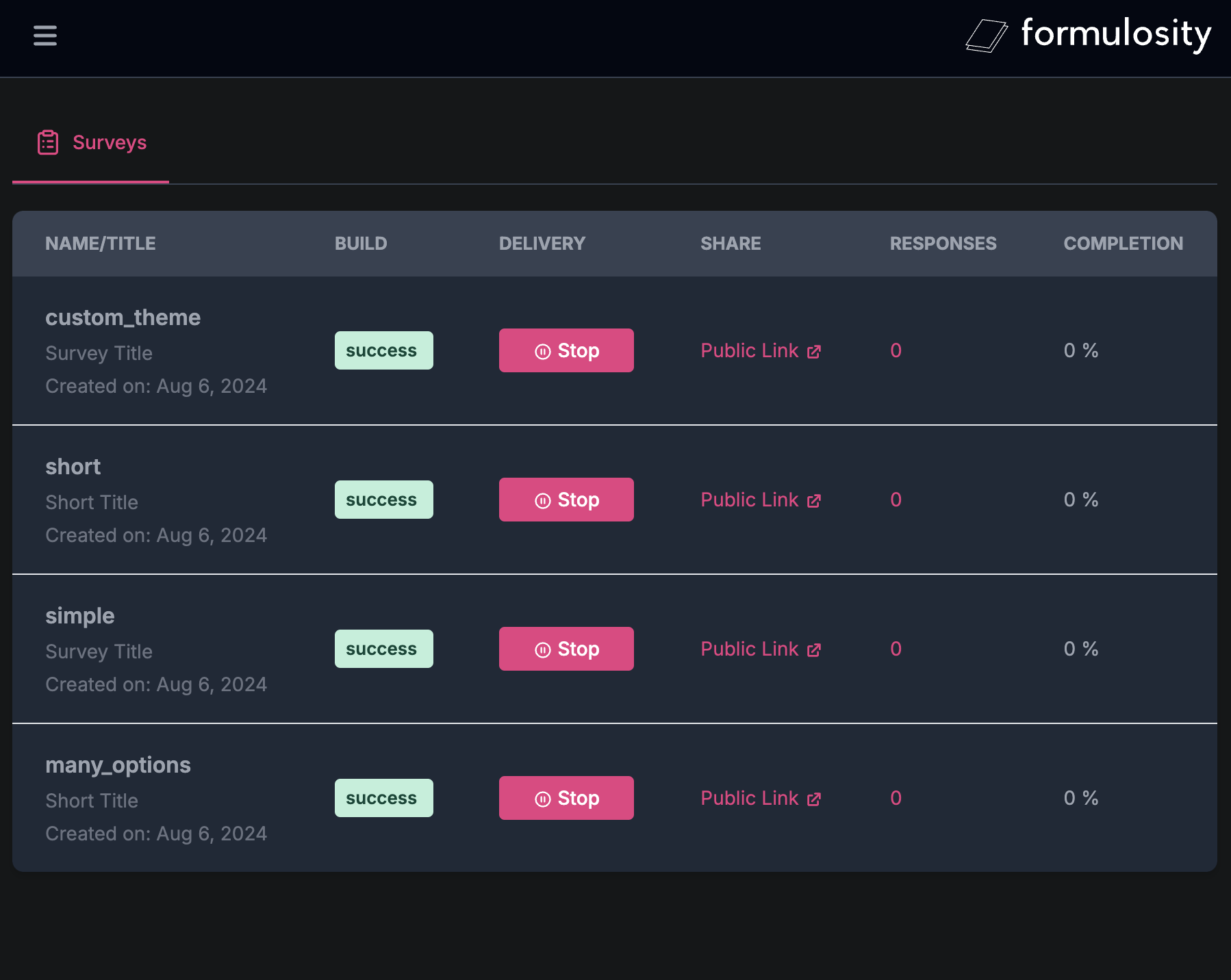
Admin Panel
Note: use user / pass to login into the Console UI.
Each directory in SURVEYS_DIR is a survey. You can configure the source of your surveys by setting different SURVEYS_DIR env var.
surveys/
├── survey1/
│   ├── metadata.yaml
│   ├── questions.yaml
│   ├── security.yaml
│   ├── variables.yaml
│   └── ...
└── survey2/
    ├── metadata.yaml
    ├── questions.yaml
    └── ...
To get started, check out the ./surveys folder with multiple examples.
This file is required! The file consists of a YAML object with specific properties describing the survey.
title: Survey Title
theme: default # or custom
intro: |
  This is the introduction to the survey.
  It can be multiple lines long.
outro: |
  Thank you for taking the survey.
Your feedback is important to us.This file is required! The file consists of a list of questions, each defined as a YAML object with specific properties.
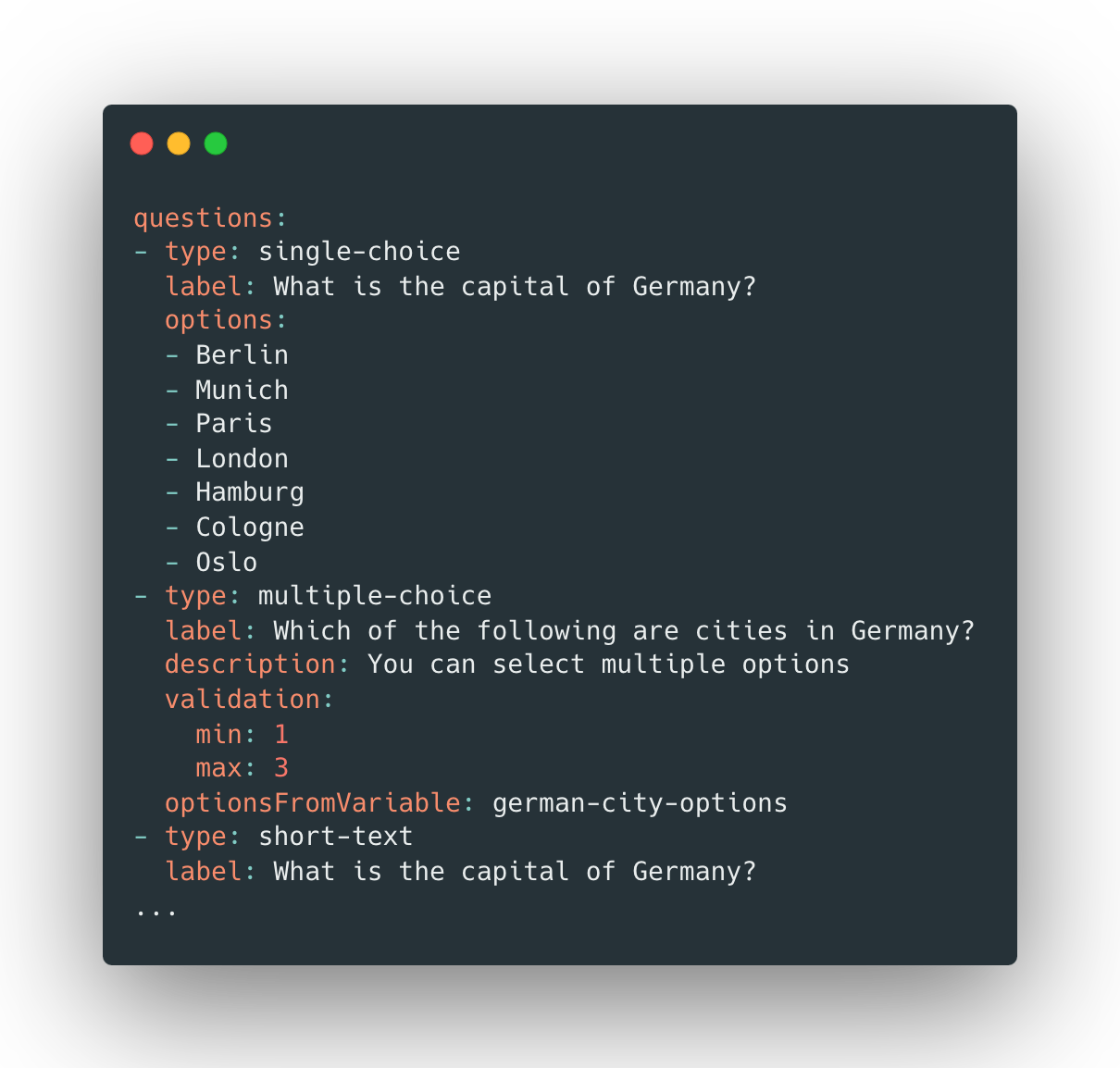
single-choice, multiple-choice and ranking.questions:
- type: single-choice
id: question1 # optional ID, must be unique across all questions
label: What is the capital of Germany?
description: You can select multiple options
optionsFromVariable: german-city-options # defined in variables.yaml
options:
- Berlin
- Munich
- Paris
- London
- Hamburg
- Cologne
validation:
min: 1
max: 3This file is optional. The file consists of a YAML object with specific properties for survey security settings.
duplicateProtection: cookie # cookie | ipThis file is optional. The file consists of a list of variables, each defined as a YAML object with specific properties.
variables:
  - id: german-city-options # must be unique
    type: list
    options:
      - Berlin
      - Munich
      - Hamburg
- ColognePrompts users for a brief written answer.
- type: short-text
  label: What is the capital of Germany?
  # set min/max characters
  validation:
    min: 10
max: 100Prompts users for a detailed written answer.
- type: long-text
  label: What is the capital of Germany?
  # set min/max characters
  validation:
    min: 10
max: 100Presents a question with only one correct answer from a list of options.
- type: single-choice
  label: What is the capital of Germany?
  options:
    - Berlin
    - Munich
    - Paris
    - London
    - Hamburg
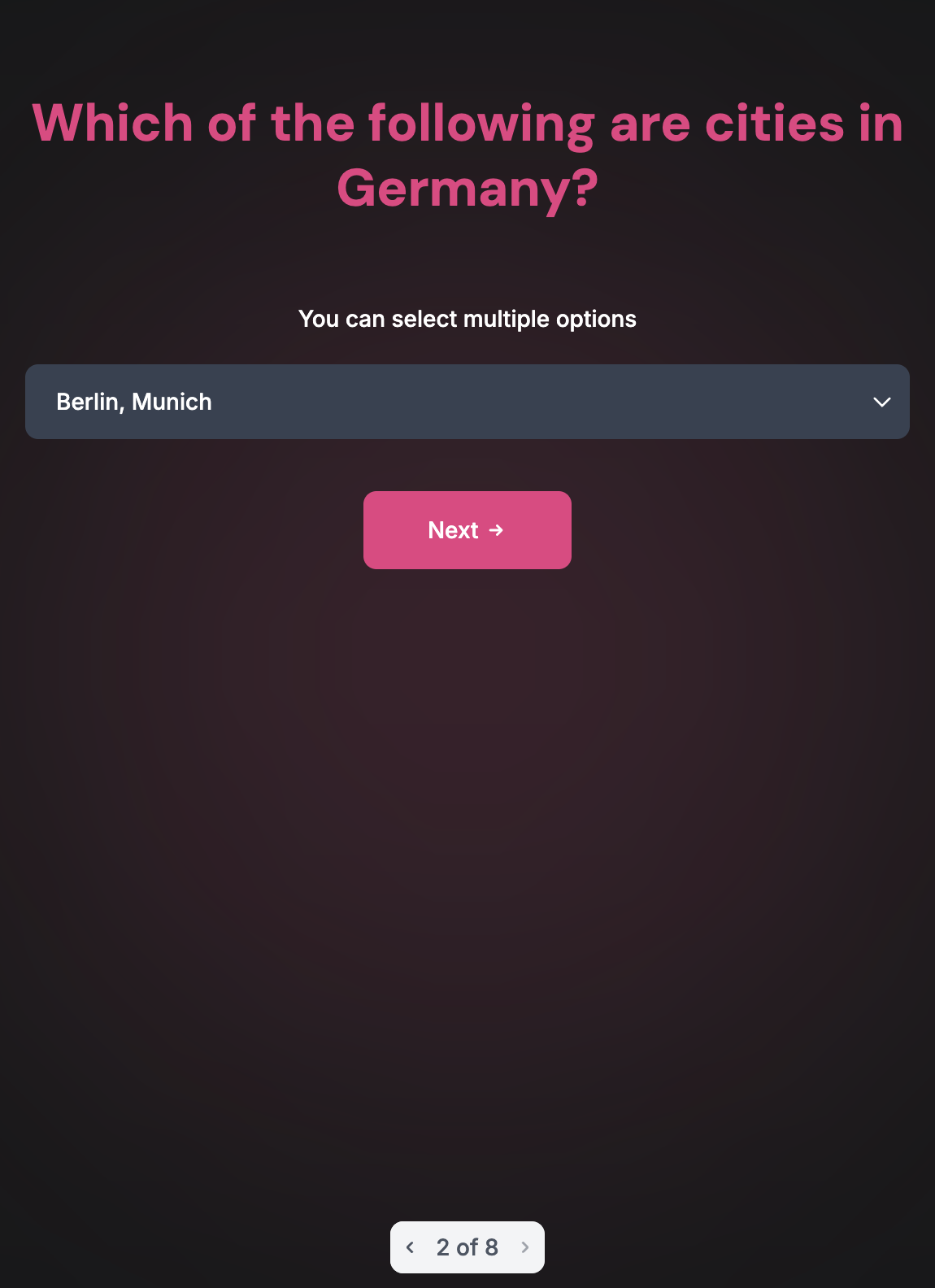
- ColognePresents a question where users can select multiple answers (with limitations). You can customize the minimum and maximum allowed selections in the validation section.
- type: multiple-choice
  label: Which of the following are cities in Germany?
  description: You can select multiple options
  validation:
    min: 1
    max: 3
  options:
    - Berlin
    - Munich
    - Paris
    - London
    - Hamburg
- CologneAsks users to enter a specific date.
- type: date
label: When was the Berlin Wall built?Presents a scale for users to rate something on a predefined range.
- type: rating
  label: How much do you like Berlin?
  min: 1
max: 5Asks users to rank options based on a given criteria.
- type: ranking
  label: Rank the following cities by population
optionsFromVariable: german-city-optionsPresents a question where users can only answer "yes" or "no".
- type: yes-no
label: Is Berlin the capital of Germany?Prompts user to enter their email
- type: email
label: Please enter your email.Prompts user to upload their file based on a given formats and maximum upload size.
- type: file
  label: Upload a Berlin Image
  validation:
    formats:
      - .jpg
      - .png
    max_size_bytes: 5*1024*1024 # 5 MB
Responses can be shown in the UI and exported as a JSON. Alternatively you can use REST API to get survey resposnes:
curl -XGET
http://localhost:9900/app/surveys/{SURVEY_ID}/sessions?limit=100&offset=0&sort_by=created_at&order=desc
Where {SURVEY_ID} id the UUID of a given survey.
docker-compose up -d --build
And you should be able to access the UI on http://localhost:3000 (default basic auth: user:pass).
You can deploy individual services to any cloud provider or self host them.
The demo service (links above) is deployed to Fly.io (Go, SQLite) and Vercel (Next.js) and are under the free tiers.
Install AIR locally from here
Run the following command after AIR installation
cd api
air
This command will help in live reloading whenever changes are done in the APIs using air.
Custom configurations can be set by modifying air.toml file
API:
DATABASE_TYPE - sqlite or postgresDATABASE_URL - Postgres or SQLite connection stringLOG_LEVEL - Log level, e.g. infoSURVEYS_DIR - Directory with surveys, e.g. /root/surveys. It's suggested to use mounted volume for this directory.UI:
CONSOLE_API_ADDR - Public address of the Go backend. Need to be accessible from the browser.CONSOLE_API_ADDR_INTERNAL - Internal address of the Go backend, e.g. http://api:8080 (could be the same as CONSOLE_API_ADDR).IRON_SESSION_SECRET - Secret for session encryptionHTTP_BASIC_AUTH - Format: user:pass for basic auth (optional)Make sure to install go-migrate first.
cd api
migrate create -dir migrations/postgres -ext sql -seq name
migrate create -dir migrations/sqlite -ext sql -seq name
cd api
make test
Pull requests, bug reports, and all other forms of contribution are welcomed and highly encouraged!







