fvim
v0.3.549+ee4316c


Cross Platform NeoVim Front-end UI สร้างขึ้นด้วย F# + Avalonia
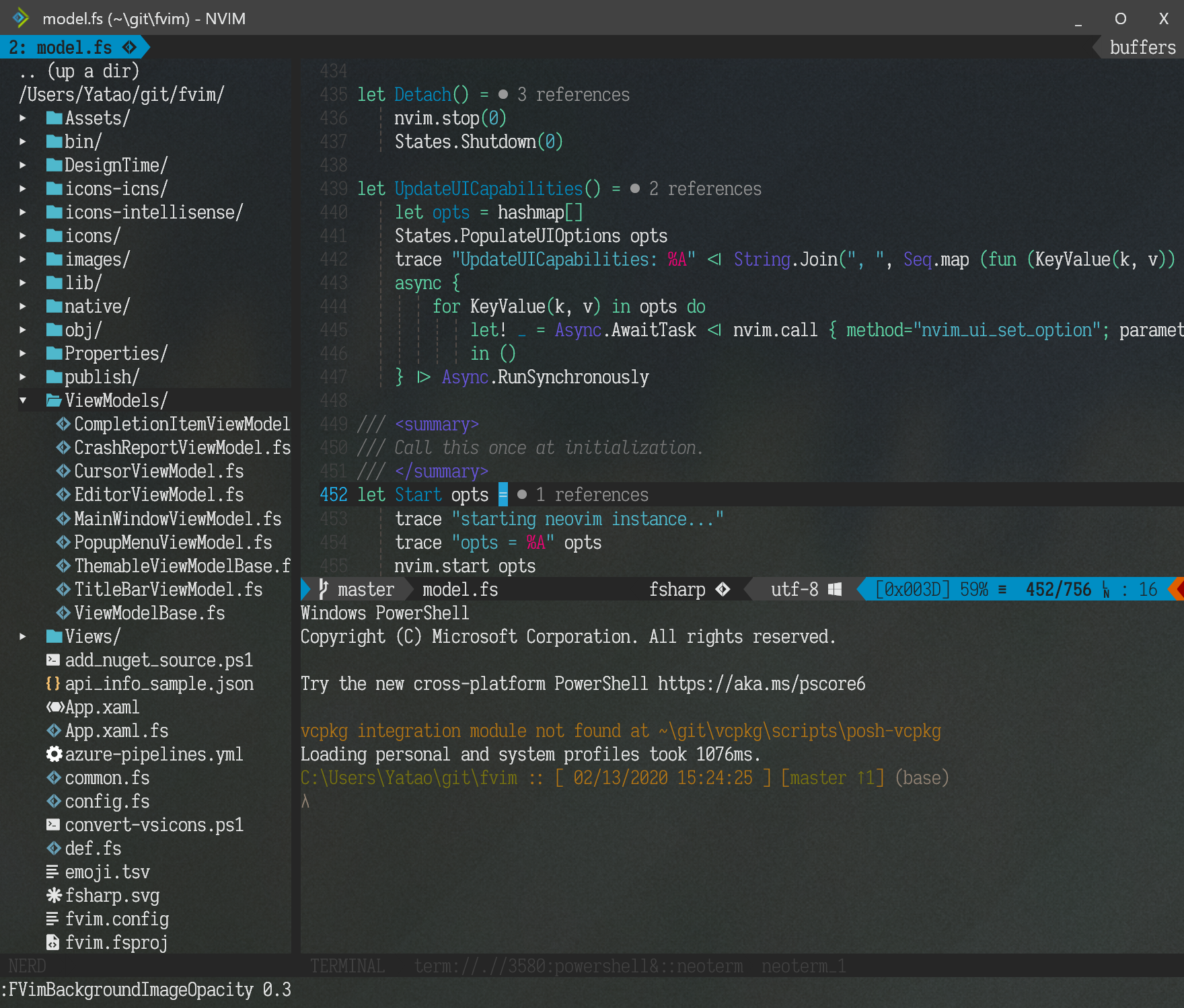
ดาวน์โหลดแพ็คเกจรุ่นล่าสุดสำหรับระบบของคุณแยกและเรียกใช้ FVim !
win7-x64win-x64 เวอร์ชันนี้เริ่มต้นได้เร็วขึ้นdpkg -i fvim_package_name.debrpm -ivh fvim_package_name.rpmdnf install fvim_package_name.rpm git clone https://github.com/yatli/fvim && cd fvim && dotnet publish -f net6.0 -c Release -r linux-x64 --self-contained
colorschemeCtrl-w ge เพื่อแยกหน้าต่างลงในหน้าต่าง OS แยกต่างหาก!fvim --wslfvim --nvim ~/bin/nvim.appimagefvim --ssh user@hostfvim --connect localhost:9527fvim --fvr attach --ssh user@hostfvim --terminal ลองใช้การผูกเหล่านี้ (หมายเหตุการตั้งค่าเฉพาะ FVIM ทำงานเฉพาะใน ginit.vim ไม่ใช่ init.vim !):
 if exists ( ' g:fvim_loaded ' )
    " good old 'set guifont' compatibility with HiDPI hints...
    if g: fvim_os == ' windows ' || g: fvim_render_scale > 1.0
      set guifont = Iosevka  Sla b: h14
    else
      set guifont = Iosevka  Sla b: h28
    endif

    " Ctrl-ScrollWheel for zooming in/out
    nnoremap <silent> <C-ScrollWheelUp> :set guifont=+ <CR>
    nnoremap <silent> <C-ScrollWheelDown> :set guifont=- <CR>
    nnoremap <A-CR> :FVimToggleFullScreen <CR>
endif
เอฟเฟกต์เคอร์เซอร์แฟนซีบางอย่าง:
 if exists ( ' g:fvim_loaded ' )
    FVimCursorSmoothMove v: true
    FVimCursorSmoothBlink v: true
endif
การถอดหน้าต่างลงในหน้าต่างระบบปฏิบัติการภายนอกด้วย Ctrl-w ge : แยกออกเป็นจำนวนมากและขยายออกไปทั่วจอภาพของคุณ!
ไอคอนรายการเมนูป๊อปอัพแบบกำหนดเอง (ดูด้านล่างสำหรับวิธีการกำหนดค่า): 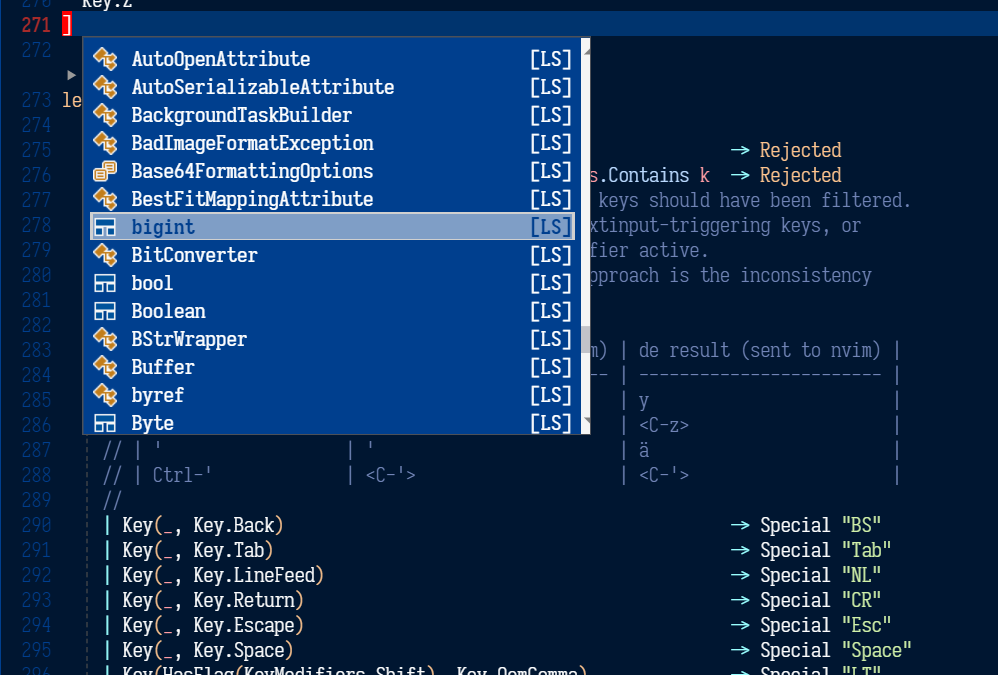
ตอนนี้เรากำลังกำหนดเป้าหมาย net6.0 ดังนั้นอย่าลืมติดตั้ง SDK ตัวอย่างล่าสุดจากเว็บไซต์. NET เรากำลังติดตามหัวหน้า Avalonia อย่างแข็งขันและดึงแพ็คเกจทุกคืนจาก MyGet (ดู NuGet.config )
จากนั้นเพียงแค่:
 git clone https://github.com/yatli/fvim
cd fvim
dotnet build -c Release
dotnet run -c Release
มีคำสั่งใหม่ต่อไปนี้:
 " Toggle between normal and fullscreen
FVimToggleFullScreen

" Cursor tweaks
FVimCursorSmoothMove v: true
FVimCursorSmoothBlink v: true

" Background composition
FVimBackgroundComposition ' acrylic '   " 'none', 'transparent', 'blur' or 'acrylic'
FVimBackgroundOpacity 0.85            " value between 0 and 1, default bg opacity.
FVimBackgroundAltOpacity 0.85         " value between 0 and 1, non-default bg opacity.
FVimBackgroundImage ' C:/foobar.png '   " background image
FVimBackgroundImageVAlign ' center '    " vertial position, 'top', 'center' or 'bottom'
FVimBackgroundImageHAlign ' center '    " horizontal position, 'left', 'center' or 'right'
FVimBackgroundImageStretch ' fill '     " 'none', 'fill', 'uniform', 'uniformfill'
FVimBackgroundImageOpacity 0.85       " value between 0 and 1, bg image opacity

" Title bar tweaks
FVimCustomTitleBar v: true             " themed with colorscheme

" Debug UI overlay
FVimDrawFPS v: true

" Font tweaks
FVimFontAntialias v: true
FVimFontAutohint v: true
FVimFontHintLevel ' full '
FVimFontLigature v: true
FVimFontLineHeight ' +1.0 ' " can be 'default', '14.0', '-1.0' etc.
FVimFontSubpixel v: true
FVimFontNoBuiltinSymbols v: true " Disable built-in Nerd font symbols

" Try to snap the fonts to the pixels, reduces blur
" in some situations (e.g. 100% DPI).
FVimFontAutoSnap v: true

" Font weight tuning, possible valuaes are 100..900
FVimFontNormalWeight 400
FVimFontBoldWeight 700

" Font debugging -- draw bounds around each glyph
FVimFontDrawBounds v: true

" UI options (all default to v:false)
FVimUIPopupMenu v: true      " external popup menu
FVimUIWildMenu v: false      " external wildmenu -- work in progress

" Keyboard mapping options
FVimKeyDisableShiftSpace v: true " disable unsupported sequence <S-Space>
FVimKeyAutoIme v: true           " Automatic input method engagement in Insert mode
FVimKeyAltGr v: true             " Recognize AltGr. Side effect is that <C-A-Key> is then impossible

" Default options (workspace-agnostic)
FVimDefaultWindowWidth 1600     " Default window size in a new workspace
FVimDefaultWindowHeight 900

" Detach from a remote session without killing the server
" If this command is executed on a standalone instance,
" the embedded process will be terminated anyway.
FVimDetach

" =========== BREAKING CHANGES -- the following commands are disabled ============
" FVimUIMultiGrid v:true     -- per-window grid system -- done and enabled by default
" FVimUITabLine v:false      -- external tabline -- not implemented
" FVimUICmdLine v:false      -- external cmdline -- not implemented
" FVimUIMessages v:false     -- external messages -- not implemented
" FVimUITermColors v:false   -- not implemented
" FVimUIHlState v:false      -- not implemented
 Usage: FVim [FVim-args] [NeoVim-args]

FVim-args:

    =========================== Client options ===================================

    --ssh user@host             Start NeoVim remotely over ssh
    --wsl                       Start NeoVim in WSL
    --nvim path-to-program      Use an alternative nvim program

    --nvr target                Connect to a remote NeoVim backend. The target
                                can be an IP endpoint (127.0.0.1:9527), or a
                                Unix socket address (/tmp/path/to/socket), or a
                                Windows named pipe (PipeName).

    --setup                     Registers FVim as a text editor, and updates
                                file association and icons. Requires UAC
                                elevation on Windows.
    --uninstall                 Unregisters FVim as a text editor, and removes
                                file association and icons. Requires UAC
                                elevation on Windows.

    =========================== FVim Remoting ====================================

    --daemon                    Start a FVR multiplexer server.
                                Can be used with --nvim for alternative program.

    --pipe name                 Override the named pipe address of the daemon.
                                When this option is not given, defaults to
                                '/tmp/fvr-main'

    --fvr id [FILES...]         Connects to a FVR server.
    --fvr a[ttach] [FILES...]    - id: an integer session id to connect
    --fvr n[ew] [args...]        - attach: attach to the first available session
                                 - new: create a new session with args passed to
                                   NeoVim.
                                Can be used with --ssh or --wsl for connecting a
                                remote server. If neither is specified, connects
                                to the local server.
                                Can be used with --pipe to override the server
                                address.

    =========================== Debug options ====================================

    --trace-to-stdout           Trace to stdout.
    --trace-to-file             Trace to a file.
    --trace-patterns            Filter trace output by a list of keyword strings

    =========================== Terminal emulator ================================

    --terminal                  Start as a terminal emulator.
    --terminal-cmd              Command to run instead of the default shell.


The FVim arguments will be consumed and filtered before the rest are passed to NeoVim.
| หมวดหมู่ | ข้อความ Pum | fvim | Nerd เทียบเท่า |
|---|---|---|---|
| ข้อความ | T |  | |
| วิธี | - |  | |
| การทำงาน | f | | |
| ตัวสร้าง | C |  | |
| สนาม | - |  | ﰠ |
| ตัวแปร | V |  | |
| ระดับ | C |  | ﴯ |
| ส่วนต่อประสาน | ฉัน |  | |
| โมดูล | ม. |  | |
| คุณสมบัติ | P |  | ﰠ |
| หน่วย | คุณ |  | 塞 |
| ค่า | l |  | |
| enum | อี |  | |
| คำสำคัญ | K |  | |
| ตัวอย่าง | S |  | |
| สี | K |  | |
| ไฟล์ | f |  | |
| อ้างอิง | R |  | |
| โฟลเดอร์ | d |  | |
| enummember | ม. |  | |
| คงที่ | 0 |  | |
| โครงสร้าง | S |  | פּ |
| เหตุการณ์ | อี |  | |
| ผู้ดำเนินการ | โอ |  | |
| เครื่องพิมพ์ดีด | T |  | T |
ดังนั้นแทนที่จะเติมพจนานุกรมสัญลักษณ์ของคุณด้วยอักขระเฉพาะของ Nerd ให้ใช้อักขระที่เป็นข้อความ FVIM จะหยิบมันขึ้นมาและแสดงไอคอนกราฟิกที่เก็บไว้ใน Assets/intellisense แทน






