SUPIR
1.0.0

[กระดาษ] [หน้าโครงการ] [แอพออนไลน์]
Fanghua, Yu, Jinjin Gu, Zheyuan Li, Jinfan Hu, Xiangtao Kong, Xintao Wang, Jingwen HE, Yu Qiao, Chao Dong
สถาบันเทคโนโลยีขั้นสูงของเซินเจิ้น; ห้องปฏิบัติการเซี่ยงไฮ้ AI; มหาวิทยาลัยซิดนีย์; มหาวิทยาลัยโพลีเทคนิคฮ่องกง; ARC Lab, Tencent PCG; มหาวิทยาลัยจีนฮ่องกง
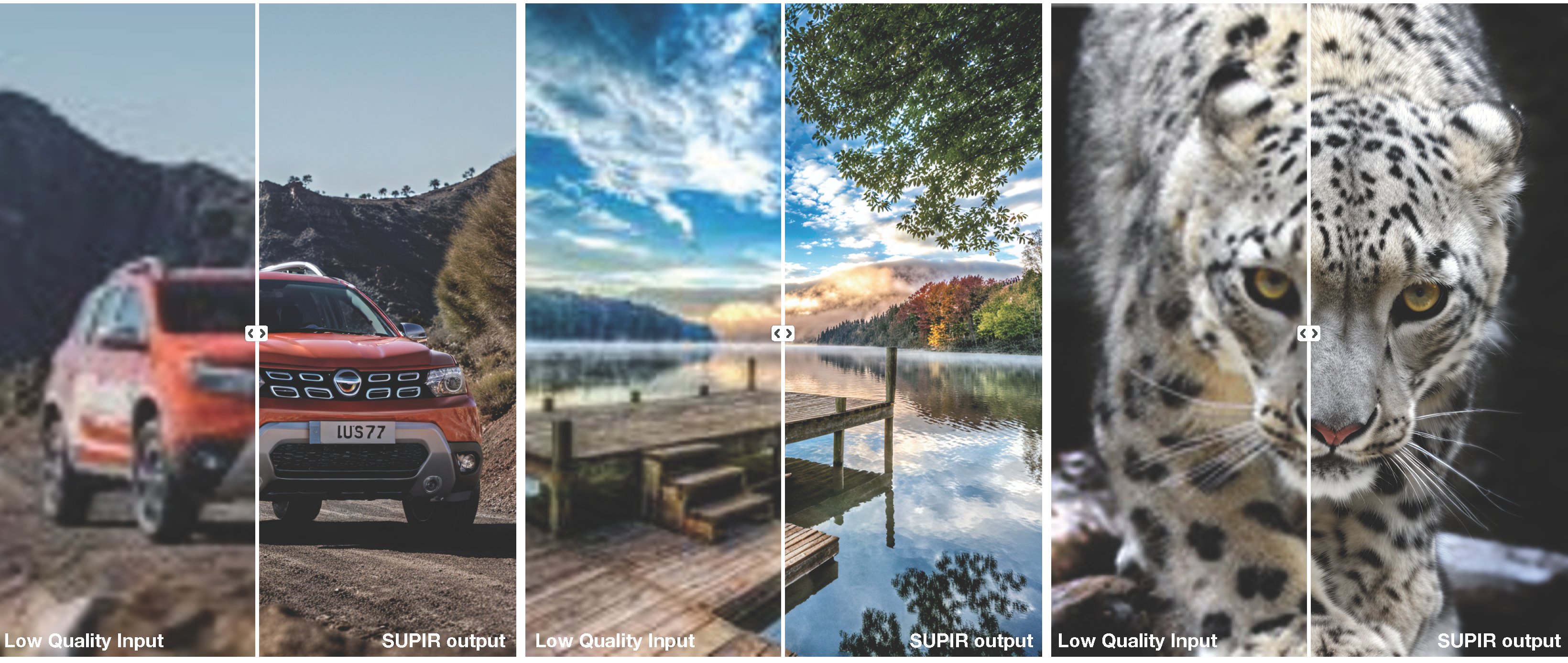
repo โคลน
git clone https://github.com/Fanghua-Yu/SUPIR.git
cd SUPIR
ติดตั้งแพ็คเกจขึ้นอยู่กับ
conda create -n SUPIR python=3.8 -y
conda activate SUPIR
pip install --upgrade pip
pip install -r requirements.txt
ดาวน์โหลดจุดตรวจ
สำหรับผู้ใช้ที่สามารถเชื่อมต่อกับ HuggingFace ได้โปรดตั้ง LLAVA_CLIP_PATH, SDXL_CLIP1_PATH, SDXL_CLIP2_CKPT_PTH ใน CKPT_PTH.py เป็น None คลิปเหล่านี้จะถูกดาวน์โหลดโดยอัตโนมัติ
SDXL base 1.0_0.9vae สำหรับภาพถ่ายจริงSUPIR_v0_Juggernautv9_lightning.yaml SUPIR-v0Q : Baidu Netdisk, Google Drive
การตั้งค่าการฝึกอบรมเริ่มต้นด้วยกระดาษ การวางนัยทั่วไปสูงและคุณภาพของภาพสูงในกรณีส่วนใหญ่
SUPIR-v0F : Baidu Netdisk, Google Drive
การฝึกอบรมด้วยการตั้งค่าการเสื่อมสภาพของแสง Stage1 encoder ของ SUPIR-v0F ยังคงรายละเอียดเพิ่มเติมเมื่อเผชิญกับการเสื่อมสภาพของแสง
 * [CKPT_PTH.py] --> LLAVA_CLIP_PATH, LLAVA_MODEL_PATH, SDXL_CLIP1_PATH, SDXL_CLIP2_CACHE_DIR
* [options/SUPIR_v0.yaml] --> SDXL_CKPT, SUPIR_CKPT_Q, SUPIR_CKPT_F
RealPhoto60: Baidu Netdisk, Google Drive
Usage:
-- python test.py [options]
-- python gradio_demo.py [interactive options]

--img_dir                Input folder.
--save_dir               Output folder.
--upscale                Upsampling ratio of given inputs. Default: 1
--SUPIR_sign             Model selection. Default: ' Q ' ; Options: [ ' F ' , ' Q ' ]
--seed                   Random seed. Default: 1234
--min_size               Minimum resolution of output images. Default: 1024
--edm_steps              Numb of steps for EDM Sampling Scheduler. Default: 50
--s_stage1               Control Strength of Stage1. Default: -1 (negative means invalid)
--s_churn                Original hy-param of EDM. Default: 5
--s_noise                Original hy-param of EDM. Default: 1.003
--s_cfg                  Classifier-free guidance scale for prompts. Default: 7.5
--s_stage2               Control Strength of Stage2. Default: 1.0
--num_samples            Number of samples for each input. Default: 1
--a_prompt               Additive positive prompt for all inputs.
    Default: ' Cinematic, High Contrast, highly detailed, taken using a Canon EOS R camera,
    hyper detailed photo - realistic maximum detail, 32k, Color Grading, ultra HD, extreme
     meticulous detailing, skin pore detailing, hyper sharpness, perfect without deformations. '
--n_prompt               Fixed negative prompt for all inputs.
    Default: ' painting, oil painting, illustration, drawing, art, sketch, oil painting,
    cartoon, CG Style, 3D render, unreal engine, blurring, dirty, messy, worst quality,
    low quality, frames, watermark, signature, jpeg artifacts, deformed, lowres, over-smooth '
--color_fix_type         Color Fixing Type. Default: ' Wavelet ' ; Options: [ ' None ' , ' AdaIn ' , ' Wavelet ' ]
--linear_CFG             Linearly (with sigma) increase CFG from ' spt_linear_CFG ' to s_cfg. Default: False
--linear_s_stage2        Linearly (with sigma) increase s_stage2 from ' spt_linear_s_stage2 ' to s_stage2. Default: False
--spt_linear_CFG         Start point of linearly increasing CFG. Default: 1.0
--spt_linear_s_stage2    Start point of linearly increasing s_stage2. Default: 0.0
--ae_dtype               Inference data type of AutoEncoder. Default: ' bf16 ' ; Options: [ ' fp32 ' , ' bf16 ' ]
--diff_dtype Inference data type of Diffusion. Default: ' fp16 ' ; Options: [ ' fp32 ' , ' fp16 ' , ' bf16 ' ] # Seek for best quality for most cases
CUDA_VISIBLE_DEVICES=0,1 python test.py --img_dir ' /opt/data/private/LV_Dataset/DiffGLV-Test-All/RealPhoto60/LQ ' --save_dir ./results-Q --SUPIR_sign Q --upscale 2
# for light degradation and high fidelity
CUDA_VISIBLE_DEVICES=0,1 python test.py --img_dir ' /opt/data/private/LV_Dataset/DiffGLV-Test-All/RealPhoto60/LQ ' --save_dir ./results-F --SUPIR_sign F --upscale 2 --s_cfg 4.0 --linear_CFGCUDA_VISIBLE_DEVICES=0,1 python gradio_demo.py --ip 0.0.0.0 --port 6688 --use_image_slider --log_history
# Juggernaut_RunDiffusionPhoto2_Lightning_4Steps and DPM++ M2 SDE Karras for fast sampling
CUDA_VISIBLE_DEVICES=0,1 python gradio_demo.py --ip 0.0.0.0 --port 6688 --use_image_slider --log_history --opt options/SUPIR_v0_Juggernautv9_lightning.yaml
# less VRAM & slower (12G for Diffusion, 16G for LLaVA)
CUDA_VISIBLE_DEVICES=0,1 python gradio_demo.py --ip 0.0.0.0 --port 6688 --use_image_slider --log_history --loading_half_params --use_tile_vae --load_8bit_llava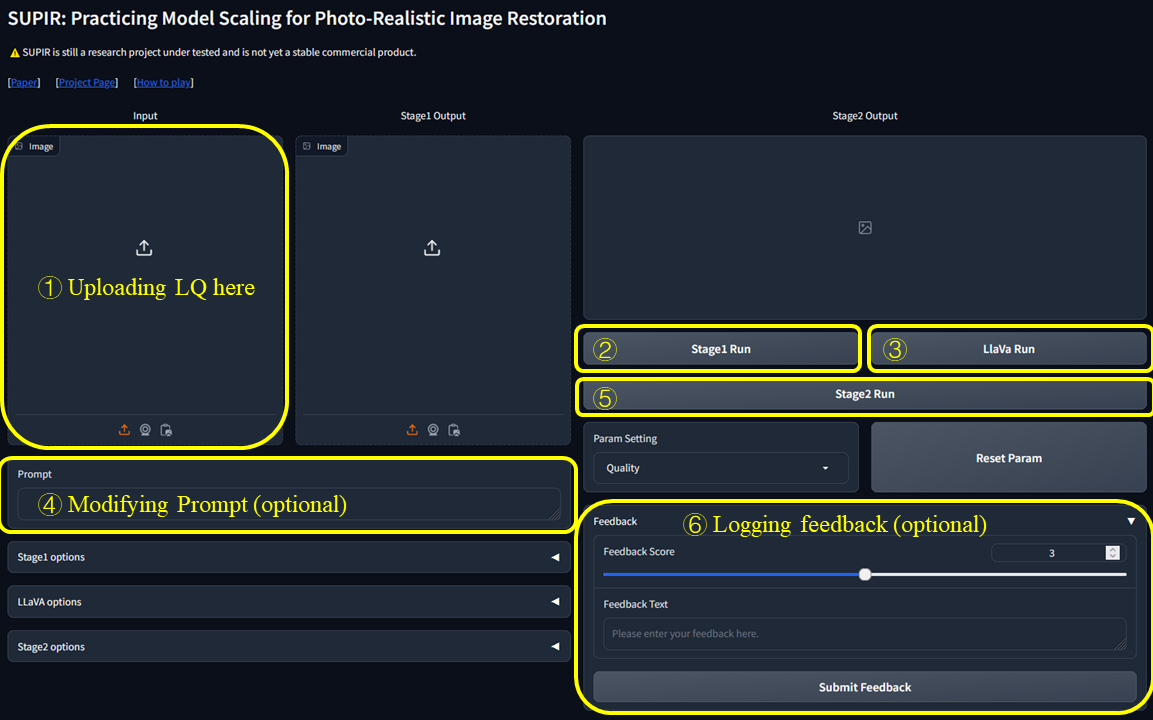
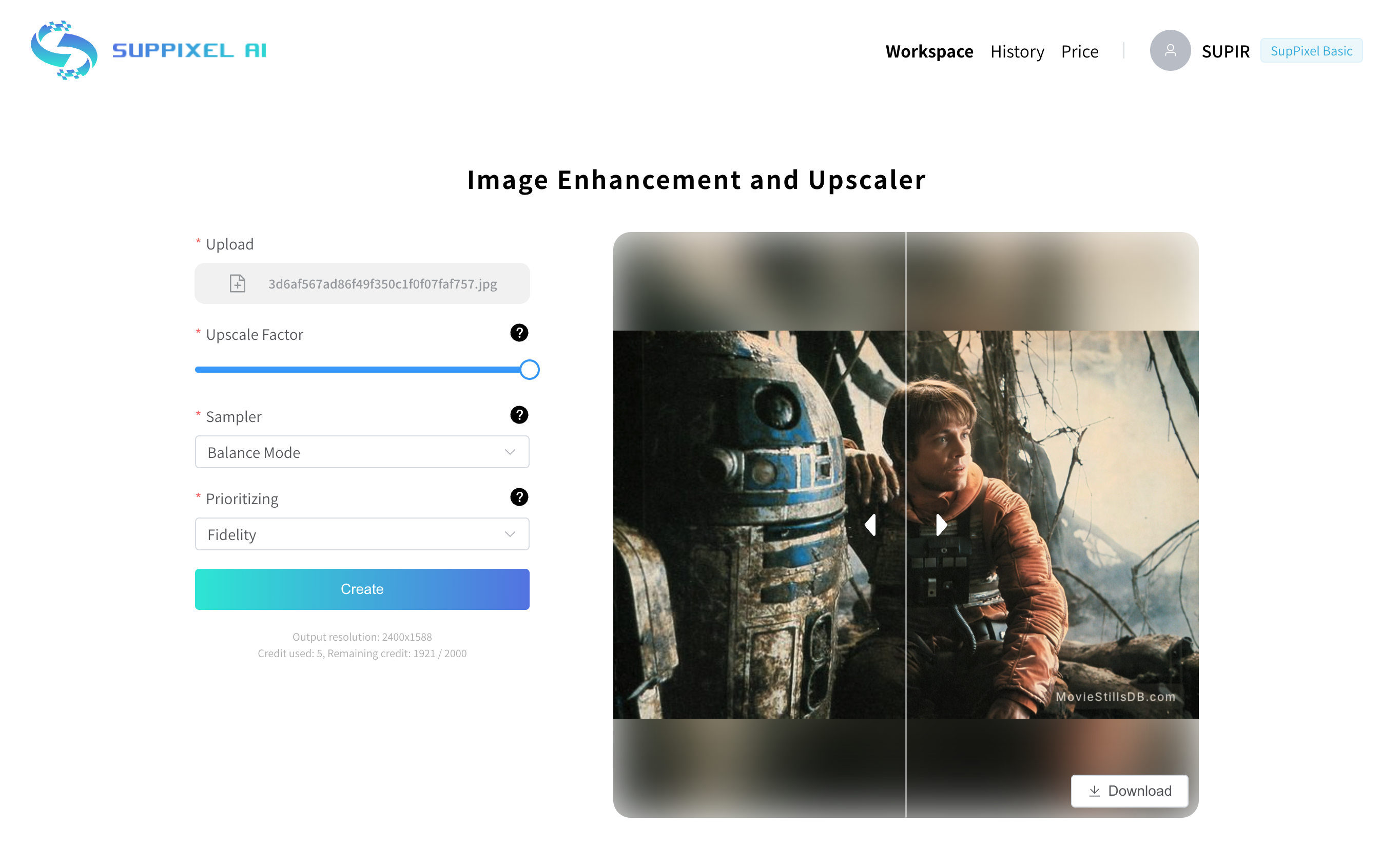
เราเพิ่งเปิดตัว Suppixel AI ซึ่งเป็นเครื่องมือที่ใช้งานง่ายที่ออกแบบมาเพื่อช่วยในการประมวลผลภาพคุณภาพสูงและการลดขนาด มันสร้างขึ้นบนซุปเปอร์ ไม่ว่าคุณจะเข้าสู่การถ่ายภาพศิลปะดิจิทัลหรือเพียงแค่ชอบเล่นกับการปรับปรุงภาพเราอยากให้คุณลองดูสิ ~
 @misc{yu2024scaling,
  title={Scaling Up to Excellence: Practicing Model Scaling for Photo-Realistic Image Restoration In the Wild},
  author={Fanghua Yu and Jinjin Gu and Zheyuan Li and Jinfan Hu and Xiangtao Kong and Xintao Wang and Jingwen He and Yu Qiao and Chao Dong},
  year={2024},
  eprint={2401.13627},
  archivePrefix={arXiv},
  primaryClass={cs.CV}
}
หากคุณมีคำถามใด ๆ โปรดส่งอีเมล [email protected] หรือ [email protected]
Supir ("ซอฟต์แวร์") มีให้สำหรับการใช้งานการทำซ้ำและการกระจายอย่างเคร่งครัดเพื่อวัตถุประสงค์ที่ไม่ใช่เชิงพาณิชย์ สำหรับวัตถุประสงค์ของการประกาศนี้ "ไม่ใช่เชิงพาณิชย์" หมายถึงไม่ได้เป็นหลักสำหรับหรือมุ่งไปสู่ความได้เปรียบทางการค้าหรือค่าตอบแทนทางการเงิน
โดยการใช้การทำซ้ำหรือแจกจ่ายซอฟต์แวร์คุณตกลงที่จะปฏิบัติตามข้อ จำกัด นี้และไม่ใช้ซอฟต์แวร์เพื่อวัตถุประสงค์ทางการค้าใด ๆ โดยไม่ได้รับอนุญาตเป็นลายลักษณ์อักษรจากดร. จินจิน GU
การประกาศนี้ไม่ได้ จำกัด สิทธิ์ใด ๆ ภายใต้ใบอนุญาตโอเพ่นซอร์สใด ๆ ที่อาจใช้กับซอฟต์แวร์ มันเพิ่มเงื่อนไขว่าซอฟต์แวร์จะไม่ถูกใช้เพื่อวัตถุประสงค์ทางการค้า
ไม่ว่าในกรณีใดผู้เขียนหรือผู้ถือลิขสิทธิ์จะต้องรับผิดชอบต่อการเรียกร้องความเสียหายหรือความรับผิดอื่น ๆ ไม่ว่าจะเป็นการกระทำของสัญญาการละเมิดหรืออื่น ๆ ที่เกิดขึ้นจากหรือเกี่ยวข้องกับซอฟต์แวร์หรือการใช้งานหรือการติดต่ออื่น ๆ ในซอฟต์แวร์
สำหรับการสอบถามหรือเพื่อรับอนุญาตให้ใช้ในเชิงพาณิชย์กรุณาติดต่อดร. จินจินกู ([email protected])








