uform
v3 for 3 platforms ?️??


embeddings หลายรูปแบบจาก 64 ถึง 768 มิติ•การแชทพารามิเตอร์ 1b
ข้อความสั้น ๆ •รูปภาพ•คลิปวิดีโอ•เอกสารยาว
onnx • coreml • pytorch
Python • JavaScript • Swift
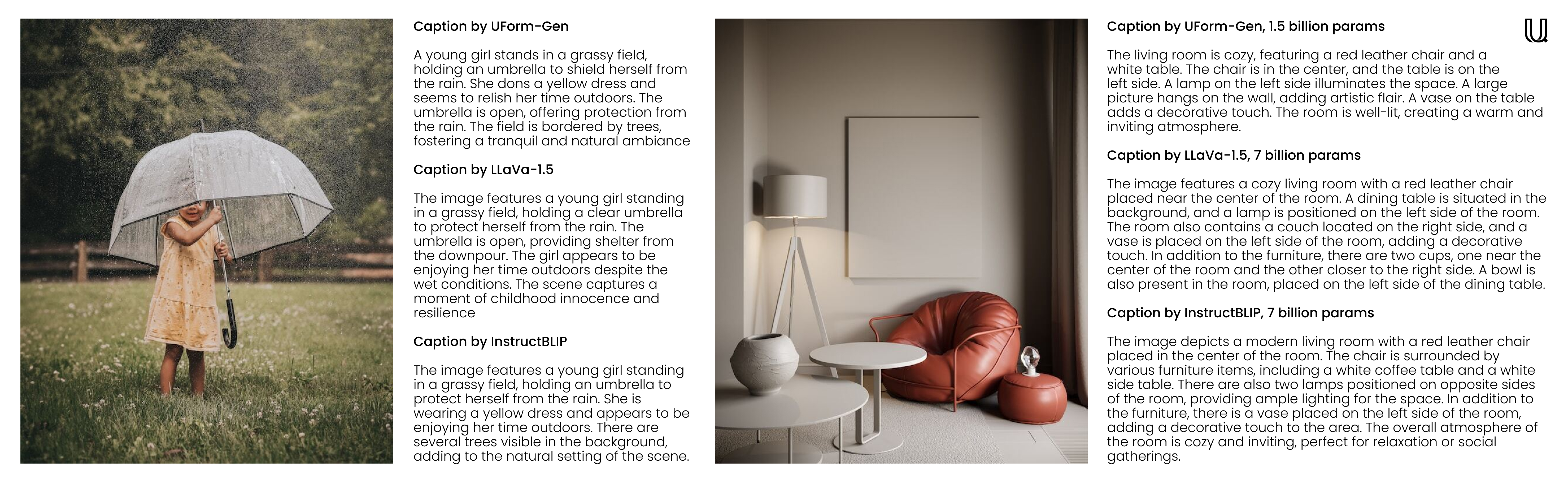
ยินดีต้อนรับสู่ UFORM ซึ่งเป็นห้องสมุด AI แบบหลายรูปแบบ ที่มีความหลากหลายและมีประสิทธิภาพ รุ่น Embedding ขนาดเล็กของ UFORM จะช่วยให้คุณเข้าใจและค้นหาเนื้อหาภาพและข้อความในภาษาต่างๆ ในทางกลับกันแบบจำลองขนาดเล็กของ Uform ไม่เพียง แต่สนับสนุนการใช้งานการสนทนาและการแชท แต่ยังเหมาะสำหรับคำบรรยายภาพที่รวดเร็วและการตอบคำถามด้วยภาพ (VQA) ด้วย โมเดลหม้อแปลงที่ได้รับการฝึกอบรมล่วงหน้าแบบกำหนดเอง ซึ่งสามารถเรียกใช้ได้ทุกที่ตั้งแต่เซิร์ฟเวอร์ฟาร์มของคุณไปจนถึงสมาร์ทโฟนของคุณ
f32 ถึง i8 โดยไม่ต้องจำได้มากเพื่อความแม่นยำและการวัดความเร็วที่อ้างถึงหน้าการประเมินผล
| แบบอย่าง | พารามิเตอร์ | ภาษา | สถาปัตยกรรม |
|---|---|---|---|
uform3-image-text-english-large ? | 365 ม. | 1 | 12 Layer Bert, Vit-L/14 |
uform3-image-text-english-base | 143 ม. | 1 | 4 Layer Bert, Vit-B/16 |
uform3-image-text-english-small ? | 79 ม. | 1 | 4 Layer Bert, Vit-S/16 |
uform3-image-text-multilingual-base | 206m | 21 | 12 Layer Bert, Vit-B/16 |
| แบบอย่าง | พารามิเตอร์ | วัตถุประสงค์ | สถาปัตยกรรม |
|---|---|---|---|
uform-gen2-dpo ? | 1.2 B | แชทภาพคำบรรยายภาพ VQA | QWEN1.5-0.5B, VIT-H/14 |
uform-gen2-qwen-500m | 1.2 B | แชทภาพคำบรรยายภาพ VQA | QWEN1.5-0.5B, VIT-H/14 |
uform-gen | 1.5 b | คำบรรยายภาพ VQA | LLAMA-1.3B, VIT-B/16 |
ก่อน pip install uform จากนั้นโหลดโมเดล:
 from uform import get_model , Modality

processors , models = get_model ( 'unum-cloud/uform3-image-text-english-small' )

model_text = models [ Modality . TEXT_ENCODER ]
model_image = models [ Modality . IMAGE_ENCODER ]
processor_text = processors [ Modality . TEXT_ENCODER ]
processor_image = processors [ Modality . IMAGE_ENCODER ]
ฝังภาพ:
 import requests
from io import BytesIO
from PIL import Image

image_url = 'https://media-cdn.tripadvisor.com/media/photo-s/1b/28/6b/53/lovely-armenia.jpg'
image = Image . open ( BytesIO ( requests . get ( image_url ). content ))
image_data = processor_image ( image )
image_features , image_embedding = model_image . encode ( image_data , return_features = True )
แบบสอบถามฝัง:
 text = 'a cityscape bathed in the warm glow of the sun, with varied architecture and a towering, snow-capped mountain rising majestically in the background'
text_data = processor_text ( text )
text_features , text_embedding = model_text . encode ( text_data , return_features = True )
สำหรับรายละเอียดเพิ่มเติมตรวจสอบ:
แบบจำลองการกำเนิดนั้นเข้ากันได้กับ
 from transformers import AutoModel , AutoProcessor

model = AutoModel . from_pretrained ( 'unum-cloud/uform-gen2-dpo' , trust_remote_code = True )
processor = AutoProcessor . from_pretrained ( 'unum-cloud/uform-gen2-dpo' , trust_remote_code = True )

prompt = 'Question or Instruction'
image = Image . open ( 'image.jpg' )

inputs = processor ( text = [ prompt ], images = [ image ], return_tensors = 'pt' )

with torch . inference_mode ():
     output = model . generate (
        ** inputs ,
        do_sample = False ,
        use_cache = True ,
        max_new_tokens = 256 ,
        eos_token_id = 151645 ,
        pad_token_id = processor . tokenizer . pad_token_id
    )
prompt_len = inputs [ 'input_ids' ]. shape [ 1 ]
decoded_text = processor . batch_decode ( output [:, prompt_len :])[ 0 ]
สำหรับรายละเอียดเพิ่มเติมตรวจสอบ:
ขึ้นอยู่กับแอปพลิเคชัน Embeddings สามารถลดลงเป็นตัวแทนตัวเลขที่เล็กกว่าโดยไม่สูญเสียการเรียกคืนมาก แนะนำให้เปลี่ยนจาก f32 เป็น f16 ในเกือบทุกกรณีเว้นแต่คุณจะใช้ฮาร์ดแวร์เก่ามากโดยไม่ต้องรองรับความแม่นยำครึ่งหนึ่ง การเปลี่ยนไปใช้ i8 ด้วยการปรับสเกลเชิงเส้นก็เป็นไปได้เช่นกัน แต่จะเห็นได้ชัดเจนในการเรียกคืนในคอลเลกชันขนาดใหญ่ที่มีรายการที่ค้นหาได้หลายล้านรายการ ในทำนองเดียวกันสำหรับ embeddings มิติที่สูงขึ้น (512 หรือ 768) กลยุทธ์ทั่วไปคือการหาปริมาณพวกเขาเป็นตัวแทนบิตเดี่ยวเพื่อการค้นหาที่เร็วขึ้น
 import numpy as np

f32_embedding : np . ndarray = model . encode_text ( text_data , return_features = False )
f16_embedding : np . ndarray = f32_embedding . astype ( np . float16 )
i8_embedding : np . ndarray = ( f32_embedding * 127 ). astype ( np . int8 )
b1_embedding : np . ndarray = np . packbits (( f32_embedding > 0 ). astype ( np . uint8 ))
วิธีการทางเลือกในการหาปริมาณคือการใช้ matryoshka embeddings ซึ่ง embeddings ถูกหั่นเป็นชิ้นส่วนเล็ก ๆ และการค้นหาจะดำเนินการในลักษณะลำดับชั้น
 import numpy as np

large_embedding : np . ndarray = model . encode_text ( text_data , return_features = False )
small_embedding : np . ndarray = large_embedding [:, : 256 ]
tiny_embedding : np . ndarray = large_embedding [:, : 64 ]
ทั้งสองวิธีได้รับการสนับสนุนอย่างเป็นทางการโดย USEARCH Vector-Search Engine และ Libraries ตัวเลข SimSIMD เมื่อจัดการกับคอลเลกชันขนาดเล็ก (มากถึงหลายล้านรายการ) และมองหาการคำนวณระยะทางของโคไซน์ความล่าช้าต่ำคุณสามารถปรับปรุงประสิทธิภาพการทำงาน 5x-2500x ผ่านคบเพลิง, Numpy, Scipy และ Vanilla Python โดยใช้ Simsimd
 from simsimd import cosine , hamming

distance : float = cosine ( f32_embedding , f32_embedding ) # 32x SciPy performance on Apple M2 CPU
distance : float = cosine ( f16_embedding , f16_embedding ) # 79x SciPy performance on Apple M2 CPU
distance : float = cosine ( i8_embedding , i8_embedding ) # 133x SciPy performance on Apple M2 CPU
distance : float = hamming ( b1_embedding , b1_embedding ) # 17x SciPy performance on Apple M2 CPU
ในทำนองเดียวกันเมื่อจัดการกับคอลเลกชันขนาดใหญ่ (มากถึงพันล้านรายการต่อเซิร์ฟเวอร์) และมองหาการค้นหาความเร็วสูงคุณสามารถปรับปรุงประสิทธิภาพการทำงานได้ 100 เท่าผ่าน FAISS และโซลูชั่นการค้นหาเวกเตอร์อื่น ๆ โดยใช้ USEARCH นี่คือตัวอย่างสองสามตัวอย่าง:
 from usearch . index import Index

f32_index = Index ( ndim = 64 , metric = 'cos' , dtype = 'f32' ) # for Matryoshka embeddings
f16_index = Index ( ndim = 64 , metric = 'cos' , dtype = 'f16' ) # for Matryoshka embeddings
i8_index = Index ( ndim = 256 , metric = 'cos' , dtype = 'i8' ) # for quantized embeddings
b1_index = Index ( ndim = 768 , metric = 'hamming' , dtype = 'b1' ) # for binary embeddingsPytorch เป็นการพึ่งพาอย่างหนักโดยเฉพาะอย่างยิ่งถ้าคุณทำงานบนอุปกรณ์ Edge หรือ IoT การใช้รันไทม์วานิลลา ONNX หนึ่งสามารถลดการใช้หน่วยความจำและเวลาแฝงการปรับใช้ได้อย่างมีนัยสำคัญ
$ conda create -n uform_torch python=3.10 -y
$ conda create -n uform_onnx python=3.10 -y
$ conda activate uform_torch && pip install -e " .[torch] " && conda deactivate
$ conda activate uform_onnx && pip install -e " .[onnx] " && conda deactivate
$ du -sh $( conda info --envs | grep ' uform_torch ' | awk ' {print $2} ' )
> 5.2G    ~ /conda/envs/uform_torch
$ du -sh $( conda info --envs | grep ' uform_onnx ' | awk ' {print $2} ' )
> 461M    ~ /conda/envs/uform_onnx
น้ำหนักส่วนใหญ่สามารถลดลงได้อีก 100 MB สำหรับทั้งรุ่นและรันไทม์ คุณสามารถเลือกหนึ่งในผู้ให้บริการดำเนินการ ONNX ที่ได้รับการสนับสนุนจำนวนมากซึ่งรวมถึง XNNNPACK, CUDA และ TENSORRT สำหรับ NVIDIA GPU, OpenVino บน Intel, DirectML บน Windows, ROCM บน AMD, Coreml บนอุปกรณ์ Apple และอีกมากมาย
แบบจำลองการกำเนิดสามารถใช้สำหรับประสบการณ์การแชทในบรรทัดคำสั่ง สำหรับสิ่งนั้นคุณสามารถใช้เครื่องมือ uform-chat CLI ซึ่งมีอยู่ในแพ็คเกจ UFORM
$ pip install uform
$ uform-chat --model unum-cloud/uform-gen2-dpo --image=zebra.jpg
$ uform-chat --model unum-cloud/uform-gen2-dpo
>     --image= " https://bit.ly/3tIVg9M "
>     --device= " cuda:0 "
>     --fp16




