LittleFS_Mbed_RP2040
v1.1.0 to fix `multiple-definitions` linker error

Os Littlefs da nova placa Nano_RP2040_Connect (veja a figura abaixo), usando ISSI Flash Chip, atualmente não está trabalhando com Arduino mbed_rp2040 core 2.4.1+ . Downgrade para Arduino mbed_rp2040 core 2.3.1
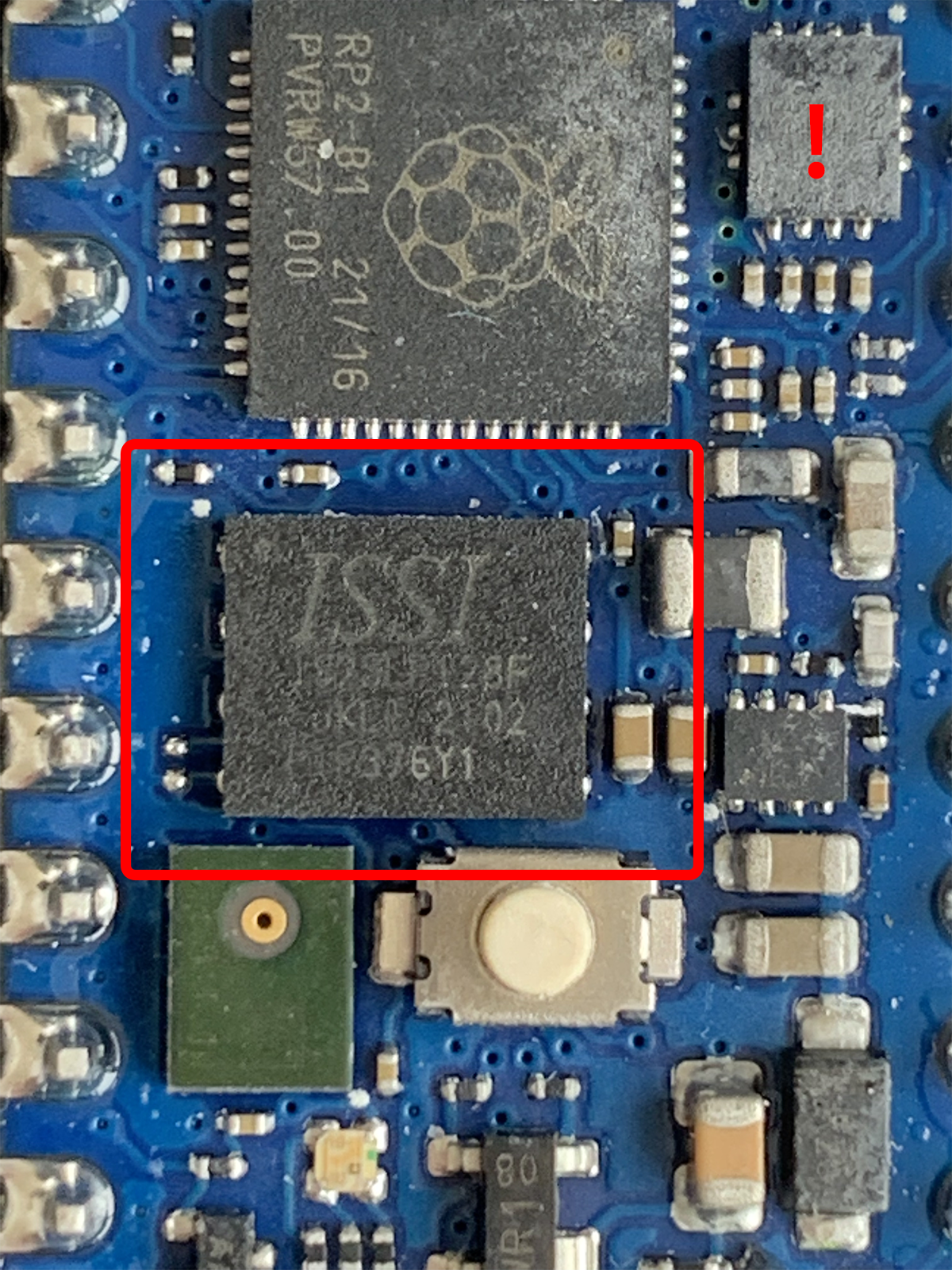
Verifique a placa de conexão RP2040 possui componentes com defeito na mais recente compra nº 318 para obter mais informações de quando e como o problema será corrigido.
A placa antiga (veja a figura abaixo), usando Adesto Flash Chip, está atualmente trabalhando com Arduino mbed_rp2040 core 2.4.1+ .
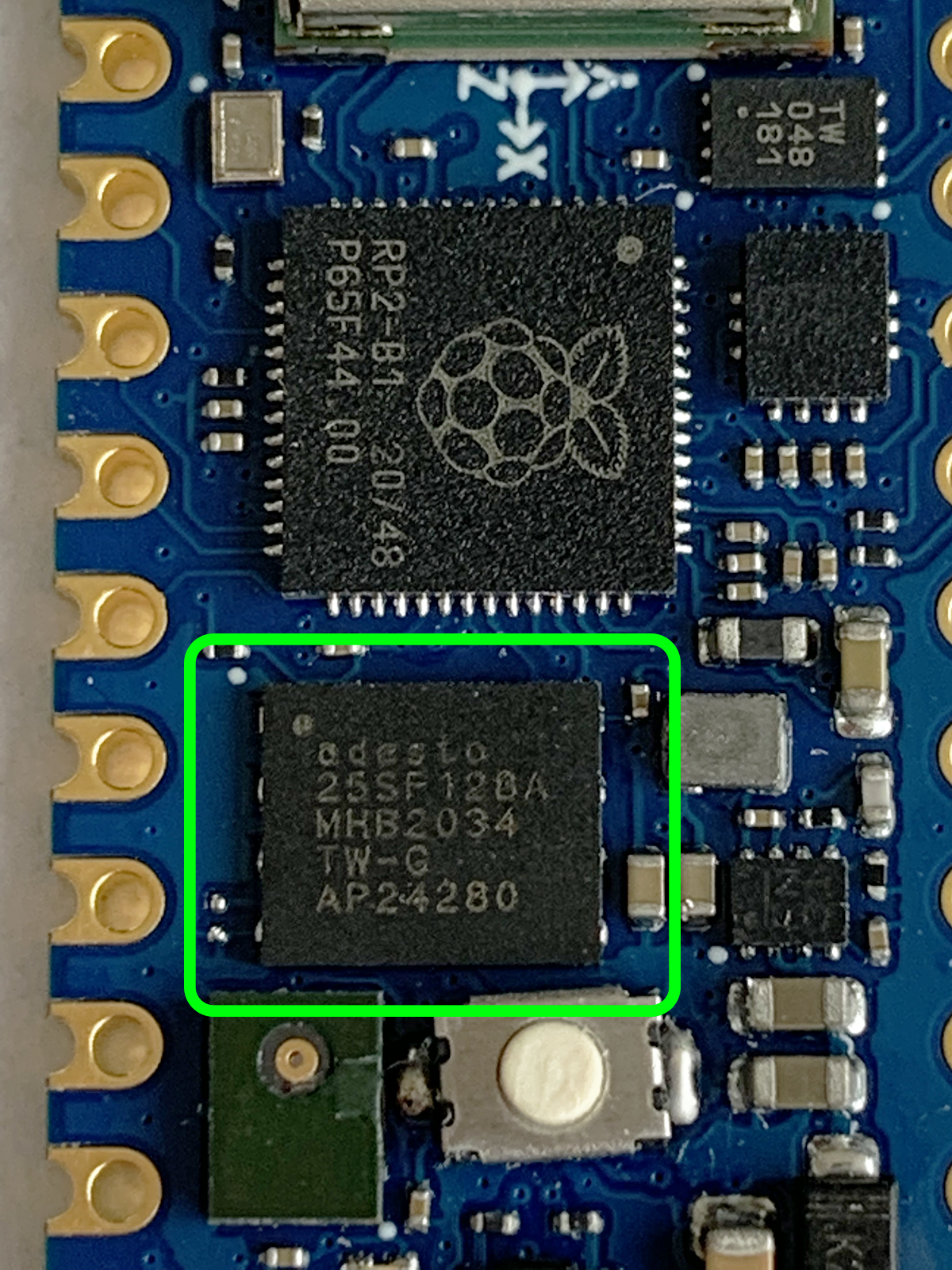
Esta biblioteca é apenas um invólucro simples para facilitar o uso de pequenos flash a bordo do flash em placas baseadas em rp2040, como Nano_RP2040_Connect, Raspberry_Pi_Pico , usando arduino-mbed rp2040 núcleo
O acesso ao sistema de arquivos usa APIs normais de POSIX ou MBED FileSystem APIs
Arduino IDE 1.8.19+ para ArduinoArduino mbed_rp2040 core 2.3.1- Para placas baseadas em RP2040 usando chip flash ISSI , consulte a nova placa, como o Arduino Nano RP2040 Connect, Raspberry_Pi_pico, etc.Arduino mbed_rp2040 core 2.4.1+ para arduino (use as placas baseadas no conselho do Arduino) RP2040 usando Adesto Flash Chip, consulte a placa antiga, como o Arduino Nano RP2040 Connect, Raspberry_Pi_Pico, etc. O último lançamento é A melhor e mais fácil maneira é usar Arduino Library Manager . Pesquise Littlefs_MBED_RP2040 e selecione / instale a versão mais recente. Você também pode usar este link para obter instruções mais detalhadas.
Outra maneira de instalar é:
LittleFS_Mbed_RP2040-main.zip .LittleFS_Mbed_RP2040-main DIRETÓRIOLittleFS_Mbed_RP2040-main para o diretório das bibliotecas Arduino, como ~/Arduino/libraries/ .Littlefs_MBED_RP2040/Exemplos/Littlefs_test/Littlefs_test.ino
Linhas 11 a 359 em 088cf4b
A seguir, é apresentado a saída do terminal de amostra ao executar o exemplo Littlefs_Counting no mbed Raspberrypi pico
Start LittleFS_Counting on RaspberryPi Pico
LittleFS_Mbed_RP2040 v1 .1.0
[LFS] LittleFS size (KB) = 256
[LFS] LittleFS Mount OK
Deleting file: /littlefs/counts.txt => OK
Times have been run = 1
 => Open to write OK

Start LittleFS_Counting on RaspberryPi Pico
LittleFS_Mbed_RP2040 v1.1.0
[LFS] LittleFS size (KB) = 256
[LFS] LittleFS Mount OK
 => Open to read OK
Times have been run = 2
 => Open to write OK

Start LittleFS_Counting on RaspberryPi Pico
LittleFS_Mbed_RP2040 v1.1.0
[LFS] LittleFS size (KB) = 256
[LFS] LittleFS Mount OK
 => Open to read OK
Times have been run = 3
=> Open to write OKA seguir, é apresentado a saída do terminal de amostra ao executar o exemplo Littlefs_test no mbed Raspberrypi pico
Start LittleFS_Test on RaspberryPi Pico
LittleFS_Mbed_RP2040 v1 .1.0
[LFS] LittleFS size (KB) = 256
[LFS] LittleFS Mount OK
====================================================
Writing file: /littlefs/hello1.txt => Open OK
* Writing OK
====================================================
Reading file: /littlefs/hello1.txt => Open OK
Hello from RaspberryPi Pico
====================================================
Appending file: /littlefs/hello1.txt => Open OK
* Appending OK
====================================================
Reading file: /littlefs/hello1.txt => Open OK
Hello from RaspberryPi Pico
Hello from RaspberryPi Pico
====================================================
Renaming file: /littlefs/hello1.txt to: /littlefs/hello2.txt => OK
====================================================
readCharsFromFile: /littlefs/hello2.txt => Open OK
Hello from RaspberryPi Pico
Hello from RaspberryPi Pico
====================================================
Deleting file: /littlefs/hello2.txt => OK
====================================================
Reading file: /littlefs/hello2.txt => Open Failed
====================================================
Testing file I/O with: /littlefs/hello1.txt => Open OK
- writing

64 Kbytes written in (ms) 847
====================================================
- reading

64 Kbytes read in (ms) 18
====================================================
Testing file I/O with: /littlefs/hello2.txt => Open OK
- writing

64 Kbytes written in (ms) 847
====================================================
- reading

64 Kbytes read in (ms) 18
====================================================
Deleting file: /littlefs/hello1.txt => OK
====================================================
Deleting file: /littlefs/hello2.txt => OK
====================================================

Test completeA depuração é ativada por padrão no Serial.
Você também pode alterar o nível de depuração ( LFS_Loglevel ) de 0 para 4
# define LFS_DEBUG_OUTPUT    Serial

// These define's must be placed at the beginning before #include "LittleFS_Mbed_RP2040.h"
// _LFS_LOGLEVEL_ from 0 to 4
# define _LFS_LOGLEVEL_ 0Se você receber erros de compilação, na maioria das vezes, pode ser necessário instalar uma versão mais recente do núcleo para as placas Arduino.
Às vezes, a biblioteca só funcionará se você atualizar o núcleo da placa para a versão mais recente, porque estou usando funções recém -adicionadas.
Envie questões para: Littlefs_MBED_RP2040 Issues
allman . Restyle a bibliotecaMuito obrigado a todos pela reportagem de bugs, novos recursos sugerindo, testando e contribuindo para o desenvolvimento desta biblioteca.
 Maximilian Gerhardt |
Se você deseja contribuir com este projeto:
Copyright (C) 2021- Khoi Hoang







