LittleFS_Mbed_RP2040
v1.1.0 to fix `multiple-definitions` linker error

Los pequeños de la nueva placa Nano_RP2040_Connect (ver la imagen a continuación), usando el chip Flash ISSI , actualmente no funciona con Arduino mbed_rp2040 core 2.4.1+ . Por favor, degrade a Arduino mbed_rp2040 core 2.3.1
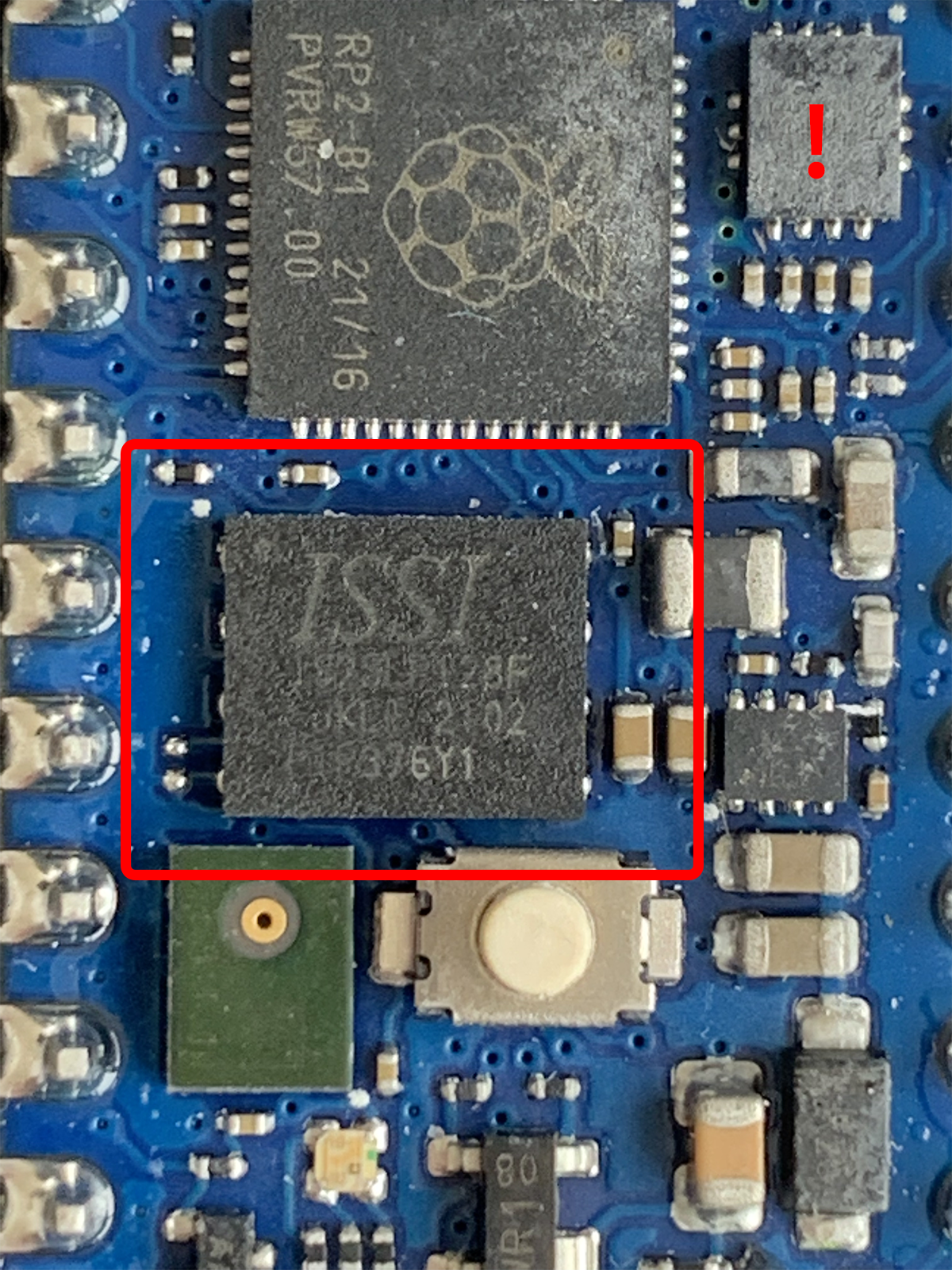
Verifique que la placa RP2040 Connect tiene componentes defectuosos en la compra más reciente #318 para obtener más información sobre cuándo y cómo se solucionará el problema.
El tablero antiguo (ver la imagen a continuación), usando el chip Flash Adesto , actualmente está trabajando con Arduino mbed_rp2040 core 2.4.1+ .
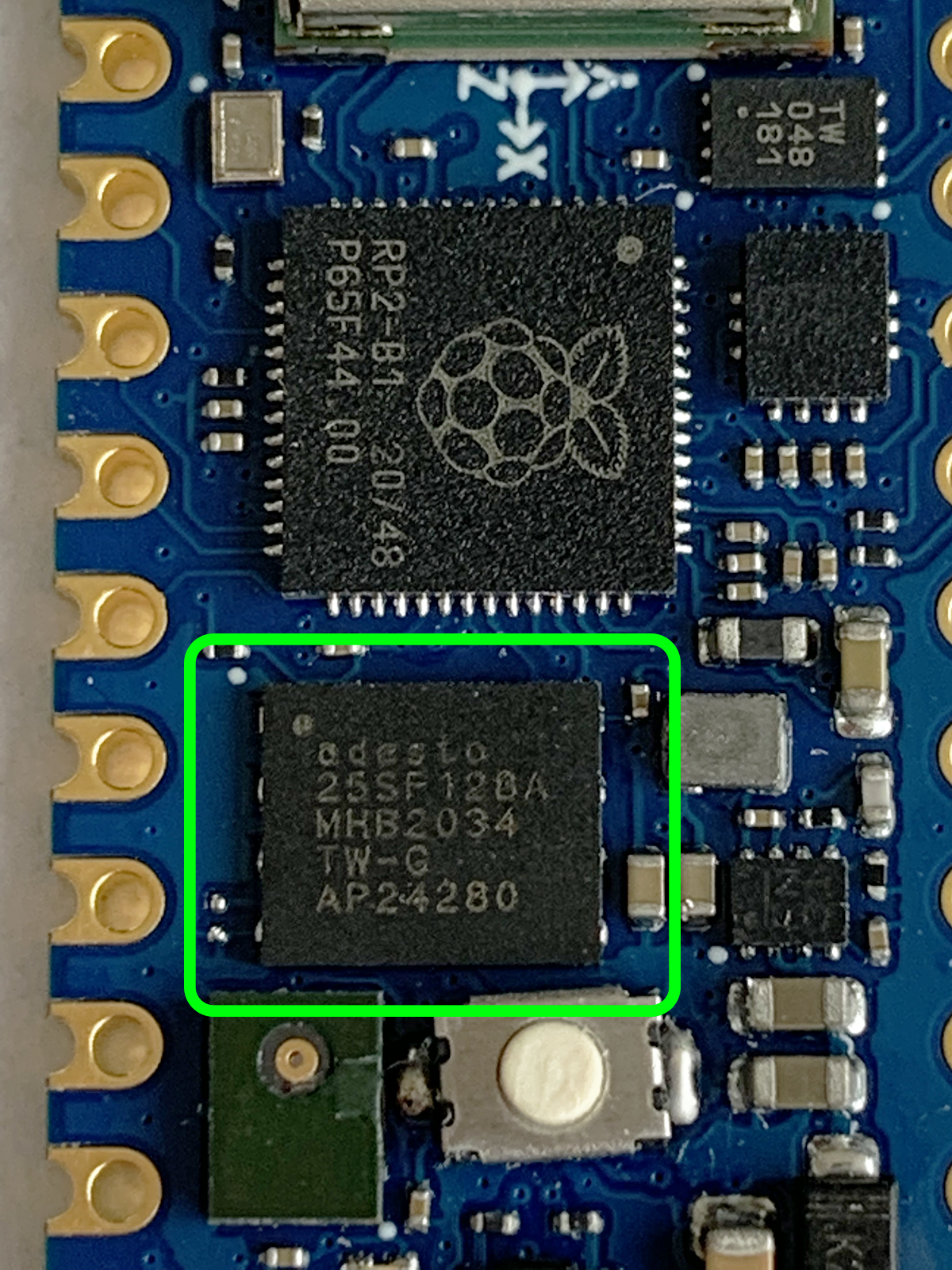
Esta biblioteca es solo un simple envoltorio de LittleFS para facilitar su uso de LittleFS para el flash a bordo en tableros basados en RP2040 como Nano_RP2040_Connect, Raspberry_Pi_PiCo , utilizando Arduino-Mbed RP2040 Core
El acceso del sistema de archivos utiliza API POSIX normales o API del sistema de archivos MBed
Arduino IDE 1.8.19+ para ArduinoArduino mbed_rp2040 core 2.3.1- para placas basadas en RP2040 que usan chips Flash ISSI , consulte una nueva placa, como Arduino Nano RP2040 Connect, Raspberry_Pi_Pico, etc.Arduino mbed_rp2040 core 2.4.1+ para Arduino (use Arduino Board Manager) Tableros basados en RP2040 que usan chip de flash Adesto , consulte la placa antigua, como Arduino Nano RP2040 Connect, Raspberry_Pi_PiCo, etc. El último lanzamiento es La mejor y más fácil forma es usar Arduino Library Manager . Busque littlefs_mbed_rp2040 , luego seleccione / instale la última versión. También puede usar este enlace para instrucciones más detalladas.
Otra forma de instalar es:
LittleFS_Mbed_RP2040-main.zip .LittleFS_Mbed_RP2040-main DirectoryLittleFS_Mbed_RP2040-main la carpeta al directorio de las Bibliotecas Arduino, como ~/Arduino/libraries/ .Littlefs_mbed_rp2040/ejemplos/littlefs_test/littlefs_test.ino
Líneas 11 a 359 en 088cf4b
La siguiente es la salida del terminal de muestra cuando se ejecuta el ejemplo de littlefs_counting en MBed RaspberryPi Pico
Start LittleFS_Counting on RaspberryPi Pico
LittleFS_Mbed_RP2040 v1 .1.0
[LFS] LittleFS size (KB) = 256
[LFS] LittleFS Mount OK
Deleting file: /littlefs/counts.txt => OK
Times have been run = 1
 => Open to write OK

Start LittleFS_Counting on RaspberryPi Pico
LittleFS_Mbed_RP2040 v1.1.0
[LFS] LittleFS size (KB) = 256
[LFS] LittleFS Mount OK
 => Open to read OK
Times have been run = 2
 => Open to write OK

Start LittleFS_Counting on RaspberryPi Pico
LittleFS_Mbed_RP2040 v1.1.0
[LFS] LittleFS size (KB) = 256
[LFS] LittleFS Mount OK
 => Open to read OK
Times have been run = 3
=> Open to write OKLa siguiente es la salida del terminal de muestra cuando se ejecuta un ejemplo littlefs_test en mbed fraspberrypi pico
Start LittleFS_Test on RaspberryPi Pico
LittleFS_Mbed_RP2040 v1 .1.0
[LFS] LittleFS size (KB) = 256
[LFS] LittleFS Mount OK
====================================================
Writing file: /littlefs/hello1.txt => Open OK
* Writing OK
====================================================
Reading file: /littlefs/hello1.txt => Open OK
Hello from RaspberryPi Pico
====================================================
Appending file: /littlefs/hello1.txt => Open OK
* Appending OK
====================================================
Reading file: /littlefs/hello1.txt => Open OK
Hello from RaspberryPi Pico
Hello from RaspberryPi Pico
====================================================
Renaming file: /littlefs/hello1.txt to: /littlefs/hello2.txt => OK
====================================================
readCharsFromFile: /littlefs/hello2.txt => Open OK
Hello from RaspberryPi Pico
Hello from RaspberryPi Pico
====================================================
Deleting file: /littlefs/hello2.txt => OK
====================================================
Reading file: /littlefs/hello2.txt => Open Failed
====================================================
Testing file I/O with: /littlefs/hello1.txt => Open OK
- writing

64 Kbytes written in (ms) 847
====================================================
- reading

64 Kbytes read in (ms) 18
====================================================
Testing file I/O with: /littlefs/hello2.txt => Open OK
- writing

64 Kbytes written in (ms) 847
====================================================
- reading

64 Kbytes read in (ms) 18
====================================================
Deleting file: /littlefs/hello1.txt => OK
====================================================
Deleting file: /littlefs/hello2.txt => OK
====================================================

Test completeLa depuración está habilitada de forma predeterminada en Serial.
También puede cambiar el nivel de depuración ( LFS_Loglevel ) de 0 a 4
# define LFS_DEBUG_OUTPUT    Serial

// These define's must be placed at the beginning before #include "LittleFS_Mbed_RP2040.h"
// _LFS_LOGLEVEL_ from 0 to 4
# define _LFS_LOGLEVEL_ 0Si recibe errores de compilación, la mayoría de las veces, es posible que deba instalar una versión más nueva del núcleo para las tablas Arduino.
A veces, la biblioteca solo funcionará si actualiza el núcleo del tablero a la última versión porque estoy usando funciones recientemente agregadas.
Enviar problemas a: littlefs_mbed_rp2040 problemas
allman Style. Restile la bibliotecaMuchas gracias por todos por los informes de errores, una nueva función que sugieren, pruebas y contribuyen al desarrollo de esta biblioteca.
 Maximiliano Gerhardt |
Si desea contribuir a este proyecto:
Copyright (c) 2021- Khoi Hoang







