create html5 boilerplate
v0.3.0

HTML5 보일러 플레이트의 빠른 시작. 하나의 명령으로 일어나서 실행하십시오.
npx , npm init 또는 yarn create 의 세 가지 옵션 중 하나를 사용하여 시작할 수 있습니다. 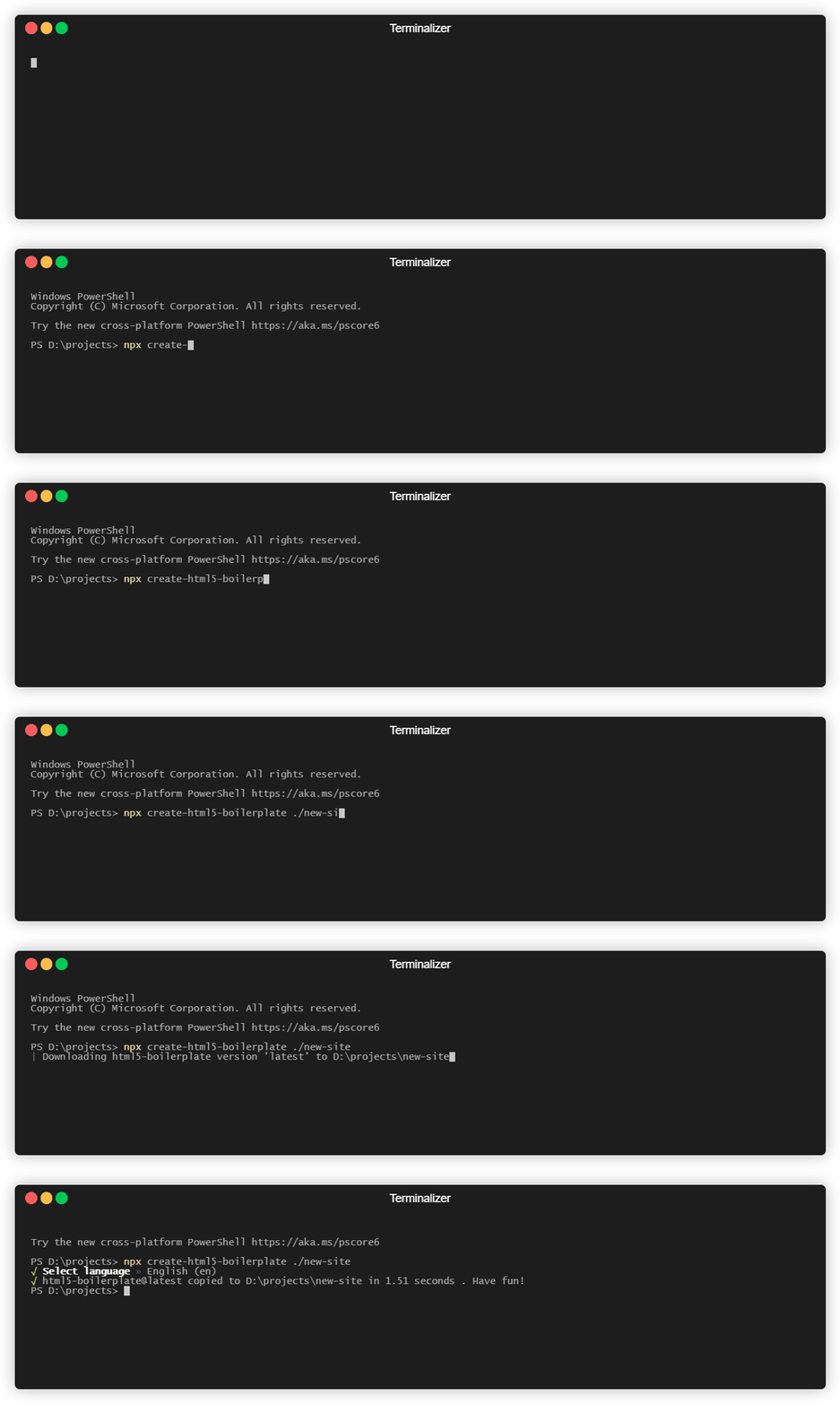
npx 사용
 npx create-html5-boilerplate new-site
cd new-site
npm install
npm start
npm init 사용
 npm init html5-boilerplate new-site
cd new-site
npm install
npm start
원사 사용
 yarn create html5-boilerplate new-site
cd new-site
yarn install
yarn start
이 명령은 동일하며 다음을 수행합니다.
create-html5-boilerplate 크로스 플랫폼입니다. 노드와 NPM이 작동하는 곳마다 작동합니다. NPM 버전 5.2 이상이 필요한 npx 의 유일한 요구 사항 npm init 6.0보다 큰 NPM 버전이 필요합니다. 이전 버전의 NPM에 갇힌 경우 다음 명령을 실행하여 전 세계적으로 프로젝트를 설치하여 create-html5-boilerplate 사용할 수 있습니다.
npm install -g create-html5-boilerplate
그런 다음 다음 예제에서와 같이 create-html5-boilerplate 사용할 수 있습니다.
 create-html5-boilerplate new-site
cd new-site
npm install
npm start
특정 버전을 설치할 수도 있습니다.
 npx create-html5-boilerplate new-site --release=7.2.0
cd new-site
npm install
npm start
git clone https://github.com/h5bp/create-html5-boilerplate.git 로 레포를 복제하십시오create-html5-boilerplate 폴더에서 npm install 실행하십시오.npm link 실행하여 NPM을 레지스트리에서 다운로드하는 대신 로컬 카피를 실행하십시오.npm init html5-boilerplate 및 npx create-html5-boilerplate 사용할 수 있습니다. 참고 : npx create-html5-boilerplate ./out/example 에서 npm link 실행하지 않고 create-html5-boilerplate 에서 nodejs enther point node index.js ./out/example 또는 npm start ./out 수 있으므로이 폴더를 사용해야합니다.
글로벌 CLI로 엔드 투 엔드 흐름을 시험해 보려면 다음을 수행 할 수 있습니다.
 npx create-html5-boilerplate ./out/new-site
cd new-site
npm install
npm start
테스트는 Jest를 사용하여 작성되었으며 tests/test.js Run npm test 에 위치합니다.
실행 커버리지 보고서 npm run coverage







