file icons
v1.3.2

vscode-material-icon-themeを使用して、ファイルツリーのファイルアイコン。
https://uiwjs.github.io/file-icons/にアクセスして、一般的なアイコン名とスタイルを識別するキーワードがある検索機能をご覧ください。たとえば、「Swift」を検索すると、矢印として使用できるすべてのアイコンを呼び出します。また、開発中に簡単なコピー/貼り付けのために、各アイコンのクラス名も含めました!
彼らは自由に使用でき、MITの下でライセンスされています。個人的またはコマーシャルである場合はどこでも使用してください。
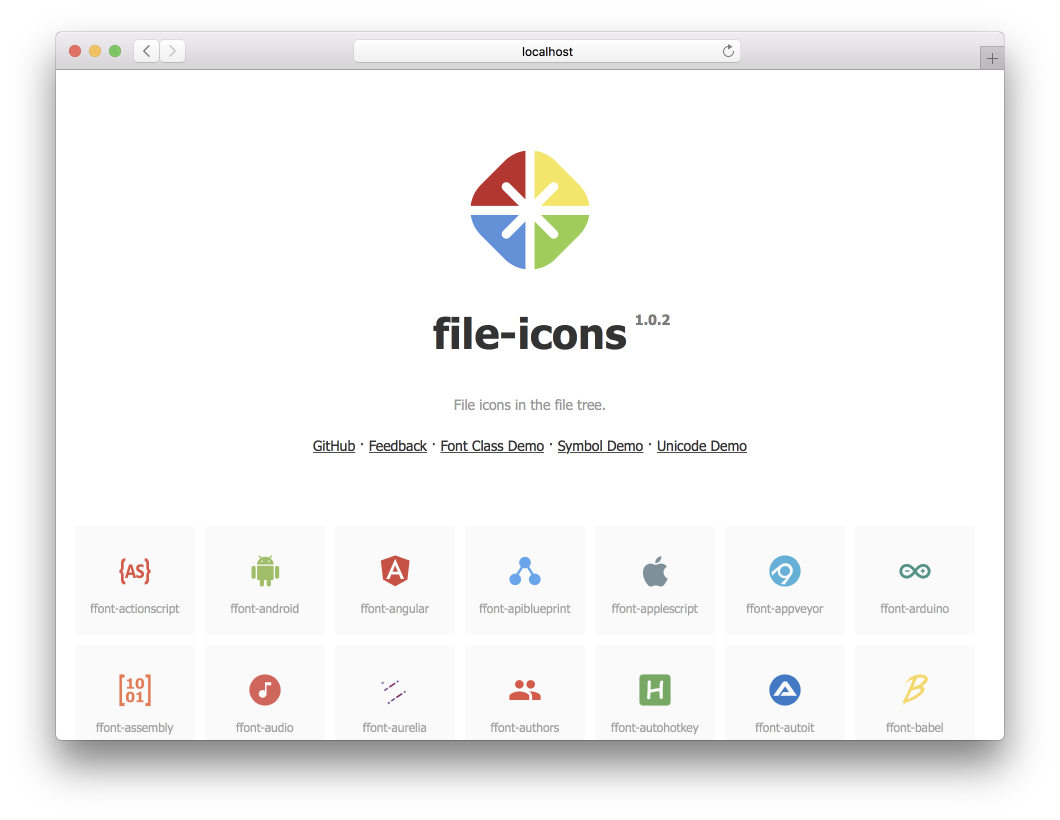
npm install @uiw/file-icons --savehttps://uiwjs.github.io/file-icons/を使用して、使用するアイコンを簡単に見つけることができます。目的のアイコンのCSSクラス名をコピーしたら、 appleなどのアイコンとアイコンのクラス名をHTML要素に追加するだけです。
フォント名がffontとして定義されていると仮定します。デフォルトのホームページはunicodeで、次を生成します。
font-class.html
index.html
symbol.html
react
ffont.json
ffont.css
ffont.eot
ffont.less
ffont.svg
ffont.symbol.svg
ffont.ttf
ffont.woff
ffont.woff2
プレビューDemoFont font-class.html 、 symbol.html annd index.html 。自動的に生成されたスタイルffont.cssおよびffont.less 。
< svg class = " icon " aria-hidden = " true " >
  < use xlink : href = " node_modules/@uiw/file-icons/fonts/ffont.symbol.svg#ffont-javascript " ></ use >
</ svg > < style >
.iconfont {
font-family: "ffont" !important;
font-size: 16px;
font-style: normal;
-webkit-font-smoothing: antialiased;
-webkit-text-stroke-width: 0.2px;
-moz-osx-font-smoothing: grayscale;
}
</ style >
< span class =" iconfont " >  </ span >.lessおよび.cssスタイル参照のサポート。
 < link rel =" stylesheet " type =" text/css " href =" node_modules/@uiw/file-icons/fonts/ffont.css " >
< i class =" ffont-javascript " > </ i > アイコンはコンポーネントとして使用されます。 v1.3.0+サポート。
 import { Android } from '@uiw/file-icons' ;
// Or
import { Android } from '@uiw/file-icons/Alipay' ;

< Android style = { { fill : 'red' } } />
< Android height = "36" / >
SVG画像を反応コンポーネントとして直接使用するには、Webpackローダーのサポートが必要です。
依存関係をインストールします:
yarn add @svgr/webpack file-loaderWebpackローダーを構成します:
 // webpack.config.js
{
  test : / .svg$ / ,
  use : [
    {
      loader : require . resolve ( '@svgr/webpack' ) ,
      options : {
        prettier : false ,
        svgo : false ,
        svgoConfig : {
          plugins : [ { removeViewBox : false } ] ,
        } ,
        titleProp : true ,
        ref : true ,
      } ,
    } ,
    {
      loader : require . resolve ( 'file-loader' ) ,
      options : {
        name : 'static/media/[name].[hash].[ext]' ,
      } ,
    } ,
  ] ,
  issuer : {
    and : [ / .(ts|tsx|js|jsx|md|mdx)$ / ] ,
  } ,
} ,
その後、SVGをこのようなReactコンポーネントとしてインポートできます。
 import { ReactComponent as ComLogo } from '@uiw/file-icons/icon/android.svg' ;

< ComLogo />
カスタムアイコンコンポーネント
Iconコンポーネントを作成します。
 import React from 'react' ;
import svgPaths from '@uiw/file-icons/fonts/ffont.json' ;

const renderSvgPaths = ( type ) => {
  const pathStrings = svgPaths [ type ] ;
  if ( pathStrings == null ) {
    return null
  }
  return pathStrings . map ( ( d , i ) => < path key = { i } d = { d } fillRule = "evenodd" /> )
}

export default class Icon extends React . PureComponent {
  render ( ) {
    const { type , color } = this . props ;
    if ( type == null || typeof type === "boolean" ) {
      return null ;
    }
    return (
      < svg fill = { color } viewBox = { `0 0 24 24` } > { this . renderSvgPaths ( type ) } </ svg >
    ) ;
  }
} Iconコンポーネントを使用します。
 const demo = ( ) => {
  return (
    < Icon type = "android" />
  )
} いつものように、私たちの素晴らしい貢献者に感謝します!
Github-action-contributorsで作られています。
MITライセンスの下でライセンスされたSVGTofontによって作成されました。








