Chinese Llama 2 7b
1.0.0

LLAMA2モデルと中国語と英語のSFTデータセットのすべてのオープンソース、完全に商業化された中国語版。入力形式は、Llama-2-chat形式に厳密に従い、元のLlama-2-chatモデルのすべての最適化と互換性があります。
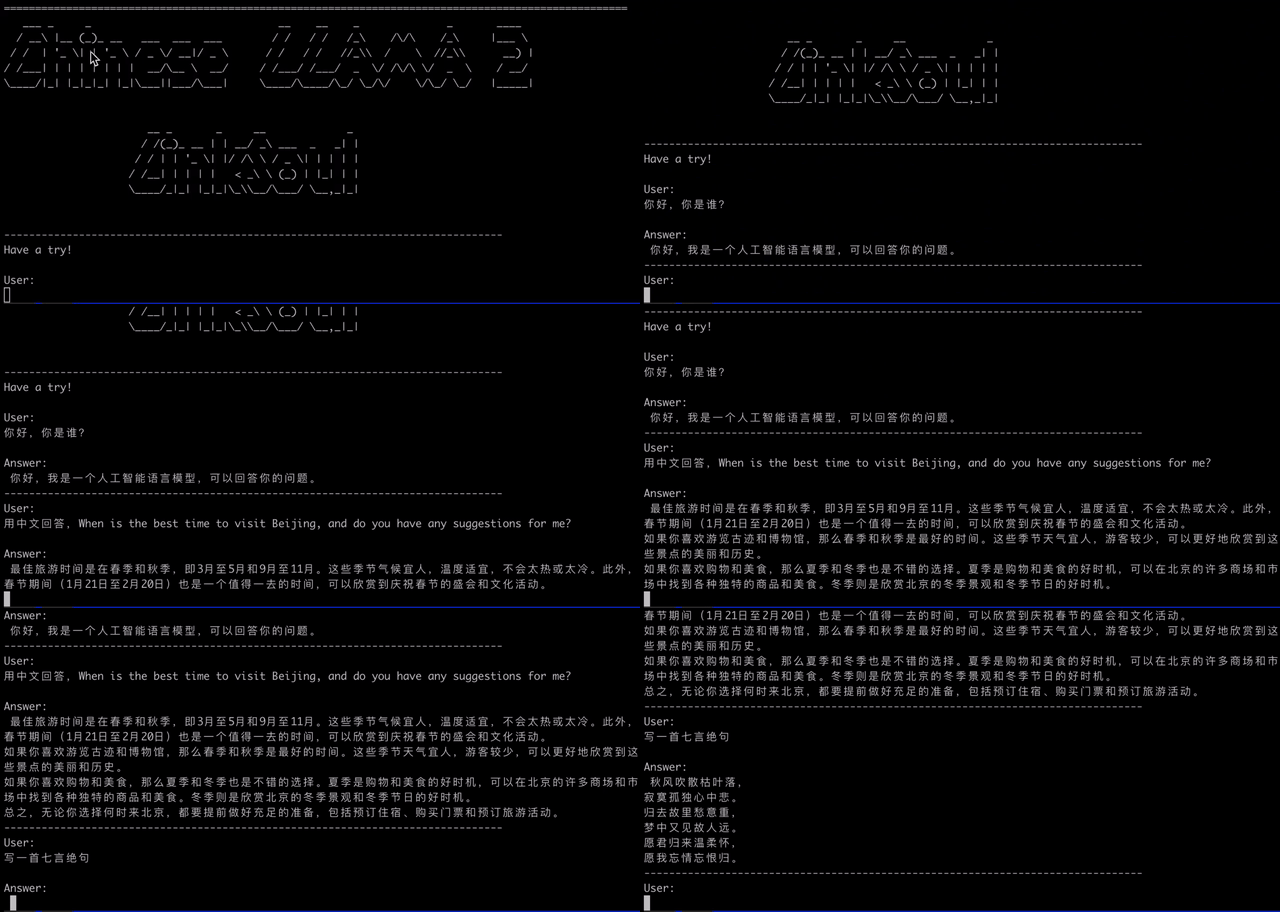
話は安いです、デモを見せてください。
モデルダウンロード
4ビット量子化
GGML Q4モデル:
データボリュームが1,000万で、中国と英語のSFTデータセットを使用しました。
 from transformers import AutoTokenizer , AutoModelForCausalLM , TextStreamer

model_path = "LinkSoul/Chinese-Llama-2-7b"

tokenizer = AutoTokenizer . from_pretrained ( model_path , use_fast = False )
model = AutoModelForCausalLM . from_pretrained ( model_path ). half (). cuda ()
streamer = TextStreamer ( tokenizer , skip_prompt = True , skip_special_tokens = True )

instruction = """[INST] <<SYS>> n You are a helpful, respectful and honest assistant. Always answer as helpfully as possible, while being safe.  Your answers should not include any harmful, unethical, racist, sexist, toxic, dangerous, or illegal content. Please ensure that your responses are socially unbiased and positive in nature.

            If a question does not make any sense, or is not factually coherent, explain why instead of answering something not correct. If you don't know the answer to a question, please don't share false information. n <</SYS>> n n {} [/INST]"""

prompt = instruction . format ( "用中文回答,When is the best time to visit Beijing, and do you have any suggestions for me?" )
generate_ids = model . generate ( tokenizer ( prompt , return_tensors = 'pt' ). input_ids . cuda (), max_new_tokens = 4096 , streamer = streamer ) dockerfileをリポジトリで使用して、nvidiaの最新バージョンのnvcr.io/nvidia/pytorch:23.06-py3に基づいて基本画像をすばやく作成し、どこにでもコンテナを使用して中国のllama2モデルアプリケーションを実行します。
docker build -t linksoul/chinese-llama2-chat .画像が構築されたら、コマンドを使用して画像を実行します。
docker run --gpus all --ipc=host --ulimit memlock=-1 --ulimit stack=67108864 --rm -it -v ` pwd ` /LinkSoul:/app/LinkSoul -p 7860:7860 linksoul/chinese-llama2-chatCPU環境でLLAMA2モデルを実行したいですか?次の方法を使用してください。
ggml/convert_to_ggml.pyを使用して、変換操作を実行します。詳細については、スクリプトでサポートされているCLIパラメーターを参照してください。docker pull soulteary/llama2:converterを使用してモデル形式の変換ツールイメージをダウンロードし、Dockerコンテナで次の2つのコマンドを使用して操作を完了します(CPUで実行できるMetaai llama2中国のビッグモデルを構築する): python3 convert.py /app/LinkSoul/Chinese-Llama-2-7b/ --outfile /app/LinkSoul/Chinese-Llama-2-7b-ggml.bin
./quantize /app/LinkSoul/Chinese-Llama-2-7b-ggml.bin /app/LinkSoul/Chinese-Llama-2-7b-ggml-q4.bin q4_0定量的構成定義:
転載:https://www.reddit.com/r/localllama/comments/139yt87/notable_differences_betweene_q4_2_and_q5_1/
Q4_0 = 32チャンクの数字、重量あたり4ビット、32ビットフロート(平均で5ビット)で1スケール値(平均値あたり5ビット)、各重量は共通スケール *量子化値によって与えられます。
Q4_1 = 32チャンクでの数字、重量あたり4ビット、1スケール値、32ビットフロート(平均で6ビット)での1バイアス値は、各重量は共通スケール *量子化値 +共通バイアスによって与えられます。
Q4_2 = Q4_0と同じですが、16個のチャンク、重量あたり4ビット、16ビットフロート、Q4_0と同じサイズですが、チャンクが小さいためより良い1つのスケール値。
Q4_3 =すでに死んでいますが、類似しています:Q4_1ですが、16個のチャンク、重量あたり4ビット、16ビットのスケール値、バイアスも16ビット、Q4_1と同じサイズですが、チャンクが小さいためより良いです。
Q5_0 = 32チャンクの数字、重量あたり5ビット、16ビットフロートでの1スケール値、サイズは重量あたり5.5ビットです
Q5_1 = 32チャンクでの数字、重量あたり5ビット、16ビットフロートで1スケール値、16ビットで1バイアス値、サイズは重量あたり6ビットです。
Q8_0 = Q4_0と同じです。ただし、重量あたり8ビット、32ビットで1スケール値、重量あたり合計9ビットを作成します。
まず、追加の依存関係pip install fastapi uvicorn 、リポジトリでAPI.pyを実行する必要があります。
python api.pyデフォルトでローカルポート8000に展開し、POSTメソッドを介して呼び出します。
curl -X POST " http://127.0.0.1:8000 "
     -H ' Content-Type: application/json '
     -d ' {"prompt": "你好", "history": []} '
取得した返品値はです
{
  " response " : " 你好!我是一个人工智能语言模型,可以回答你的问题和进行对话。请问你有什么需要帮助的吗? " ,
  " history " :[[ " <<SYS>>nYou are a helpful, respectful and honest assistant. Always answer as helpfully as possible, while being safe.  Your answers should not include any harmful, unethical, racist, sexist, toxic, dangerous, or illegal content. Please ensure that your responses are socially unbiased and positive in nature.nn            If a question does not make any sense, or is not factually coherent, explain why instead of answering something not correct. If you don't know the answer to a question, please don't share false information.n<</SYS>>nn你好" , " 你好!我是一个人工智能语言模型,可以回答你的问题和进行对话。请问你有什么需要帮助的吗? " ]],
  " status " :200,
  " time " : " 2023-08-01 09:22:16 "
}DATASET= " LinkSoul/instruction_merge_set "
DATA_CACHE_PATH= " hf_datasets_cache "
MODEL_PATH= " /PATH/TO/TRANSFORMERS/VERSION/LLAMA2 "
output_dir= " ./checkpoints_llama2 "
torchrun --nnodes=1 --node_rank=0 --nproc_per_node=8
--master_port=25003
train.py
--model_name_or_path ${MODEL_PATH}
--data_path ${DATASET}
--data_cache_path ${DATA_CACHE_PATH}
--bf16 True
--output_dir ${output_dir}
--num_train_epochs 1
--per_device_train_batch_size 4
--per_device_eval_batch_size 4
--gradient_accumulation_steps 1
--evaluation_strategy ' no '
--save_strategy ' steps '
--save_steps 1200
--save_total_limit 5
--learning_rate 2e-5
--weight_decay 0.
--warmup_ratio 0.03
--lr_scheduler_type cosine
--logging_steps 1
--fsdp ' full_shard auto_wrap '
--fsdp_transformer_layer_cls_to_wrap ' LlamaDecoderLayer '
--tf32 True
--model_max_length 4096
--gradient_checkpointing TrueApache-2.0ライセンス