qiling
Version 1.4.6

Qilingのユーザー、ブログ、および関連する作品
Qilingは、次の機能を備えた高度なバイナリエミュレーションフレームワークです。
Qilingは、さまざまな国際会議にも道を譲りました。
2022:
2021:
2020:
2019:
QilingはUnicorn Engineに支えられています。
詳細については、当社のウェブサイトhttps://www.qiling.ioをご覧ください。
このプロジェクトは、フリーソフトウェアライセンスGPLV2および後のバージョンでリリースおよび配布されます。
多くのオープンソースエミュレーターがありますが、Qiilingに最も近い2つのプロジェクトはUnicornとQemu Usermodeです。このセクションでは、それらに対するQilingの主な違いについて説明します。
ユニコーンの上に構築されていますが、Qiling&Unicornは2つの異なる動物です。
Qemu Usermodeは、エミュレータ、つまり、編み芸術の方法で実行可能なバイナリ全体をエミュレートすることです。ただし、QILINGはQemu Usermodeに対していくつかの重要な違いを提供します。
Qiling Frameworkのインストール方法については、セットアップガイドファイルを参照してください。
 from qiling import Qiling

if __name__ == "__main__" :
    # initialize Qiling instance, specifying the executable to emulate and the emulated system root.
    # note that the current working directory is assumed to be Qiling home
    ql = Qiling ([ r'examples/rootfs/x86_windows/bin/x86_hello.exe' ], r'examples/rootfs/x86_windows' )

    # start emulation
ql . run () from qiling import Qiling
def force_call_dialog_func ( ql : Qiling ):
# get DialogFunc address from current stack frame
lpDialogFunc = ql . stack_read ( - 8 )
# setup stack memory for DialogFunc
ql . stack_push ( 0 )
ql . stack_push ( 1001 ) # IDS_APPNAME
ql . stack_push ( 0x111 ) # WM_COMMAND
ql . stack_push ( 0 )
# push return address
ql . stack_push ( 0x0401018 )
# resume emulation from DialogFunc address
ql . arch . regs . eip = lpDialogFunc
if __name__ == "__main__" :
# initialize Qiling instance
ql = Qiling ([ r'rootfs/x86_windows/bin/Easy_CrackMe.exe' ], r'rootfs/x86_windows' )
# NOP out some code
ql . patch ( 0x004010B5 , b' x90 x90 ' )
ql . patch ( 0x004010CD , b' x90 x90 ' )
ql . patch ( 0x0040110B , b' x90 x90 ' )
ql . patch ( 0x00401112 , b' x90 x90 ' )
# hook at an address with a callback
ql . hook_address ( force_call_dialog_func , 0x00401016 )
ql . run ()以下のYouTubeビデオは、上記の例がどのように機能するかを示しています。
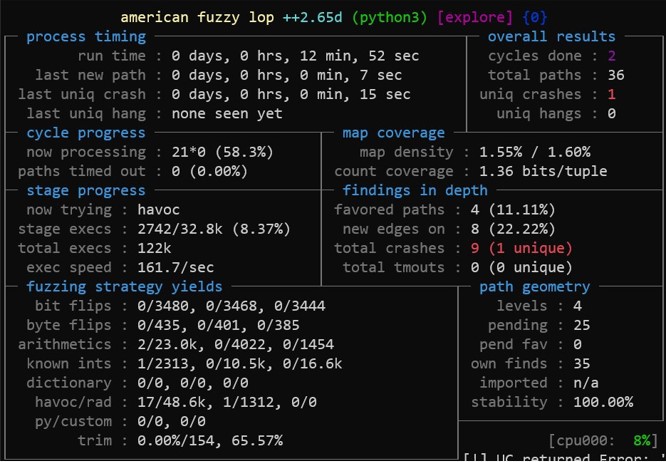
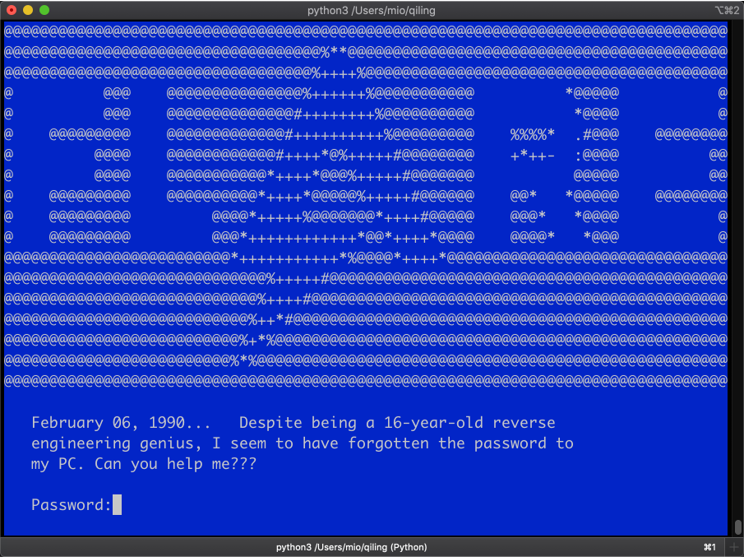
Qilingは、シェルコードと実行可能バイナリをすばやくエミュレートするためのqltoolという名前のフレンドリーなツールも提供します。
qltoolを使用すると、簡単に実行できます。
シェルコードで:
$ ./qltool code --os linux --arch arm --format hex -f examples/shellcodes/linarm32_tcp_reverse_shell.hex
バイナリファイルを使用:
$ ./qltool run -f examples/rootfs/x8664_linux/bin/x8664_hello --rootfs examples/rootfs/x8664_linux/
バイナリとGDBのデバッガーを有効にする:
$ ./qltool run -f examples/rootfs/x8664_linux/bin/x8664_hello --gdb 127.0.0.1:9999 --rootfs examples/rootfs/x8664_linux
コードカバレッジコレクション(今のところUEFIのみ):
$ ./qltool run -f examples/rootfs/x8664_efi/bin/TcgPlatformSetupPolicy --rootfs examples/rootfs/x8664_efi --coverage-format drcov --coverage-file TcgPlatformSetupPolicy.cov
JSON出力(主にWindows):
$ ./qltool run -f examples/rootfs/x86_windows/bin/x86_hello.exe --rootfs examples/rootfs/x86_windows/ --console False --json
当社のWebサイトhttps://www.qiling.ioから最新情報を入手してください
メールinfo @qiling.io、またはtwitter @qiling_ioまたはweiboでお問い合わせください
credits.mdを参照してください







