ASPNET Core Angular FutureSports
1.0.0

このプロジェクトには、.NET Core Web API 2.0、MongoDB、Angular 5フレームワークを使用して、Futuresports Webアプリケーションを再現するために必要なすべてのコードが含まれています
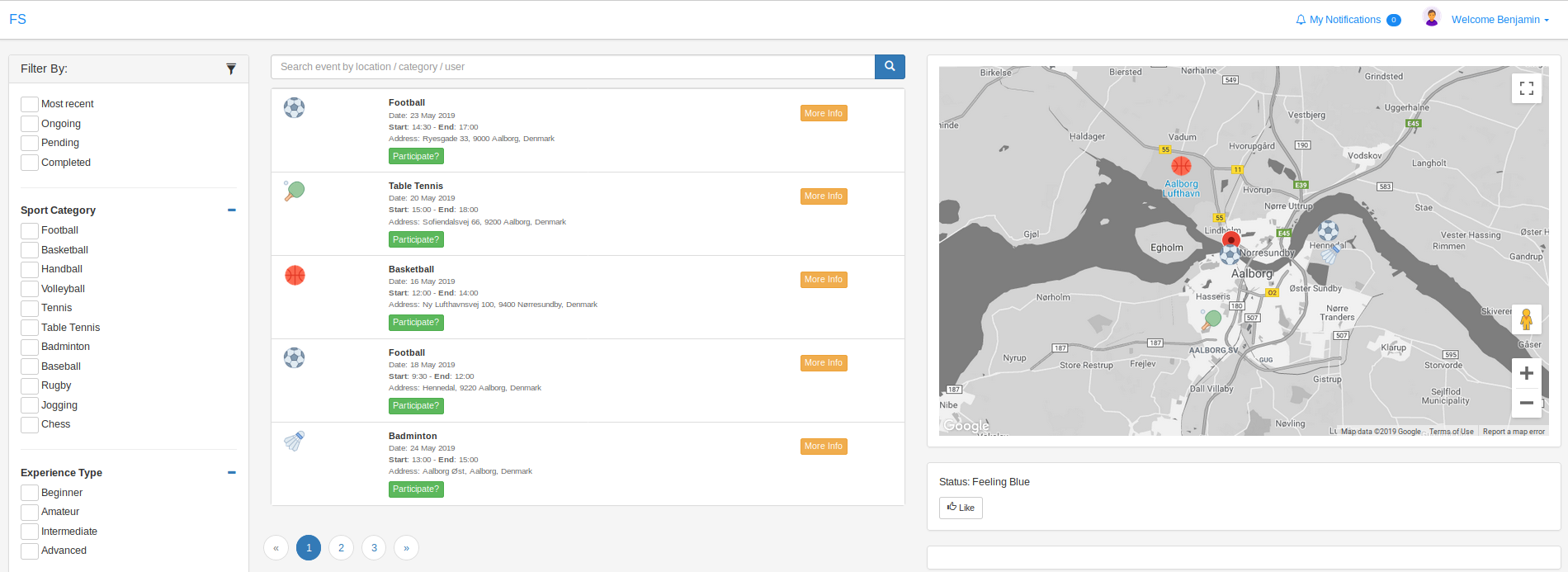
機能:JWT認証、登録、Googleマップでの閲覧イベント、イベント作成、イベント参加、イベントの詳細、プロフィール、ユーザープロファイルを使用してログイン
必要なライブラリとツール:
 1. Node.js
2. Angular CLI
3. .NET CORE Framework 2.0
4. MongoDB
基本的なプロジェクトのインストール手順:
 Clone repository

FRONT-END:
1. sudo npm install -g
2. cd future-sports
3. npm install
4. ng serve
5. input Google Maps credentials in app.module.ts

BACK-END:
1. cd back-end
2. build & run project

MongoDB:
1. install local MongoDB
2. create Categories, Events, Experiences, User collections (the rest are not used)
3. insert required data (see db-samples folder)





