twitter emulation
v2.1.0


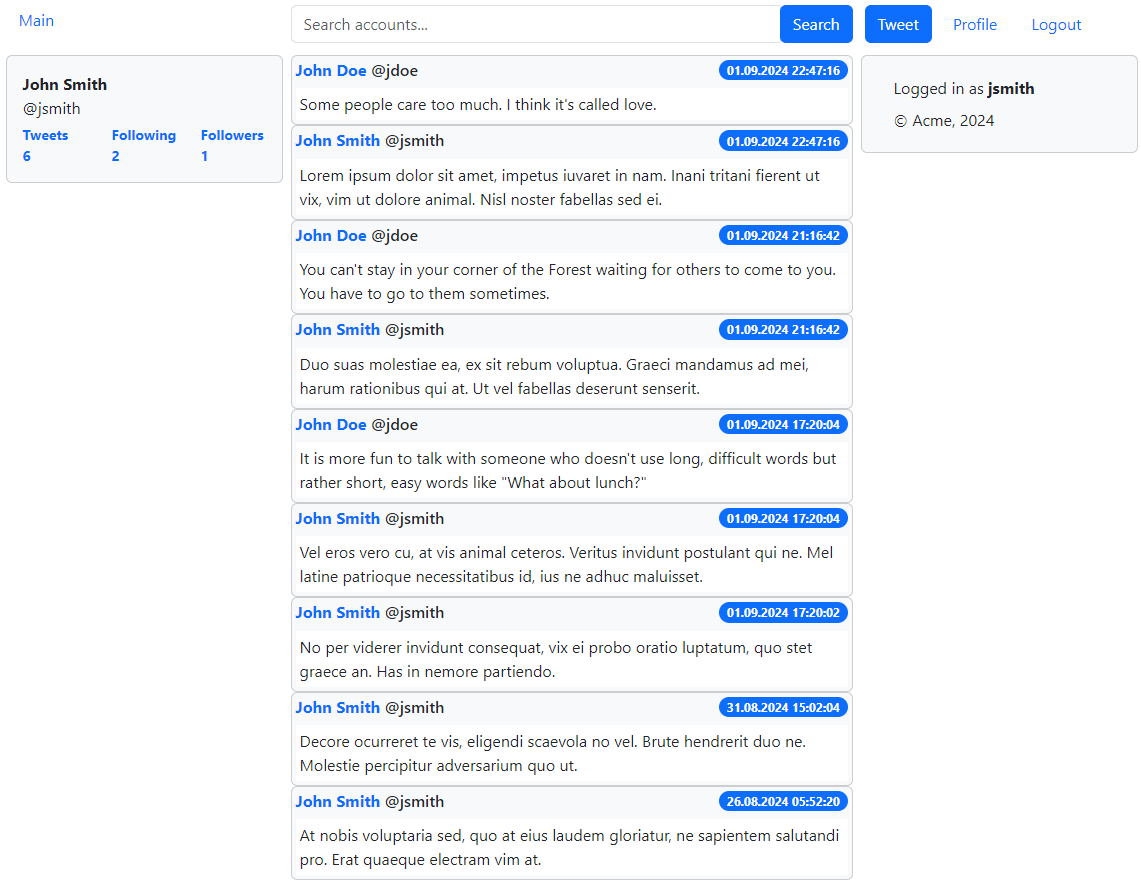
アプリケーションは、 Twitterの主な機能をエミュレートします。
いくつかの点で:
Mavenとのコマンドラインから(ルートディレクトリ内):
mvn clean install -Dmaven.test.skip=true
ディレクトリの変更:
cd twitter-emulation-spring-mvc-jsp
コマンドラインから、 Mavenでコマンドの1つを実行します。
mvn jetty:run ( H2 )
mvn jetty:run -P development ( H2 )
mvn jetty:run -P production ( Oracleデータベース)
( Oracleデータベース接続プロパティ: etc/jetty.xml )
展開されたWebアプリケーションにアクセスしてください。
http:// localhost:8080
既存のアカウント( jsmith/password 、 jdoe/password 、 rroe/password 、 alone/password )でログインするか、新しいアカウントを作成します
Mavenとのコマンドラインから(ルートディレクトリ内):
mvn clean install -Dmaven.test.skip=true
ディレクトリの変更:
cd twitter-emulation-spring-boot-jsp
コマンドラインから、 Mavenでコマンドの1つを実行します。
mvn spring-boot:run ( H2 )
mvn spring-boot:run -P development ( H2 )
mvn spring-boot:run -P production ( Oracle Database )
( Oracle Database Connection Properties: src/main/resources/application.yml )
展開されたWebアプリケーションにアクセスしてください。
http:// localhost:8080
既存のアカウント( jsmith/password 、 jdoe/password 、 rroe/password 、 alone/password )でログインするか、新しいアカウントを作成します
Mavenとのコマンドラインから(ルートディレクトリ内):
mvn clean install -Dmaven.test.skip=true
ディレクトリの変更:
cd twitter-emulation-spring-boot-react-server
コマンドラインから、 Mavenでコマンドの1つを実行します。
mvn spring-boot:run ( H2 )
mvn spring-boot:run -P development ( H2 )
mvn spring-boot:run -P production ( Oracle Database )
( Oracle Database Connection Properties: src/main/resources/application.yml )
展開されたWebアプリケーションにアクセスしてください。
http:// localhost:8080
既存のアカウント( jsmith/password 、 jdoe/password 、 rroe/password 、 alone/password )でログインするか、新しいアカウントを作成します
node.jsをインストールします
NPMが機能していることを確認するために実行します。
npm -v
ディレクトリの変更:
cd twitter-emulation-spring-boot-react-server
コマンドラインから、 Mavenでコマンドの1つを実行します。
mvn spring-boot:run ( H2 )
mvn spring-boot:run -P development ( H2 )
mvn spring-boot:run -P production ( Oracle Database )
( Oracle Database Connection Properties: src/main/resources/application.yml )
ディレクトリの変更:
cd twitter-emulation-spring-boot-react-web
npmのコマンドラインから:
npm start
展開されたWebアプリケーションにアクセスしてください。
http:// localhost:5173
既存のアカウント( jsmith/password 、 jdoe/password 、 rroe/password 、 alone/password )でログインするか、新しいアカウントを作成します
Mavenとのコマンドラインから(ルートディレクトリ内):
mvn clean package -DskipTests
ディレクトリの変更:
cd twitter-emulation-distrib/target
配布ファイルを見つける:
twitter-emulation-react-<version>.zip
ZIPからファイルを抽出します。
unzip twitter-emulation-react-<version>.zip
ディレクトリの変更:
cd twitter-emulation-react-<version>
走る:
runme.bat ( windows )
runme.sh ( macosまたはlinux )
実行中のWebアプリケーションにアクセスしてください。
http:// localhost:8080
既存のアカウント( jsmith/password 、 jdoe/password 、 rroe/password 、 alone/password )でログインするか、新しいアカウントを作成します
Mavenとのコマンドラインから(ルートディレクトリ内):
mvn clean install -Dmaven.test.skip=true
ディレクトリの変更:
cd twitter-emulation-spring-boot-angular-server
コマンドラインから、 Mavenでコマンドの1つを実行します。
mvn spring-boot:run ( H2 )
mvn spring-boot:run -P development ( H2 )
mvn spring-boot:run -P production ( Oracle Database )
( Oracle Database Connection Properties: src/main/resources/application.yml )
展開されたWebアプリケーションにアクセスしてください。
http:// localhost:8080
既存のアカウント( jsmith/password 、 jdoe/password 、 rroe/password 、 alone/password )でログインするか、新しいアカウントを作成します
node.jsをインストールします
NPMが機能していることを確認するために実行します。
npm -v
ディレクトリの変更:
cd twitter-emulation-spring-boot-angular-server
コマンドラインから、 Mavenでコマンドの1つを実行します。
mvn spring-boot:run ( H2 )
mvn spring-boot:run -P development ( H2 )
mvn spring-boot:run -P production ( Oracle Database )
( Oracle Database Connection Properties: src/main/resources/application.yml )
ディレクトリの変更:
cd twitter-emulation-spring-boot-angular-web
npmのコマンドラインから:
npm start
展開されたWebアプリケーションにアクセスしてください。
http:// localhost:4200
既存のアカウント( jsmith/password 、 jdoe/password 、 rroe/password 、 alone/password )でログインするか、新しいアカウントを作成します
Mavenとのコマンドラインから(ルートディレクトリ内):
mvn clean package -DskipTests
ディレクトリの変更:
cd twitter-emulation-distrib/target
配布ファイルを見つける:
twitter-emulation-angular-<version>.zip
ZIPからファイルを抽出します。
unzip twitter-emulation-angular-<version>.zip
ディレクトリの変更:
cd twitter-emulation-angular-<version>
走る:
runme.bat ( windows )
runme.sh ( macosまたはlinux )
実行中のWebアプリケーションにアクセスしてください。
http:// localhost:8080
既存のアカウント( jsmith/password 、 jdoe/password 、 rroe/password 、 alone/password )でログインするか、新しいアカウントを作成します
ディレクトリの変更:
cd twitter-emulation-spring-boot-admin
Mavenとのコマンドラインから:
mvn spring-boot:run
ディレクトリの変更:
cd twitter-emulation-spring-boot-react-server
または
cd twitter-emulation-spring-boot-angular-server
Mavenとのコマンドラインから:
mvn spring-boot:run
スプリングブート管理アプリケーションにアクセスしてください。
http:// localhost:9000
既存のアカウントadmin/passwordでログインします
Dockerをインストールします(オプション、 Oracleデータベーステストのみ)
ディレクトリの変更:
cd twitter-emulation-common
コマンドラインから、 Mavenでコマンドの1つを実行します。
mvn test ( H2 )
mvn test -P development ( H2 )
mvn test -P production ( Oracleデータベース)
ディレクトリの変更:
cd twitter-emulation-spring-boot-common-server
Mavenとのコマンドラインから:
mvn test
ディレクトリの変更:
cd twitter-emulation-spring-boot-react-web
npmのコマンドラインから:
npm run test
ディレクトリの変更:
cd twitter-emulation-spring-boot-angular-web
npmのコマンドラインから:
npm run test
ディレクトリの変更:
cd twitter-emulation-spring-boot-react-web
npmのコマンドラインから:
npm run e2e
ディレクトリの変更:
cd twitter-emulation-spring-boot-angular-web
npmのコマンドラインから:
npm run e2e
Java(ロシア語)でWebアプリケーションの作成の進化







