twitter emulation
v2.1.0


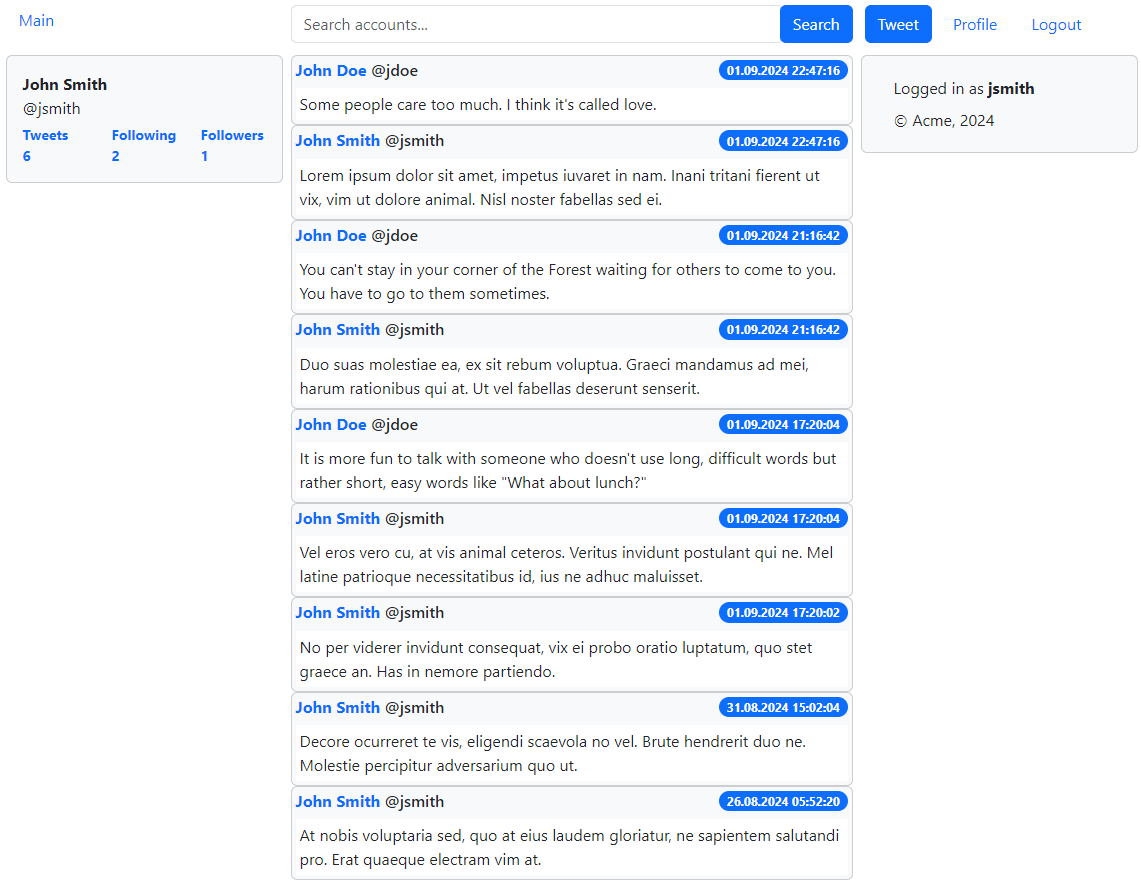
The application emulates the main features of Twitter:
in several ways:
From the command line with Maven (in the root directory):
mvn clean install -Dmaven.test.skip=true
Change directory:
cd twitter-emulation-spring-mvc-jsp
From the command line run one of the commands with Maven:
mvn jetty:run (H2)
mvn jetty:run -P development (H2)
mvn jetty:run -P production (Oracle Database)
(Oracle Database connection properties: etc/jetty.xml)
Access the deployed web application at:
http://localhost:8080
Log in with existing accounts (jsmith/password, jdoe/password, rroe/password, alone/password) or create a new account
From the command line with Maven (in the root directory):
mvn clean install -Dmaven.test.skip=true
Change directory:
cd twitter-emulation-spring-boot-jsp
From the command line run one of the commands with Maven:
mvn spring-boot:run (H2)
mvn spring-boot:run -P development (H2)
mvn spring-boot:run -P production (Oracle Database)
(Oracle Database connection properties: src/main/resources/application.yml)
Access the deployed web application at:
http://localhost:8080
Log in with existing accounts (jsmith/password, jdoe/password, rroe/password, alone/password) or create a new account
From the command line with Maven (in the root directory):
mvn clean install -Dmaven.test.skip=true
Change directory:
cd twitter-emulation-spring-boot-react-server
From the command line run one of the commands with Maven:
mvn spring-boot:run (H2)
mvn spring-boot:run -P development (H2)
mvn spring-boot:run -P production (Oracle Database)
(Oracle Database connection properties: src/main/resources/application.yml)
Access the deployed web application at:
http://localhost:8080
Log in with existing accounts (jsmith/password, jdoe/password, rroe/password, alone/password) or create a new account
Install Node.js
Run to ensure that npm is working:
npm -v
Change directory:
cd twitter-emulation-spring-boot-react-server
From the command line run one of the commands with Maven:
mvn spring-boot:run (H2)
mvn spring-boot:run -P development (H2)
mvn spring-boot:run -P production (Oracle Database)
(Oracle Database connection properties: src/main/resources/application.yml)
Change directory:
cd twitter-emulation-spring-boot-react-web
From the command line with npm:
npm start
Access the deployed web application at:
http://localhost:5173
Log in with existing accounts (jsmith/password, jdoe/password, rroe/password, alone/password) or create a new account
From the command line with Maven (in the root directory):
mvn clean package -DskipTests
Change directory:
cd twitter-emulation-distrib/target
Find distribution file:
twitter-emulation-react-<version>.zip
Extract files from ZIP, for example:
unzip twitter-emulation-react-<version>.zip
Change directory:
cd twitter-emulation-react-<version>
Run:
runme.bat (Windows)
runme.sh (macOS or Linux)
Access the running web application at:
http://localhost:8080
Log in with existing accounts (jsmith/password, jdoe/password, rroe/password, alone/password) or create a new account
From the command line with Maven (in the root directory):
mvn clean install -Dmaven.test.skip=true
Change directory:
cd twitter-emulation-spring-boot-angular-server
From the command line run one of the commands with Maven:
mvn spring-boot:run (H2)
mvn spring-boot:run -P development (H2)
mvn spring-boot:run -P production (Oracle Database)
(Oracle Database connection properties: src/main/resources/application.yml)
Access the deployed web application at:
http://localhost:8080
Log in with existing accounts (jsmith/password, jdoe/password, rroe/password, alone/password) or create a new account
Install Node.js
Run to ensure that npm is working:
npm -v
Change directory:
cd twitter-emulation-spring-boot-angular-server
From the command line run one of the commands with Maven:
mvn spring-boot:run (H2)
mvn spring-boot:run -P development (H2)
mvn spring-boot:run -P production (Oracle Database)
(Oracle Database connection properties: src/main/resources/application.yml)
Change directory:
cd twitter-emulation-spring-boot-angular-web
From the command line with npm:
npm start
Access the deployed web application at:
http://localhost:4200
Log in with existing accounts (jsmith/password, jdoe/password, rroe/password, alone/password) or create a new account
From the command line with Maven (in the root directory):
mvn clean package -DskipTests
Change directory:
cd twitter-emulation-distrib/target
Find distribution file:
twitter-emulation-angular-<version>.zip
Extract files from ZIP, for example:
unzip twitter-emulation-angular-<version>.zip
Change directory:
cd twitter-emulation-angular-<version>
Run:
runme.bat (Windows)
runme.sh (macOS or Linux)
Access the running web application at:
http://localhost:8080
Log in with existing accounts (jsmith/password, jdoe/password, rroe/password, alone/password) or create a new account
Change directory:
cd twitter-emulation-spring-boot-admin
From the command line with Maven:
mvn spring-boot:run
Change directory:
cd twitter-emulation-spring-boot-react-server
or
cd twitter-emulation-spring-boot-angular-server
From the command line with Maven:
mvn spring-boot:run
Access Spring Boot Admin application at:
http://localhost:9000
Log in with existing account admin/password
Install Docker (optional, only for Oracle Database testing)
Change directory:
cd twitter-emulation-common
From the command line run one of the commands with Maven:
mvn test (H2)
mvn test -P development (H2)
mvn test -P production (Oracle Database)
Change directory:
cd twitter-emulation-spring-boot-common-server
From the command line with Maven:
mvn test
Change directory:
cd twitter-emulation-spring-boot-react-web
From the command line with npm:
npm run test
Change directory:
cd twitter-emulation-spring-boot-angular-web
From the command line with npm:
npm run test
Change directory:
cd twitter-emulation-spring-boot-react-web
From the command line with npm:
npm run e2e
Change directory:
cd twitter-emulation-spring-boot-angular-web
From the command line with npm:
npm run e2e
The evolution of creating web applications in Java (Russian)







