alfred github workflow
Version 1.9.1

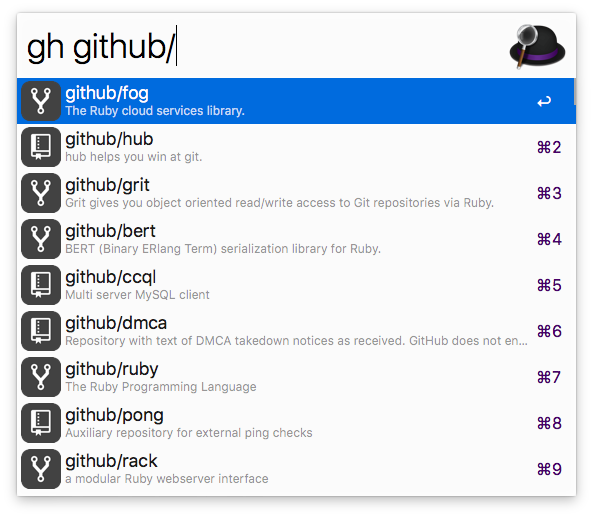
GitHub ( gh ) および GitHub Enterprise インスタンス ( ghe ) を通じて検索できます。
ダウンロード
このワークフローには PHP が必要ですが、macOS 12 Montery 以降はプリインストールされなくなりました。
Homebrew ( brew install php ) 経由でインストールできます。
Alfred でgh > login 」と入力して、アカウントに対して認証します。ログインには OAuth が使用されるため、資格情報を入力する必要はありません。
ghe > url https://github.mycompany.com 」と入力します。ghe > generate tokenまたはhttps://github.mycompany.com/settings/applications )。リポジトリへのアクセスのみが必要です。このトークンをクリップボードにコピーします。ghe > login <paste token here> 」と入力します。ghe your_enterprise_repo_nameできるようになりました組織はこのアプリを承認する必要があります。承認しないと、その組織のプライベート リポジトリにアクセスできなくなります。アクセスはここからリクエストできます。
| キーの組み合わせ | アクション |
|---|---|
enter | デフォルトのブラウザでエントリを開く |
cmd + c | エントリーのURLをコピー |
cmd + enter | URLを最前面のアプリに貼り付けます |
shiftまたはcmd + y | QuickLook で URL を開く |
GitHub Enterprise インスタンスを検索するには、 gh gheに置き換えます。
gh user/repogh user/repo #123gh user/repo @branchgh user/repo *commitgh user/repo /path/to/filegh user/repo actionsgh user/repo admingh user/repo clonegh user/repo devgh user/repo discussionsgh user/repo graphsgh user/repo issuesgh user/repo milestonesgh user/repo networkgh user/repo new issuegh user/repo new pullgh user/repo projectsgh user/repo pullsgh user/repo pulsegh user/repo releasesgh user/repo wikigh user/repo projectsgh @usergh @user overviewgh @user repositoriesgh @user starsgh @user gistsgh s repogh s @usergh my dashboardgh my notificationsgh my profilegh my issuesgh my issues createdgh my issues assignedgh my issues mentionedgh my pullsgh my pulls createdgh my pulls assignedgh my pulls mentionedgh my pulls review requestedgh my reposgh my repos newgh my settingsgh my starsgh my gistsgh > logingh > logoutgh > delete cachegh > delete databasegh > updategh > activate autoupdategh > deactivate autoupdategh > helpgh > changelogghe > url (GitHub Enterprise のみ)ghe > generate token (GitHub Enterprise のみ)ghe > enterprise reset (GitHub Enterprise のみ)







