alfred github workflow
Version 1.9.1

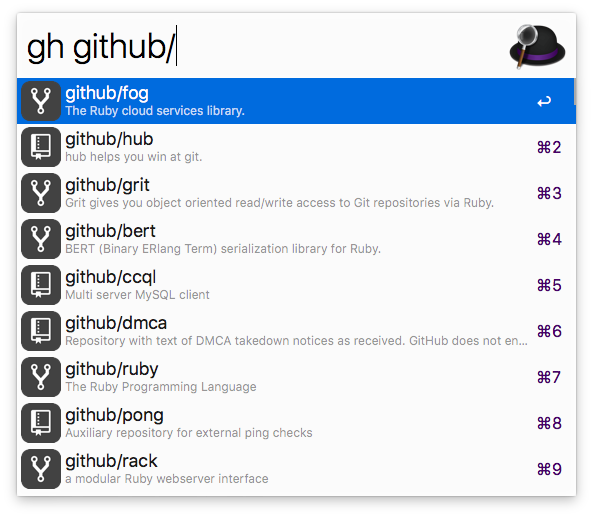
Vous pouvez effectuer une recherche dans GitHub ( gh ) et votre instance GitHub Enterprise ( ghe ).
TÉLÉCHARGER
Ce workflow nécessite PHP, qui n'est plus préinstallé depuis macOS 12 Montery.
Vous pouvez l'installer via Homebrew ( brew install php ).
Dans Alfred, tapez ( gh > login ) pour vous authentifier sur votre compte. La connexion utilise OAuth, vous n'avez donc pas besoin de saisir vos informations d'identification.
ghe > url https://github.mycompany.com )ghe > generate token ou https://github.mycompany.com/settings/applications ). Il n’a besoin que d’accéder à vos dépôts. Copiez ce jeton dans votre presse-papiers.ghe > login <paste token here> )ghe your_enterprise_repo_nameLes organisations doivent approuver cette application, sinon les référentiels privés de cette organisation ne sont pas accessibles. L'accès peut être demandé ici.
| Combinaison de touches | Action |
|---|---|
enter | Ouvrir l'entrée dans le navigateur par défaut |
cmd + c | Copier l'URL de l'entrée |
cmd + enter | Coller l'URL vers la plupart des applications |
shift ou cmd + y | Ouvrir l'URL dans QuickLook |
Pour effectuer une recherche dans votre instance GitHub Enterprise, remplacez gh par ghe .
gh user/repogh user/repo #123gh user/repo @branchgh user/repo *commitgh user/repo /path/to/filegh user/repo actionsgh user/repo admingh user/repo clonegh user/repo devgh user/repo discussionsgh user/repo graphsgh user/repo issuesgh user/repo milestonesgh user/repo networkgh user/repo new issuegh user/repo new pullgh user/repo projectsgh user/repo pullsgh user/repo pulsegh user/repo releasesgh user/repo wikigh user/repo projectsgh @usergh @user overviewgh @user repositoriesgh @user starsgh @user gistsgh s repogh s @usergh my dashboardgh my notificationsgh my profilegh my issuesgh my issues createdgh my issues assignedgh my issues mentionedgh my pullsgh my pulls createdgh my pulls assignedgh my pulls mentionedgh my pulls review requestedgh my reposgh my repos newgh my settingsgh my starsgh my gistsgh > logingh > logoutgh > delete cachegh > delete databasegh > updategh > activate autoupdategh > deactivate autoupdategh > helpgh > changelogghe > url (GitHub Enterprise uniquement)ghe > generate token (GitHub Enterprise uniquement)ghe > enterprise reset (GitHub Enterprise uniquement)







