imagetext py
Character Bound text wrapping

Jika Anda menemukan perpustakaan ini bermanfaat, pertimbangkan untuk meninggalkan bintang
ImageText memanfaatkan rustType untuk parsing font dan skia kecil untuk menggambar. Ini memiliki API sederhana yang memungkinkan Anda untuk menggambar teks dengan mudah.
Saat ini Imagetext-Py mengalahkan bantal untuk sebagian besar kasus yang saya uji, tetapi saya akan segera mengatur beberapa tolok ukur.
Catatan: Emoji diambil dan di -cache dari internet selama runtime, jadi Anda akan memerlukan koneksi internet untuk menggunakannya. Kemampuan untuk menggunakan gambar emoji lokal akan segera ditambahkan.
pip install imagetext-py from PIL import Image
from imagetext_py import *
# supports fonts with fallbacks
FontDB . LoadFromDir ( "." )
font = FontDB . Query ( "coolvetica japanese" )
# create a canvas to draw on
cv = Canvas ( 512 , 512 , ( 255 , 255 , 255 , 255 ))
# paints are used to fill and stroke text
black = Paint . Color (( 0 , 0 , 0 , 255 ))
rainbow = Paint . Rainbow (( 0.0 , 0.0 ), ( 256.0 , 256.0 ))
# if a font doesn't have a glyph for a character, it will use the fallbacks
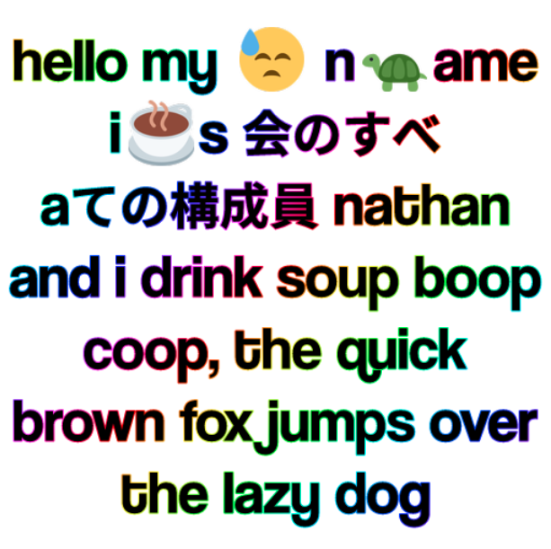
text = "hello my ? n?ame i☕s 会のすべ aての構成員 nathan and i drink soup boop coop, the quick brown fox jumps over the lazy dog"
draw_text_wrapped ( canvas = cv , # the canvas to draw on
text = text ,
x = 256 , y = 256 , # the position of the text
ax = 0.5 , ay = 0.5 , # the anchor of the text
size = 67 , # the size of the text
width = 500 , # the width of the text
font = font ,
fill = black ,
align = TextAlign . Center ,
stroke = 2.0 , # the stroke width (optional)
stroke_color = rainbow ,
draw_emojis = True ) # the stroke color (optional)
# you can convert the canvas to a PIL image
im : Image . Image = cv . to_image ()
im . save ( "test.png" )
# or you can just get the raw bytes
dimensions , bytes = cv . to_bytes ()
# you can also save directly to a file
cv . save ( "test.png" )Menghasilkan gambar ini:
 from PIL import Image
from imagetext_py import *

FontDB . SetDefaultEmojiOptions ( EmojiOptions ( parse_discord_emojis = True ))
FontDB . LoadFromDir ( "." )

font = FontDB . Query ( "coolvetica japanese" )

with Image . new ( "RGBA" , ( 512 , 512 ), "white" ) as im :
    with Writer ( im ) as w :
        w . draw_text_wrapped (
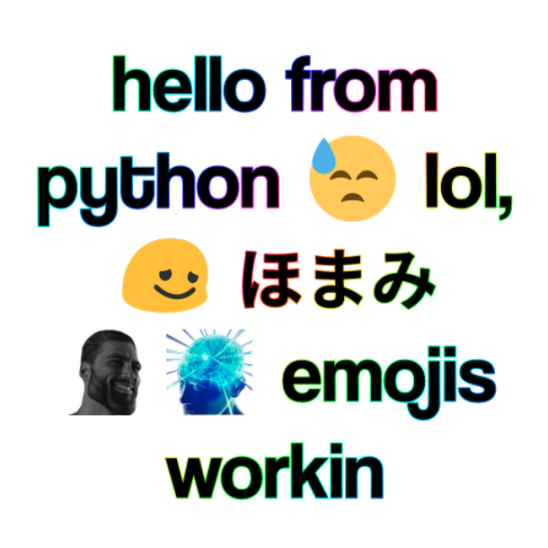
            text = "hello from python ? lol, <:blobpain:739614945045643447> "
                 "ほまみ <:chad:682819256173461522><:bigbrain:744344773229543495> "
                 "emojis workin" ,
            x = 256 , y = 256 ,
            ax = 0.5 , ay = 0.5 ,
            width = 500 ,
            size = 90 ,
            font = font ,
            fill = Paint . Color (( 0 , 0 , 0 , 255 )),
            align = TextAlign . Center ,
            stroke = 2.0 ,
            stroke_color = Paint . Rainbow (( 0.0 , 0.0 ), ( 256.0 , 256.0 )),
            draw_emojis = True
        )
    im . save ( "test.png" )
Menghasilkan gambar ini: