chatgpt python
1.0.0

Perpustakaan yang memungkinkan pengembang untuk dengan mudah mengintegrasikan chatgpt ke dalam proyek Python mereka.
pip install -U chatgpt Buat file config.json di direktori kerja Anda:
{
    "email" : " [email protected] " ,
    "password" : " xxx "
}{
"email" : " [email protected] " ,
"password" : " xxx " ,
"proxy" : " socks5://user:pass@host:port "
}{
"email" : " [email protected] " ,
"password" : " xxx " ,
"timeout" : 300 ,
"cache_file_path" : " /path/filename " ,
"access_token_seconds_to_expire" : 1800
} Anda dapat menentukan folder konfigurasi default untuk chatgpt dengan mengatur variabel lingkungan CHATGPT_HOME ke jalur direktori yang diinginkan.
export CHATGPT_HOME= " /home/ $USER /.config/chatgpt " Anda dapat meluncurkan CLI dengan:
chatgptatau
python -m chatgptIni adalah perintah yang tersedia:
reset : Lupakan konteks percakapan saat ini.clear : Hapus terminal.exit : Keluar dari CLI. 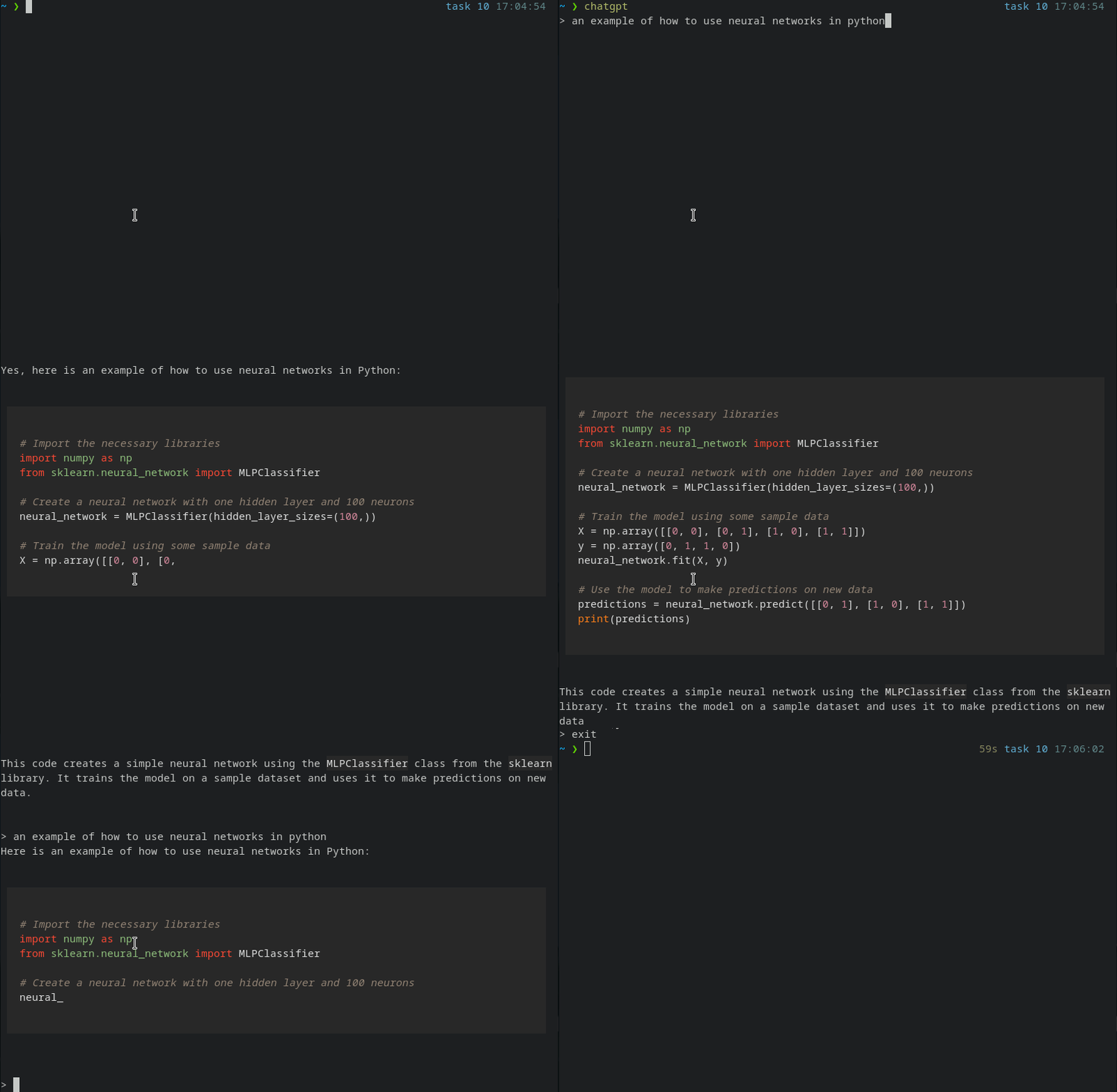
 #!/usr/bin/env python
# -*- coding: utf-8 -*-
import sys
from chatgpt import Conversation

conversation = Conversation ()

# Stream the message as it arrives.
for chunk in conversation . stream ( "We are going to start a conversation. I will speak English and you will speak Portuguese." ):
    print ( chunk , end = "" )
    sys . stdout . flush ()

# Wait until the message is fully received.
print ( conversation . chat ( "What's the color of the sky?" ))

# The AI will forget it was speaking Portuguese
conversation . reset ()
print ( conversation . chat ( "What's the color of the sun?" ))
disarankan untuk menggunakan stream bukan obrolan .
 from chatgpt import ChatgptError , ChatgptErrorCodes

try :

    for chunk in conversation . stream ( "Hello, world!" ):
        print ( chunk , end = "" )
        sys . stdout . flush ()

except ChatgptError as chatgpt_error :

    message = chatgpt_error . message
    code = chatgpt_error . code

    if code == ChatgptErrorCodes . INVALID_ACCESS_TOKEN :
print ( "Invalid token" )INVALID_ACCESS_TOKEN : Kode kesalahan ini menunjukkan bahwa token akses yang diberikan kepada API chatbot tidak valid atau telah kedaluwarsa.CHATGPT_API_ERROR : Kode kesalahan ini menunjukkan bahwa kesalahan telah terjadi saat membuat permintaan ke API chatbot.CONFIG_FILE_ERROR : Kode kesalahan ini menunjukkan bahwa ada masalah dengan file konfigurasi untuk chatbot.UNKNOWN_ERROR : Kode kesalahan ini digunakan ketika penyebab kesalahan tidak diketahui atau tidak dapat ditentukan.LOGIN_ERROR : Kode kesalahan ini menunjukkan bahwa ada masalah dengan proses login, seperti nama pengguna atau kata sandi yang salah.TIMEOUT_ERROR : Kode kesalahan ini menunjukkan bahwa permintaan ke API chatbot telah habis waktunya.CONNECTION_ERROR : Kode kesalahan ini menunjukkan bahwa ada masalah dengan koneksi ke API chatbot.




