HomeAssistant PREdistribuce
1.0.0

Este sensor está raspando datos de https://www.predistribuce.cz/cs/potrebuji-zaridit/zakaznici/stav-hdo/. Pon ID del comando receptor (consulte el contrato con Pre CZ o su medidor de energía) en Configuration.yaml
Este sensor siempre se muestra
Opcionalmente también
Nota: ¿Es su cliente de CEZ? Mira aquí: https://github.com/zigul/homeassistant-cezdistribuce
Copie esta carpeta a <config_dir>/custom_components/predistribuce/ .
Agregue lo siguiente a su archivo configuration.yaml :
 # Example configuration.yaml entry for showing current HDO state and HTML for rendering a time schedule
binary_sensor :
  platform : predistribuce
  name : nocni proud
  receiver_command_id : 605
# entry as above + extra binary sensors that show if a an applience (e.g. washing machine) can be run now to finish under low tariff
binary_sensor :
- platform : predistribuce
receiver_command_id : 605
periods :
- name : HDO Pračka
minutes : 30
- name : HDO Myčka
minutes : 150Puede mostrar una visión general de Tarrif visualmente baja/alta durante todo el día.
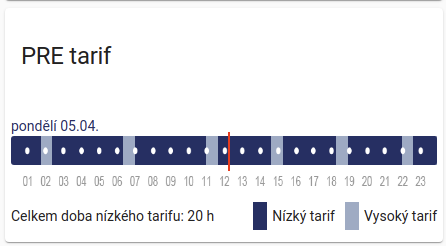
El requisito previo es instalar la tarjeta HTML Lovelace, idealmente de HACS. Una vez instalado, cree una nueva tarjeta Lovelace manualmente. Pegar el siguiente contenido en el interior:
 type: 'custom:html-card'
title: PRE tarif
content: |
  [[binary_sensor.hdo_aktualne.attributes.html_values]]
No olvide reemplazar hdo_aktualne por nombre de su entidad.





