imcrypt app
1.0.0

Aquí tenemos una impresionante aplicación web sin interrupciones para el cifrado y el descifrado de texto, construido usando Streamlit.
 pip install streamlit
pip install imcrypt
Simplemente clone este repositorio y CD en imcrypt-app y ejecute el siguiente comando:
streamlit run app . py 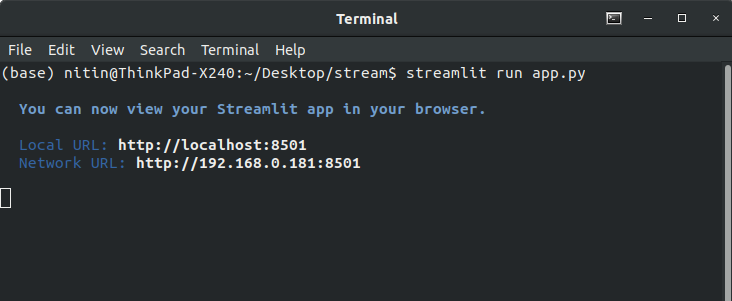
Y vaya a esta dirección http: // localhost: 8501 en su navegador.
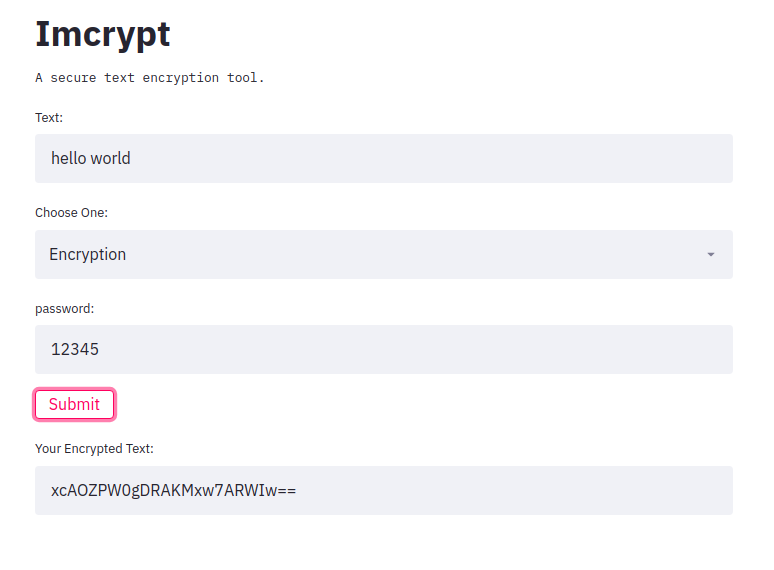
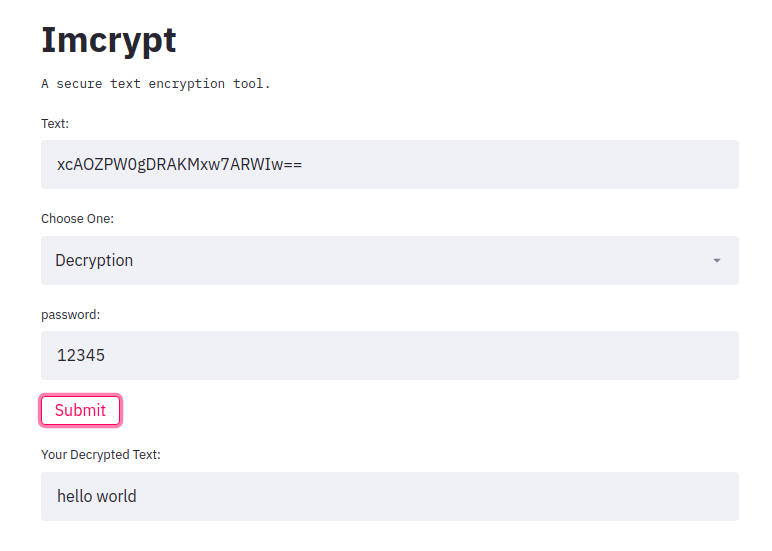
El código es en sí mismo muy corto, puedes verte a ti mismo.
 import streamlit as st
import imcrypt

st . title ( 'Imcrypt' )

st . text ( 'A secure text encryption tool.' )
text = st . text_input ( 'Text:' )
e_type = st . selectbox ( 'Choose One:' , ( 'Encryption' , 'Decryption' ))
password = st . text_input ( 'password:' )
submit = st . button ( 'Submit' )

if submit :
    #text or password should not be empty
    if not ( password == '' or text == '' ):

        #if Encryption is choosen
        if e_type == 'Encryption' :
            enc_text = imcrypt . encrypt ( text , key = password )
            st . text_input ( 'Your Encrypted Text:' , f' { enc_text } ' )

        #if Decryption is choosen
        elif e_type == 'Decryption' :
            try :
                enc_text = imcrypt . decrypt ( text , key = password )
                st . text_input ( 'Your Decrypted Text:' , f' { enc_text } ' )
            except Exception :
                pass






