ritpytrading
1.0.0

Disclaimer: The providers of the RIT software have refused to make the RestAPI public and I do not have access to the RIT server platform, therefore this repository might be out of date with the current version of RIT. It would be useful as a reference to create a more advanced automated trading API.
Python trading module for the Rotman Interactive Trader trading software. PyPI page.
Install with pip: pip install ritpytrading
Full documentation available online.
A GitHub markdown flavor documentation can be found in documentation/README.md.
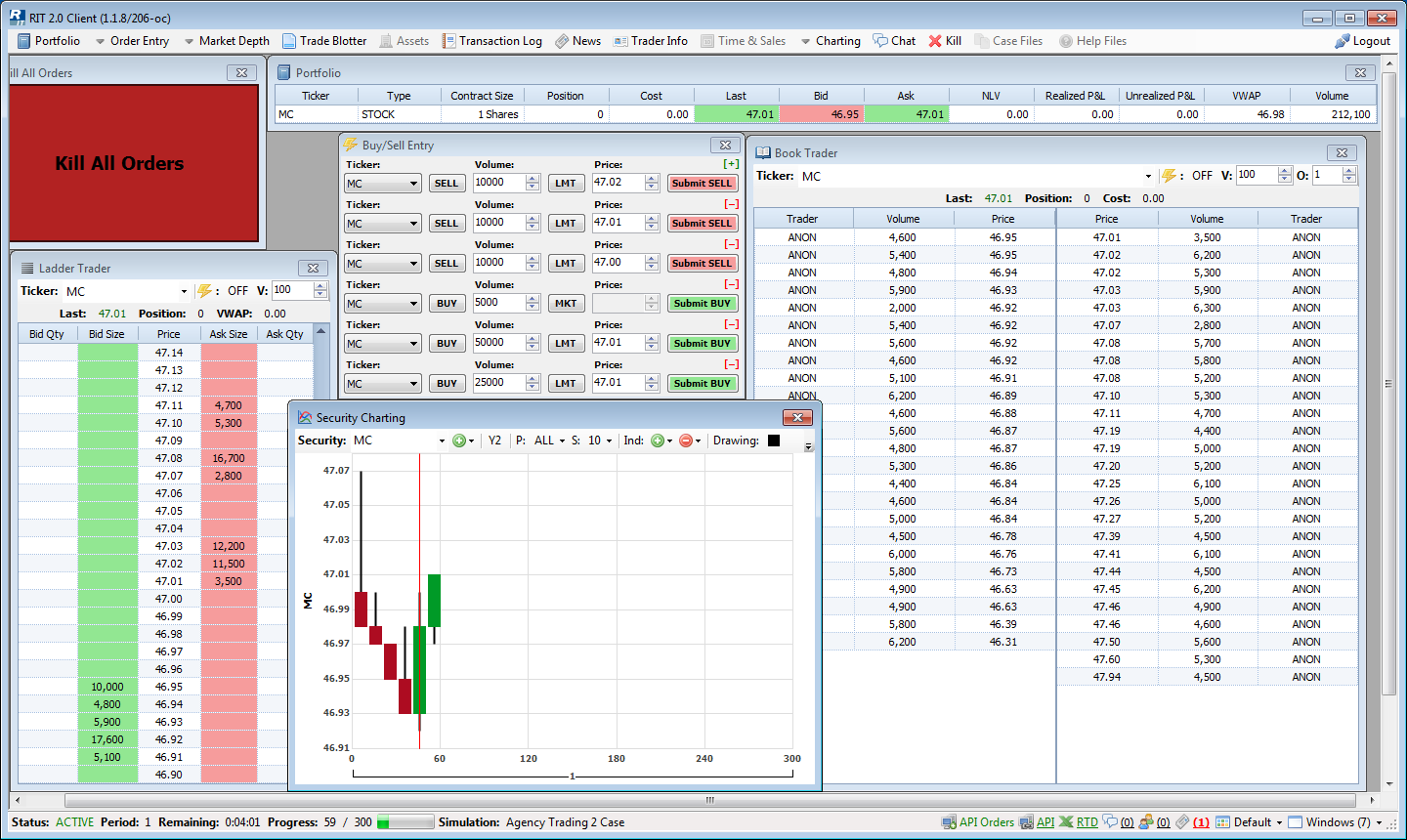
The RIT Client only supports Windows OS. However, development of the PyPI ritpytrading package can be in done in Linux/BSD environments as well.
The full documentation for the RIT Client REST API can be found at Swaggerhub.
The swagger API documentation is also provided in the swagger_client_generated folder.
IMPORTANT:
$ pip install ritpytrading
Examples scripts are present inside the examples folder. Documentation available here.
The RIT Client for Windows can be downloaded at http://rit.rotman.utoronto.ca/software.asp.
Instructions for setting up an RIT demonstration client account for the Liability Trading 3 case file can be found at http://rit.rotman.utoronto.ca/demo.asp.
Initialize the repository with git. Detailed instructions to download git for windows can be found at atlassian. The repository can then be initialized with git using:
$ git clone https://github.com/SamSamhuns/RIT-trading-python
Two options are available after this:
conda install --yes --file requirements.txt
to install all modules from requirements.txt.python and add it to your PATH system variable.
Then install the pip package if not installed already also adding it to the PATH system variable.
Then run the following commands.$ python -m venv venv $ .venvScriptsactivate $ pip install -r requirements.txt
Note: When using PowerShell in Windows, the virtual environment has to be activated with .venvScriptsactivate.ps1
After cloning the repository, install packages using pip.
$ git clone https://github.com/SamSamhuns/RIT-trading-python
$ python -m venv venv
$ source venv/bin/activate
$ pip install -r requirements.txt
For Windows, different options are available for using makefile. GnuWin's make
provides a native port for Windows (without requiring a full runtime environment like Cygwin).
After installing GnuWin, add C:Program Files (x86)GnuWin32bin
to your system PATH variable to run makefiles from any directory.
make -f Makefile.win <directive>. Example make -f Makefile.win helpmake <directive>.Run the following command to get a list of all Makefile command options.
$ make help
To run tests.
$ make test
$ make test-all
To ensure the README.rst will be rendered in PyPi [If deprecated use the twine command given below]
$ python setup.py check --restructuredtext
To ensure the README.rst renders properly. After building with make dist, check the rendering with:
$ twine check dist/*
To build the source and wheel package.
$ make dist
To upload the distribution code to PyPi. The version number must be updated in setup.py and logged in HISTORY.rst.
$ twine upload dist/*
Once python has been added to the PATH system variable in Windows,
the code for running the scripts on Windows and Linux/BSD based systems
are the same.
From the main directory, run:
$ python -m unittest
If no tests are run from the command above, run the verbose mode.
Verbose mode
$ python -m unittest discover -v
This project is licensed under the Apahce 2.0 License - see the LICENSE.md file for details
All RIT software and external RIT links are provided by the Rotman School of Management and are their exclusive property.







