vits japros webui
1.0.0

Bert-VITS2 reference article: https://zenn.dev/litagin/articles/b1ddc1da5ea2b3
This is a WebUI for Windows that allows you to learn Japanese VITS models and allows you to synthesize speech with accents. If you only have a speech synthesis, you can use it even without a graphics card.
? Speech synthesis demo
| Speech synthesis | study |
|---|---|
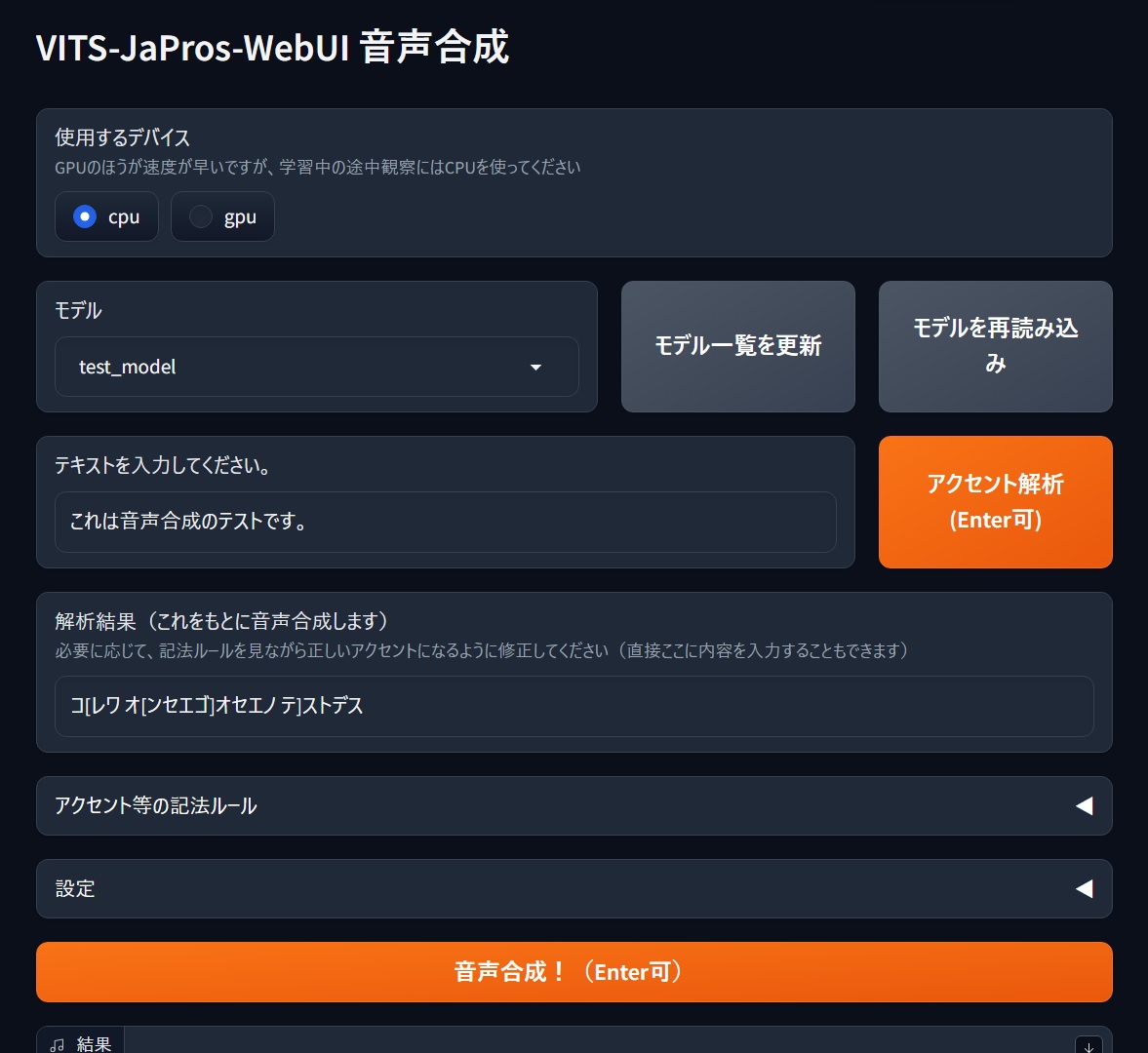 | 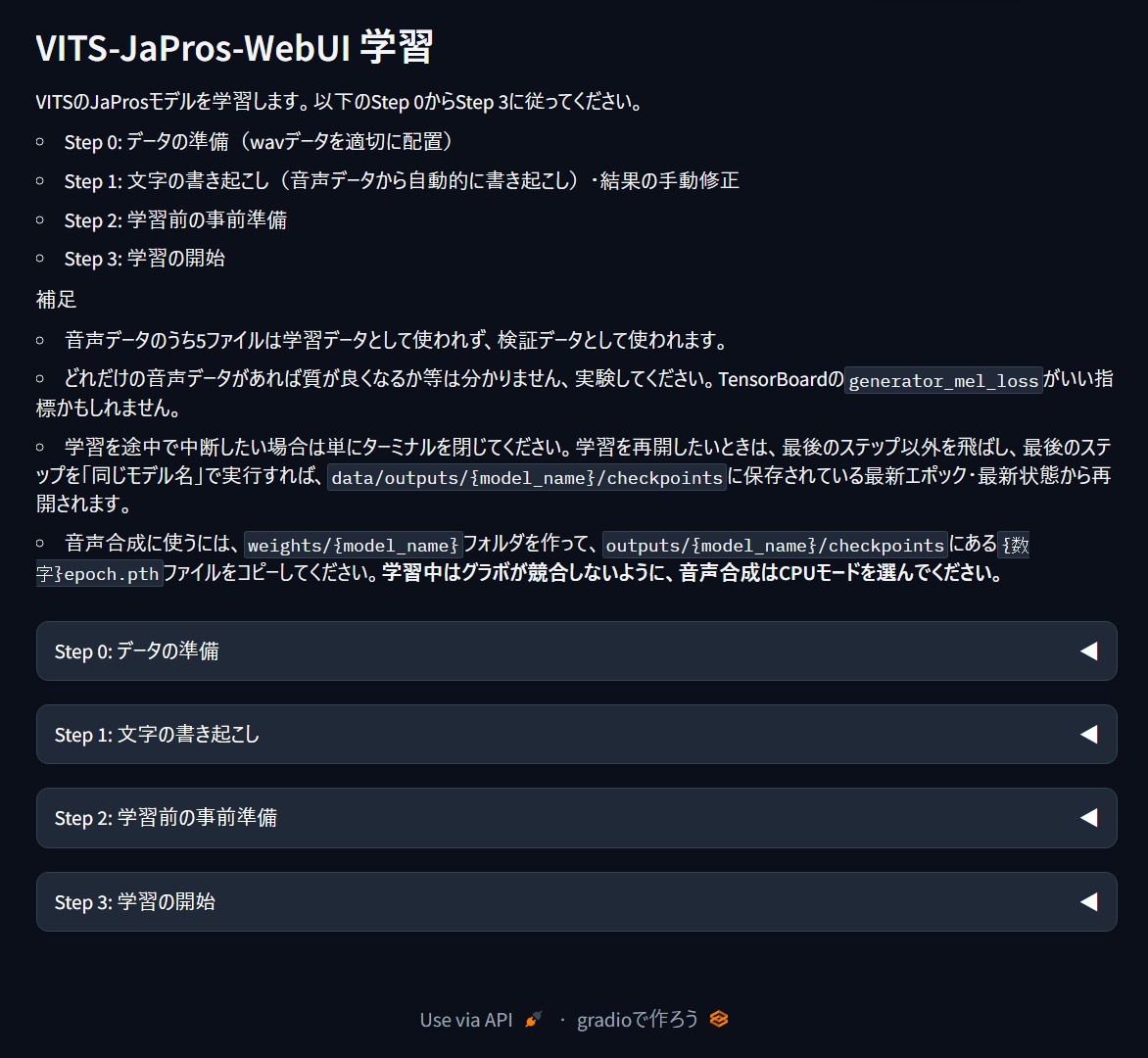 |
pyopenjtalk_prosody , which has an accent symbol added. In this situation, I'm taking a model trained with g2p in Japanese using pyopenjtalk_prosody and reading it for convenience (a proposal from Bing-chan).
pyopenjtalk_prosody also handles symbols such as accents, so you can use them to control accents (ハ➚シハ➘シ).
| symbol | role | example |
|---|---|---|
[ | The accent rises from here (image of ➚) | Hello →コ[ンニチワ |
] | The accent falls from here (image of ➘) | Kyoto →キョ]オト |
(Half-width space) | The cut in accent poem (somehow a single piece of cake) | ソ[レワ ム[ズカシ]イ |
、 | Pose (taking a breath). Use it when you want to make a short pose. | ハ]イ、ソ[オ オ[モイマ]ス |
? | I'll add it to the end of the question. | キ[ミワ ダ]レ? |
This is something that allows you to train, load and speech synthesis of VITS JaPros models in a local Windows environment.
config.yaml I have confirmed it works on RTX 4070 on Windows 11 with Python 3.10.
git clone https://github.com/litagin02/vits-japros-webui.gitsetup.bat inside and wait a moment. When Setup complete. appears, you are done.webui_train.batpth file and then double-click webui_infer.batupdate.batFor more information and if you don't need a WebUI, please click here.
For models, create a subdirectory in the weights directory and place the {数字}epoch.pth file inside. If you are using an external model (only compatible with models created with pyopenjtalk_prosody in VITS with ESPnet), please also include config.yaml when studying.
 weights
├── model1
│    └── 100epoch.pth
|── model2
│    ├── 50epoch.pth
│    └── config.yaml
...
os.uname and symbolic link creation locations).






