vite plugin webfont dl
v3.10.3

Collects webfont links, imports and definitions from your Vite project, downloads css and font files (privacy-first), add the fonts to your bundle (or serves through dev server), and injects font definitions using a non-render blocking method, meanwhile stores external css and font files in a persistent file cache, making them available for offline development.
npm i vite-plugin-webfont-dl -DExtracts, downloads and injects fonts from the original Google Fonts code snippet.
<head> from the "Use on the web" block:
<link rel="preconnect" href="https://fonts.googleapis.com">
<link rel="preconnect" href="https://fonts.gstatic.com" crossorigin>
<link href="https://fonts.googleapis.com/css2?family=Fira+Code:wght@300;400&family=Roboto:wght@100&display=swap" rel="stylesheet">webfontDownload to your Vite plugins without any configuration and the plugin automagically will take care of everything:
// vite.config.js

import webfontDownload from 'vite-plugin-webfont-dl';

export default {
  plugins: [
    webfontDownload(),
  ],
};dist/index.html:
<style>@font-face{font-family:...;src:url(/assets/foo-xxxxxxxx.woff2) format('woff2'),url(/assets/bar-yyyyyyyy.woff) format('woff')}...</style>Extracts, downloads and injects fonts from the configured webfont CSS URL(s).
<link href="[CSS URL]" rel="stylesheet">webfontDownload to your Vite plugins with the selected Google Fonts CSS URL(s):
// vite.config.js

import webfontDownload from 'vite-plugin-webfont-dl';

export default {
  plugins: [
    webfontDownload([
      'https://fonts.googleapis.com/css2?family=Press+Start+2P&display=swap',
      'https://fonts.googleapis.com/css2?family=Fira+Code&display=swap'
    ]),
  ],
};The webfonts are injected and ready to use.
The plugin does its job seamlessly whether you are working on local development server or building to production.
h1 {
  font-family: 'Press Start 2P', cursive;
}

h2 {
  font-family: 'Fira Code', monospace;
}To make it work with Laravel Vite Plugin add this line to your blade file:
@vite('webfonts.css')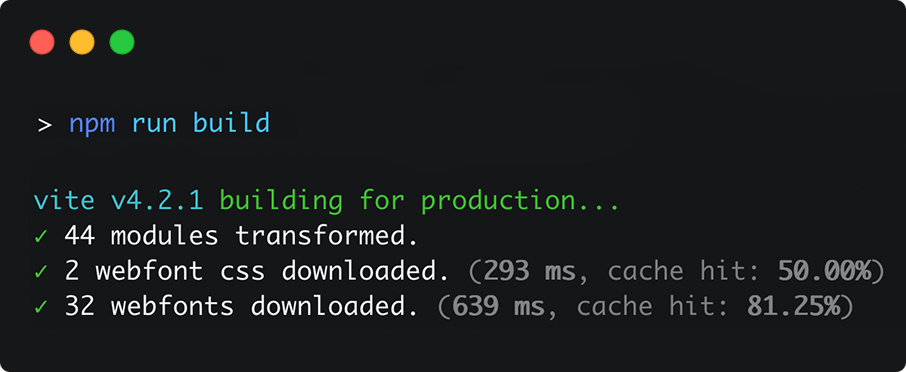
cdn.jsdelivr.net): works with Zero config or Simple configrsms.me): works with Zero config or Simple config@font-face definitions) works with Simple configinjectAsStyleTag (boolean, default: true):
Inject webfonts as <style> tag (embedded CSS) or as an external .css file
minifyCss (boolean, default: value of build.minify):
Minify CSS code during build.
embedFonts (boolean, default: false):
Embed base64-encoded fonts into css.
In some cases can cause filesize increase if css containes multiple references to same font file. Example
async (boolean, default: true):
Prevent the usage of inline event handlers (webfonts.css) that can cause Content Security Policy issues.
Works only with injectAsStyleTag:false.
cache (boolean, default: true):
Persistently store downloaded css and font files in local file cache.
If set to false the existing cache will be deleted.
proxy (false|AxiosProxyConfig, default: false):
Proxy configuration for network requests.
assetsSubfolder (string, default: ''):
Moves downloaded font files to separate subfolder in assets directory.
usage:
ViteWebfontDownload(
  [],
  {
    injectAsStyleTag: true,
    minifyCss: true,
    embedFonts: false,
    async: true,
    cache: true,
    proxy: false,
    assetsSubfolder: '',
  }
)
or:
ViteWebfontDownload(
  [
    'https://fonts.googleapis.com/css2?family=Poppins:wght@300;400;500;600;700&display=swap',
  ],
  {
    injectAsStyleTag: true,
    minifyCss: true,
    embedFonts: false,
    async: true,
    cache: true,
    proxy: false,
    assetsSubfolder: '',
  }
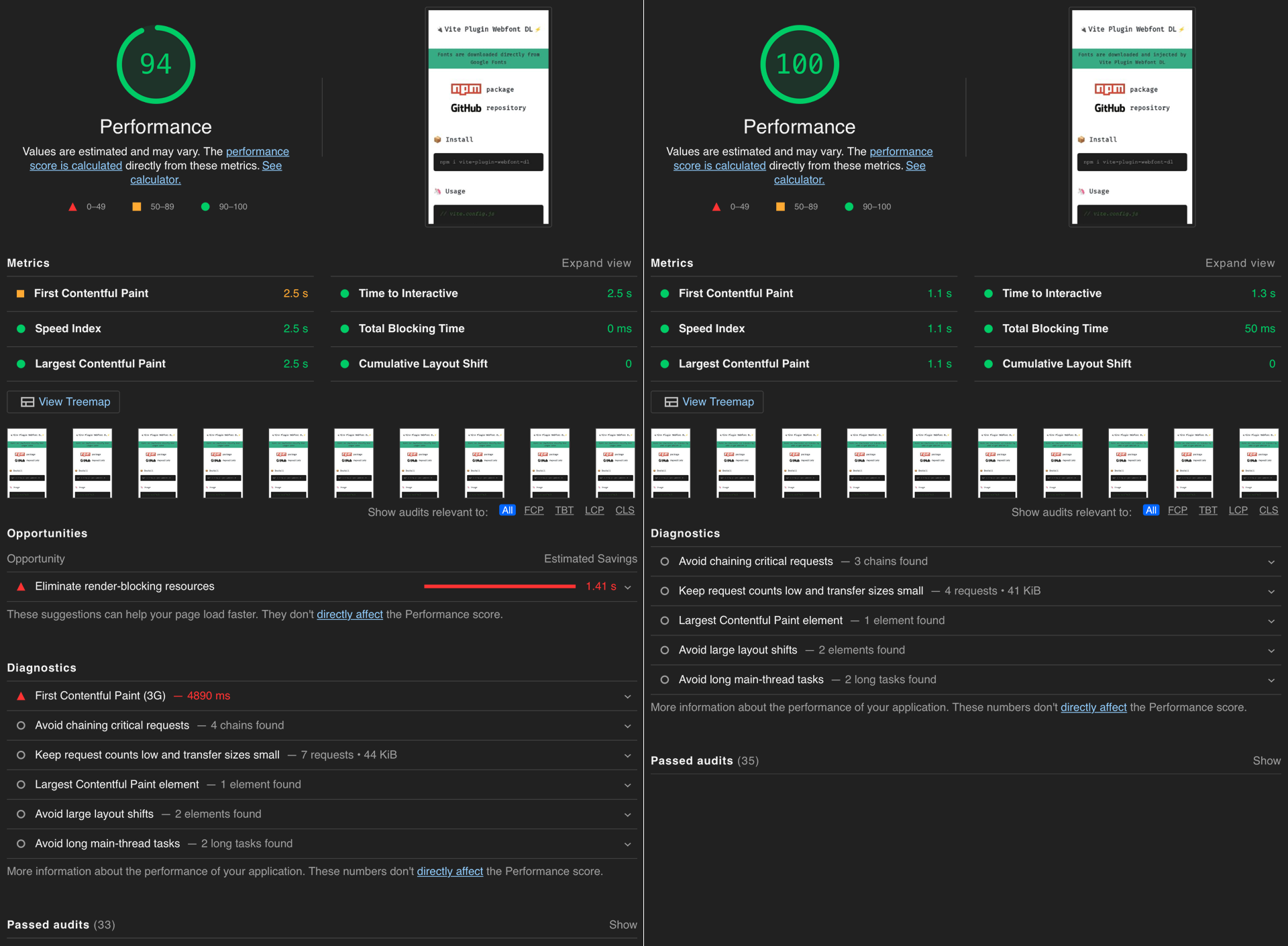
)? By avoiding render-blocking resources caused by third-party webfonts, you can boost page performance which leads to better user-experience and it improves SEO results.
The plugin downloads the given fonts from the third-party webfont service (like Google Fonts) and dynamically injects them (as an internal or external stylesheet) into your Vite project, transforming the third-party webfonts into self-hosted ones. ?
? In addition to the significant performance increase, your visitors will also benefit to privacy protection, since there is no third-party server involved.
Google Fonts generates the following code which you have to inject into your website's <head>, example:
<link rel="preconnect" href="https://fonts.googleapis.com">
<link rel="preconnect" href="https://fonts.gstatic.com" crossorigin>
<link href="https://fonts.googleapis.com/css2?family=Fira+Code&display=swap" rel="stylesheet">
What happens on client-side with Google Fonts:
fonts.googleapis.com. This happens in the background to improve performance. [preconnect]fonts.gstatic.com. [preconnect]fonts.googleapis.com (with font-display:swap). [stylesheet]@font-face definitions containing font URLs from fonts.gstatic.com server.fonts.gstatic.com.On the contrary, Webfont-DL plugin does most of the job at build time, leaves the minimum to the browser.
Webfont-DL plugin
index.html and the generated CSS)<style> tag) or a webfont / external CSS file<head> using a non-render blocking method, example:<style>
@font-face {
font-family: 'Fira Code';
font-style: normal;
font-weight: 300;
font-display: swap;
src: url(/assets/uU9eCBsR6Z2vfE9aq3bL0fxyUs4tcw4W_GNsJV37Nv7g.9c348768.woff2) format('woff2');
unicode-range: U+0460-052F, U+1C80-1C88, U+20B4, U+2DE0-2DFF, U+A640-A69F, U+FE2E-FE2F;
}
...
</style>or (using dev server or injectAsStyleTag: false option)
<link rel="preload" as="style" href="/assets/webfonts.b904bd45.css">
<link rel="stylesheet" media="print" onload="this.onload=null;this.removeAttribute('media');" href="/assets/webfonts.b904bd45.css">
What happens on client-side with Webfont-DL plugin:
<style> tag).or
preload]print" stylesheet (non-render blocking). After loading it promote to "all" media type stylesheet (by removing the "media" attribute). [stylesheet]Starter Vite project with
| ? | ||
|---|---|---|
| ? webfont.feat.agency | ? webfont-dl.feat.agency |
MIT License © 2022 feat.








