FiremonkeySensorFusion
1.0.0

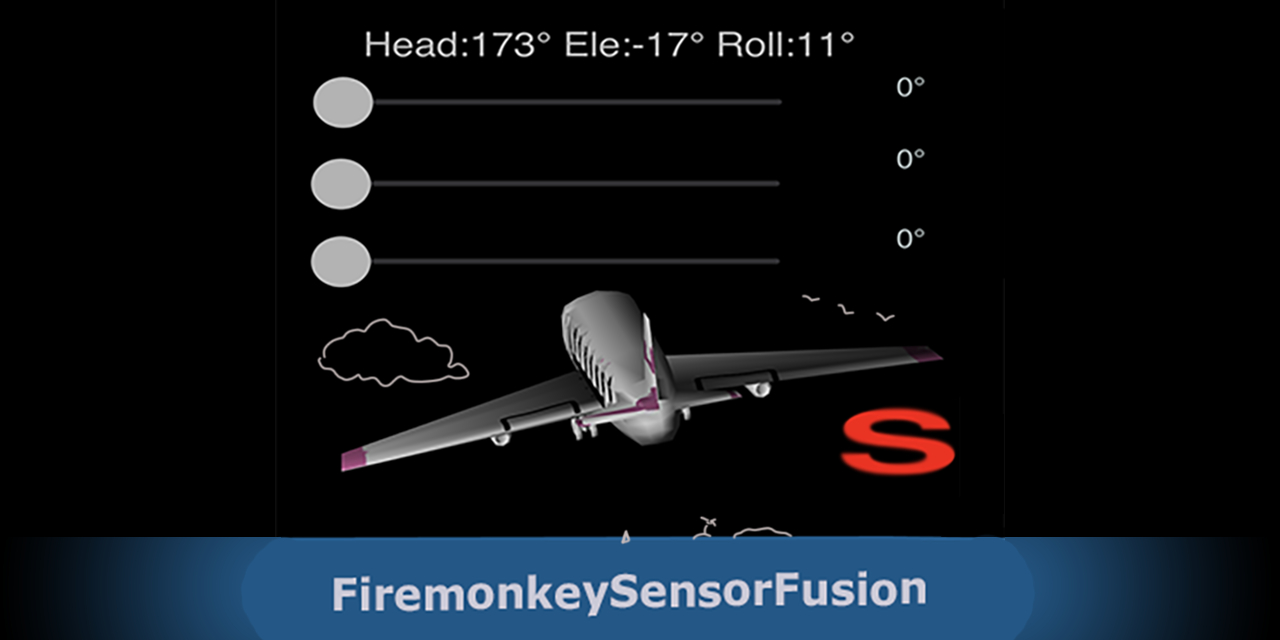
TMagnetoAccelerometerFusion object combines phone sensor output from:
to obtain the phone attitude vector. This is the direction the phone is pointing and the rotation in relation to vertical. The object calculates phone's rectangular coordinates. This can be used to power augmented reality apps for mobile devices. Many names for rectangular coordinates: azimuth/altitude/roll or heading/elevation/roll or pitch/bank/roll. You choose.
    phone attitude - rectangular coordinates
       -Y     Z       altitude X
        |    /        heading  Y
        |   /         roll     Z
    /===+===\                     ( Y points down, Z points inside the screen )
    |   | / ||
    |   |/  ||
    |   *---|---------- X
    |       ||
    |   O   ||
    -------//
Cross platform Delphi Object Pascal for Android and iOS. No Windows support at this time.
What the object does:
iOS version uses a 100ms timer to get sensor readings. It would be better to use sensor change events, but I don't know how to do that.
Android version uses native sensor code ( from DelphiWorlds ). Delphi TLocationSensor is also used. Recent changes to both Android and iOS requires explicit permision before starting the GPS sensor.
Note that iOS GPS sensor has a TrueHeading property, which could be used directly, avoiding all this. But it has a problem when the altitude crosses the 45 degree boundary. The GPS TrueHeading jumps several degrees at that point. My guess is that iOS changes the rectangular coordinates axis when the altitude is more than 45 degrees, which I think is wrong. Not sure.
In versions before D10.3.3 used a hack to pass int64 via JNI on Android (Delphi JNI had some endian problem ). This was commented when the compiler was corrected. Watch if using previous Delphi versions ( i.e. uncomment the hack ) On D10.4.1 it seems the bug is back, so the hack was reintroduced :| update: dez20: As of D10.4.1 Sydney, the work around is required for Android 32 bits. Source updated to fix this.
TMagnetoAccelerometerFusion is not a component so there is no need to install it as a package. It is instanced at run-time.
Add unit to uses: MagnetometerAccelerometerFusion
Add form variable: fMagAccelFusion:TMagnetoAccelerometerFusion;
On FormCreate:
fMagAccelFusion := TMagnetoAccelerometerFusion.Create(Self);
// fMagAccelFusion.OnAccelerometerChange  := FusionSensorAccelChanged;          // optional sensor events
// fMagAccelFusion.OnMagnetometerChange   := FusionSensorMagChanged;
fMagAccelFusion.OnHeadingAltitudeChange:= FusionSensorHeadingAltitudeChanged;   // combined sensor change handler
Implement sensor handler:
procedure TfrmMain.FusionSensorHeadingAltitudeChanged(Sender:TObject);
begin
  // in this sample just show rectagular coordinates
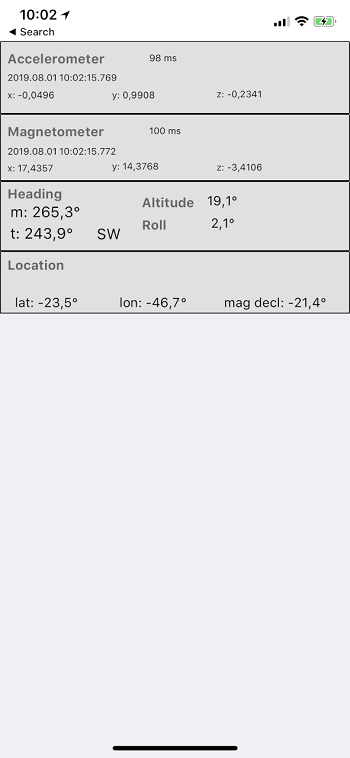
  labMagHeading.Text  := Format('m: %5.1f°', [fMagAccelFusion.fTCMagHeading]);
  labTrueHeading.Text := Format('t: %5.1f°', [fMagAccelFusion.fTCTrueHeading]);
  labAltitude.Text    := Format('%5.1f°',    [fMagAccelFusion.fAltitude] );
  labRoll.Text        := Format('%5.1f°',    [fMagAccelFusion.fRoll] );
  ....
  ...
On FormActivate: Start sensors. For Android, you have to ask permission to use the sensors and start when permissions are granted. On iOS starting sensors from FormActivate didn't work. Instead I started from a timer. Note that the sample application doesn't start the sensors this way. User have to manually start using using the checkbox.
Add System.Permissions to uses
  procedure TfrmMain.timerStartSensorsiOSTimer(Sender: TObject);  // iOS deferred start timer
  begin
    fMagAccelFusion.StartStopSensors({bStart:} true );  //start ios sensor feed
    timerStartSensorsiOS.Enabled := false;              //once
  end;

  procedure TfrmMain.FormActivate(Sender: TObject);
  begin
    {$IFDEF Android}  // request permissions to start sensor
      const PermissionAccessFineLocation = 'android.permission.ACCESS_FINE_LOCATION';
      PermissionsService.RequestPermissions([PermissionAccessFineLocation],
         procedure(const APermissions: TClassicStringDynArray; const AGrantResults: TClassicPermissionStatusDynArray)
         begin
           if (Length(AGrantResults) = 1) and (AGrantResults[0] = TPermissionStatus.Granted) then
             fMagAccelFusion.StartStopSensors( true )     // bStart=true
             else TDialogService.ShowMessage('Location permission not granted');
      end)
    {$ENDIF Android}

    {$IFDEF IOS}
    // for IOS I found u cannot start LocationSensor from FormActivate or the sensor breaks
    // used a Timer to defer sensor start a couple seconds
    timerStartSensorsiOS.Enabled := true;
    {$ENDIF IOS}
    ...
  end;
Apps for iOS and Android. Search application stores for:
"CamSextant" - Use phone sensors as a sextant with celestial calculator. Simplest celestial navigation solution. Use the phone as a complete celnav tool ( sextant + calculator). perpetual Nautical Almanac. Uses sensors to capture celestial object altitudes. Get two or more sights and you have a fix (Astronomical Position)+.
"PlanetFun" - 4D Solar System model (3d space+time). The scene 3D camera can be attached to the phone sensors, creating an augmented reality experience. Uses serious planet almanac data (theory VSOP 2013 to calculate planet pósitions).
see https://github.com/omarreis/vsop2013/tree/master/planetfun
"Navigator HD" - Complete celestial navigation tool, with perpetual almanac, meridian passage, Lines of Position, Astronomical Position. E-Book with celestial navigation basics.
"OPYC" - Sailing game. Steer the boat with the phone inclination.
Or search for "omarreis" developer.







